My TV Series keeps asking me to identify series that I have... (1 Viewer)

nzdreamer55

MP Donator
  • Premium Supporter
  • August 31, 2010
    465
    28
    San Luis Obispo, CA
    Home Country
    United States of America United States of America
    Hello everyone,

    I'm using MePo 1.3 Alpha and My TV series which has always be great. The problem is that I store my series with the first word of "The" at the back of the title. So "The Simpsons" will be "Simpsons, The"

    As My TV Series scrapes these it has a hard time matching up to what is in the.tvdb

    Is there an expression that I can write to fix this?

    Thanks so much
    -S
     

    RoChess

    Extension Developer
  • Premium Supporter
  • March 10, 2006
    4,434
    1,897
    Yes, you could correct this with a regular expression, because if you turn "Simpsons, The" into just "Simpsons" it will find a match, so you just have to make an exclusion expression, such as (?:[,]\s*(?:The|A|An))? to strip it from the series name. You could simply use the string-replacement system for this, and to make it even simpler you could just add an entry such as:

    CHECK (Enabled) + CHECK (Run before matching) + CHECK (Is Regex)
    Replace this.. = ([,]\s*(?:The|A|An))
    With this = <empty>

    Enjoy.
     

    sebbl

    Portal Member
    March 12, 2008
    24
    3
    You could even move the matched group (?:The|A|An) to the beginning of the string to the beginning I guess.

    Something like this should work:

    Replace this.. = "(.+)([,]\s*((?:The|A|An)))"
    With this = "$3 $1"

    Translating "Simpons, The" to "The Simpsons" and so on.
     
    Last edited:

    nzdreamer55

    MP Donator
  • Premium Supporter
  • August 31, 2010
    465
    28
    San Luis Obispo, CA
    Home Country
    United States of America United States of America
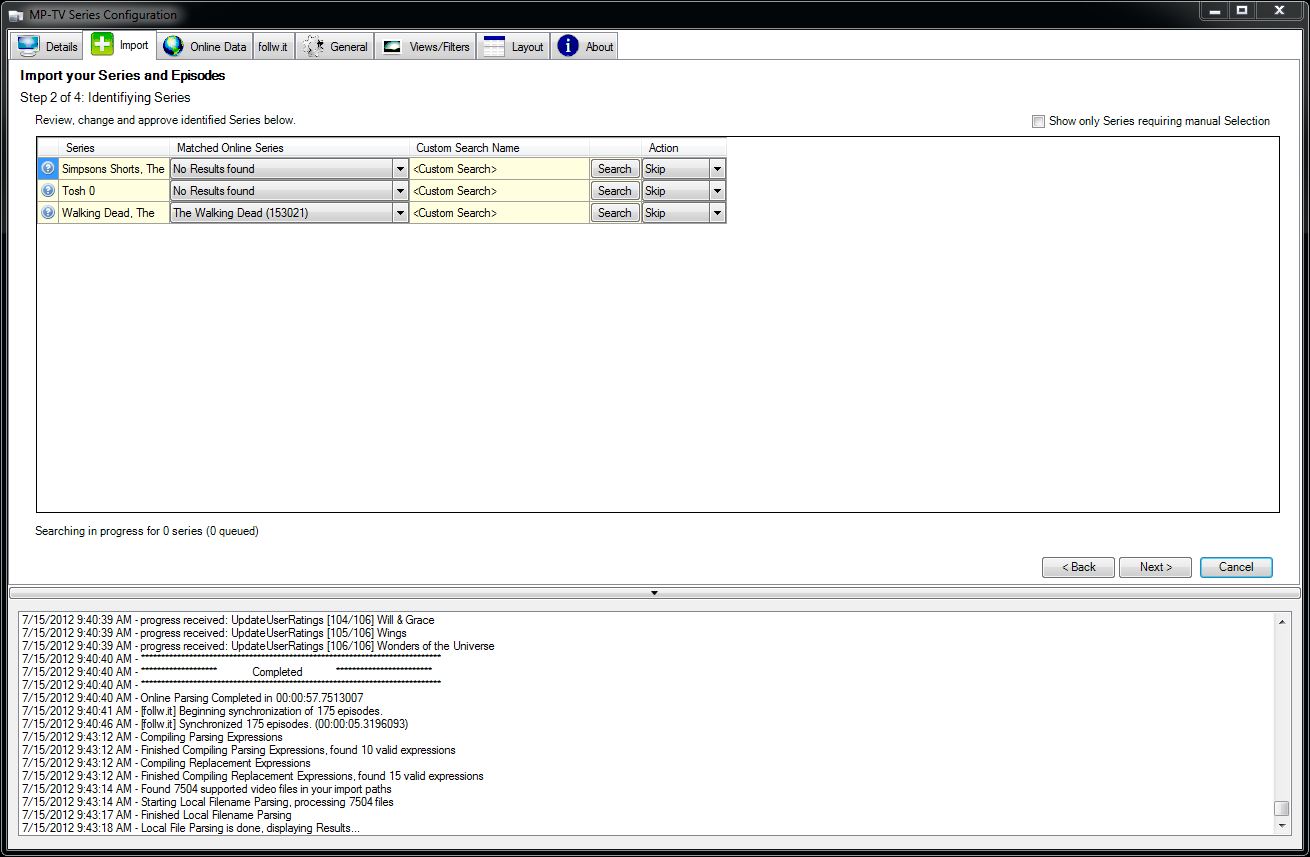
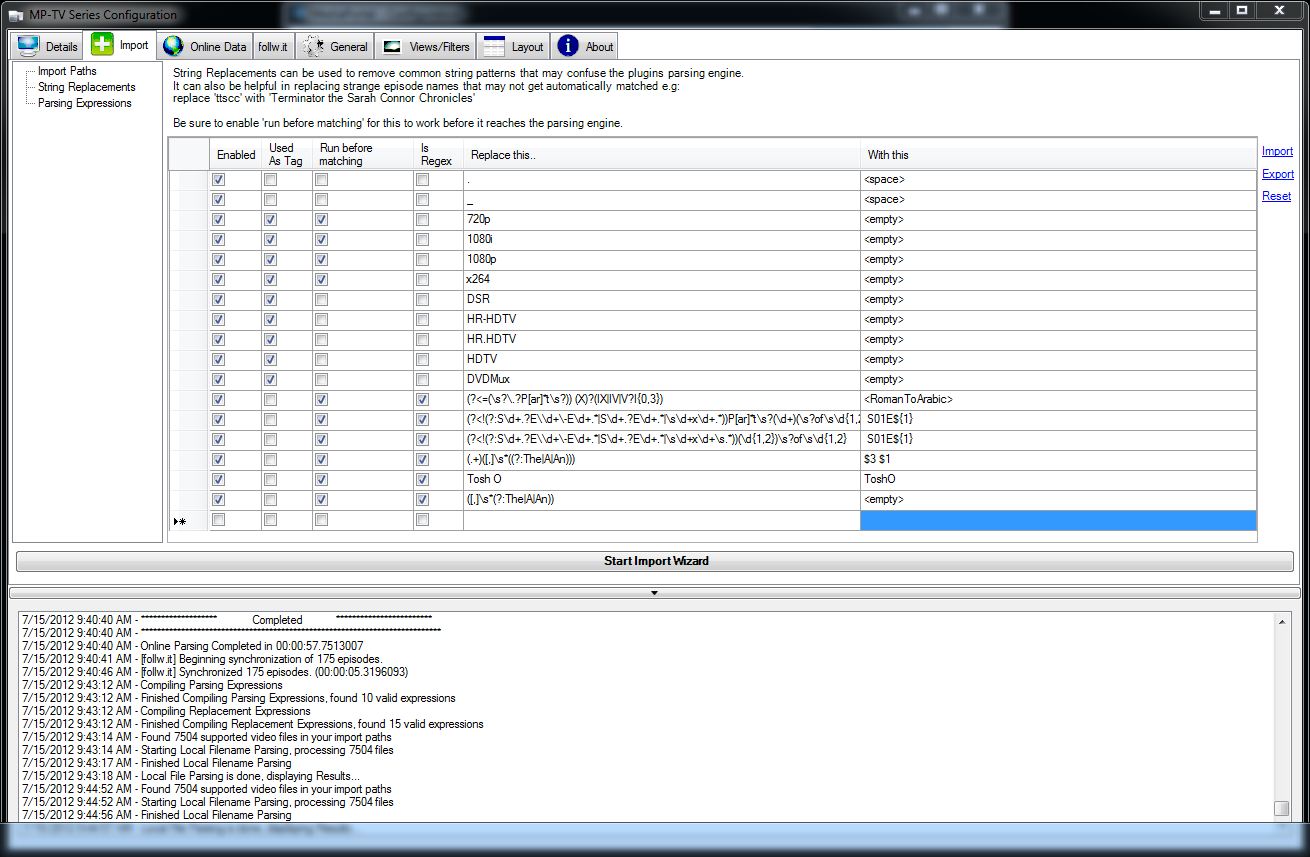
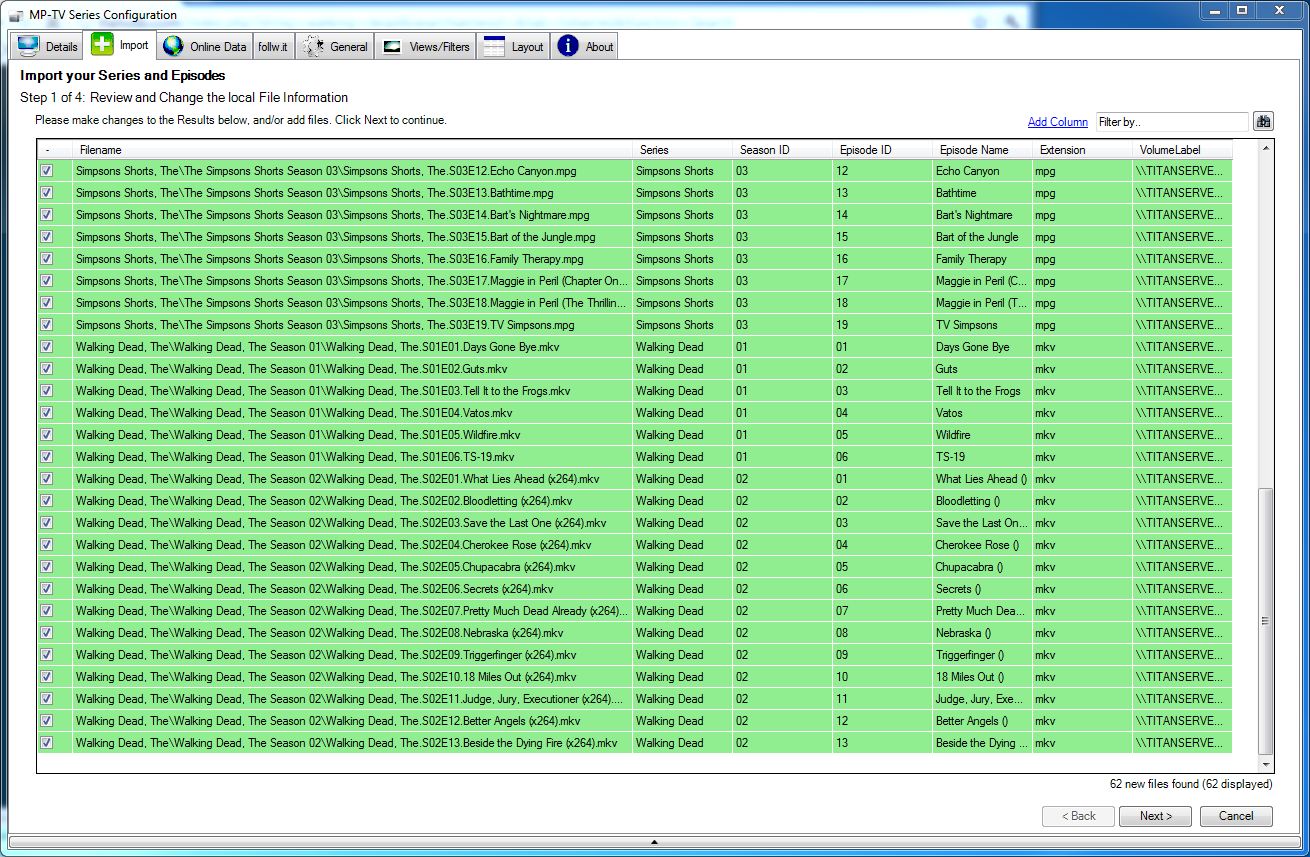
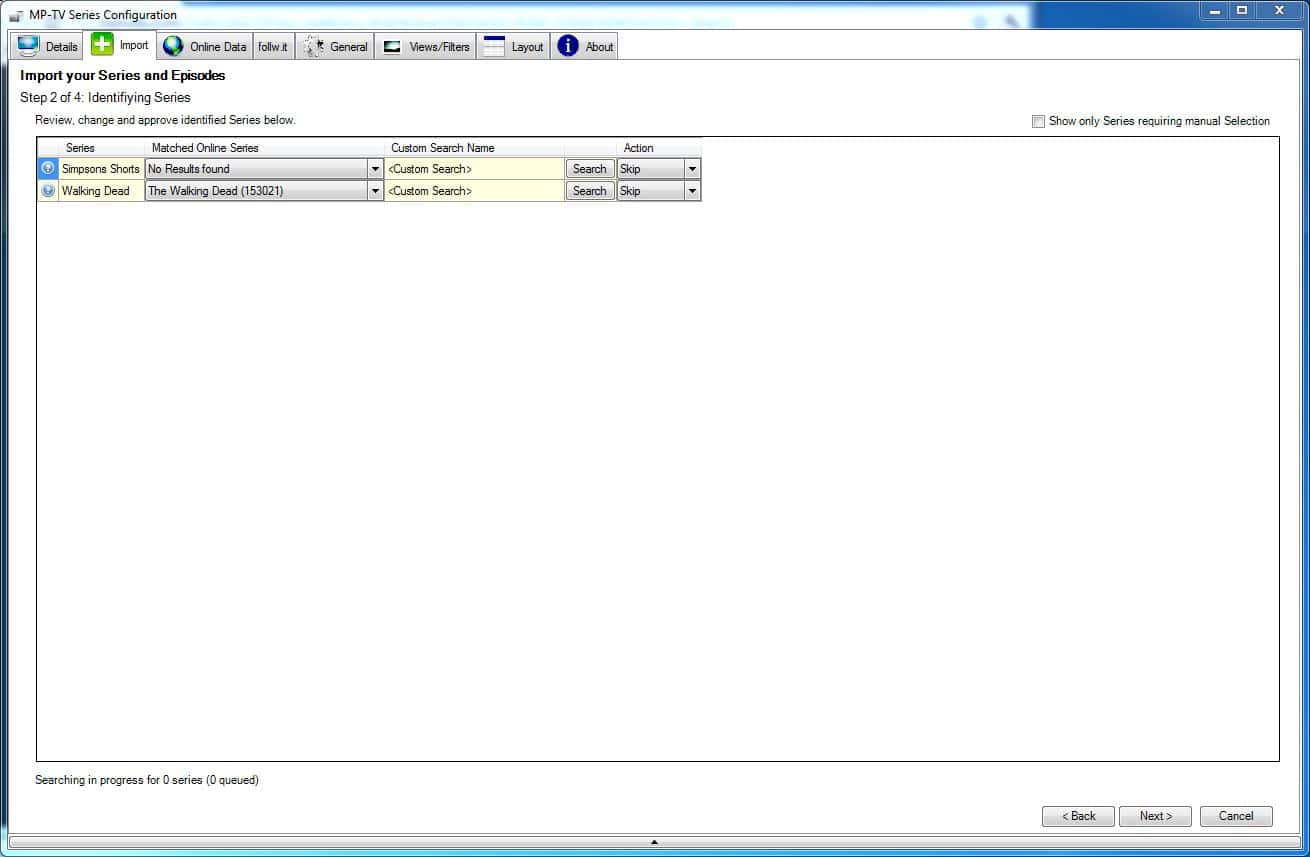
    Thanks for the help. I think that I am doing something incorrect. I first tried the replace string to move the words (the, A, An) to the front of the item, but that didn't work. I then tried the replacement to remove them and again the same results. I also have problems with Tosh.O and I tried to change it from Tosh O to ToshO, but that didn't work either. Can you tell how I am messing this up? Note on the first one, I forgot to enable the Tosh O filter.
    MyTVSeries2.JPG
    [DOUBLEPOST=1342371264][/DOUBLEPOST]Both times I started the Import Wizard I got the result where it didn't match to the series :-(

    Thank you for your help
    -S
     

    Attachments

    • MyTVSeries1.JPG
      MyTVSeries1.JPG
      140.8 KB
    • MyTVSeries3.JPG
      MyTVSeries3.JPG
      200.6 KB

    sebbl

    Portal Member
    March 12, 2008
    24
    3
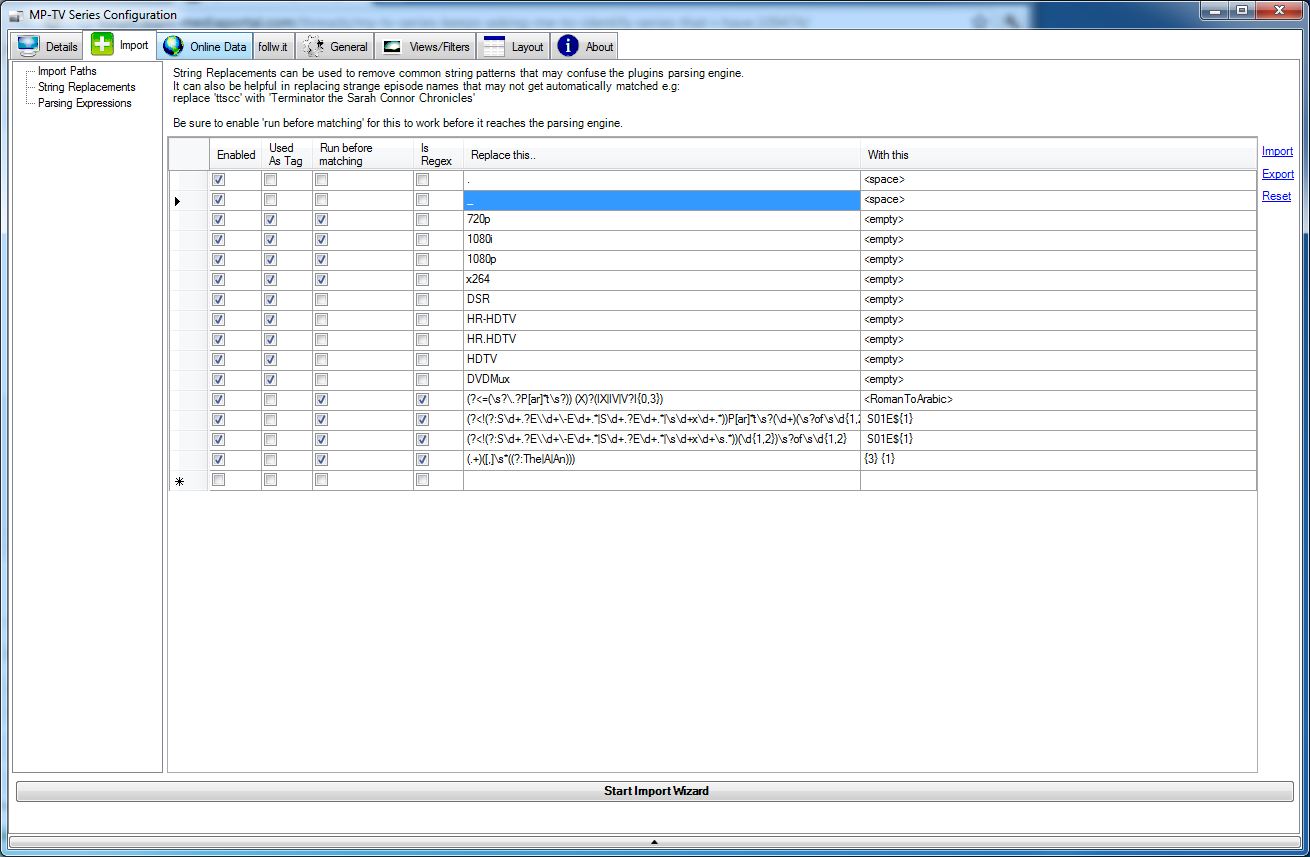
    for the simpsons example: looks like the used syntax to access the matched groups is {n} instead of $n
    That's something you can give a try :)

    --> so "{3} {1}" instead of "$3 $1"
     

    nzdreamer55

    MP Donator
  • Premium Supporter
  • August 31, 2010
    465
    28
    San Luis Obispo, CA
    Home Country
    United States of America United States of America
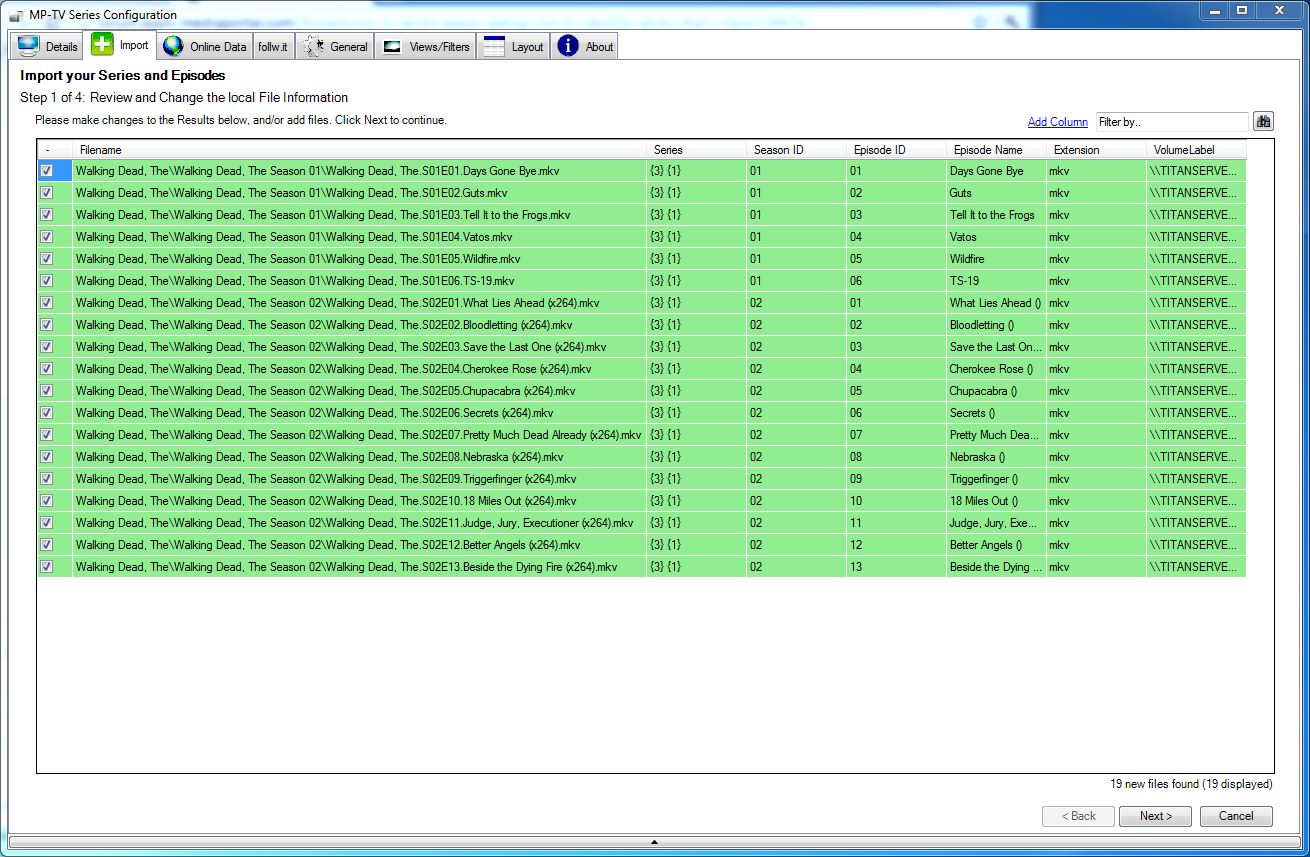
    Well in this example it looks like it replaces walking dead, the with {3} {1}.

    Thanks for the help. Sorry that this isn't working
    -S
     

    Attachments

    • MyTVSeries4.JPG
      MyTVSeries4.JPG
      149.1 KB
    • MyTVSeries5.JPG
      MyTVSeries5.JPG
      243.2 KB

    sebbl

    Portal Member
    March 12, 2008
    24
    3
    Sorry, another mistake ;) Can you try "${3} ${1}" ?
    At least something should be inserted than.. the groupnumbers may be wrong, we'll see... sorry :)
     

    nzdreamer55

    MP Donator
  • Premium Supporter
  • August 31, 2010
    465
    28
    San Luis Obispo, CA
    Home Country
    United States of America United States of America
    Really close, but it does not seem to be able to match to thetvdb. It looks like it deleted the end after the comma. :)
     

    Attachments

    • MyTVSeries6.JPG
      MyTVSeries6.JPG
      316 KB
    • MyTVSeries7.JPG
      MyTVSeries7.JPG
      88 KB

    sebbl

    Portal Member
    March 12, 2008
    24
    3
    Ok, strange...

    Does anyone know if it is possible to use more than one group in the "with this" part (I never used the tool and don't even have MP installed right now..)?

    I just checked the Regex to be sure to there is no mistake. The Regex Tester says that (.+)([,]\s*((?:The|A|An))) should result in the following groups:

    for "Simspons Shorts, The"
    0: Simpons Shorts, The
    1: Simpons Shorts
    2: , The
    3: The

    and for "Walking Dead, The"
    0: Walking Dead, The
    1: Walking Dead
    2: , The
    3: The

    So "${3} ${1}" should be what you need... o_O
     
    Last edited:

    RoChess

    Extension Developer
  • Premium Supporter
  • March 10, 2006
    4,434
    1,897
    For your "Tosh 0" problem, you have to remember to enable the ENABLE checkbox and since you want to fix it BEFORE importing process starts, you have to enable the BEFORE checkbox as well.

    With those 2 checkboxes enabled, you have to remember that you are fixing the filename AS-IS, so if your filename is "Tosh.0.S01E01.avi" then you are actually replacing "Tosh.0" with "Tosh0" before matching, or if you are further down in processing it could be "Tosh 0".

    An easy way to make sure that it works for TheTVdB is to manually do the search: http://thetvdb.com/api/GetSeries.php?seriesname=Tosh.0

    The problem however is that you also might be dealing with default replacements of <dot> into <space>, so you can not do a search with dots in the title via MP-TVSeries.

    TheTVdB has room for that and allows for: http://thetvdb.com/api/GetSeries.php?seriesname=Tosh0 to work as well.

    So the string replacement of "Tosh.0" into "Tosh0" would fix that (keep in mind that's a ZERO not Capital 'Ohhh'), but keep in mind you might need "Tosh 0" if the dots were already replaced before into spaces your replacement was processed, or if the series title in your filename does not contain the dots.
     

    Users who are viewing this thread

    Top Bottom