myHome problem with RC4 (1 Viewer)

Argonaut

MP Donator
  • Premium Supporter
  • October 26, 2008
    27
    1
    Adelaide
    Home Country
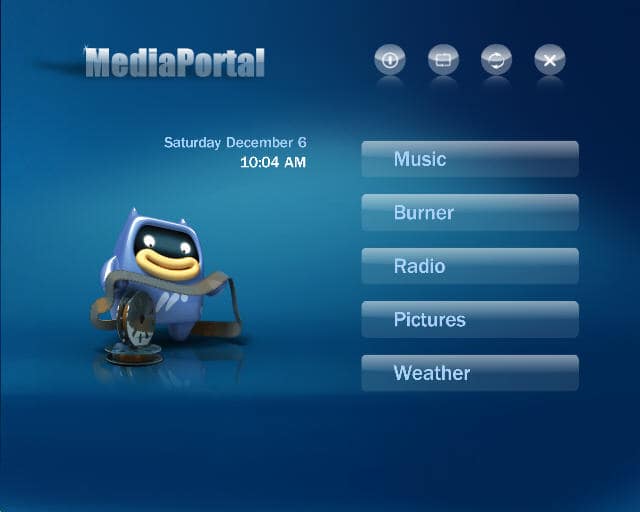
    Since I upgraded to RC4 the current item is not highlighted in Home screen, and also is off-screen somewhere. The only way to tell what the highlighted item is, is by the large picture. This seems to be common to all skins - I have tested Blue3, Blue3wide, Bleazle, and XFace.

    Is anyone else having this problem. I thought it might be due to me using a 16:9 skin on a 4:3 monitor, so I tested Blue3, but that was the same.

    Thanks for your help
     

    Paranoid Delusion

    Moderation Manager
  • Premium Supporter
  • June 13, 2005
    13,052
    2,978
    Cheshire
    Home Country
    United Kingdom United Kingdom
    Since I upgraded to RC4 the current item is not highlighted in Home screen, and also is off-screen somewhere.

    Not sure what you mean, a screen shot really helps :)

    Upload via the advanced + feature.
     

    Argonaut

    MP Donator
  • Premium Supporter
  • October 26, 2008
    27
    1
    Adelaide
    Home Country
    I have attached a screenshot of Blue3 - hopefully this will explain a bit better.
    NB: I haven't attached anything before, so my apologies if it doesn't work...

    Thanks Jason
     

    Attachments

    • RC4problem.jpg
      RC4problem.jpg
      30.6 KB

    Paranoid Delusion

    Moderation Manager
  • Premium Supporter
  • June 13, 2005
    13,052
    2,978
    Cheshire
    Home Country
    United Kingdom United Kingdom
    Are you using a mouse, as this is never a great way to control MP. keyboard\remote a lot better.

    Can you confirm, thanks.
     

    emphatic

    Design Group
  • Team MediaPortal
  • August 25, 2006
    3,758
    1,250
    Alingsås
    Home Country
    Sweden Sweden
    I know of this issue as well. I've had this the better part of the RC3 cycle, but when I reported it, nobody seemed to care much. It's fixed for me now though. Maybe it's a hardware issue. What type of graphics card do you use, and do you have all the latest Direct X updates and your latest video drivers?

    Emph
     

    Argonaut

    MP Donator
  • Premium Supporter
  • October 26, 2008
    27
    1
    Adelaide
    Home Country
    I am running an Inno3D 7600GS AGP Video Card with 256MB, and driver version 178.24 and DirectX 9.0c (4.09.0000.0904) on Windows XP SP3.
    Does that help? It was OK when I was running RC3 though...

    Thanks Jason

    I have a mouse, however I am using the keyboard to control MP. I agree - it is really hard to control MP with a mouse...

    Thanks Jason
     

    Users who are viewing this thread

    Top Bottom