New Layout of BasicHome Menu Buttons? (3 Viewers)

2BitSculptor

Super Moderator
  • Team MediaPortal
  • January 23, 2008
    2,031
    1,073
    South Central Wisconsin
    Home Country
    United States of America United States of America
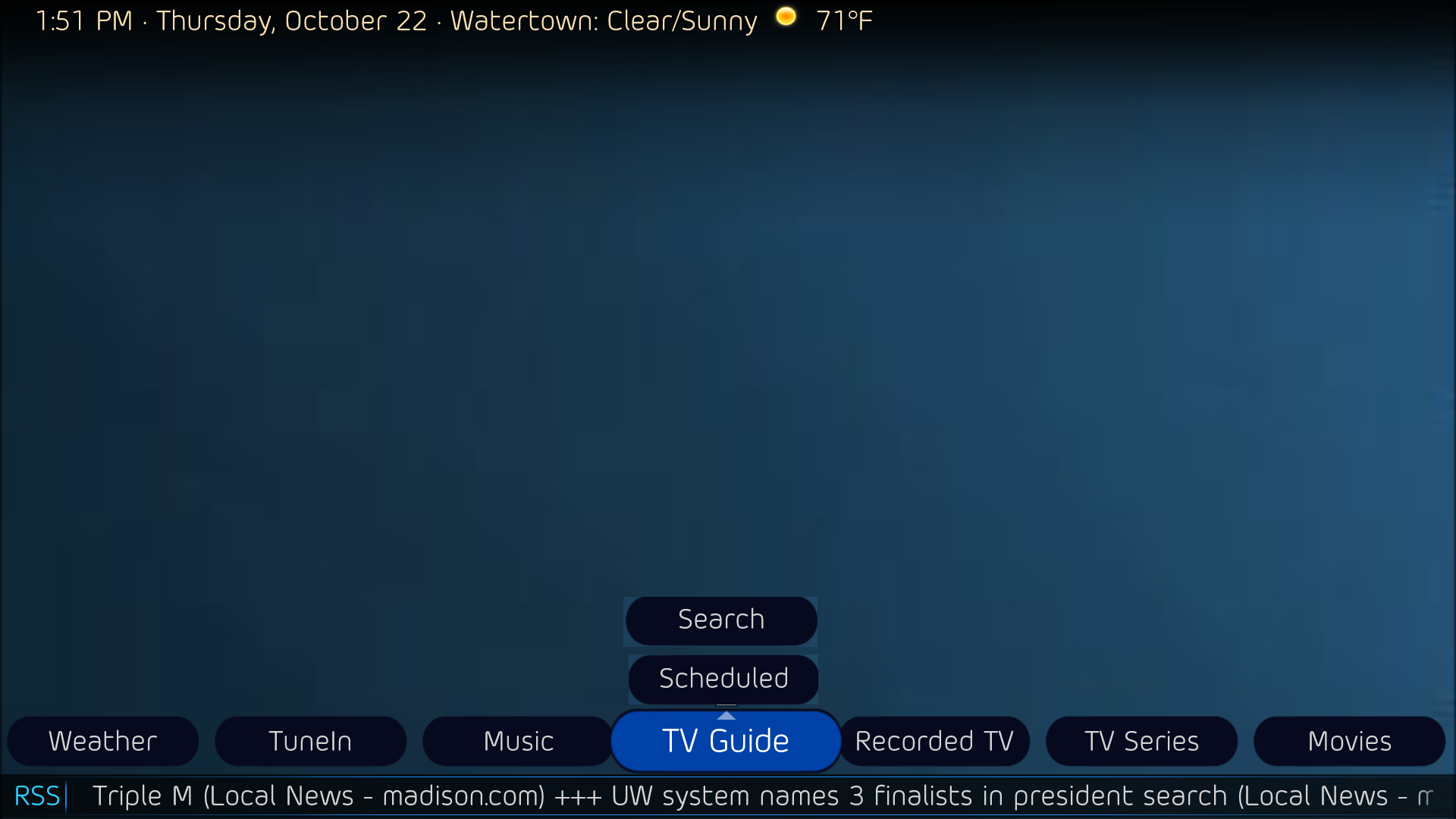
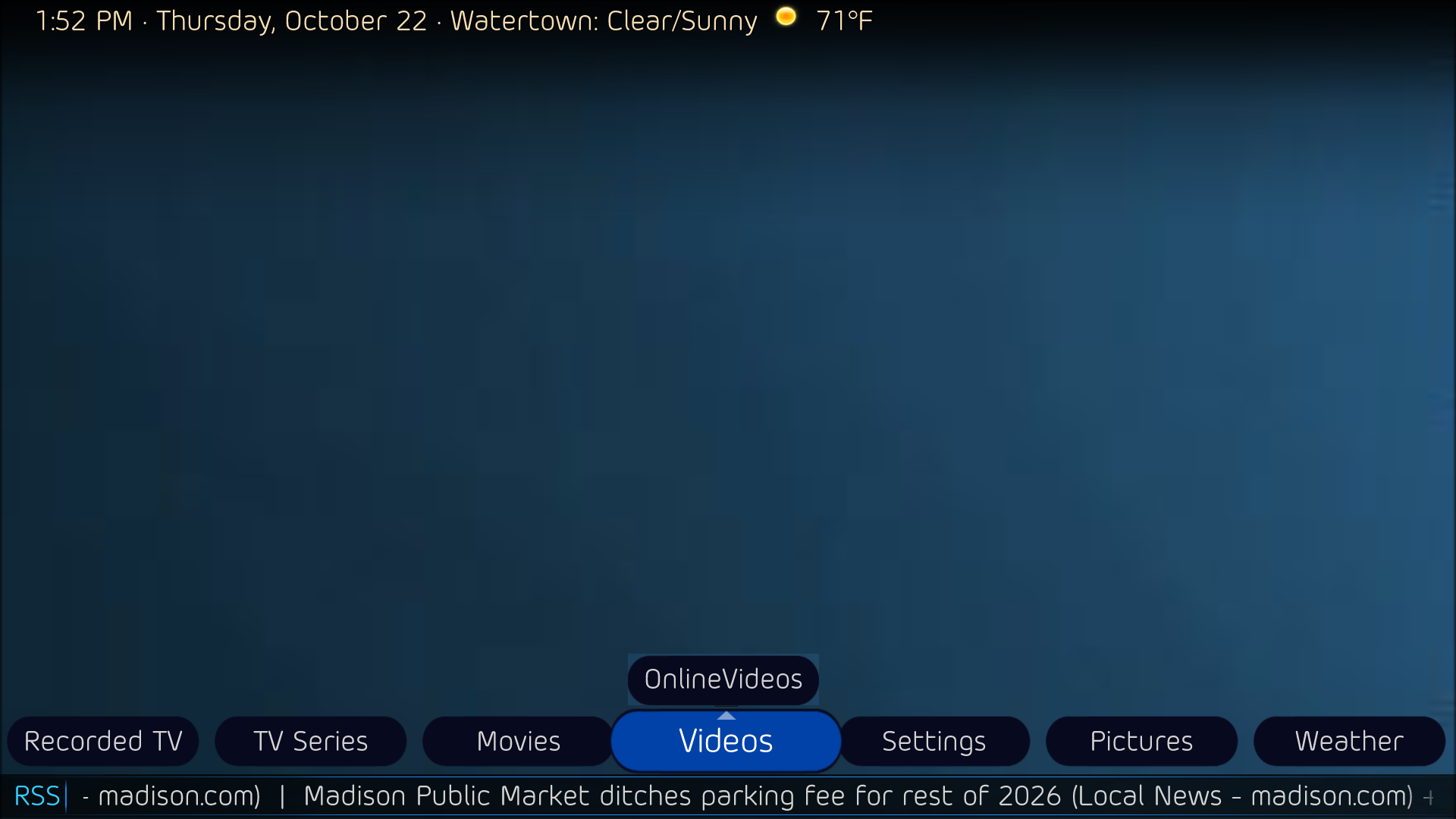
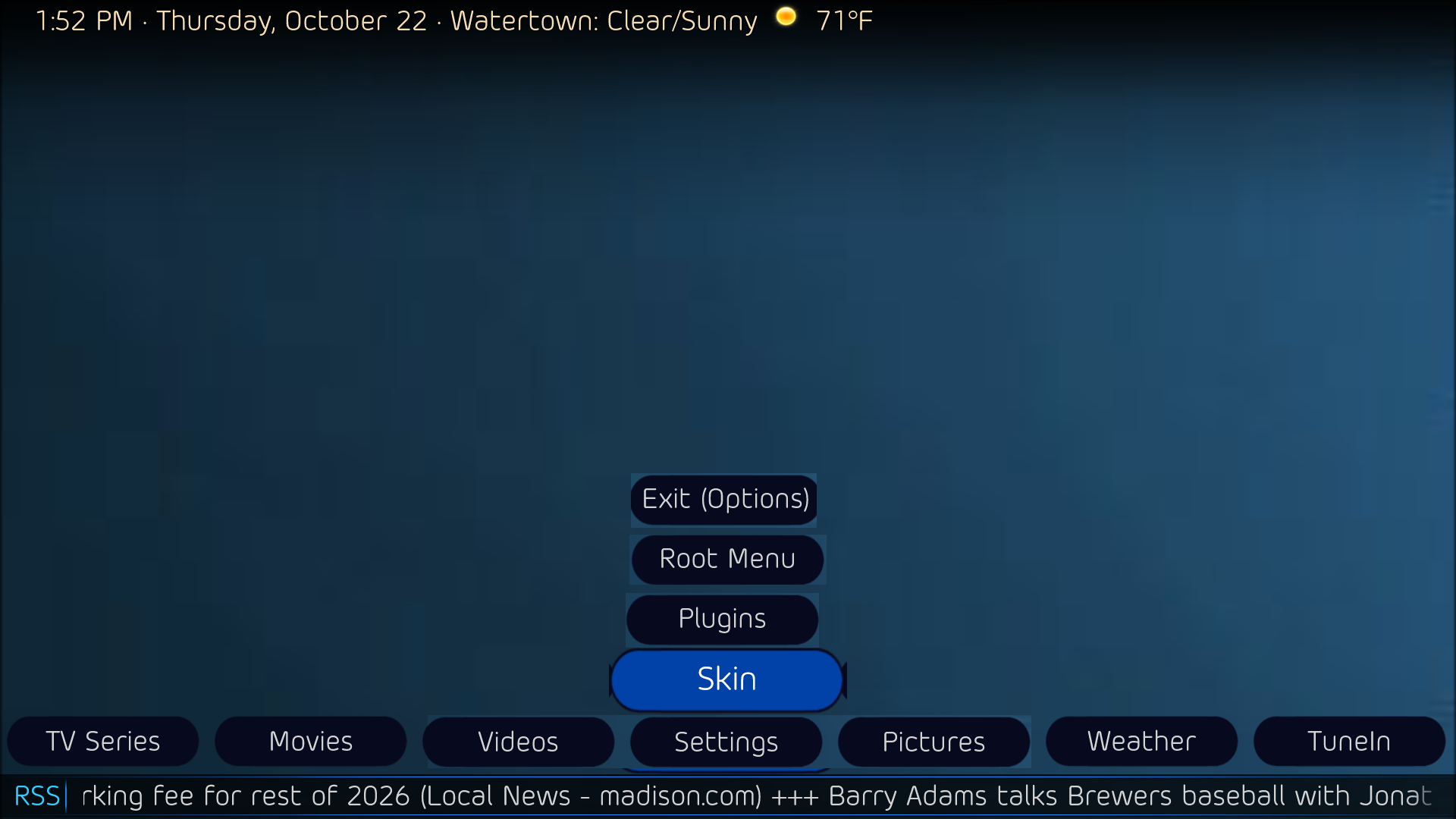
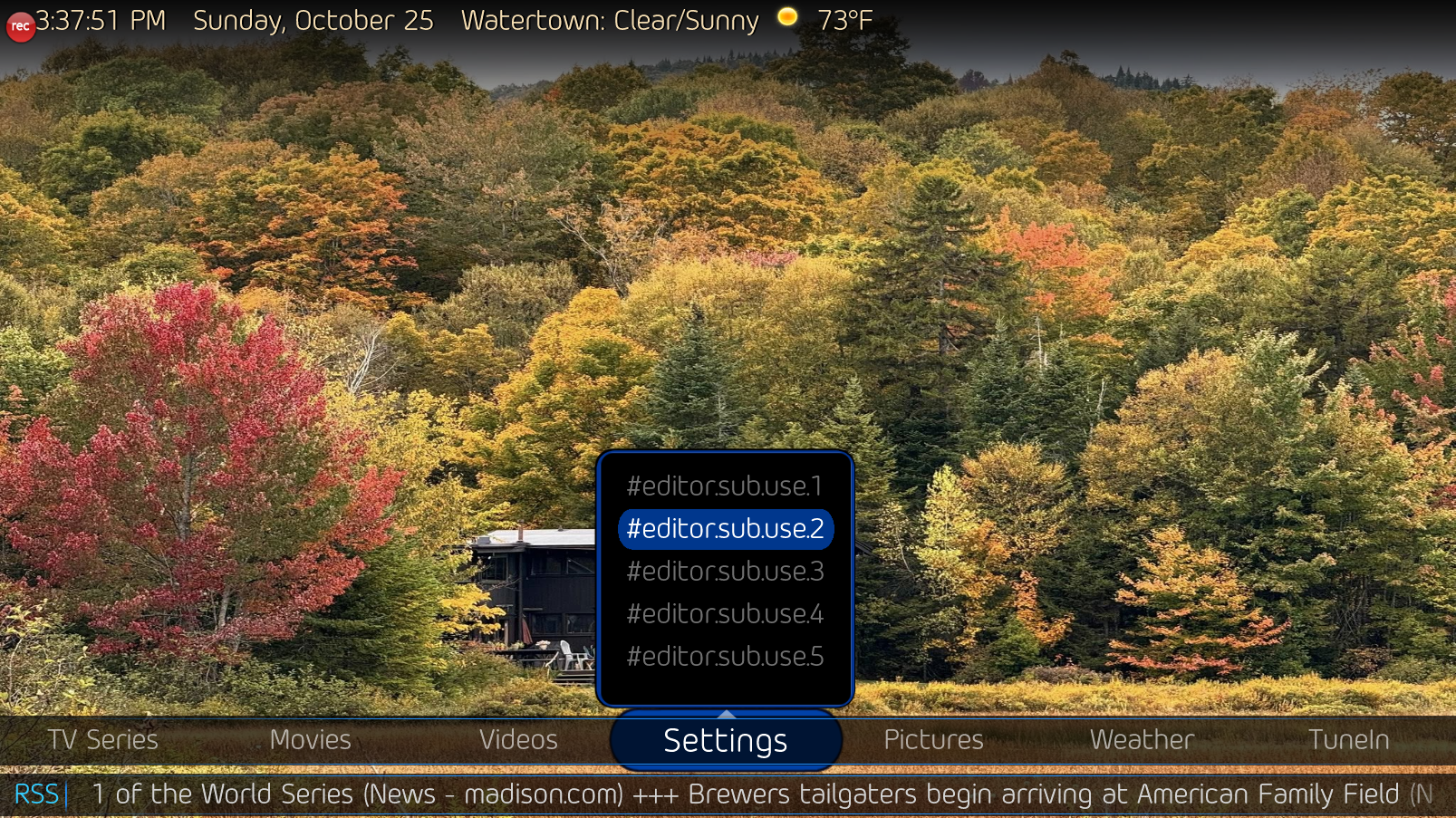
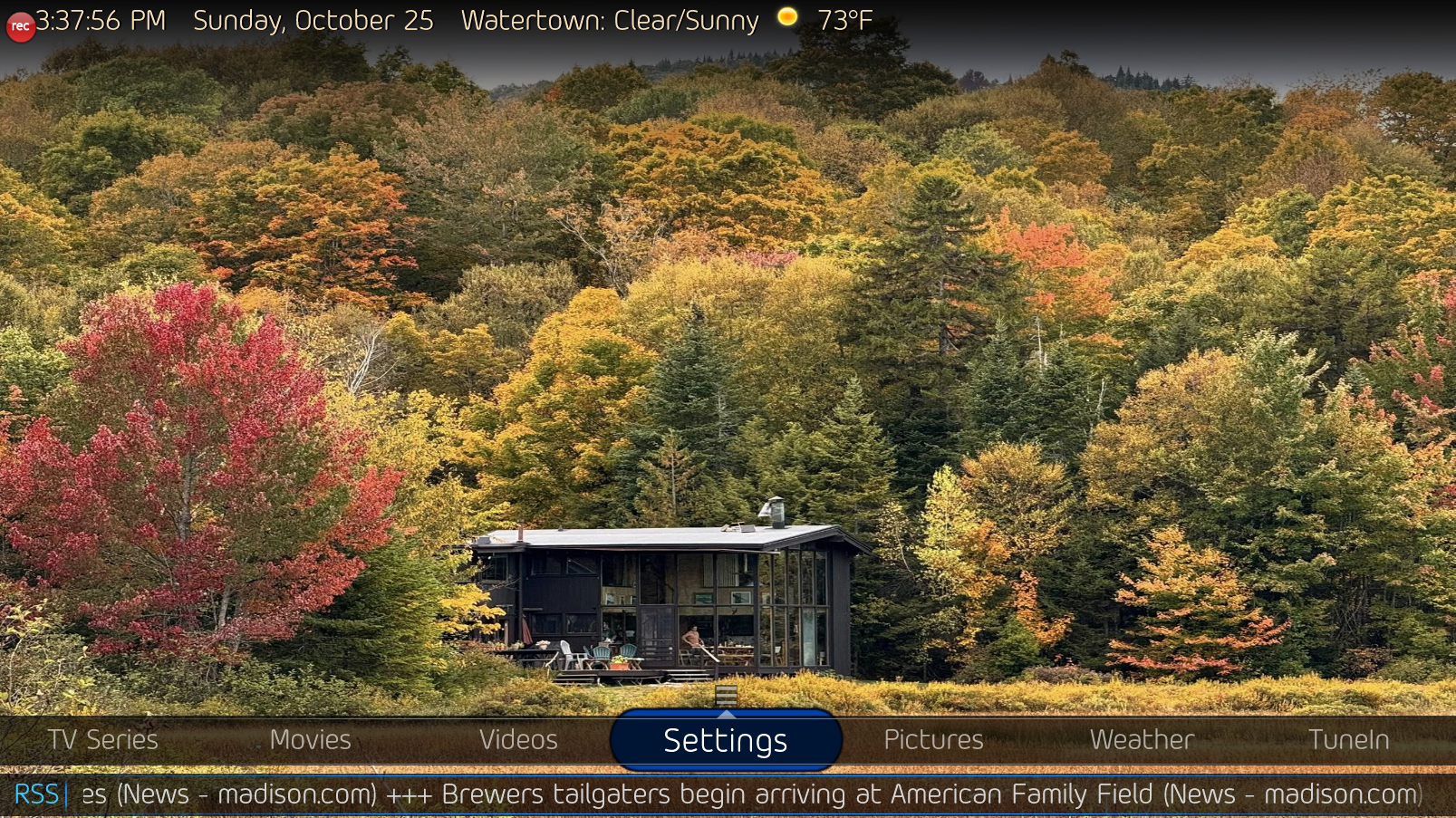
    I'm looking at messing with the Old Eyes theme for DefaultWideHD. I'd like to create a new Layout in the skin editor, maybe called "Horizontal text - Stack", that uses stacked buttons for the sub menus, rather than the horizontal buttons. Do you think it is possible? I've never liked the wraparound repeat of the buttons across the screen, if you've got fewer than 7 sub menu items.

    some example mockups:
     

    Attachments

    • 13-51-49.png
      13-51-49.png
      154.2 KB
    • 13-52-24.png
      13-52-24.png
      152 KB
    • 13-52-41.png
      13-52-41.png
      161.6 KB
    Last edited:

    2BitSculptor

    Super Moderator
  • Team MediaPortal
  • January 23, 2008
    2,031
    1,073
    South Central Wisconsin
    Home Country
    United States of America United States of America
    • Thread starter
    • Moderator
    • #3
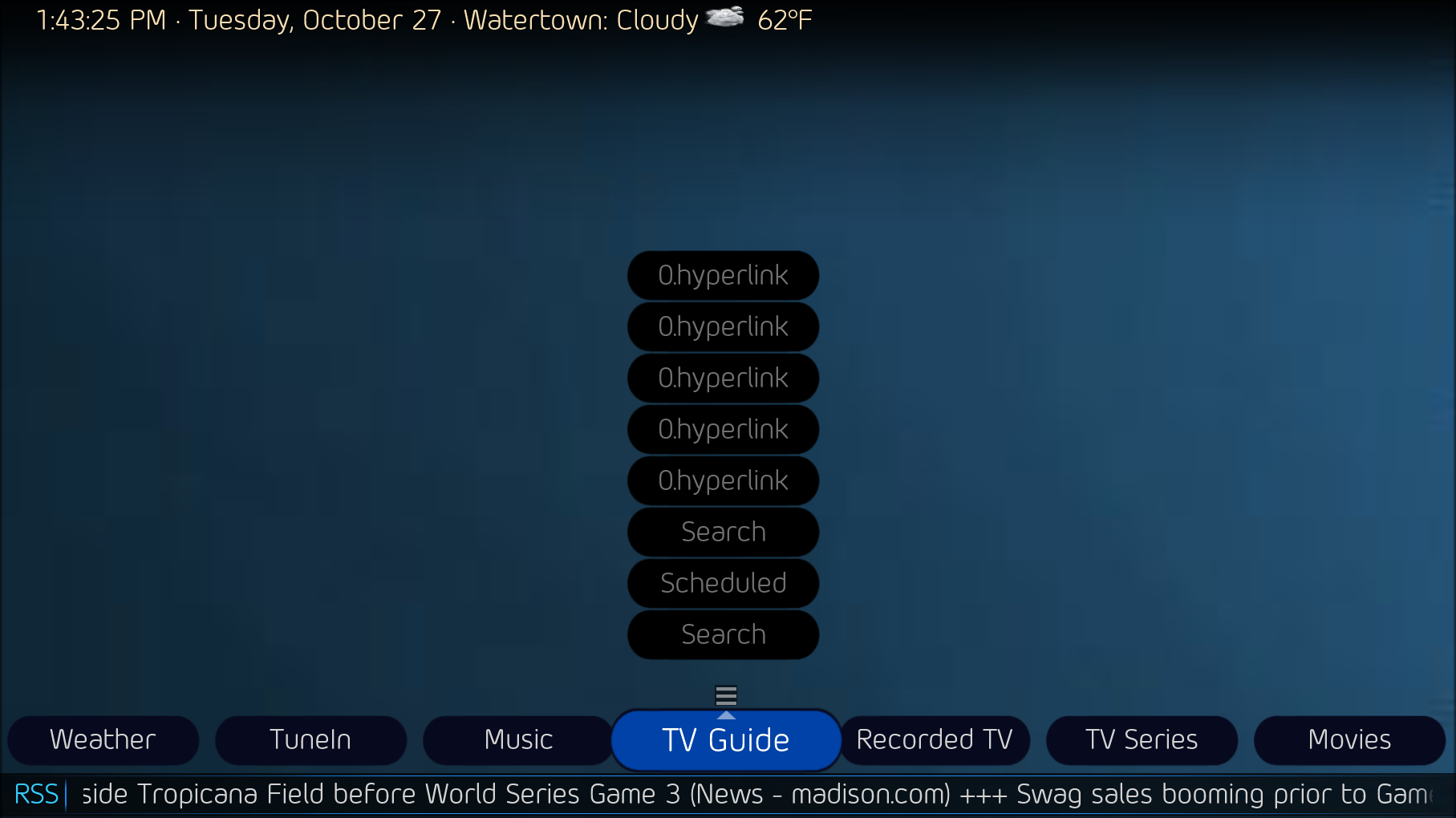
    Beginning to get my thoughts into code. Using parts of the Horizon Up theme from the PurevisionHD 1080 skin. It's just a layout idea for my OldEyes-Stack theme, I haven't figured out displaying the actual sub-menu or functions yet, like proper visability. I'm still deciphering catavolt's code.
     

    Attachments

    • 14-54-17.png
      14-54-17.png
      181.3 KB
    • 15-37-51.png
      15-37-51.png
      2.8 MB
    • 15-37-56.png
      15-37-56.png
      3 MB
    Last edited:

    2BitSculptor

    Super Moderator
  • Team MediaPortal
  • January 23, 2008
    2,031
    1,073
    South Central Wisconsin
    Home Country
    United States of America United States of America
    • Thread starter
    • Moderator
    • #4
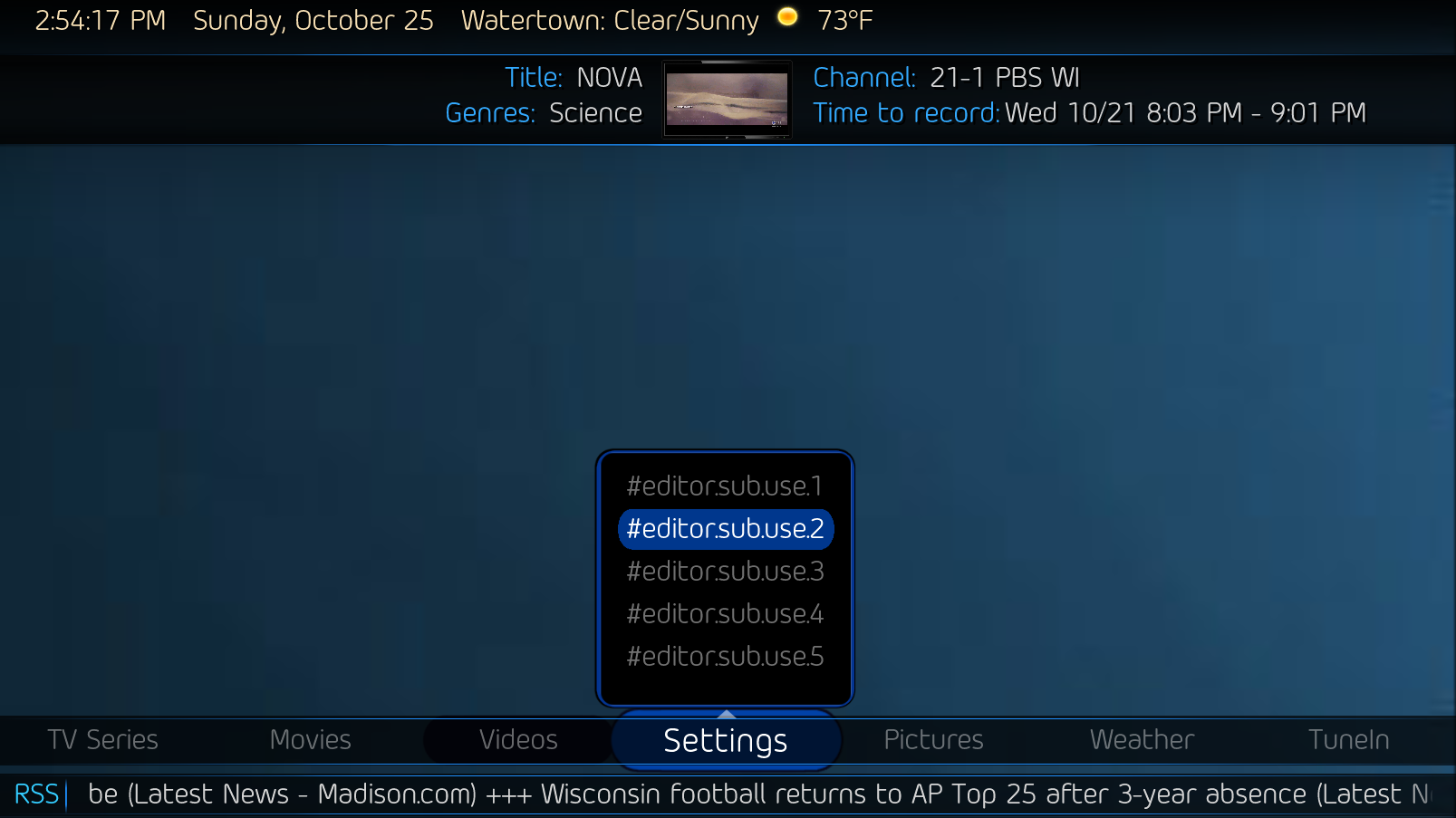
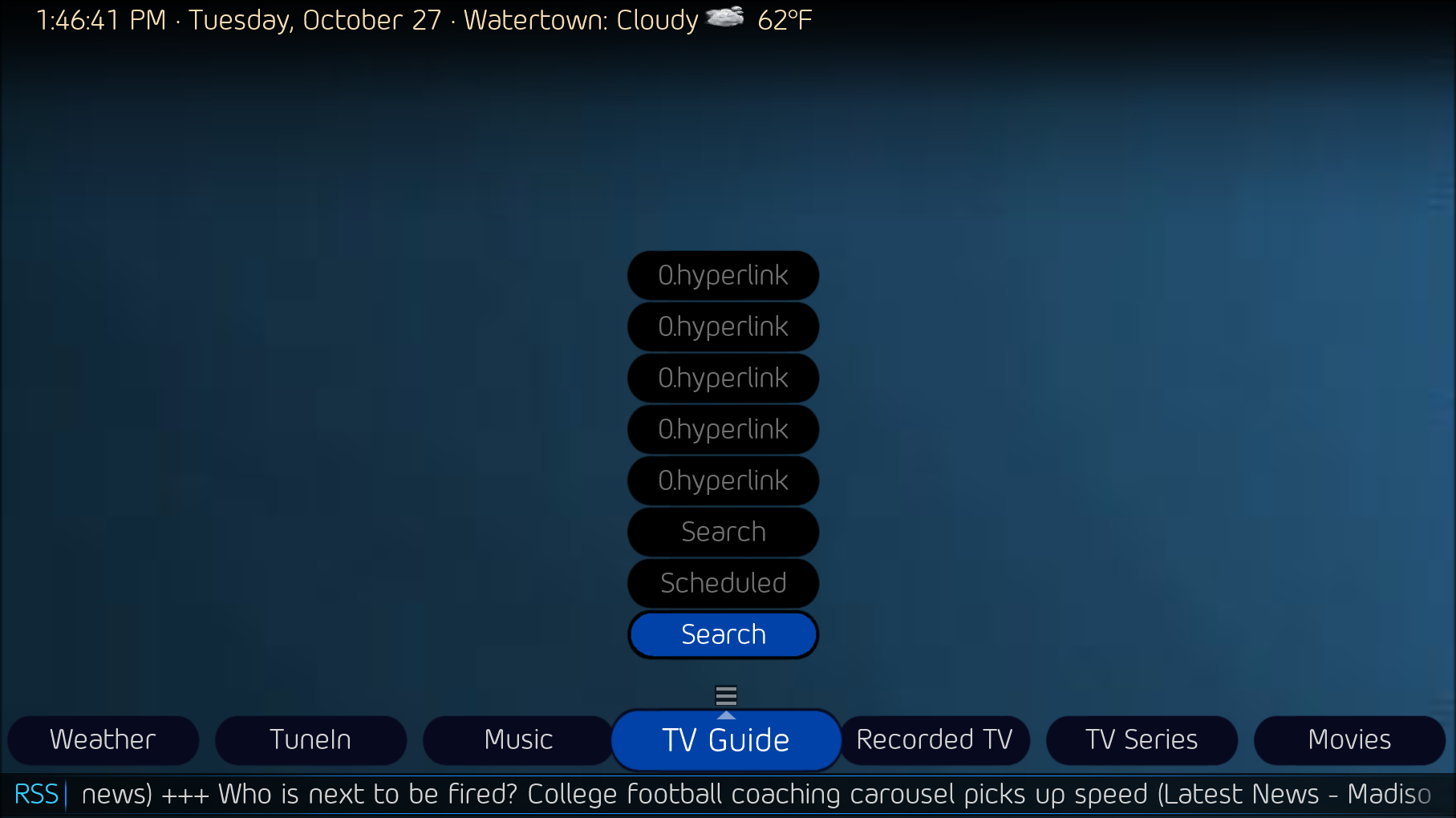
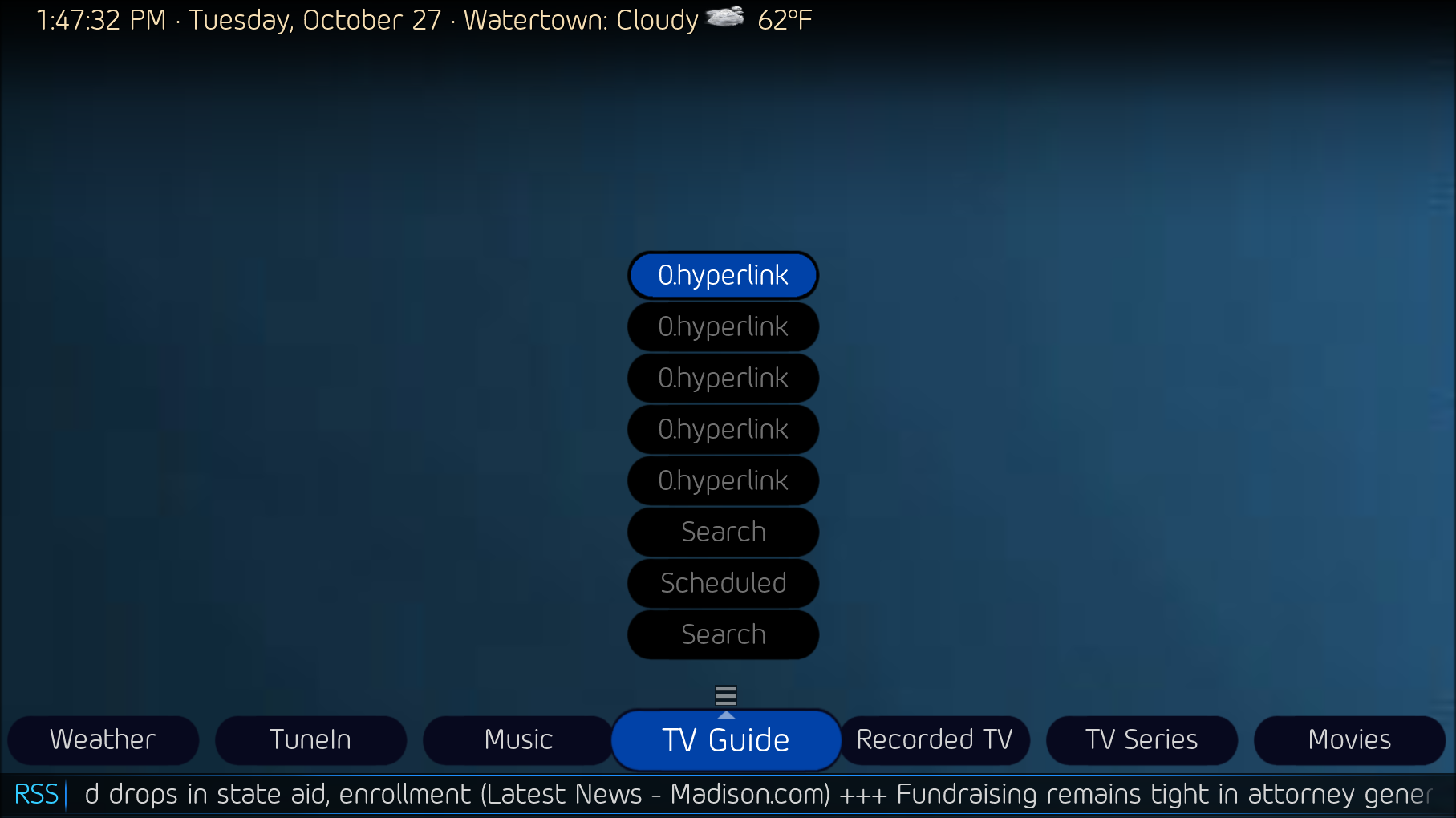
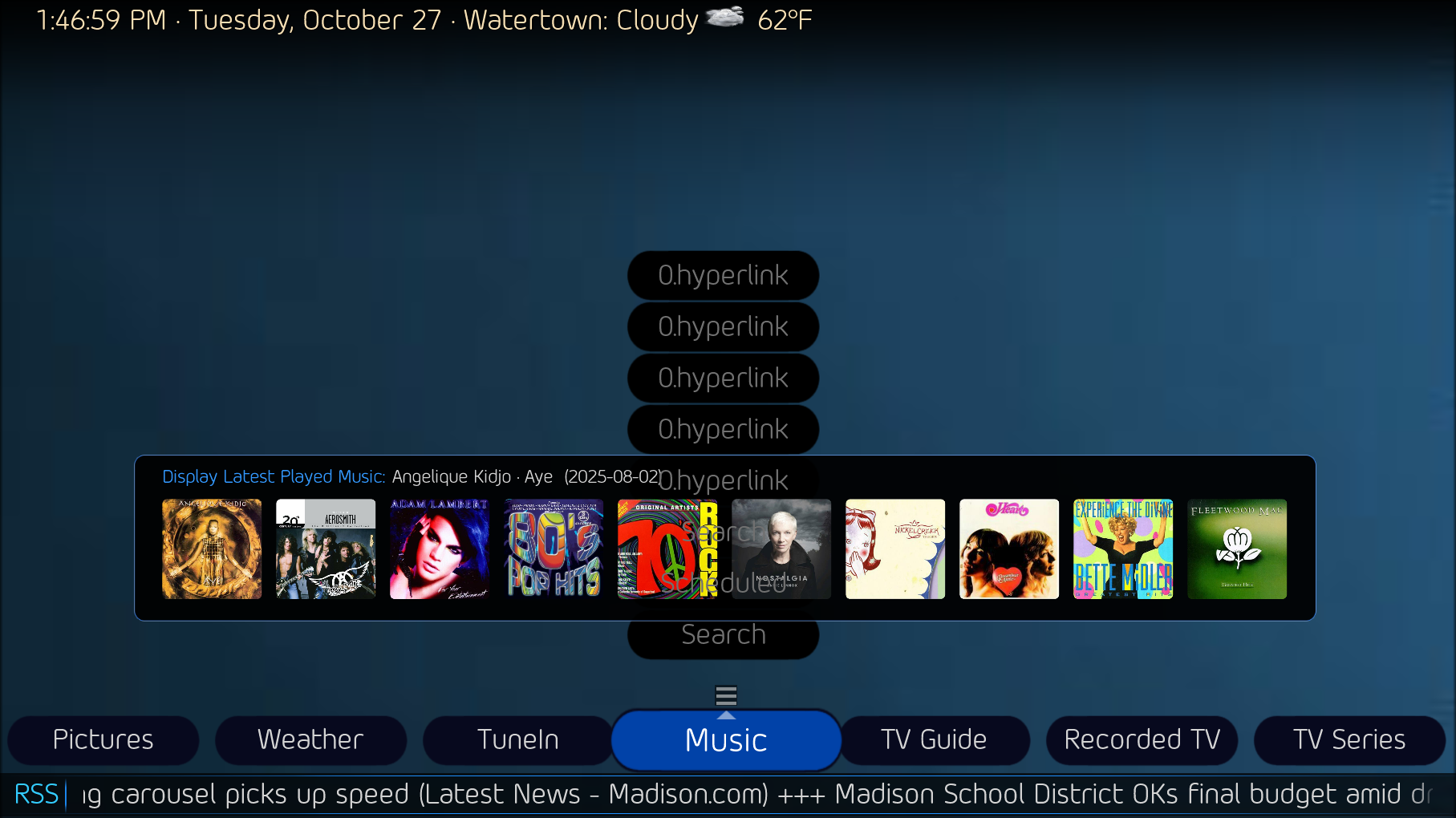
    I've inserted the Horizon Up theme's "BasicHomeEditor.sub.static.xml" group code into my Old Eyes Stacked2 - test theme's "BasicHomeEditor.sub.text.xml". I removed the frame image and created button images that fit the "BasicHomeEditor.main.text.xml" look. Navigation works for up-down-left-right. But ... the unfocused buttons do not disappear, the menu text doesn't change, the menu items don't display properly (in this case, only two item buttons should be displayed). The Menu arrow displays even on buttons it's not intended to. I re-sorted the 8 button controls to display bottom to top sequence. When, for example, the recently added media panel displays, then disappears when a button is focused, as it should. And at this point I'm thinking I'm over my head.
     

    Attachments

    • 13-43-25.png
      13-43-25.png
      178 KB
    • 13-46-41.png
      13-46-41.png
      180.8 KB
    • 13-47-32.png
      13-47-32.png
      178.8 KB
    • 13-46-59.png
      13-46-59.png
      475.1 KB
    Last edited:

    Users who are viewing this thread

    Top Bottom