No surround sound (1 Viewer)

Nescio

Portal Member
August 8, 2011
6
0
Home Country
Netherlands Netherlands
When playing a video I only get sound from my front speakers but no sound from center or rear speakers.

My HTPC is connected through HDMI to my TV and to my AV Receiver through an optical cable.
(Operating system is Windows XP Professional, SP3, 32 bits)

I know for sure that the AV-Receiver is set up correctly and cabling is done right as well because when I play a movie with PowerDVD I get 5.1 sound. (Use S/PDIF selected in PowerDVD)

I do not for sure if my receiver supports AC3 as I cannot find it in the manual, see below link. But as with PowerDVD everything goes fine this shouldn’t be the problem I think.
http://www.marantz.eu/attachments/pr..._manual_en.pdf

I know my soundcard (Creative Labs X-Fi Xtreme Audio PCI-E 7.1 PCI-E) I not capable to decode so for this reason you get PowerDVD supplied with it so could it be a codec issue or haven’t I configure Mediaportal correct for my setup?

I hope somebody can help me as I’m really desperate as I’m already trying for 4 days now :(
 

Paranoid Delusion

Moderation Manager
  • Premium Supporter
  • June 13, 2005
    13,052
    2,978
    Cheshire
    Home Country
    United Kingdom United Kingdom
    Can I just confirm one thing, all sound is sent through your AV receiver, none through hdmi, because this is a issue with new operating systems after xp, which you have, and may influence what I am about to say.

    Your setting for MP should be default sound device, as long as the X-Fi is set as default in windows, any other default will cause possible stereo only output.

    Which codec are you using for audio, I would recommend Lavf as this does dts-hd, true-hd and the normal dts, DolbyDigital etc.


    After that we need logs (see sig)
     

    Nescio

    Portal Member
    August 8, 2011
    6
    0
    Home Country
    Netherlands Netherlands
    Well these are hard questions to somebody who as good with computers as me :sorry: but anyway I will give it a try as I want to fix my issues and your help is much appreciated.

    1) My HTPC is connected with my TV with use of a single link DVI-D to HDMI cable. As far as my understanding goes is DVI-D not cable
    to transport audio.

    2) I do not know how to set my XI-Fi sound card in Windows as default but when I check under Device Manager it’s the only one. As
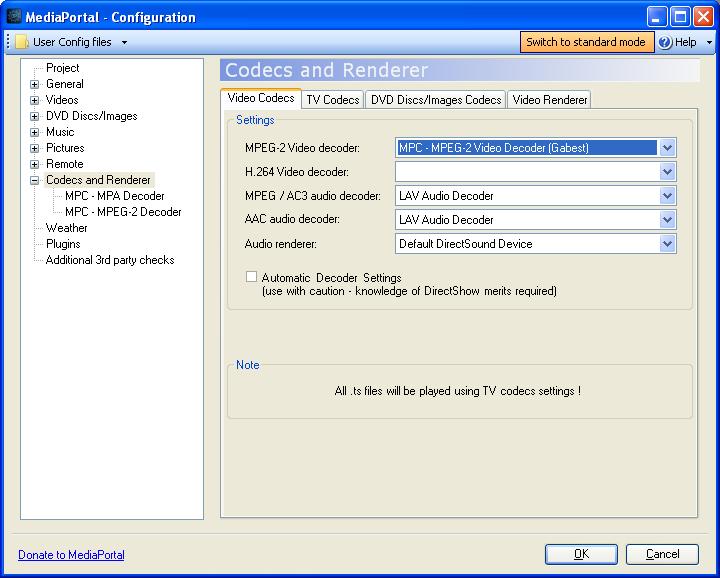
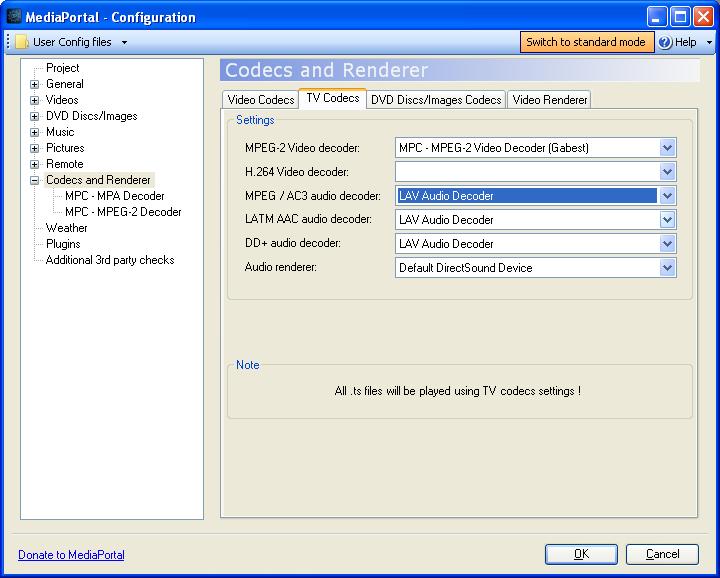
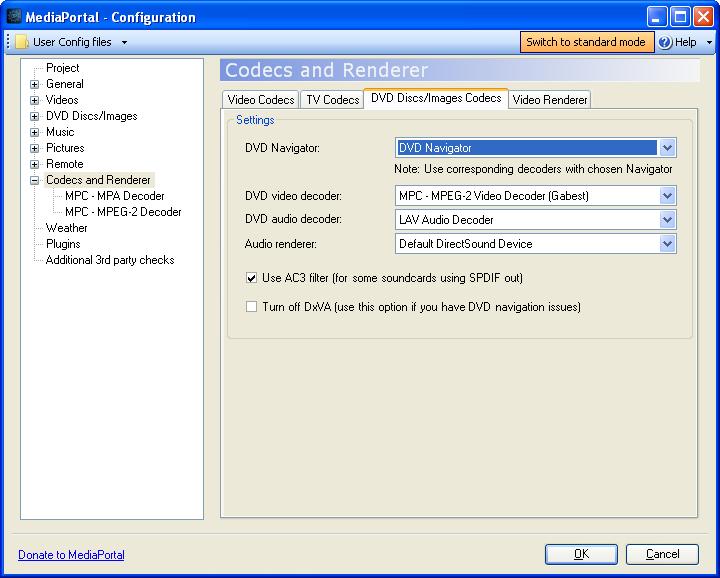
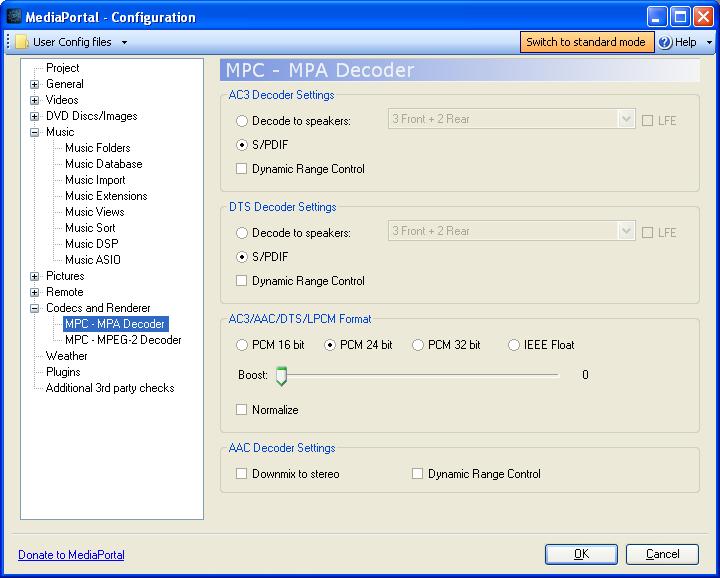
    I’m not fully understand your question I’ve attached the settings I have In MPC-HC, also because I doubt if these are correct.

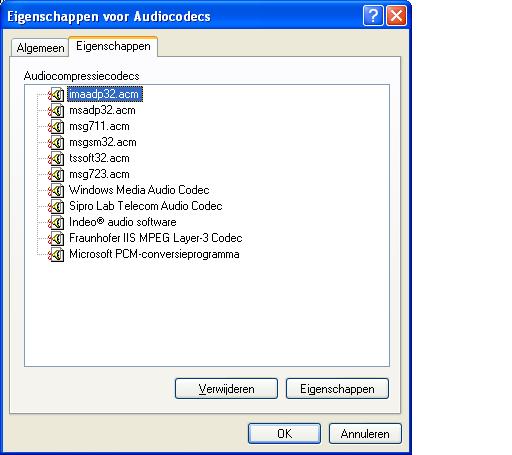
    3) Well I see multiple codec’s, see attached screen dump.

    4) I’ve installed LAVFilters-0.31.exe and configured MP to use the LAV codec. One strange thing for H.264 Video decoder I can’t select
    any?

    5) After setting up MP with the new codec I started MP an tried to run 2 movies. The first one was a Video_TS and again my receiver
    don’t get a 5.1 signal so only sound through the fronts. The second movie I tried was an MKV and with this one the movie didn’t start
    at all. Got the message not able to start The Incredibles.avi Video Codec: AVC, Video Codec: AC-3.

    So hopefully attached log tells you what I’m doing wrong, anyway thanks for your time and help.
     

    Attachments

    • 1 Video Codecs settings.JPG
      1 Video Codecs settings.JPG
      63.5 KB
    • 2 TV Codecs settings.JPG
      2 TV Codecs settings.JPG
      63.2 KB
    • 3 DVD Disc_Images Codec settings.JPG
      3 DVD Disc_Images Codec settings.JPG
      61.8 KB
    • 4 MPC - MPA Decoder settings.JPG
      4 MPC - MPA Decoder settings.JPG
      63.2 KB
    • 5 Audiocodecs used.JPG
      5 Audiocodecs used.JPG
      35.3 KB

    Paranoid Delusion

    Moderation Manager
  • Premium Supporter
  • June 13, 2005
    13,052
    2,978
    Cheshire
    Home Country
    United Kingdom United Kingdom
    1) My HTPC is connected with my TV with use of a single link DVI-D to HDMI cable. As far as my understanding goes is DVI-D not cable
    to transport audio.

    Wrong, audio will go over it fine, have used one here, that's why I'm wondering if it could effect sound output.

    Regarding h.264 codec, have you got FFDShow installed, or as you have a copy of PDVD11, you could use SAF6 unlocked (pm hoborg for key), which will give MP access to the PDVD11 h.264 codecs, then just set everything to them video wise.

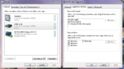
    The settings I was after are right click on sound icon in systray, open mixer properties, you can see any audio devices and the default properties they support under spdif.

    Capture.JPG

    After above I'm lost as no AVR :(
     

    Nescio

    Portal Member
    August 8, 2011
    6
    0
    Home Country
    Netherlands Netherlands
    1) My HTPC is connected with my TV with use of a single link DVI-D to HDMI cable. As far as my understanding goes is DVI-D not cable
    to transport audio.

    Wrong, audio will go over it fine, have used one here, that's why I'm wondering if it could effect sound output.

    Regarding h.264 codec, have you got FFDShow installed, or as you have a copy of PDVD11, you could use SAF6 unlocked (pm hoborg for key), which will give MP access to the PDVD11 h.264 codecs, then just set everything to them video wise.

    The settings I was after are right click on sound icon in systray, open mixer properties, you can see any audio devices and the default properties they support under spdif.

    View attachment 86490

    After above I'm lost as no AVR :(

    I checked if there’s sound coming from the TV on the highest level but heard nothing so hopefully this is okay.

    I haven’t FFDShow installed but have a copy of Power DVD but will leave that for now. (Or as I play a DVD Disc with Power DVD in my HTPC I get surround sound so maybe I should use the codec from PowerDVD for everything …… although I’m afraid that will become to complicated for me)

    Can you please guide me where I can find the SPDIF settings because in Windows XP when I right click on the sound icon in the system tray, I only can choose open Volume Control & Adjust Audio Properties.

    1)Regarding h.264 codec, have you got FFDShow installed, or as you have a copy of PDVD11, you could use SAF6 unlocked (pm hoborg for key), which will give MP access to the PDVD11 h.264 codecs, then just set everything to them video wise.

    Would it be possible when I install SAF6 to use all the codec from PDVD11?

    The reason I ask is because when I play a DVD disc on my HTPC with PDVD11 I get 5.1 sound on my AV-Receiver.
     

    Nescio

    Portal Member
    August 8, 2011
    6
    0
    Home Country
    Netherlands Netherlands
    Hi all my problems are solved, not the way I wanted but anyway I finally got surround sound. :)

    I suddenly remembered I got an old PC on the loft with a Creative SB Audigy Platinum installed.
    So I installed this one and everything works just fine, okay I had to use the ugly Audigy Drive as I needed the optical connection but the HTPC is placed in the stair cupboard so who gives a damn.

    Anyway hereby I like to thank everybody for their support.

    Thanks
    :D
     

    Users who are viewing this thread

    Top Bottom