Great Britain (UK)
Hi,
I've been struggling unsuccessfully to get Media Portal 2 Summer to actually show live tv. Before Windows 10, I had successfully installed and used MP 1.11.0.0 in Windows 7 Ult 64bit on two desktop machines (both single seat installs).
Desktop 1 converted to Windows 10 but had problems, so I had to do a clean install of 10.
Desktop 2 converted to 10 successfully and is still successfully using MP 1.11
I installed 1.11 on desktop 1, but it didn't work. Uninstalled (I hope) 1.11 and downloaded and installed MP 2 Summer 15, configured the TV setup (using WebEPG) and - nothing! EPG is populated properly, but when I click on a programme, nothing happens.
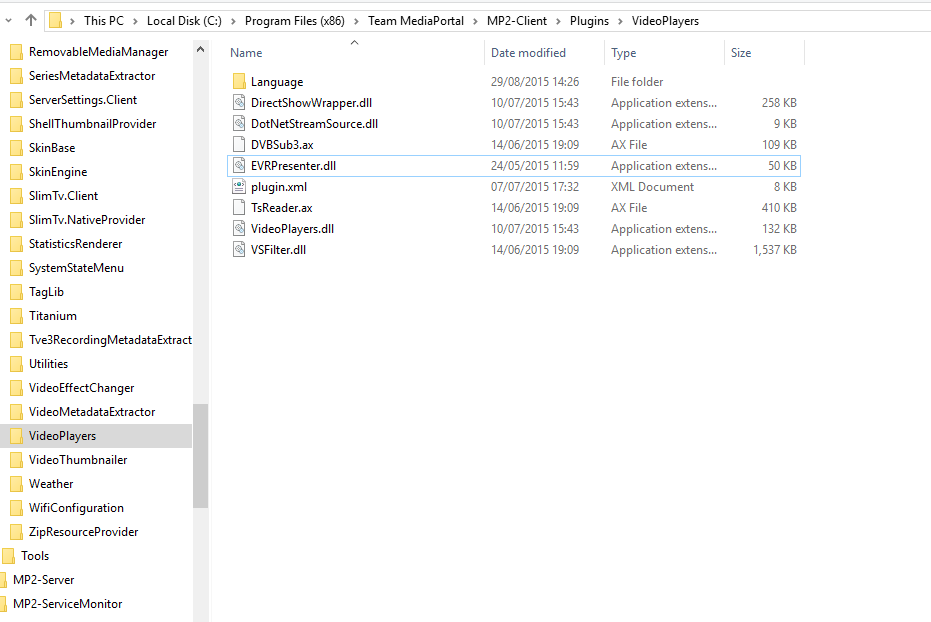
The log files are attached plus an image of one of the MP directories showing that EVRPresenter.dll does, in fact, exist.
Any assistance would be much appreciated.
Thanks.
I've been struggling unsuccessfully to get Media Portal 2 Summer to actually show live tv. Before Windows 10, I had successfully installed and used MP 1.11.0.0 in Windows 7 Ult 64bit on two desktop machines (both single seat installs).
Desktop 1 converted to Windows 10 but had problems, so I had to do a clean install of 10.
Desktop 2 converted to 10 successfully and is still successfully using MP 1.11
I installed 1.11 on desktop 1, but it didn't work. Uninstalled (I hope) 1.11 and downloaded and installed MP 2 Summer 15, configured the TV setup (using WebEPG) and - nothing! EPG is populated properly, but when I click on a programme, nothing happens.
The log files are attached plus an image of one of the MP directories showing that EVRPresenter.dll does, in fact, exist.
Any assistance would be much appreciated.
Thanks.