(Old) My Emulators (6 Viewers)

ajp8164

Portal Pro
January 9, 2008
575
1,166
Atlanta, GA
Home Country
United States of America United States of America
Thx Andy

Unfortunately your version plugin have same problem, when I trying set path to emulator with arguments (-nogui -loadbin).

:-(

I think it's more a question of how you specify the path to your emulator. Rather than place the arguments on the "path to emulator" entry in the Configuration tool create a DOS bat file called launch.bat that launches your emulator with the arguments you need. The content of launch.bat would look like similar to mine (for MAME): [place this file in the same directory as your emulator exe]

C:
CD "C:\Program Files\MAME"
mame %1 -skip_gameinfo
exit

Also, set the working directory in the Configuration tool to point to the directory containing the emulator exe.

Hope this helps...

-Andy
 

stanik

Portal Pro
October 10, 2006
146
4
Home Country
Czech Republic Czech Republic
OK, understand

but in previous version (old) version myemulators everything working without problem

Path to emulator was in my case d:\emulatorpsx\epsxe.exe - nogui - loadbin

- loadbin argument worked without specifying bios file, but in my test with command line I need specify full way (-loadbin d:\emulatorpsx\bios\spch7502.bin

How will be correct .bat file for this?
 

mortstar

MP Donator
  • Premium Supporter
  • January 30, 2008
    414
    41
    Home Country
    England England
    Don't you just love coming back to a plugin after a while and finding it's had some pretty major improvements?!

    Thanks for your work Chreekar and ajp8164.
     

    emphatic

    Design Group
  • Team MediaPortal
  • August 25, 2006
    3,758
    1,250
    Alingsås
    Home Country
    Sweden Sweden
    OK, understand

    but in previous version (old) version myemulators everything working without problem

    Path to emulator was in my case d:\emulatorpsx\epsxe.exe - nogui - loadbin

    - loadbin argument worked without specifying bios file, but in my test with command line I need specify full way (-loadbin d:\emulatorpsx\bios\spch7502.bin

    How will be correct .bat file for this?

    Do you have the "use quotes" option checked?
    Emph
     

    mortstar

    MP Donator
  • Premium Supporter
  • January 30, 2008
    414
    41
    Home Country
    England England
    I was just looking through ajp8164's attached rar files, but I can find/see a compiled .dll - does this only contain source code?

    EDIT: Nevermind, found it now

    EDIT 2: Looks amazing in StreamedMP, similar issues in List View and Big Icons View.

    List View - No description shown at all
    Big Icons View - Description text overlaps Genre & Company information
     

    stanik

    Portal Pro
    October 10, 2006
    146
    4
    Home Country
    Czech Republic Czech Republic
    It doesnt work.

    I try almost everything with .bat file but nothing. Games not starts,
    :-(

    working thought BAT file

    D:
    CD "D:\EmulatorPSX"
    epsxe -loadbin %1 -nogui
    exit


    Fine :)
     

    gamingexpert

    Portal Pro
    August 10, 2007
    74
    6
    Home Country
    United States of America United States of America
    ya thats weird, it won't let me set the epsxe switches in the configuration either.

    I try to save and it's like it checks what I entered in "Path to emulator" to see if it's actually a file, and since the switch isn't a file it says I didn't enter a valid path.

    and btw, i was gonna say maybe it wasn't working because you added extra spaces to make the switches " - nogui - loadbin" instead of " -nogui -loadbin" but obviously that's not the problem.
     

    ajp8164

    Portal Pro
    January 9, 2008
    575
    1,166
    Atlanta, GA
    Home Country
    United States of America United States of America
    Additional enhancements!

    Hi All,

    I have made the following changes to the plugin:

    1.) Exposed the following game properties as follows:

    #game_latestplay, also exposed as ID=44​
    #game_playcount, also exposed as ID=45​

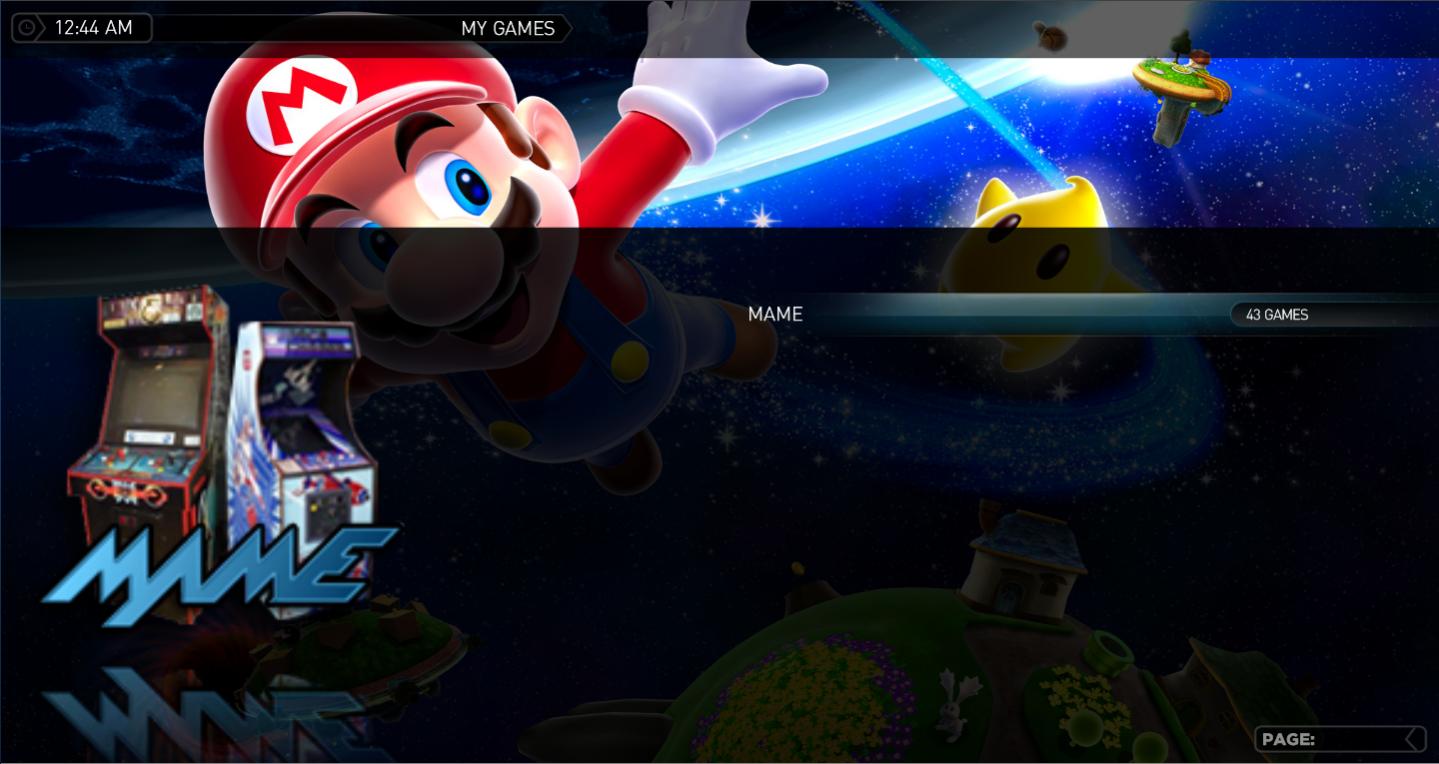
    2.) In the emulators list view, the number of games associated with the emulator is displayed in the 'label3' slot of the GUIListControl (type=listcontrol in the skin xml). See first attached image.

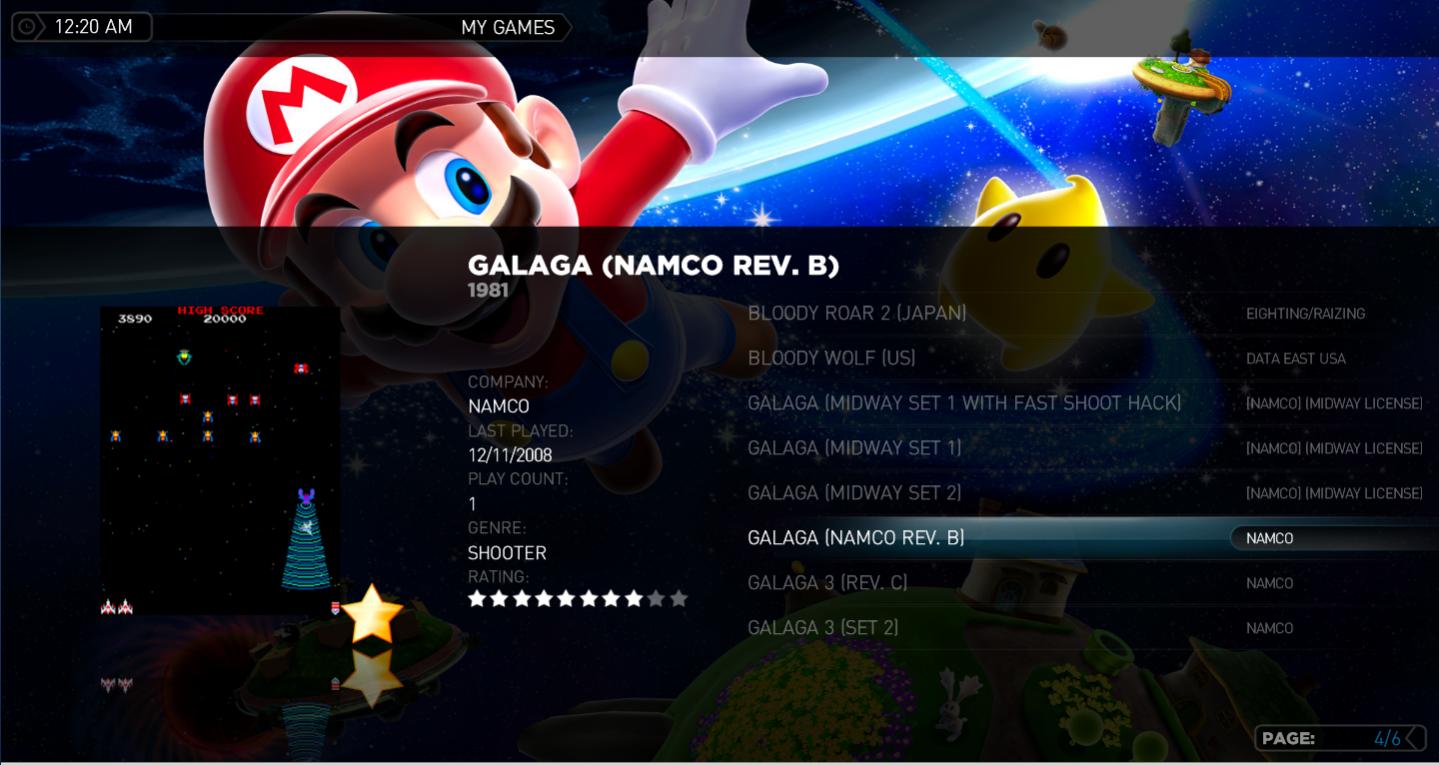
    3.) In the games list view, the game company name is written into 'label3' of the GUIListControl. See second attached image.

    4.) I removed the parenthesis from the label3 values that are written into the list view items when choosing a sorted view. Previously, if you selected (for instance) to display a view sorted by game year each list item would have the date displayed to the right of the game title (in the label3 position); e.g., changed "(1979)" to 1979. If there is heartburn over this change I can add a config option to control the behavior (something like "Display list view details decorations"). I also changed the text alignment of this text from right align to left align. This all looks a lot better (and conforms) to the StreamedMP and MediaStream skins (so perhaps I could combine this behavior with the aforementioned config option if needed).

    5.) I changed my StreamedMP skin xml to make it look better.

    Source code is attached - the dll is in the bin/Release directory. The attached myEmulators.xml is my StreamedMP skin file.

    Hope ya'll like it!

    ps. - I made no changes to the behavior associated with how games are launched.

    -Andy
     

    Attachments

    • emulators list.jpg
      emulators list.jpg
      105.3 KB
    • games list.jpg
      games list.jpg
      114.5 KB
    • myEmulators.xml
      30.6 KB

    ajp8164

    Portal Pro
    January 9, 2008
    575
    1,166
    Atlanta, GA
    Home Country
    United States of America United States of America
    Fixed defect associated with game count

    Hi All,

    I noticed that the game count that I implemented was not coming up correctly if you subsequently removed or moved roms around in your rom directories. The fix I implemented audits the rom files against the database when the configuration tool is launched. For any rom that is listed in the database but for which there is no rom file on the file system at the game Path the configuration tool deletes that database game entry. There is no manipulation of actual rom files, only rows in the games table.


    So, if you move or delete roms in any of your rom directories simply rerun the MyEmulators configuration tool and the database will sync up with the file system. If you do not do this then the game count listed in the emulator list will be incorrect.

    Attached updated plug-in.

    -Andy

    ps. - sorry for all the updates but I wanted to get this plugin done and working a bit more user friendly for my kids to use ;-)
     

    Users who are viewing this thread

    Top Bottom