[Approved] Patch to fix GUIMultiImage (1 Viewer)

Bussiebaer

Portal Pro
January 11, 2008
263
15
Home Country
Germany Germany
Sorry to stumble in here. I'm no skinner, but wanted to change a skin with using Multiimage. Didn't work out, because it did not have the same function like Image. So thanks from me to pilehave for the patch. Sure I can understand catavolt for his anger about invest so much time to search the reason of his problems (have done that often enough myself). Just want to point out, that pilehave is sure NOT the only one who benefits from the patch.

That the patch didn't work out right the first time sure is a pity. But isn't that what SVN's are for? To test implementation, before they go public in a final product? Correct my if I'm wrong.
 

catavolt

Design Group Manager
  • Team MediaPortal
  • August 13, 2007
    14,791
    11,609
    Königstein (Taunus)
    Home Country
    Germany Germany
    Sometmes it´s worth to look over the fence.... e.g. looking how other skinners solved a "problem". As I stated before using multiimage with path and keepaspectratio since two years now without any problems. On my BasicHome there is an area of 523 x 296 pixels which were filled with different images with different sizes - all of them were rendered as expected filling the area as defined. Here is the code I used:
    Code:
    <control>
          <type>multiimage</type>
          <id>1</id>
          <posX>215</posX>
          <posY>151</posY>
          <width>704</width>
          <height>396</height>
          <imagepath>mymusic</imagepath>
          <timeperimage>3000</timeperimage>
          <keepaspectratio>no</keepaspectratio>
          <fadetime>1000</fadetime>
          <loop>yes</loop>
          <randomize>false</randomize>
          <visible>Control.HasFocus(4)+!player.HasVideo</visible>
          <animation effect="fade" time="100">VisibleChange</animation>
        </control>

    This worked always - independent from the original size of the GFX.
     

    -Manfred-

    Retired Team Member
  • Premium Supporter
  • May 15, 2007
    728
    343
    Home Country
    Finland Finland
    Catavolt: you are missing a point as looking only through skinner classes. Before this patch it was not possible to use this from code side dynamically. There is two totally different aspects in this case. And Bussiebaer's last paragraph is something to keep in mind when using SVN versions.

    We are all trying to do our best here.
     

    catavolt

    Design Group Manager
  • Team MediaPortal
  • August 13, 2007
    14,791
    11,609
    Königstein (Taunus)
    Home Country
    Germany Germany
    Yes, I know that and I also highly appreciate that. So I think we have reached the end of this discussion - you and others made their point of view clear, and I think I also did that. Please accept once more my excuses for my tone having been a bit over the border.
     

    joz

    Portal Pro
    March 17, 2008
    1,353
    306
    Home Country
    Netherlands Netherlands
    Just ran into similair issues as catavolt had.
    The scaling of images goes wrong for us in amped.
    amped is skinned for 720x576 but I run it now on 1280x1024.
    The multiimages are behaving really strange on my system cause they do not scale right with the rest of the screen, at least not the image container. What's inside the container seems to scale right (so therefore I only see a part of the picture)

    This is amped's basichome;
    http://groups.google.com/group/amped-developer-discussion/web/home.jpg

    that image should be filling up the screen (in factt it tries too but it seems like the container is not scaled, only the image inside the container). See the attachment for one of the images that is shown, so it's clearer. You can see that only a part of the whole image is shown (about a quarter which kinda makes sense on my res. The container does not stretch to 1280 but stays 720 in width, about halfway across the screen, as it appears).

    This is how it should look (image filling the screen, this screen does not use a multiimage for me currently, just a normal image which does scale right)
    http://groups.google.com/group/amped-developer-discussion/web/infoservice.jpg

    the keepaspectratio tag does not seem to work at all, or at least does not do anything in this situation.

    I'm on MP 1.1 beta1, xp sp3. Dadeo is still testing on 1.0.2 final and he says he does not have this problem with the same resolution so I think it might has something to do with pilehave's patch (no offense, adding functionality sometimes breaks stuff, I'm a programmer so I know how that goes)
     

    Attachments

    • newspaper.jpg
      newspaper.jpg
      46.1 KB

    catavolt

    Design Group Manager
  • Team MediaPortal
  • August 13, 2007
    14,791
    11,609
    Königstein (Taunus)
    Home Country
    Germany Germany
    Well, I just wanted to calm down the discussion for this issue - but fact is: with this change the functionality we had before is completely broken, and I never saw an advantage of the patch.
     

    joz

    Portal Pro
    March 17, 2008
    1,353
    306
    Home Country
    Netherlands Netherlands
    I just discovered some more that might resolve a bit of the issue or make it clearer.

    The multiimage will scale right when posX = 0 and posY = 0. I want posY on 100, if I do so I get the quarter image thing as described above but if I set both to zero they scale right. So I would definitely consider this a bug. Should I be posting this somewhere else?

    I can see the advantage of the patch but the advantage is only there for MP programmers, not for us skinners ;) In fact it's a bit of a disadvantage currently for us skinners.
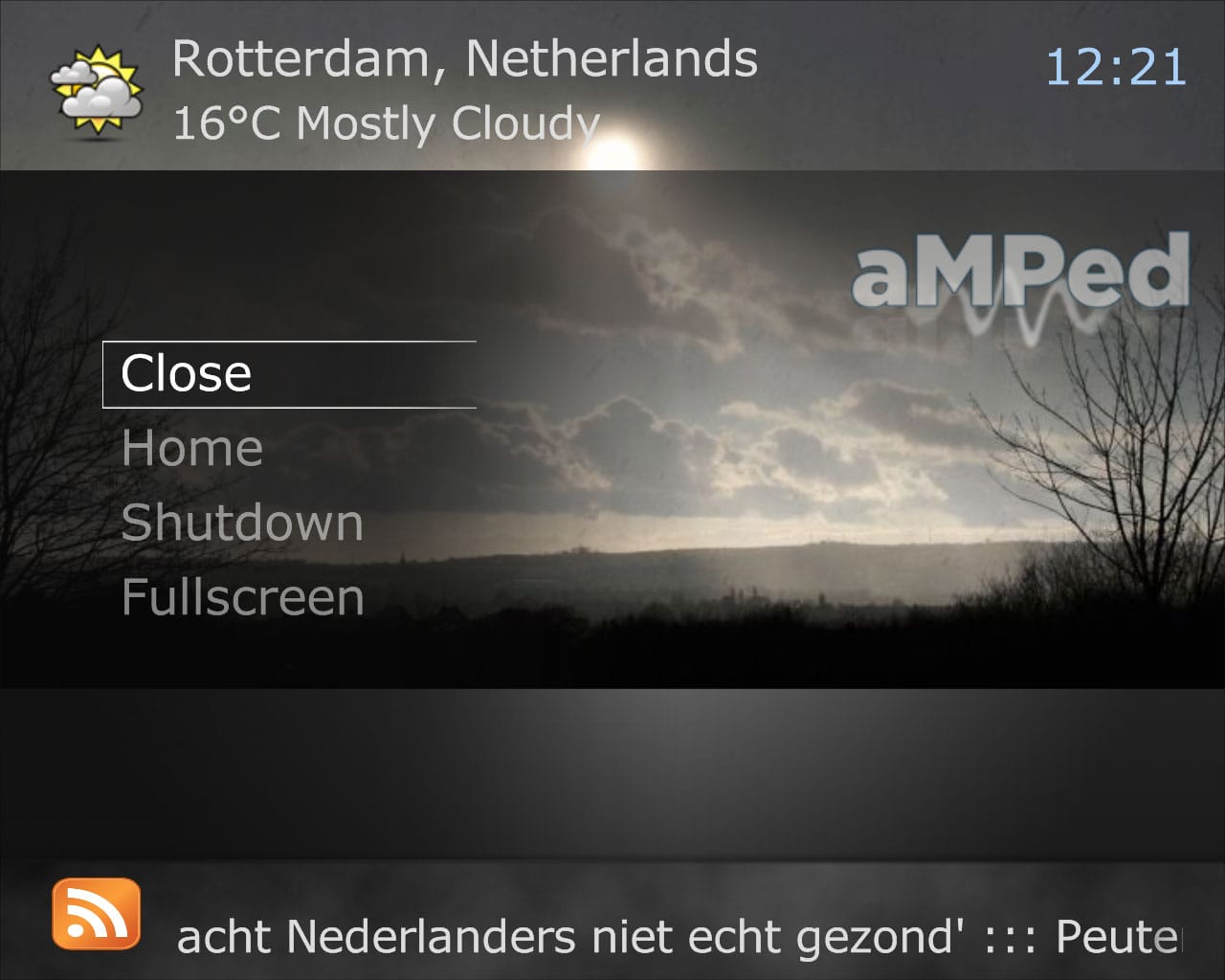
    I attached another screen where you can see it's scaling right when posX and posY is set to 0 (but now it looks horrible :))
     

    Attachments

    • homepos0.jpg
      homepos0.jpg
      117.7 KB

    pilehave

    Community Skin Designer
  • Premium Supporter
  • April 2, 2008
    2,566
    521
    Hornslet
    Home Country
    Denmark Denmark
    • Thread starter
    • Moderator
    • #19
    Someone running SVN 23545, please test

    Right, I think I nailed the problem.

    The Viewport was rendering the size of the original multiimage size + x/y position, without the scaling.

    [Attached file deleted]

    Keepaspectratio was also fixed. Setting it to "yes" will scale images to keep their aspectratio within the viewport. Setting it to "no" or not anything at all will stretch the images to the viewport (size of the multiimage).
     

    pilehave

    Community Skin Designer
  • Premium Supporter
  • April 2, 2008
    2,566
    521
    Hornslet
    Home Country
    Denmark Denmark
    • Thread starter
    • Moderator
    • #20
    Additional issue reported, don't use the patch just yet...
     

    Users who are viewing this thread

    Top Bottom