Hi there folks,
I realise this topic has been brought up in the past, but (unless I'm blind, hehe) I have not seen any concrete answers to the issue.
I've ripped my DVD collection to my HDD and currently the movies are stored as follows:
<movie_name>/VIDEO_TS/*.vob, *.ifo etc
My problem is that if I navigate to this folder via Mediaportal and select the folder, nothing happens. Well..."something" happens because I cannot navigate through the menu until I press the "stop" key on my remote (as if MP tries to play something....but doesn't).
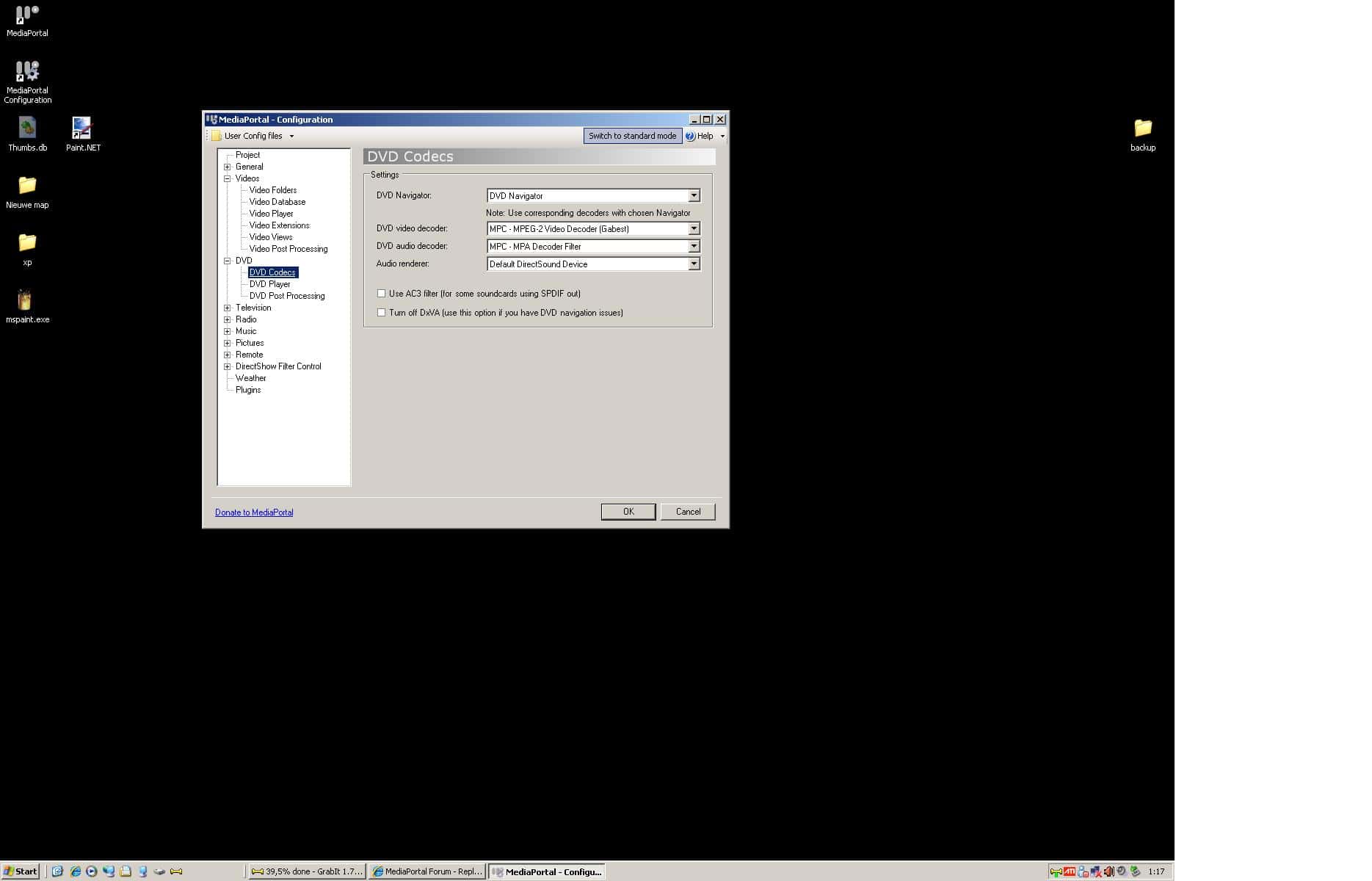
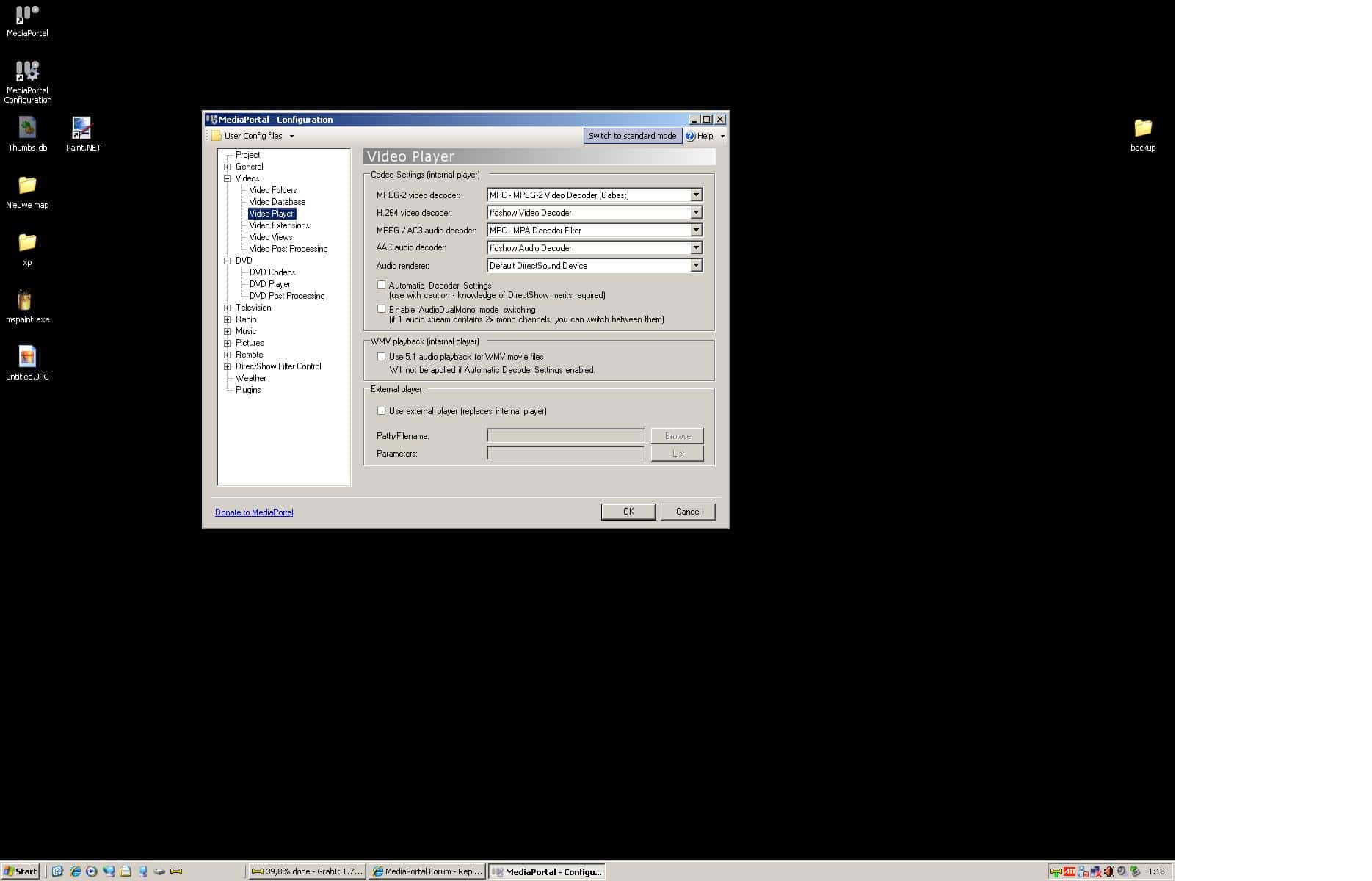
I've used ffdshow, mpc, cyberlink 7,8,9 codecs and none work when trying to play a these folders (with vobs, ifo etc). When removing the IFO file from the file extensions config in MP and then try to select that DVD rip folder, it displays a blank screen (of the initial VOB) but then doesn't do anything....just a blank screen.
Now I've seen numerous people suggesting that you use an external player like KMPlayer, WinDVD etc....but is that 100% necessary? I have seen some mention of people being able to play IFO files back from internal to MP, but they never mention how they got it to work.
Please note that I do not want to ISO these folders. I don't want to DIVX them. I don't want to use an external player unless absolutely necessary.
Thus, can anybody please give me some advice as to why this might be happening, and what I need to do to enable MP to play VIDEO_TS/*.IFO type file setups internally. What codecs do I need, how do I need to configure MP, etc?
Any advice would be greatly appreciated!!
Andrew
setup:
Mediaportal 1.0.2.0
Latest StreamedMP
MovingPictures 0.7.5.x
Latest CCCP
CoreAVC (for H.264)
I realise this topic has been brought up in the past, but (unless I'm blind, hehe) I have not seen any concrete answers to the issue.
I've ripped my DVD collection to my HDD and currently the movies are stored as follows:
<movie_name>/VIDEO_TS/*.vob, *.ifo etc
My problem is that if I navigate to this folder via Mediaportal and select the folder, nothing happens. Well..."something" happens because I cannot navigate through the menu until I press the "stop" key on my remote (as if MP tries to play something....but doesn't).
I've used ffdshow, mpc, cyberlink 7,8,9 codecs and none work when trying to play a these folders (with vobs, ifo etc). When removing the IFO file from the file extensions config in MP and then try to select that DVD rip folder, it displays a blank screen (of the initial VOB) but then doesn't do anything....just a blank screen.
Now I've seen numerous people suggesting that you use an external player like KMPlayer, WinDVD etc....but is that 100% necessary? I have seen some mention of people being able to play IFO files back from internal to MP, but they never mention how they got it to work.
Please note that I do not want to ISO these folders. I don't want to DIVX them. I don't want to use an external player unless absolutely necessary.
Thus, can anybody please give me some advice as to why this might be happening, and what I need to do to enable MP to play VIDEO_TS/*.IFO type file setups internally. What codecs do I need, how do I need to configure MP, etc?
Any advice would be greatly appreciated!!
Andrew
setup:
Mediaportal 1.0.2.0
Latest StreamedMP
MovingPictures 0.7.5.x
Latest CCCP
CoreAVC (for H.264)
 Netherlands