Poor response when playing a SD-DVD using MePo (1 Viewer)

nzdreamer55

MP Donator
  • Premium Supporter
  • August 31, 2010
    465
    28
    San Luis Obispo, CA
    Home Country
    United States of America United States of America
    Hello everyone,

    I'm using MePo 1.3 Alpha and trying to play SD DVD's, but it seems like when I put in a disk, my DVD drive goes on for a second then stops. If I switch to Play Disc, It asks me to insert a disc.

    If I get it playing, the playback is hard to control in that I cannot jump to the DVD menu and when I play the movie, it seems slow to respond to commands from my remote. It seems like it opens another player in the back ground, but it then blinks to the foreground to play. Are there logs for playing a SD DVD? Should I put MePo is debug mode and try to play a SD DVD and then submit the logs?

    Thanks for the help
    -Steve
     

    nzdreamer55

    MP Donator
  • Premium Supporter
  • August 31, 2010
    465
    28
    San Luis Obispo, CA
    Home Country
    United States of America United States of America
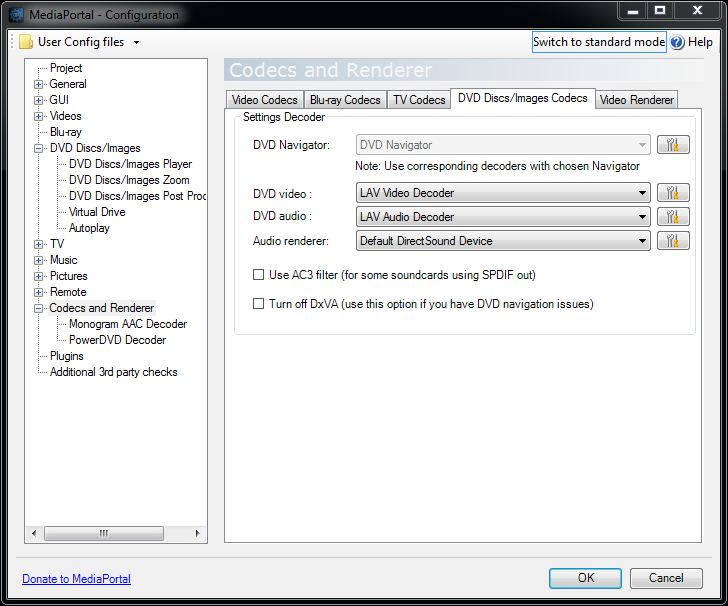
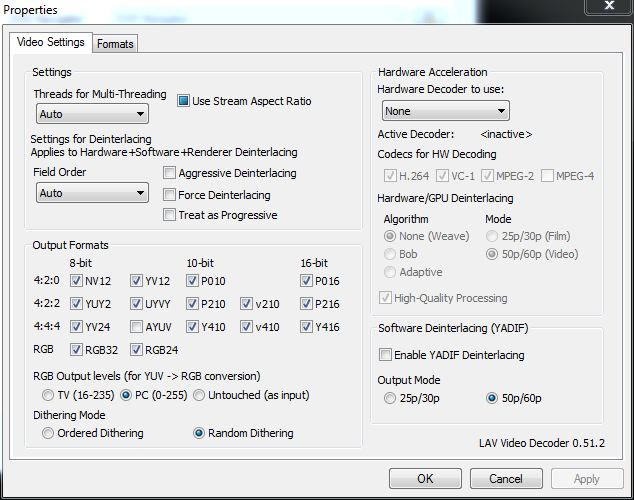
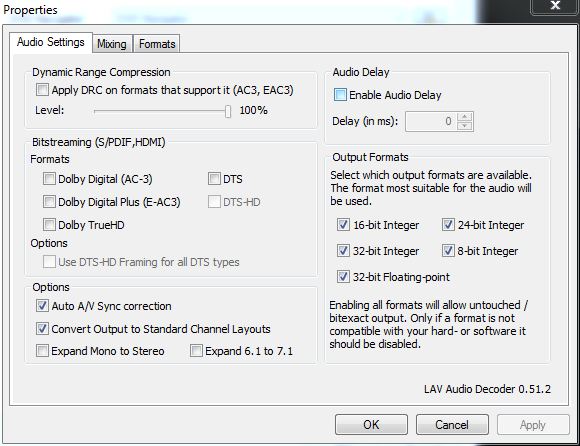
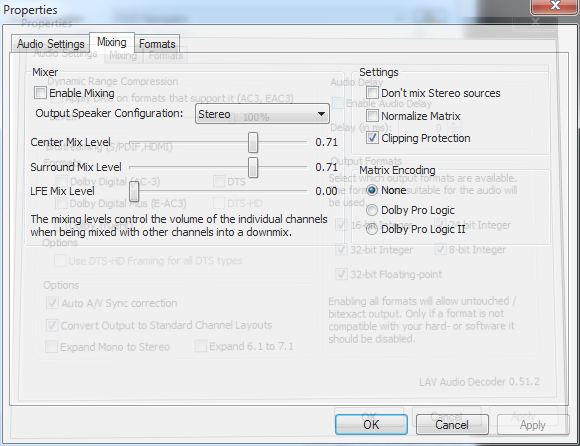
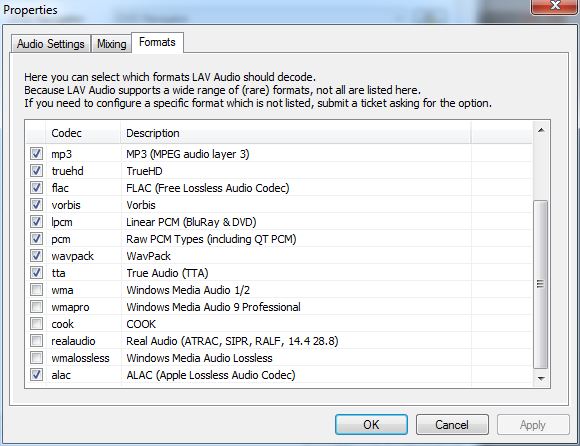
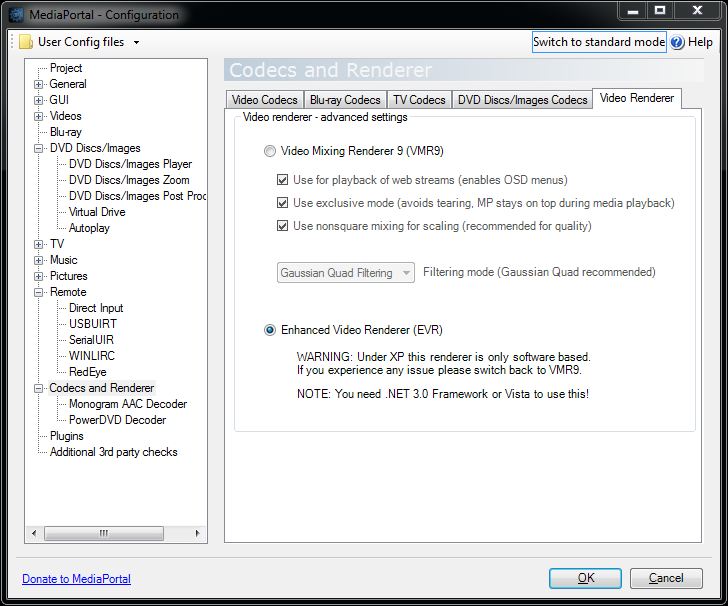
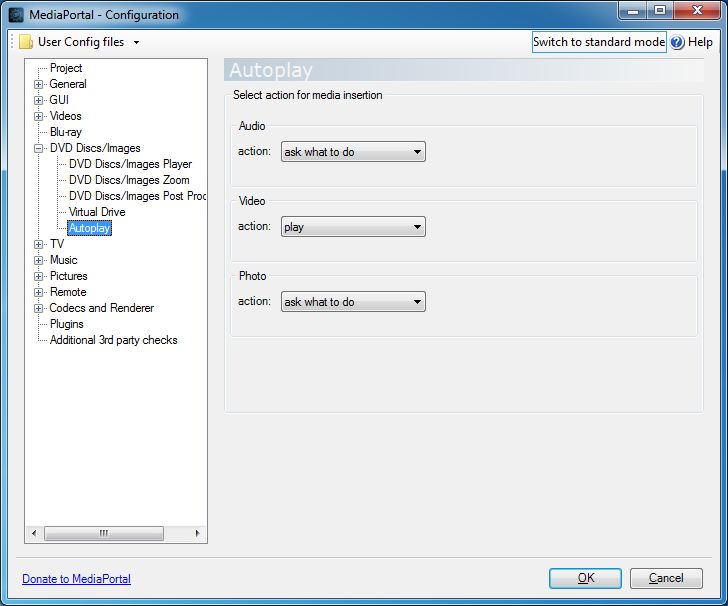
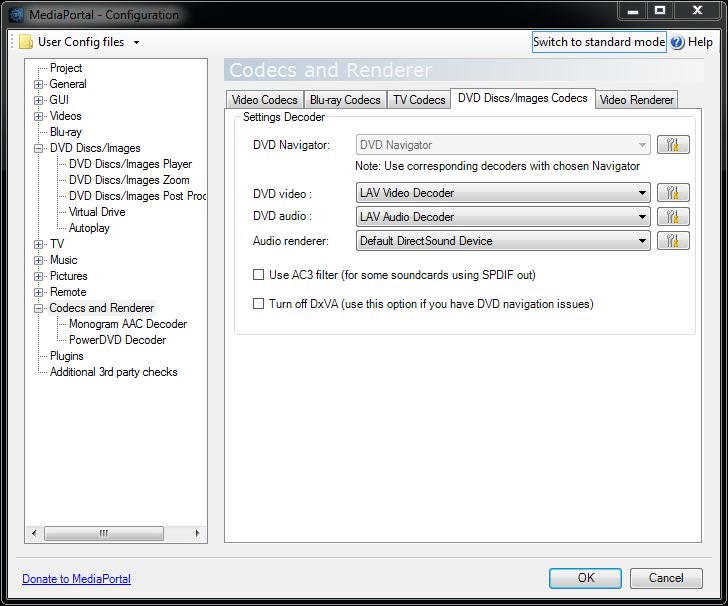
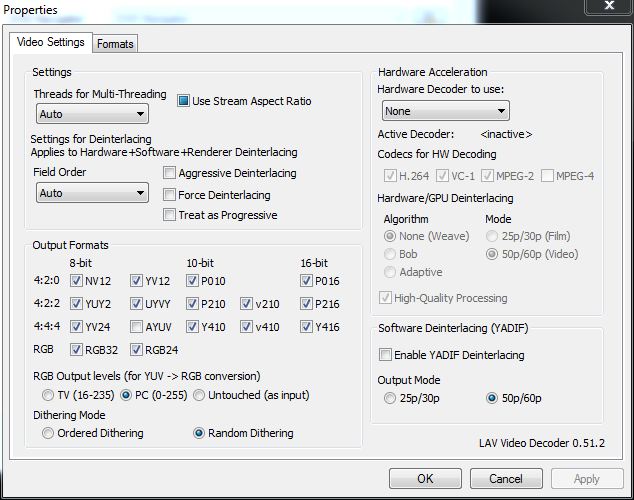
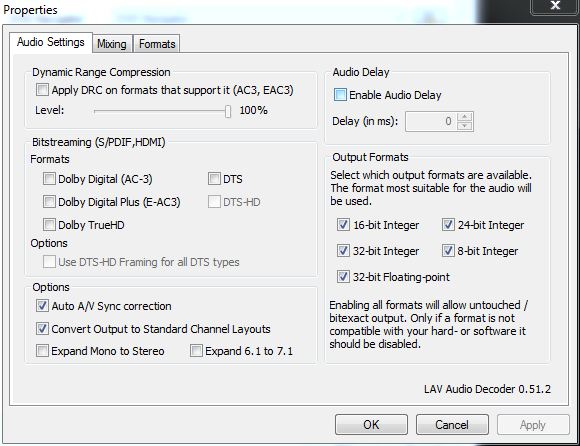
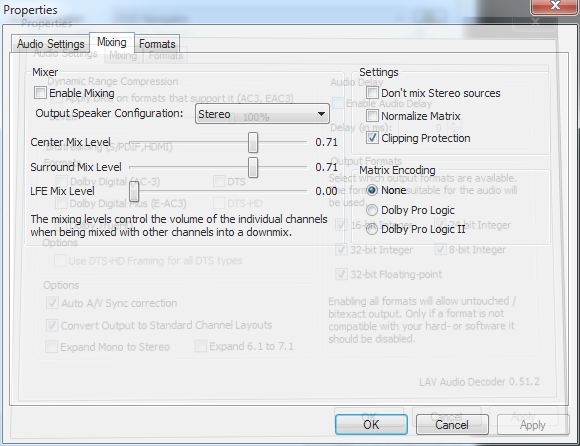
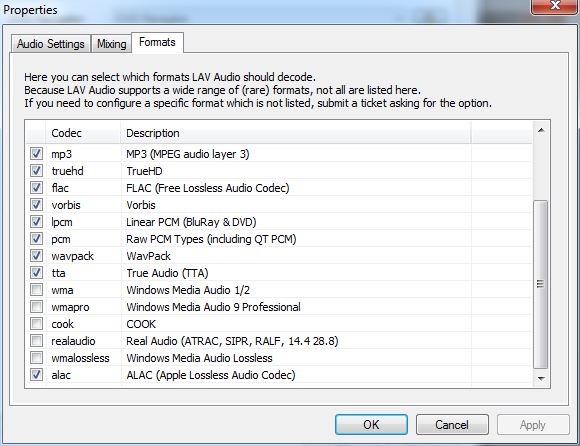
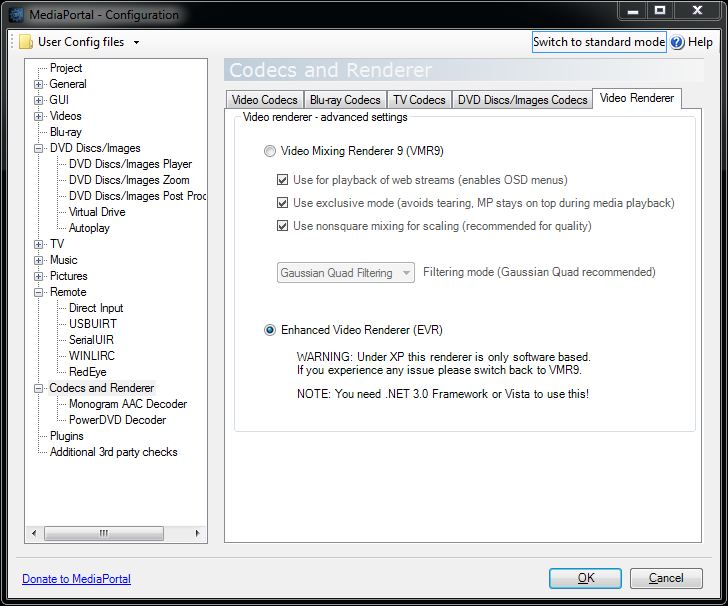
    Thanks for the help. So here is what I have done. I have included screen captures of the settings that I suspect you will need to help me trouble shoot this. I have also posted a video on line showing the problem. At the present time it seems that it is mostly the playing a DVD using the Play Disc function and the poor play back during the DVD Menu. I have set MePo to debug and attached the log.zip file for this as well.

    Thank you.
    Steve

    Here is the link to youtube demo


    Attachments

    • DVDPlayback1.JPG
      DVDPlayback1.JPG
      74.7 KB
    • DVDPlayback2.JPG
      DVDPlayback2.JPG
      72.4 KB
    • DVDPlayback3.JPG
      DVDPlayback3.JPG
      60.3 KB
    • DVDPlayback4.JPG
      DVDPlayback4.JPG
      50.8 KB
    • DVDPlayback5.JPG
      DVDPlayback5.JPG
      62.4 KB
    • DVDPlayback6.JPG
      DVDPlayback6.JPG
      77.4 KB
    • DVDPlayback7.JPG
      DVDPlayback7.JPG
      58.5 KB
    • DVDPlayback1.JPG
      DVDPlayback1.JPG
      74.7 KB
    • DVDPlayback2.JPG
      DVDPlayback2.JPG
      72.4 KB
    • DVDPlayback3.JPG
      DVDPlayback3.JPG
      60.3 KB
    • DVDPlayback4.JPG
      DVDPlayback4.JPG
      50.8 KB
    • DVDPlayback5.JPG
      DVDPlayback5.JPG
      62.4 KB
    • DVDPlayback6.JPG
      DVDPlayback6.JPG
      77.4 KB
    • DVDPlayback7.JPG
      DVDPlayback7.JPG
      58.5 KB

    Holzi

    Super Moderator
  • Team MediaPortal
  • April 21, 2010
    7,934
    2,235
    Ba-Wü
    Home Country
    Germany Germany
    Just for your info: LAV Video does not support DVD yet. Maybe you gonna try another DVD video codec? (Cyberlink for example)
    I don't know if this helps tho...
     

    nzdreamer55

    MP Donator
  • Premium Supporter
  • August 31, 2010
    465
    28
    San Luis Obispo, CA
    Home Country
    United States of America United States of America
    Thanks for the tip. I'll give it a try changing the DVD codec. Is the LAV codec the default for installation? If this is the case should we tell the developers to change the codec that are deployed with the installation?
    -S
     

    nzdreamer55

    MP Donator
  • Premium Supporter
  • August 31, 2010
    465
    28
    San Luis Obispo, CA
    Home Country
    United States of America United States of America
    So I tried changing the DVD codec and things are better. I am experimenting with the different ones that are available.

    I still am plagues by the please insert Disc problem. The DVD won't play unless I hit it right when the drive is going after I put in a disc.
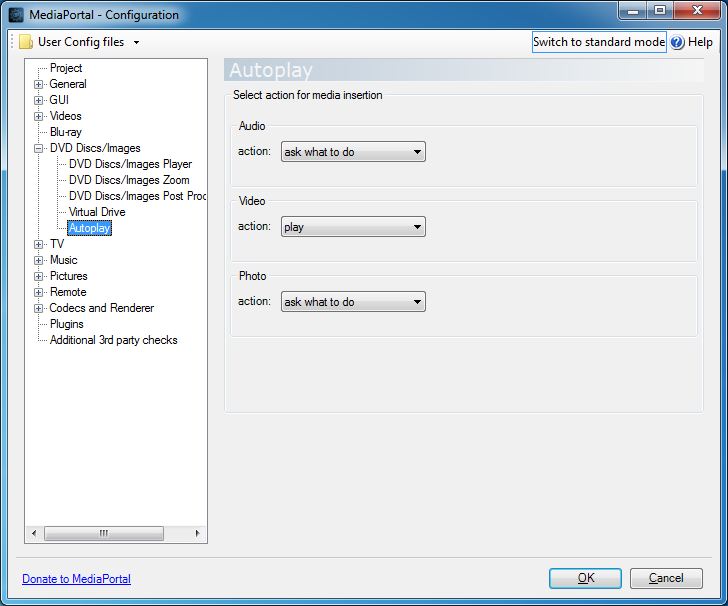
    I have turned off the Windows Autoiplay and set the Autoplay under the DVD settings within the Mediaportal client configuration to Play for all type of media (audio, video, and photo)

    Anyone else had this problem and have a solution? It seems that this should be one of the most basic tasks that Mediaportal should be able to do.

    Thanks again
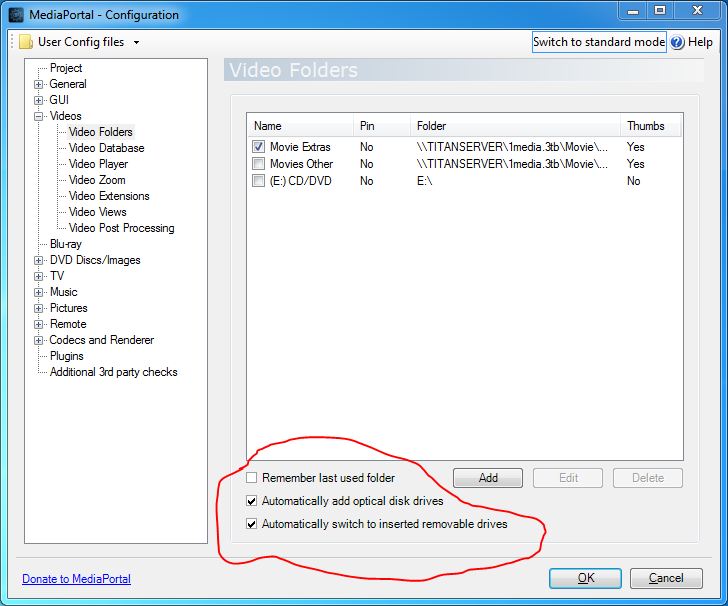
    -S[DOUBLEPOST=1344206547][/DOUBLEPOST]So it looks like I might have solved this. I went into the Video settings and changed it so that optical drives were added and automatically switched to and this seems to have eliminated the problem when I access the disc from either Play Disc OR Videos.

    Weird Hun?
    -S
     

    Attachments

    • DVDPlayback8.JPG
      DVDPlayback8.JPG
      69.2 KB

    Users who are viewing this thread

    Top Bottom