Germany
Hi there,
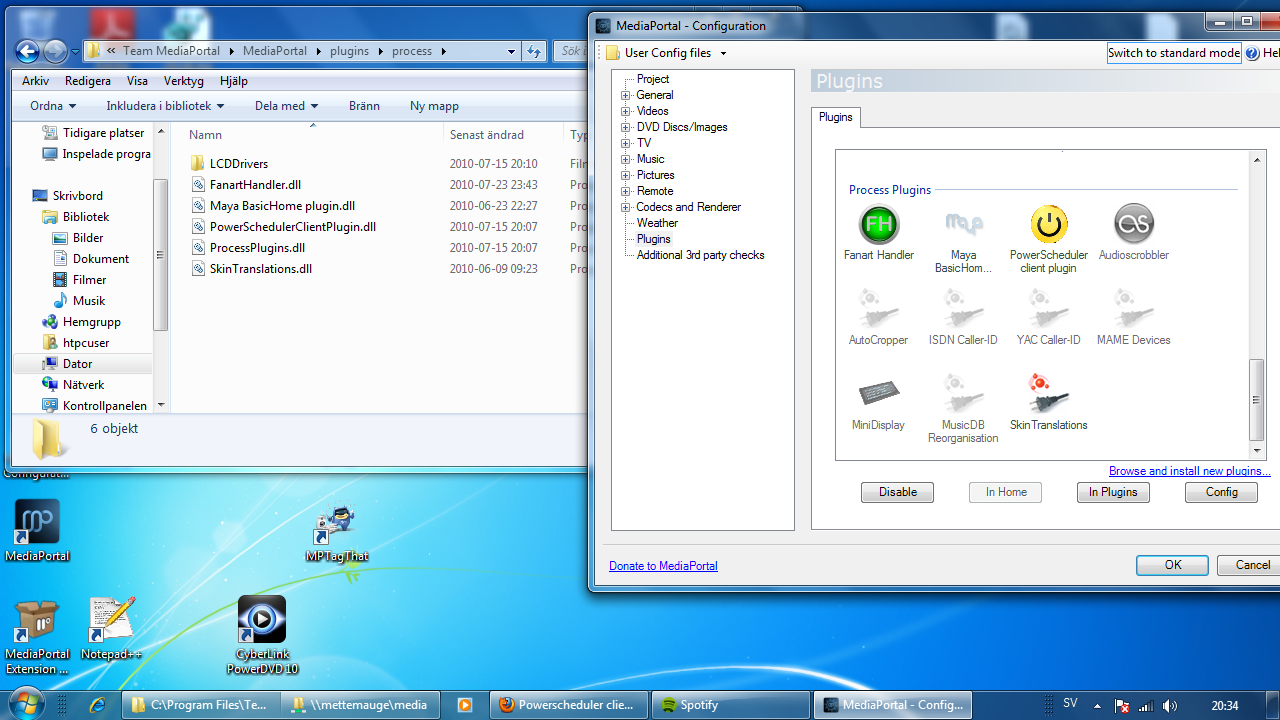
after installing MP 1.1.0 I suddenly was overwhelmed by a standby while listening to some music or watching pictures. I checked and found out, that there is no powerscheduler client plugin anymore in the configuration.
Is there another way to setup standby and wake up options on the latest release?
MediaPortal Version: 1.1.0
MediaPortal Skin: amped 3.1
Windows Version: XP pro
CPU Type: AMD Athlon X2 5050e
HDD: Caviar Green 3,5-Zoll SATA 1TB
Memory: Kingston KVR800D2N5 2GB DDR2-800
Motherboard: Shuttle SN78SH7
Video Card: Asus HD3450
Video Card Driver:
Sound Card:
Sound Card AC3: coaxial out
Sound Card Driver:
1. TV Card: FireDTV
1. TV Card Type:
1. TV Card Driver:
2. TV Card:
2. TV Card Type:
2. TV Card Driver:
3. TV Card:
3. TV Card Type:
3. TV Card Driver:
4. TV Card:
4. TV Card Type:
4. TV Card Driver:
MPEG2 Video Codec:
MPEG2 Audio Codec:
h.264 Video Codec:
Satelite/CableTV Provider:
HTPC Case: Shuttle SN78SH7
Cooling:
Power Supply:
Remote:
TV: 4:3 analog
TV - HTPC Connection: S-Video
after installing MP 1.1.0 I suddenly was overwhelmed by a standby while listening to some music or watching pictures. I checked and found out, that there is no powerscheduler client plugin anymore in the configuration.
Is there another way to setup standby and wake up options on the latest release?
MediaPortal Version: 1.1.0
MediaPortal Skin: amped 3.1
Windows Version: XP pro
CPU Type: AMD Athlon X2 5050e
HDD: Caviar Green 3,5-Zoll SATA 1TB
Memory: Kingston KVR800D2N5 2GB DDR2-800
Motherboard: Shuttle SN78SH7
Video Card: Asus HD3450
Video Card Driver:
Sound Card:
Sound Card AC3: coaxial out
Sound Card Driver:
1. TV Card: FireDTV
1. TV Card Type:
1. TV Card Driver:
2. TV Card:
2. TV Card Type:
2. TV Card Driver:
3. TV Card:
3. TV Card Type:
3. TV Card Driver:
4. TV Card:
4. TV Card Type:
4. TV Card Driver:
MPEG2 Video Codec:
MPEG2 Audio Codec:
h.264 Video Codec:
Satelite/CableTV Provider:
HTPC Case: Shuttle SN78SH7
Cooling:
Power Supply:
Remote:
TV: 4:3 analog
TV - HTPC Connection: S-Video
 You could program everything how your wakeup, record, standby etc. should look like. Extrem powerfull this tool