Problem with Quad Tuner - Poor quality picture (1 Viewer)

darro

Portal Pro
July 20, 2006
35
8
Sydney, Australia
Should not, these are in windows7

From memory the DNTV Live ones are OEM of an older cyberlink codec. So the Win7 ones should be better

 

jck

Portal Member
October 22, 2011
26
1
Home Country
Thanks Darro. Are there any other config settings that I should be aware of??? I'm new to MP and learning on the fly. Very impressed by what I've seen so far despite my reception issues.

JCK
 

druid9

MP Donator
  • Premium Supporter
  • December 31, 2006
    255
    9
    66

    Attachments

    • DVD.PNG
      DVD.PNG
      16 KB
    • Renderer.PNG
      Renderer.PNG
      18.4 KB
    • Powerdvd.PNG
      Powerdvd.PNG
      73.7 KB
    • TV.PNG
      TV.PNG
      17.4 KB
    • Video.PNG
      Video.PNG
      16.8 KB

    darro

    Portal Pro
    July 20, 2006
    35
    8
    Sydney, Australia
    A few key ones I guess.

    Getting the resolution right on the screen can help to. I have a LG that does 1080, but when I set the PC to 1080 I could not see the whole desktop, it was like the desktop was set to 110% (I could only see the very top of the task bar as example)

    I then found the TV had an aspect ratio called something like just scan, that set it to a 0% overscan. I could then get the video and the screen to both work at the correct native resolution.

    The only other thing is to ensure the codec and your video card supports DXVA to offload all the decoding to the GPU. I am pretty sure the windows dtv-dvd do by default if the card supports it.

    Check this link Stuttering Playback - MediaPortal Wiki

    Just remember it is not a reception issue, this is digital. All the tv card is doing is really demuxing a data stream. It either works or does not work. The card does not touch the picture. The PQ comes from the codec, videocard and screen.

    Hello all,
    I am a newbie to the HTPC world and loving it. I had a digital now quad tuner installed into my HTPC DigitalNow and to date it has been working fine.

    Just going back to the original post, what software where you using when it was “working fine” other than install MP and StreamedPM where there any other changes?
     

    Wbunaarf

    Portal Pro
    December 9, 2005
    534
    103
    Sweden
    Home Country
    Sweden Sweden
    I looked at the refresh rate for the TV last night and noted a range of available options. Should it be the highest refresh rate?? OR should it be on 50Hz as you say??? The max refresh rate that I could choose was 56 Hz.

    Being in Australia, your system is PAL. Therefore you should set the refresh rate to 50Hz. Also, if you haven't already done so, set the resolution to 1920x1080 which I assume is your TV's native resolution.

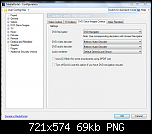
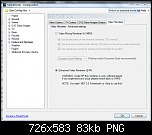
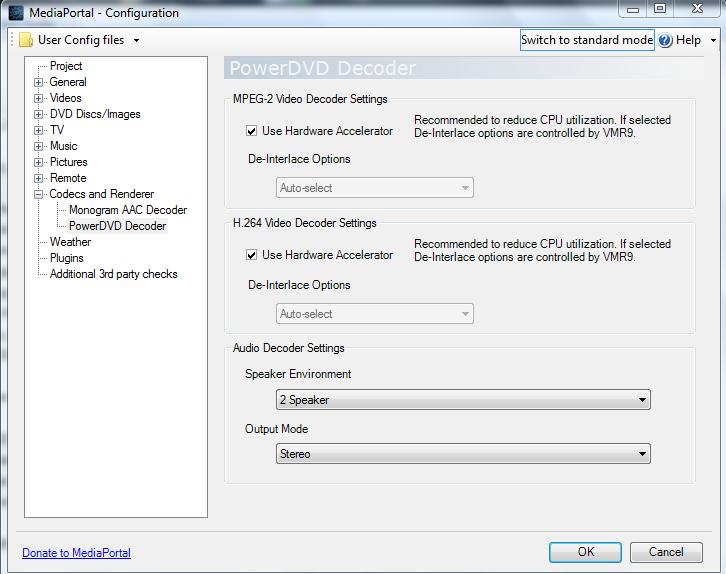
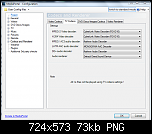
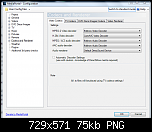
    TV CODEC:
    MPEG 2 - MPC MPEG 2 Video decoder

    I agree with Darro that you should first set this to Microsoft's decoder and see if it makes a difference. It ought to.

    Does this make sense to you or anyone else??? Should I look at installing (for example) K-Lite Codecs onto my Win 7 OS????

    Codec packs are evil, so no. If you absolutely have to, try SAF 6 (unlocked) and then change the codecs to the Cyberlink ones (which I personally prefer the PQ of).

    Any thoughts??

    Again, please fill out your system specifications. Without knowing what kind of GPU, how you have connected the HTPC to the TV and so on it is mostly guesswork...

    //W
     

    jck

    Portal Member
    October 22, 2011
    26
    1
    Home Country
    Hi Guys

    Good news. Darro's advice seemed to do the trick. I changed TV decoder to Microsoft's and it made a huge difference. It is almost 100%. I say almost because there is just the ever so slight 'softness' around some of the pictures on some of the channels. The shows that are streamed from the US on Ch 9 such as CSI etc seem to be HD and excellent. I just note some of the mornign show programs are a little 'soft'.

    Is it worth doing some more fiddling about with the decoders or is this as good as it gets??

    What do you suggest in terms of fine tuning the decoders??

    It is heaps better than what it was before which is really pleasing.

    Many thanks for all your help guys!!! :D

    JCK

    Oh, I meant to add that I also adjusted the screen size on the TV. It seemed to be at about 105% but now fits nicely.

    Thanks Darro for your advice.
     

    jck

    Portal Member
    October 22, 2011
    26
    1
    Home Country
    Gday Logifuse

    Thanks for your reply. Im learning a huge amount in this forum!!

    I have installed the Intel i3-2100T Intel® Core

    It therefore uses Intels Graphics drivers etc.

    The guy who built it indicated that this would be more than enough.

    There is room on the motherboard (AsRock H61M-ITX) for a graphics card but with it built into the CPU I'm not sure a graphics card would improve things?? The other issue of course is that the one expansion slot in the ITX case is taken up by the tuner card.

    Any thoughts?

    Regards
    JCK
     

    logifuse

    Portal Pro
    January 19, 2011
    118
    11
    Sydney
    Home Country
    My limited experience with Intel graphics is that it does the job, but has limited tweaking options. Nvidia doesn't give you a great number of options (& they're pretty useless really), but certain decoders (LAV CUVID) exploit the best options of an Nvidia card. AMD/ATI give you all sorts of things to tweak, but from what I've seen it can be a never ending quest to get it just right.

    There may be a decoder out there that makes your particular setup come alive, it's just a matter of finding it. The problem I've found with some of them (e.g. the old WinDVD) is that they had a sharp picture but didn't suit 50Hz (they seemed to halve the framerate), so no good for Aussie TV.

    Best combo I've seen on an HTPC for Australian TV is MediaPortal using LAV CUVID with an Nvidia GT430 card. I recently had a shoot-out with a friend who works in high end AV custom install & we tried that combo, along with WMC, an AMD HD6570 card, various decoders (MS, Cyberlink, MPC-MPEG2), & all combos of those, all on a new Sharp 46 inch LED LCD. It even beat the TVs DTV tuner. We used 2 channel 9 SD NRL matches (one night one day) as our source (as the lines on the field can show up poor deinterlacing) & his thought was that if someone saw the picture from the MP/LAV CUVID/GT430 combo on a screen in their shop, they would have assumed it was HD. While I wouldn't go that far, it is very impressive.

    Do some searching for MPEG2 decoders & try some out.

    If you have another PC on your network, you could move the tuner card to that & configure it as an MP TV Server or ForTheRecord Argus TV server & use the TV PC as a front end (I'd recommend FTR/Argus for that job, but it's more things to learn).
     

    jck

    Portal Member
    October 22, 2011
    26
    1
    Home Country
    Hi Logifuse

    Thanks for your feedback. Really interesting.

    What do you know about FFDShow AND SAF6 codecs?

    regards
    JCK
     

    Users who are viewing this thread

    Top Bottom