- July 2, 2007
- 24
- 0
- Home Country
-
 Germany
Hi there,
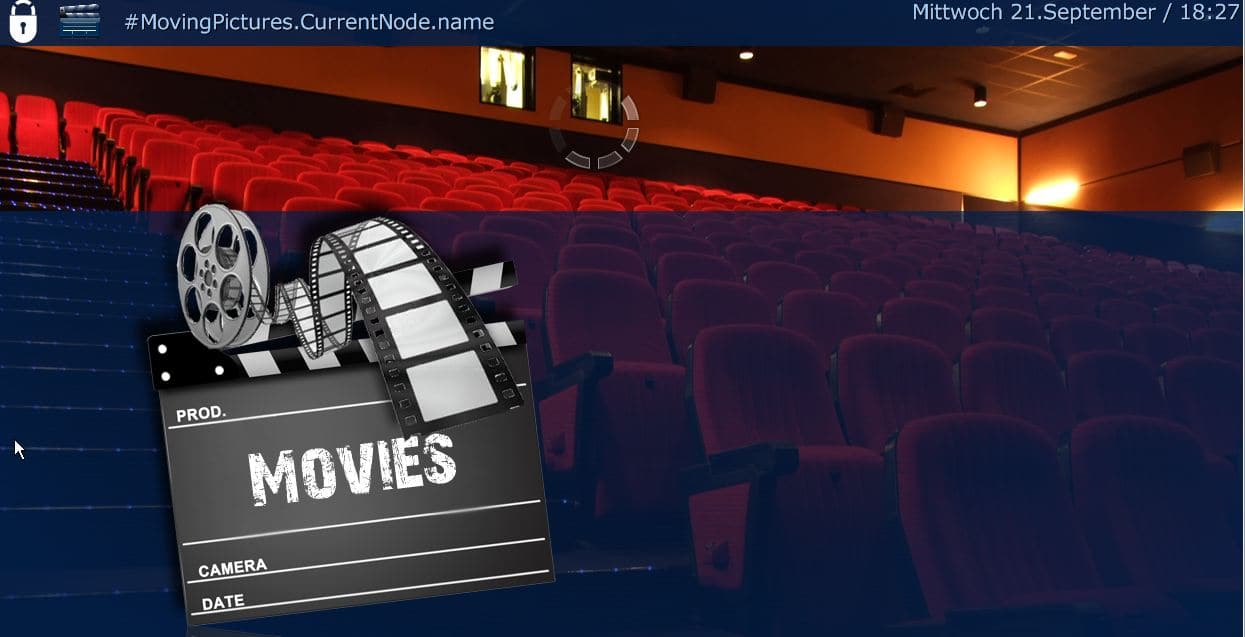
I have a problem upgrading Moving pictures from 1.1.2. When I try to, I get in best case a non working Moving pictures. See also screen shot.
I did a clean install on a new Windows XP with the MovingPictures database. I tried a few combinations of Mediaportal and Moving Pictures version but even Mediaportal 1.2.0 Final and Moving pictures 1.2.3 I have the same problems - No other plugins Installed
Same on a Win 7 machine.
I already tried with an empty database. After a couple of hundred movies the moving picture plug in was freezing. I was not able to import all my movies again.
Oh, and sometimes Moving Pictures is not able to load the cover for a few Movies it was able before. Each move is in a single folder with a text file contains the imdb # and the cover named "folder.jpg" When am pointing MP to the cover by hand it says something like its not possible to load from specific url. When am just copy and pasting the "folder.jpg" and pointing MP to the "copy of folder.jpg" its working..?!?
Now am running MediaPortal 1.1.3 with Moving Pictures 1.1.2 its working for me
I guess i have done something wrong, but i have no idea what. Any suggestions what i can try to have the latest Mediaportal with the latest moving pictures?
Albert
I have a problem upgrading Moving pictures from 1.1.2. When I try to, I get in best case a non working Moving pictures. See also screen shot.
I did a clean install on a new Windows XP with the MovingPictures database. I tried a few combinations of Mediaportal and Moving Pictures version but even Mediaportal 1.2.0 Final and Moving pictures 1.2.3 I have the same problems - No other plugins Installed
Same on a Win 7 machine.
I already tried with an empty database. After a couple of hundred movies the moving picture plug in was freezing. I was not able to import all my movies again.
Oh, and sometimes Moving Pictures is not able to load the cover for a few Movies it was able before. Each move is in a single folder with a text file contains the imdb # and the cover named "folder.jpg" When am pointing MP to the cover by hand it says something like its not possible to load from specific url. When am just copy and pasting the "folder.jpg" and pointing MP to the "copy of folder.jpg" its working..?!?
Now am running MediaPortal 1.1.3 with Moving Pictures 1.1.2 its working for me
I guess i have done something wrong, but i have no idea what. Any suggestions what i can try to have the latest Mediaportal with the latest moving pictures?
Albert