SAF + ffdshow Audio configuration confusion (1 Viewer)

elvis56

Portal Pro
January 5, 2009
121
0
Home Country
Canada Canada
I am using the latest SAF on one PC and I just hooked up a 5.1 logitech x-540 speaker system to it.

Question ONE:

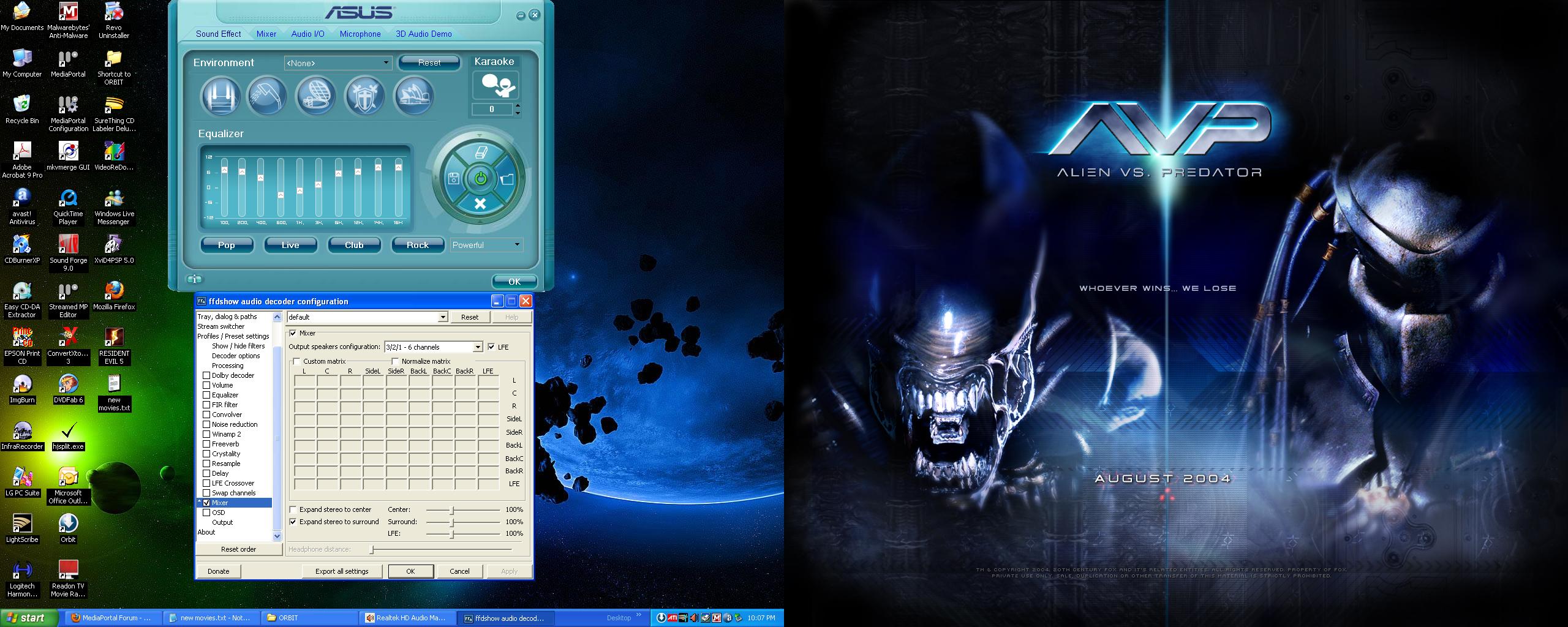
I have a question about the Mixer option in ffdshow. I have it set to 3/2/1 - 6 channels and it sounds great (EXCEPT)
IT seems the action scenes or "explosions" are way too loud compared to when nothing is happening. If I turn it down I can hardly hear them talk. Is there an option other then 3/2/1 - 6 channels that will sort of normalize the sounds?

Question TWO:

I also have this setup on my other computer but through SPIDF optical connection which runs into my RCA Home Stereo system which has Dolby Prologic (It's an older receiver). It sounds good too but I noticied that Mixer isn't set automatically. ? I selected AC3 passthru during SAF install and that seems to be the only options selected via install.

I want to play around with the options but I have no idea what is better in mixer for my setup:

3/2/1 - 6 channels
Dolby Prologic
Dolby Prologic II
:mad:

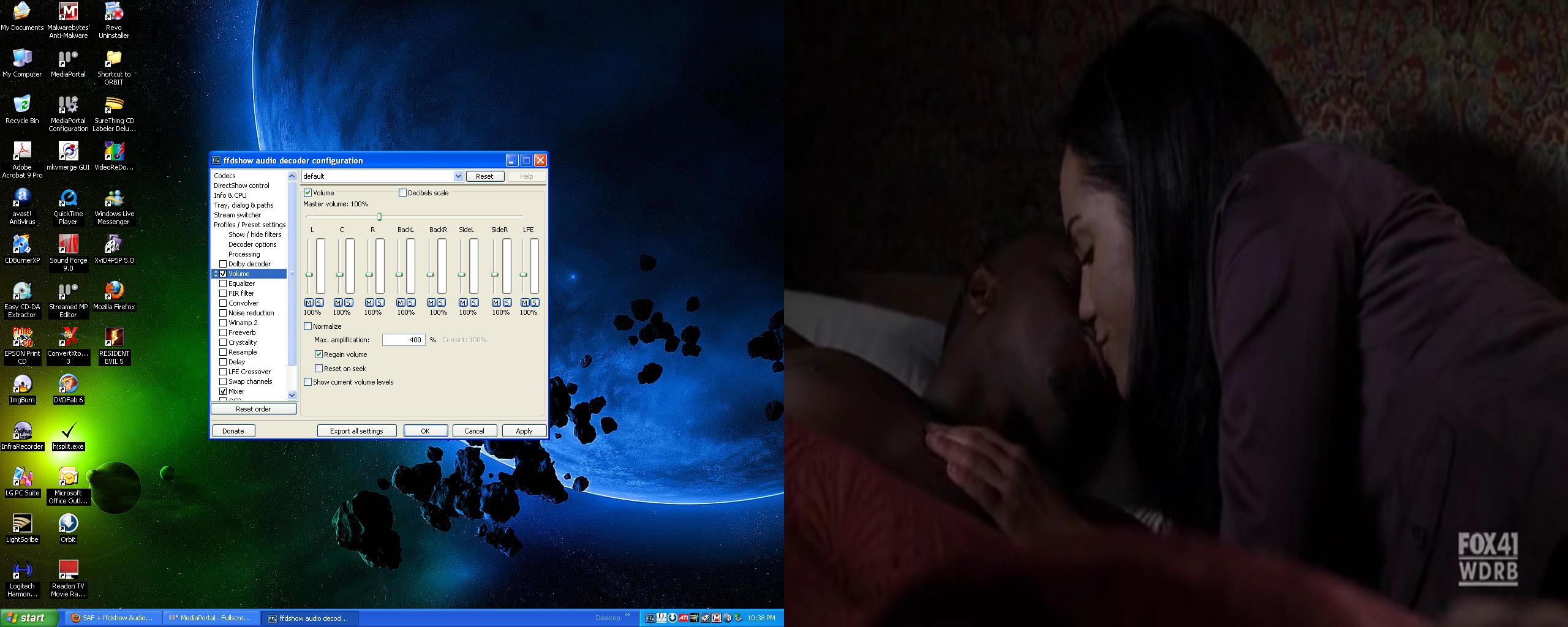
Any advice would be great. I am so new to all of this kind of stuff. Constantly learning In the 2nd pic I have "REGAIN VOLUME" selected. I "think" that might be what I am looking for. (hopefully):D
 

Attachments

  • ffdshow.JPG
    ffdshow.JPG
    388.6 KB
  • volume.JPG
    volume.JPG
    288.6 KB

elvis56

Portal Pro
January 5, 2009
121
0
Home Country
Canada Canada
found some good information

Dolby Pro Logic is a matrix decoder that decodes the four channels of surround sound from a Dolby Matrix encoded stereo track, such as VHS HiFi tapes, Stereo CDs, and some TV shows.

Dolby Surround
is a matrix encoding process that in essence combines the Left, Center, Right, and Surround channels onto a single stereo track. A Pro Logic decoder then extracts the four channels on playback. If you listen to a Dolby Encoded soundtrack on a normal stereo system you may notice some sounds appearing to come from beyond the speakers or even from behind you.

Dolby Pro Logic II is an advanced matrix decoder that derives five-channel surround (Left, Center, Right, Left Surround, and Right Surround) from any stereo track. It works on any file even if it hasn't been encoded in the Pro Logic II format. On encoded material such as movie soundtracks, the sound is more like Dolby Digital 5.1 (see below), while on unencoded stereo material such as music CDs the effect is a wider, more involving soundfield. Among other improvements over Pro Logic, Pro Logic II provides two full-range surround channels, as opposed to Pro Logic’s single, limited-bandwidth surround channel. This is very similar to Circle Surround.

Dolby Digital 5.1 is the latest in multi-channel delivery. 5.1-channel soundtracks can be heard on most movies either on DVDs or in theatres. Dolby Digital 5.1 is also being offered through Window Media 9, digital cable, digital broadcast TV (DTV), and satellite transmissions. Dolby Digital is just that: Digital. It needs to be decoded by a Dolby Digital Decoder. It does not use the same Dolby Surround encode/Pro Logic decode process. Though you can listen to Dolby Digital 5.1 Encoded soundtracks in Dolby Pro Logic via the analog outputs on most DVD Players. Dolby Digital 5.1 is a discrete system that keeps the multiple channels fully separated throughout the encoding and decoding processes. In addition to having full-range Left, Center, Right, Left Surround, and Right Surround channels, Dolby Digital 5.1 soundtracks carry a sixth (“.1”) channel recorded with low-frequency effects (those bass rumbles and booms you feel as well as hear in a well-equipped cinema).

think I will stick with 6 channels option. Still need to figure out night mode setting though. So I don't wake up the neighbours at night lol.
 

kstam

Portal Member
May 30, 2008
13
0
Athens
Home Country
Greece Greece
Hi,
For the first question
I think that 3/2/1 - 6 channels options implies the channels L, C, R/BackL, BackR/BackC and when you select LFE implies th .1 SW channel. So in your case you should select the 3/2/0 - 5 channels option (if memory serves m well) plus the LFE switch.
When you select expand stereo to center it will use the center channel also with stereo input.
When you select expand stereo to surround it will use the surround channels also with stereo input.
When you open that window while playing a file (audio or video) it will show you the mapping of the input channels (from the file) on the top row to the output channels on the right collumn. Where in the mattrix there is a number means a mapping from the input channel above to the output channel on the right. You want (in order to check th correct setting) to have the input chanels (no matter how many) mappd to the output channels you actually have (in your case L, C, R, BackL, Back, LFE) and not to a channell you don't have a speaker to (like BackCbecause that means that ffdshow outputs sound to it but you don't hear it as you don't have a speaker).
For the second question
AC3 passthru means that the AC3 encoded sound will be outputed directlly on the digital output (spdiff) without any processing so that means you can't use the mixer to create more channels (on the receivers will be decoded as many channels as they are encoded on the source) or any kind of volume adjustment (as is regain volume) to make any kind of processing I think you need to deselect AC3 passthru.
Regain volume I think (if again memory serves me well) it adjusts the volume on normallizing function more rapidly (trying constantly to "regain" the original volume) thus creating (possibly) more audio artifacts.
Hope all that makes sense to you, if you have more questions on that please ask.
 

elvis56

Portal Pro
January 5, 2009
121
0
Home Country
Canada Canada
I think that 3/2/1 - 6 channels options implies the channels L, C, R/BackL, BackR/BackC and when you select LFE implies th .1 SW channel. So in your case you should select the 3/2/0 - 5 channels option (if memory serves m well) plus the LFE switch.

Interesting, thanks for your info about that. I will definately try that tonight when I am home. You are correct, I have

Left FRONT
Right FRONT
CENTER
Left REAR
Right REAR
Subwoofer
 

kstam

Portal Member
May 30, 2008
13
0
Athens
Home Country
Greece Greece
Now that I 'm at home I had a look on audio decoder configuration.
Is how I told you this morning, only the 3/2/1 - 6 channels options implies L, C, R, SideL, SideR, BackC
and what you should select is 3/0/2 - 5 channels + LFE and not 3/2/0 - 5 channels (it doesn't exist).
I suppose what it means is FC/SC/BC where FC=Frond Channels SC-Side Channels BC=Back Channels
 

Users who are viewing this thread

Top Bottom