Canada
MediaPortal Version: 1.2.1.0
Windows Version: XP sp3
Video Card: NVIDIA GeForce 7300 LE
1. TV Card: Win TV pvr PCI II (26xxx)
Satelite/CableTV Provider: VIDEOTRON
Remote: remote came with my HP used for Media Center
Hi,
I'm new to Media Portal. I'm trying to set it up on my computer because my Media Center (2005) has a problem (incompatibility with .net framework 4). I find MP much more interesting than MC and I look forward to use all of its potential...
I was able to setup MP for Radio, Music, Video but I'm having trouble with the TV part. Here is a description of my situation:
My cable TV provider is Videotron (Montreal). The signal cable coming in the house goes to a PACE 511 terminal (Videotron). That terminal has a remote to choose the channel I want to see. The output of that Terminal is pluged either to a TV or to a computer (my case).
I can plug the terminal to my PC by using a coax cable, an S-video cable or a 3 wire RCA cable (L-R-Video). I use the S-Video connection between the Videotron terminal and the input of my Hauppauge WIN TV PVR PCI II. That setup was working just fine with Media center. It still is because I can look at TV with a Video recorder software.
My problem: in TV server configuration, I choose my card in TV Server, I set Canada for country and Cable as the source then I start "Scan for TV channels". I then get a "No Signal" message for each channel. If I bypass the PACE terminal and plug the cable coming in the house directly into my computer, then MP sees some channels, but not all of those I get through the Videotron terminal... Since I want to have access to all channels , I need help to get there !
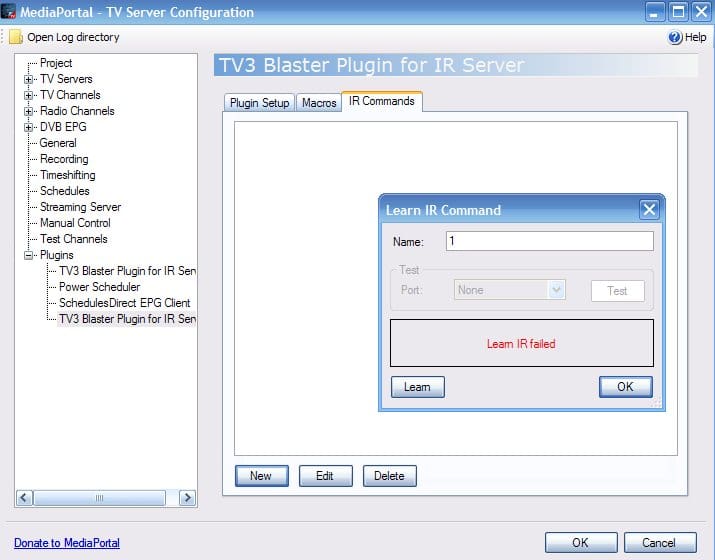
The link between the Videotron box and the Media Center is done by the IR sensor (USB pluged into PC) attached to the Videotron box (on top of the IR sensor) wich transmit (IR) the MediaCenter commands to the Videotron box by "translating it" . That i why I could programm a recording in MC and it was able to "tell" Videotron box to change channel.
I hope I was clear in my explanation and that someone will be able to help me.
Have a good day
Windows Version: XP sp3
Video Card: NVIDIA GeForce 7300 LE
1. TV Card: Win TV pvr PCI II (26xxx)
Satelite/CableTV Provider: VIDEOTRON
Remote: remote came with my HP used for Media Center
Hi,
I'm new to Media Portal. I'm trying to set it up on my computer because my Media Center (2005) has a problem (incompatibility with .net framework 4). I find MP much more interesting than MC and I look forward to use all of its potential...
I was able to setup MP for Radio, Music, Video but I'm having trouble with the TV part. Here is a description of my situation:
My cable TV provider is Videotron (Montreal). The signal cable coming in the house goes to a PACE 511 terminal (Videotron). That terminal has a remote to choose the channel I want to see. The output of that Terminal is pluged either to a TV or to a computer (my case).
I can plug the terminal to my PC by using a coax cable, an S-video cable or a 3 wire RCA cable (L-R-Video). I use the S-Video connection between the Videotron terminal and the input of my Hauppauge WIN TV PVR PCI II. That setup was working just fine with Media center. It still is because I can look at TV with a Video recorder software.
My problem: in TV server configuration, I choose my card in TV Server, I set Canada for country and Cable as the source then I start "Scan for TV channels". I then get a "No Signal" message for each channel. If I bypass the PACE terminal and plug the cable coming in the house directly into my computer, then MP sees some channels, but not all of those I get through the Videotron terminal... Since I want to have access to all channels , I need help to get there !
The link between the Videotron box and the Media Center is done by the IR sensor (USB pluged into PC) attached to the Videotron box (on top of the IR sensor) wich transmit (IR) the MediaCenter commands to the Videotron box by "translating it" . That i why I could programm a recording in MC and it was able to "tell" Videotron box to change channel.
I hope I was clear in my explanation and that someone will be able to help me.
Have a good day