
Setting up EPG makes me want to punch myself in the face (1 Viewer)

JABUKI

New Member
December 12, 2013
3
1
Home Country
United States of America United States of America
It's great that MP has directions on how to setup EPG five different and complex ways but perhaps I'm just too lazy or tech illiterate for MP.

Everything I've read involves making custom xml and/or batch files. I'm guessing this is all because of how MP lists channels vs the rest of the world/epg websites. Is there a way to have MP use the actual channels that my cable provider uses? At least then I could use my online tv guide in some useful way.

Is there a simple free plug-in for putting in a US zip code then selecting provider to have epg work??

I'm just frustrated and thinking MP is simply too complicated to setup to be an actual wmc alternative. shelling out the $200 for win8 pro just to get wmc is looking more likely every day I bang my head against getting a fully functional windows8.1 media player with tv.
 

ravenrocks

Portal Pro
October 11, 2007
351
96
If you think setting up epg for several days is too hard, then just use the "DVB EPG" fetcher. At least you get one whole day or more depending on your provider.
 

2BitSculptor

Super Moderator
  • Team MediaPortal
  • January 23, 2008
    2,010
    1,053
    South Central Wisconsin
    Home Country
    United States of America United States of America
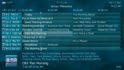
    Actually the Schedules Direct plugin is free...but you have to subscribe to Schedules Direct @ $25/yr. Not a bad deal really, for up to 13 days of guide. I've been using it for 5 years. Still not as expensive as Win8.1 w/MC. ...and it's easy to rename your channels and sort them in MP TV-Server to your preference.

    08-23-30.png
     
    Last edited:

    mm1352000

    Retired Team Member
  • Premium Supporter
  • September 1, 2008
    21,544
    8,236
    Home Country
    New Zealand New Zealand
    Hello again JABUKI :)

    It's great that MP has directions on how to setup EPG five different and complex ways but perhaps I'm just too lazy or tech illiterate for MP.
    If you've come this far then I don't think you're too lazy or illiterate. :)

    Everything I've read involves making custom xml and/or batch files.
    I'm guessing the custom XML stuff might be related to the WebGrab+ option? I have no idea where the batch file thing comes from unless it is for scheduling mc2xml or something like that.

    I'm guessing this is all because of how MP lists channels vs the rest of the world/epg websites.
    No, not at all. Unfortunately living in the US means that getting free EPG data can be a little trickier than in other parts of the world where data is transmitted with the TV signal (ie. people in other parts of the world very often use the DVB EPG grabber - a few ticks and done). With enough persistence, you can get free EPG data. In most cases the process is something like:
    1. Configure an external program or plugin to generate an XMLTV file.
    2. Import the XMLTV file into the standard XMLTV plugin, and link guide data channels to MP channels.
    3. Schedule the external program to run on a daily basis.

    I think people find step 1 the toughest. Schedules Direct (as mentioned by 2BitSculptor) is somewhat easier as you select/configure your lineup on the website based on your location and/or cable provider, then the MP plugin pretty much just imports the data.

    Is there a way to have MP use the actual channels that my cable provider uses? At least then I could use my online tv guide in some useful way.
    I'm afraid this question doesn't really make sense to me. TV Server knows about the channels your cable provider uses. The question is: where can it pull guide data from? I've never heard of any plugin that can grab data from cable providers' online TV guide. mc2xml grabs from TitanTV, Microsoft (ie. the data source that WMC uses) or Zap2It; I think SchedulesDirect gets guide data directly from providers; WebGrab+ "scrapes" websites.

    Is there a simple free plug-in for putting in a US zip code then selecting provider to have epg work??
    No. What you're describing sounds a lot like SchedulesDirect. There is a free 14 day trial; after that you have to pay for the data. $25 per year.

    I'm just frustrated and thinking MP is simply too complicated to setup to be an actual wmc alternative. shelling out the $200 for win8 pro just to get wmc is looking more likely every day I bang my head against getting a fully functional windows8.1 media player with tv.
    The choice is yours. Like I said in your other thread, please do ask for help. It makes no sense to work alone on a problem for more than 5 minutes. The more specific you can make your questions, the better we can help.

    mm
     

    Users who are viewing this thread

    Top Bottom