Germany
MediaPortal Version: MP 1.1.0 RC2
MediaPortal Skin: Black Glass Nova
Windows Version: Win 7
CPU Type: AMD X2 235
HDD: 1TB WD Green Power
Memory: 4GB DDR2 800
Motherboard: Gigabyte GA-MA785GMT-UD2H
Video Card: ATI HD4200 (onBoard)
Video Card Driver: 10.3
Sound Card: onBoard
Sound Card AC3: analog
Sound Card Driver:
1. TV Card: TeVii
1. TV Card Type: DVB-S (HD)
1. TV Card Driver:
Satelite/CableTV Provider:
HTPC Case: Thermaltake DH-102
Cooling: AC Apline 7
Power Supply: BeQuiet Straight Power 400Watt
Remote: Microsoft Remote Control
TV: Samsung 42" Plasma TV
TV - HTPC Connection: HDMI
Hey,
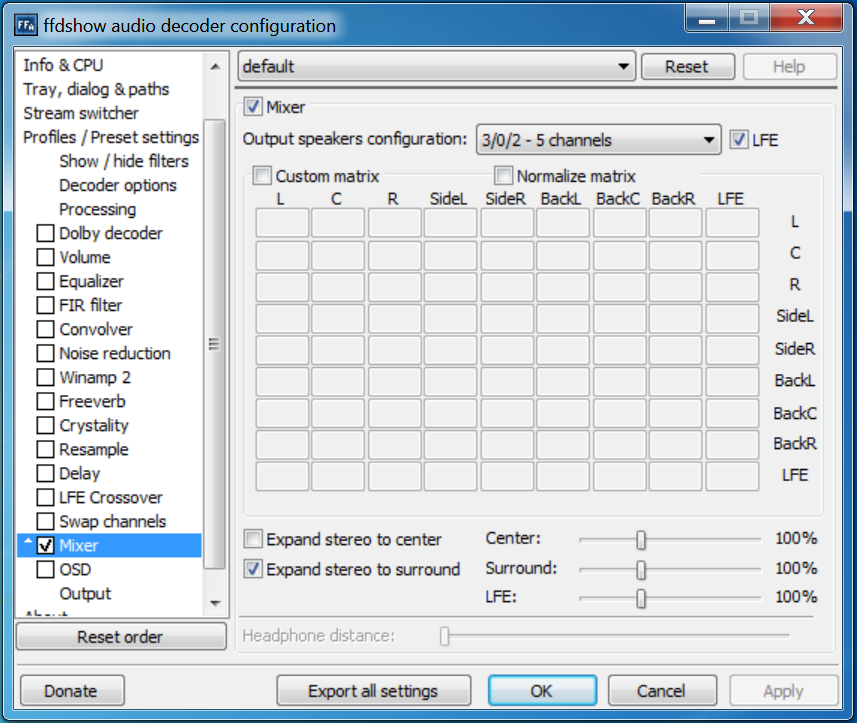
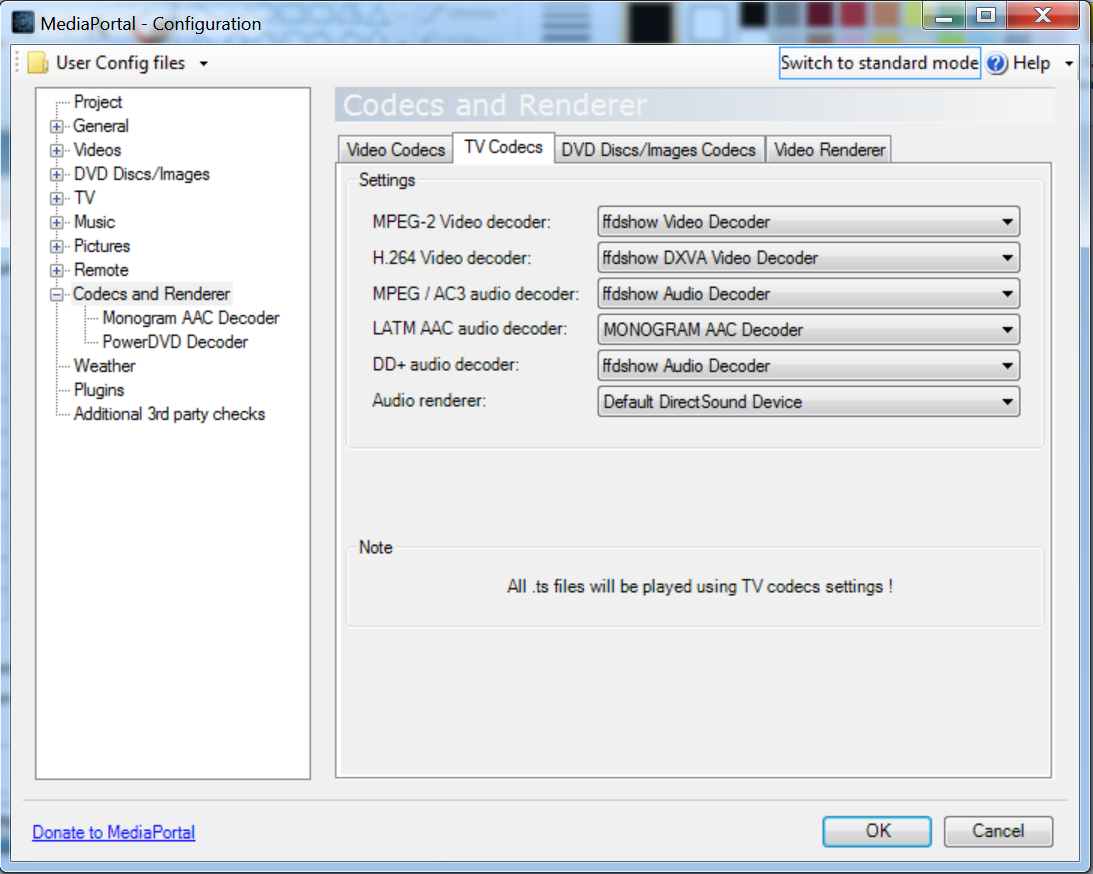
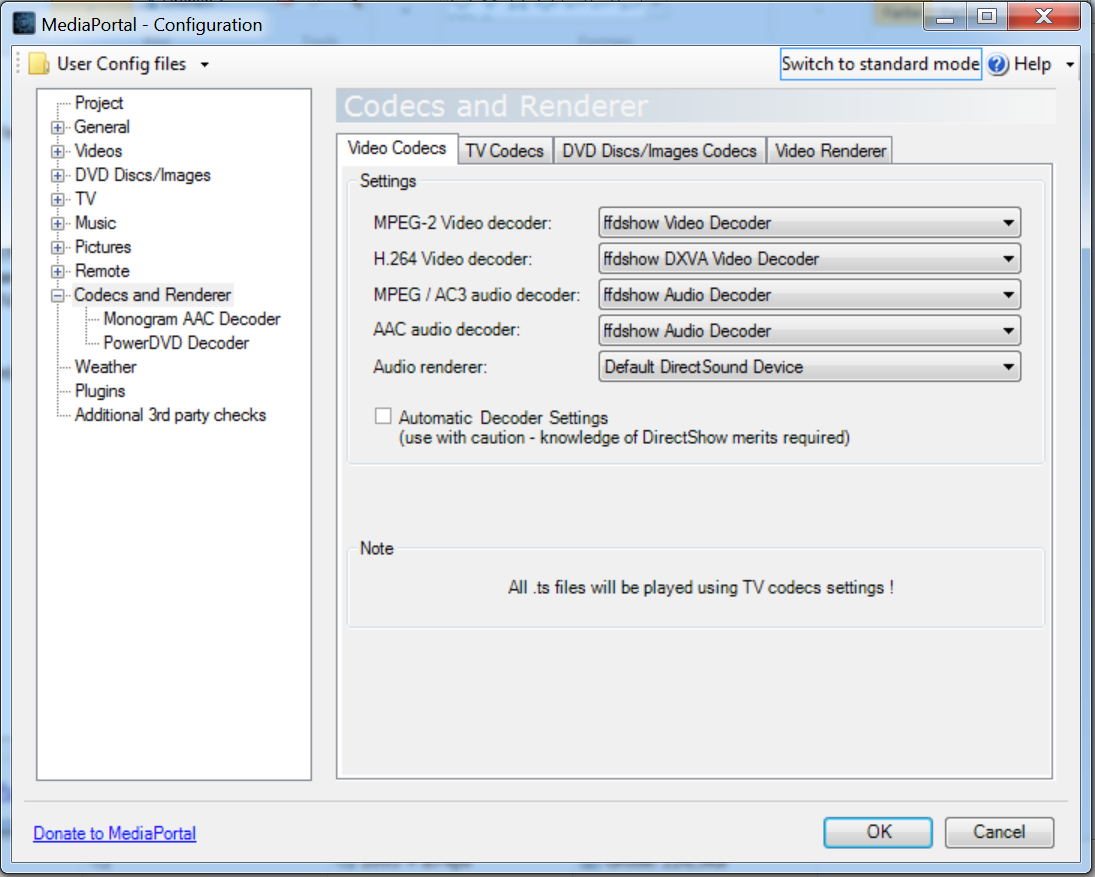
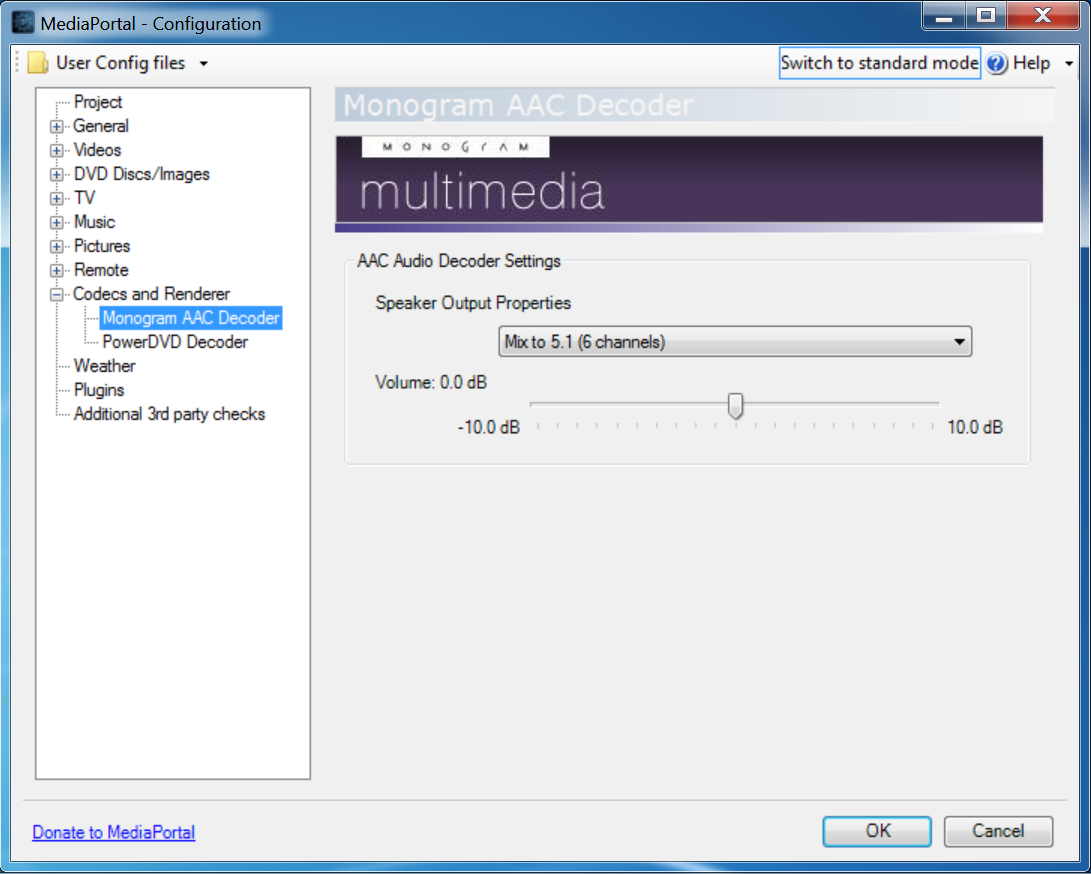
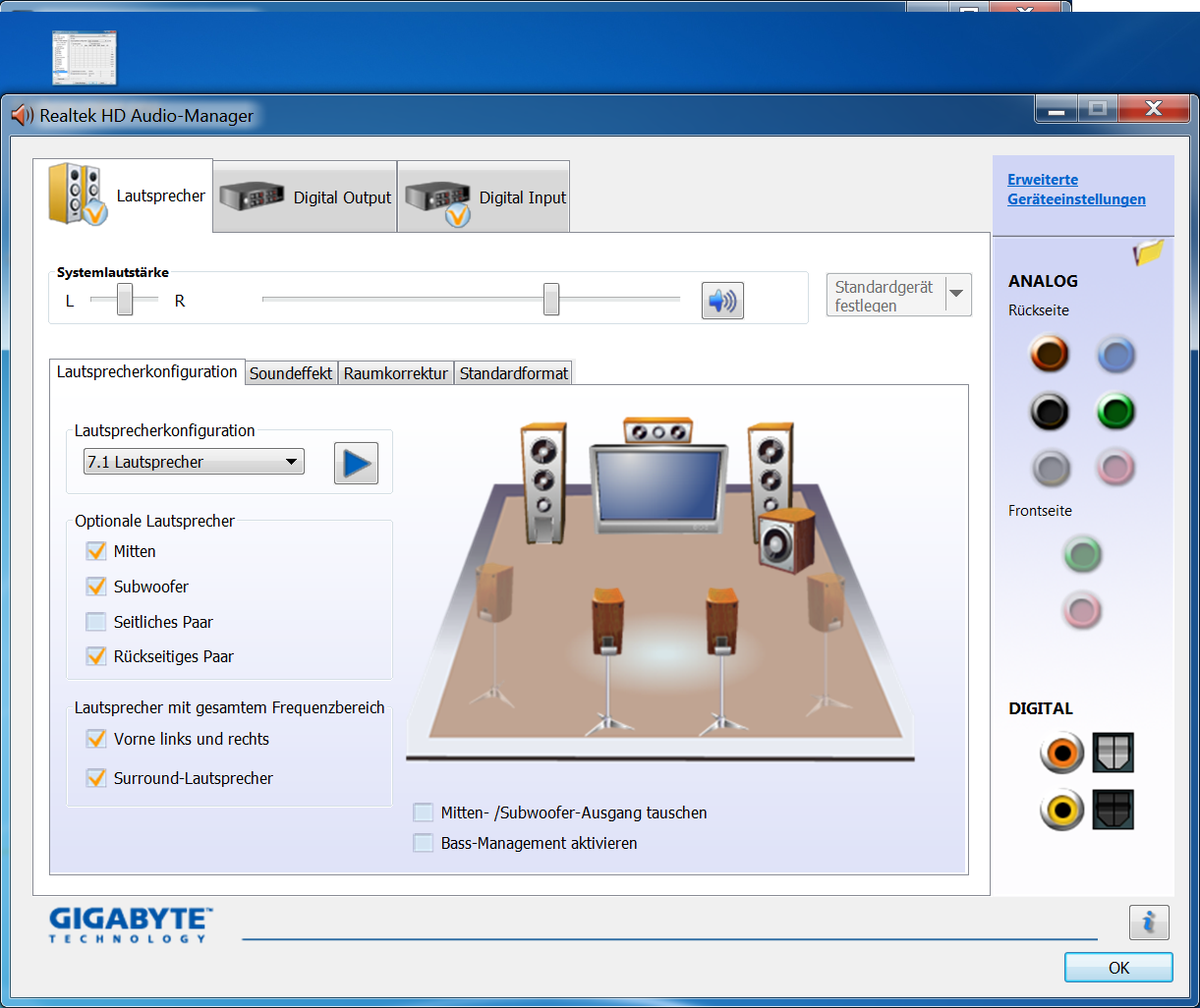
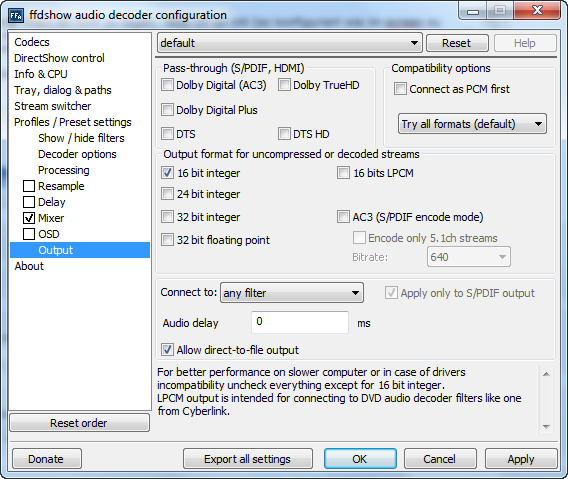
I'm using SAF 4.0 with ffdshow. I've got a 5.1 surround system (configured like in screenshot shown). My prolem is, that I get at the most videos (e.g. mkv videos, 5.1. sound checked with "media info") only stereosound (also at tv). But if I'm whatching a DVD 5.1 sound works.
I've attached a few screenshots.
lg cilla
MediaPortal Skin: Black Glass Nova
Windows Version: Win 7
CPU Type: AMD X2 235
HDD: 1TB WD Green Power
Memory: 4GB DDR2 800
Motherboard: Gigabyte GA-MA785GMT-UD2H
Video Card: ATI HD4200 (onBoard)
Video Card Driver: 10.3
Sound Card: onBoard
Sound Card AC3: analog
Sound Card Driver:
1. TV Card: TeVii
1. TV Card Type: DVB-S (HD)
1. TV Card Driver:
Satelite/CableTV Provider:
HTPC Case: Thermaltake DH-102
Cooling: AC Apline 7
Power Supply: BeQuiet Straight Power 400Watt
Remote: Microsoft Remote Control
TV: Samsung 42" Plasma TV
TV - HTPC Connection: HDMI
Hey,
I'm using SAF 4.0 with ffdshow. I've got a 5.1 surround system (configured like in screenshot shown). My prolem is, that I get at the most videos (e.g. mkv videos, 5.1. sound checked with "media info") only stereosound (also at tv). But if I'm whatching a DVD 5.1 sound works.
I've attached a few screenshots.
lg cilla