MediaPortal Version: 1.1.0.0
MediaPortal Skin: Blue3wide
Windows Version: Windows 7 Ultimate
CPU Type: AMD Athlon 64 1.8 gigahertz
HDD: various Seagate & WD = 2 TB
Memory: 1GB RAM
Motherboard: Gigabyte GA-K8N-SLi
Video Card: NVIDIA GeForce 8500 GT
Video Card Driver:
Sound Card: Realtek AC'97 Audio
Sound Card AC3:
Sound Card Driver:
MPEG2 Video Codec: ffdshow Video decoder
MPEG2 Audio Codec: ffdshow Audio decoder
h.264 Video Codec: ffdshow Video decoder
HTPC Case: Tsunami
Cooling:
Power Supply: Coolermaster 650W
Remote: Microsoft MCE
TV: Samsung 32" LCD
TV - HTPC Connection: VGA, S/PDIF
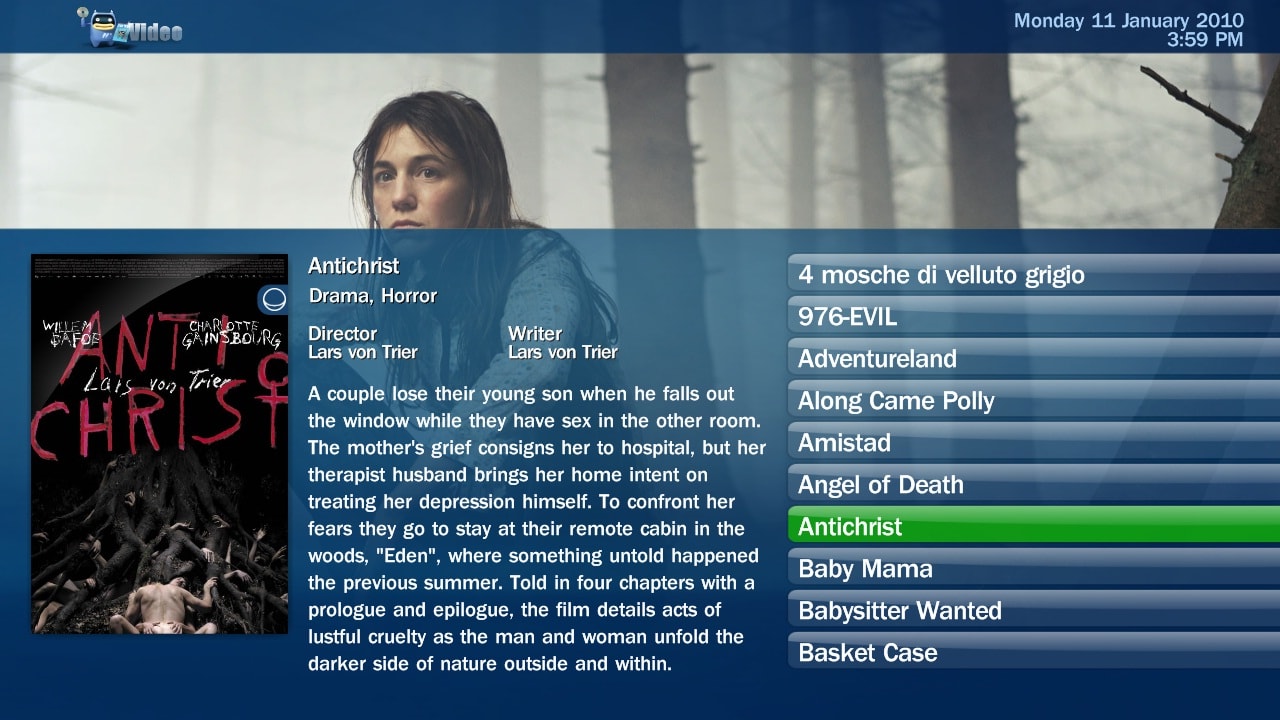
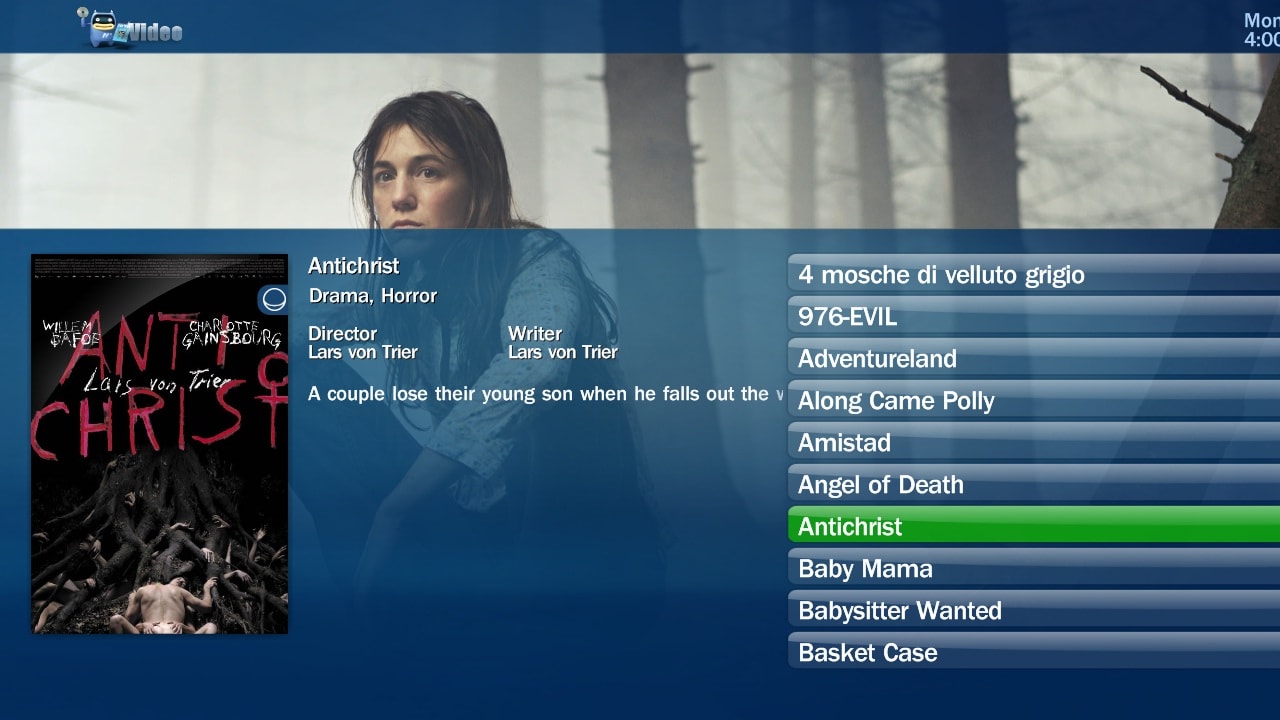
I've noticed recently since I started using the BETA version of MP that after I watch a movie or tv show in Moving Pictures or My TV Series the synopsis for the show is no longer displayed correctly and some of the other text (see top right of second image) is in the wrong place also (see attached images for normal and broken views). This occurs no matter what skin I am using and can be fixed by going back to the home menu then reentering the Moving Pictures or My TV Series menu.
Anyone got any ideas about this? Anyone with a similar problem? I've tried reinstalling my skins and plugins but it still happens. Logs are also attached. Thanks.
MediaPortal Skin: Blue3wide
Windows Version: Windows 7 Ultimate
CPU Type: AMD Athlon 64 1.8 gigahertz
HDD: various Seagate & WD = 2 TB
Memory: 1GB RAM
Motherboard: Gigabyte GA-K8N-SLi
Video Card: NVIDIA GeForce 8500 GT
Video Card Driver:
Sound Card: Realtek AC'97 Audio
Sound Card AC3:
Sound Card Driver:
MPEG2 Video Codec: ffdshow Video decoder
MPEG2 Audio Codec: ffdshow Audio decoder
h.264 Video Codec: ffdshow Video decoder
HTPC Case: Tsunami
Cooling:
Power Supply: Coolermaster 650W
Remote: Microsoft MCE
TV: Samsung 32" LCD
TV - HTPC Connection: VGA, S/PDIF
I've noticed recently since I started using the BETA version of MP that after I watch a movie or tv show in Moving Pictures or My TV Series the synopsis for the show is no longer displayed correctly and some of the other text (see top right of second image) is in the wrong place also (see attached images for normal and broken views). This occurs no matter what skin I am using and can be fixed by going back to the home menu then reentering the Moving Pictures or My TV Series menu.
Anyone got any ideas about this? Anyone with a similar problem? I've tried reinstalling my skins and plugins but it still happens. Logs are also attached. Thanks.