
- Thread starter
- Moderator
- #551
I checked at. Everything is working ...Is there somewhere a log file in which one can see whether the IMDb ID is passed right? In the series it works.
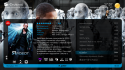


I checked at. Everything is working ...Is there somewhere a log file in which one can see whether the IMDb ID is passed right? In the series it works.
Change movingpictures.views.xml:Is there somewhere a log
    <control Style="smallTitle">
      <description>Selected item Label</description>
      <type>fadelabel</type>
      <id>1</id>
      <posX>510</posX>
      <posY>1015</posY>
      <label>#MovingPictures.SelectedMovie.title</label>
      <visible>control.isvisible(50)</visible>
      <animation effect="fade"
                 time="250">WindowOpen</animation>
      <animation effect="fade"
                 time="250">WindowClose</animation>
</control> <control Style="smallTitle">
<description>Selected item Label</description>
<type>fadelabel</type>
<id>1</id>
<posX>510</posX>
<posY>1015</posY>
<label>Thumbs\ClearArt\Movies\#(string.trim(#MovingPictures.SelectedMovie.imdb_id)).png - #MovingPictures.SelectedMovie.title</label>
<visible>control.isvisible(50)</visible>
<animation effect="fade"
time="250">WindowOpen</animation>
<animation effect="fade"
time="250">WindowClose</animation>
</control>
Perfect with YouTube"V:\MPSkins\Titan\Themes\ajs Theme\movingpictures.details.xml" "V:\MPSkins\Titan\Themes\ajs Theme\movingpictures.details.xml"
Put my Moving Pictures xml to theme folder and restart Mediaportal ...
Unzip to theme folder, select Youtube in editor and save Basic Home ...
View attachment 176647
 but I can't get studio logos to work.... Is the studio logos placed in the media folder?
Update fanarthandler and trybut I can't get studio logos to work.... Is the studio logos placed in the media folder?
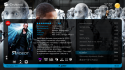


If such a picture in the folder is, then it must be seen in the skins. If it is not shown, the media portal it is not for some reason.Thumbs\ ClearArt\Movies\tt1190080.png

 Austria
If such a picture in the folder is, then it must be seen in the skins. If it is not shown, the media portal it is not for some reason.Thumbs\ ClearArt\Movies\tt1190080.png
[DOUBLEPOST=1457283821][/DOUBLEPOST]Yes, I have, including the 2 new xml files here from the threat.Try clearing your cache ...Yes, the file exists, but is not unfortunately appear.
Austria
The problem is only with the videos so, with music and tv shows it works and is displayed.