Greetings everyone
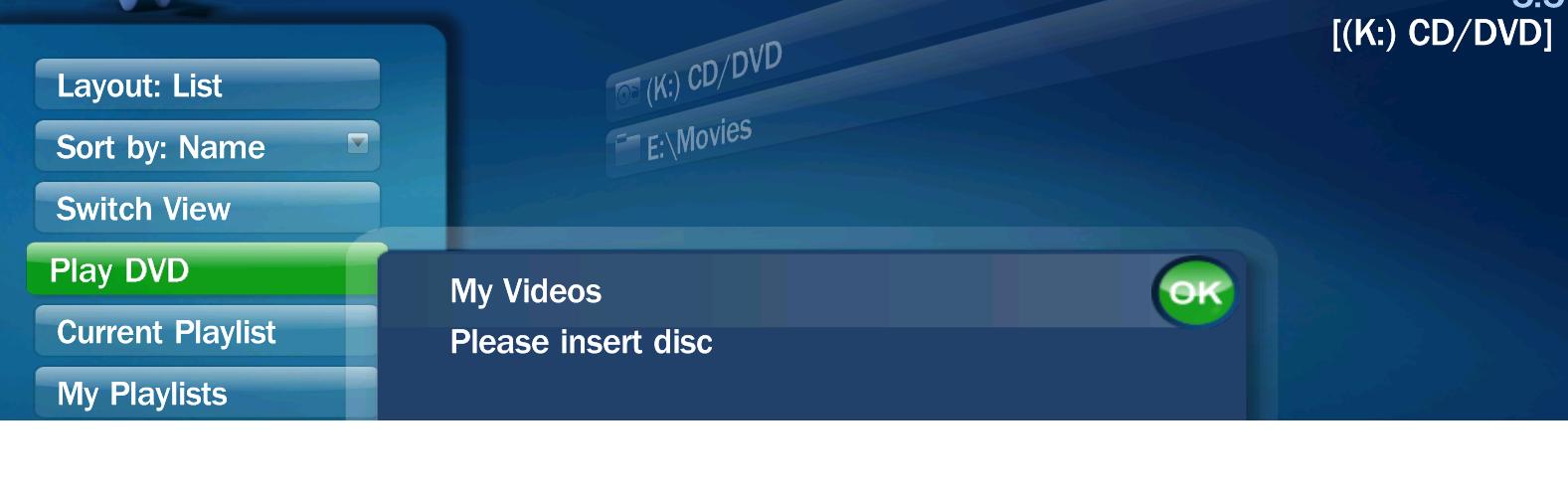
Have a problem here and can't seem to find a good answer after searching. Running the original 1.0 release of MP and trying to get my Blu Ray DVD to play (in the drive) with any dvd player program within MP. Is this possible or am I missing something? I have tried PowerDVD ver. 8 and currently now have TMT 2.1.6.125 (latest version as of today) installed. The programs play the DVD just fine outside of media portal, but when I attempt to click on the play DVD button (once under the my video's main menu) from within Media portal, I hear/see it attempting to access the drive, but then eventually comes back with a message "Please insert Disc" even though the disc is in the drive.
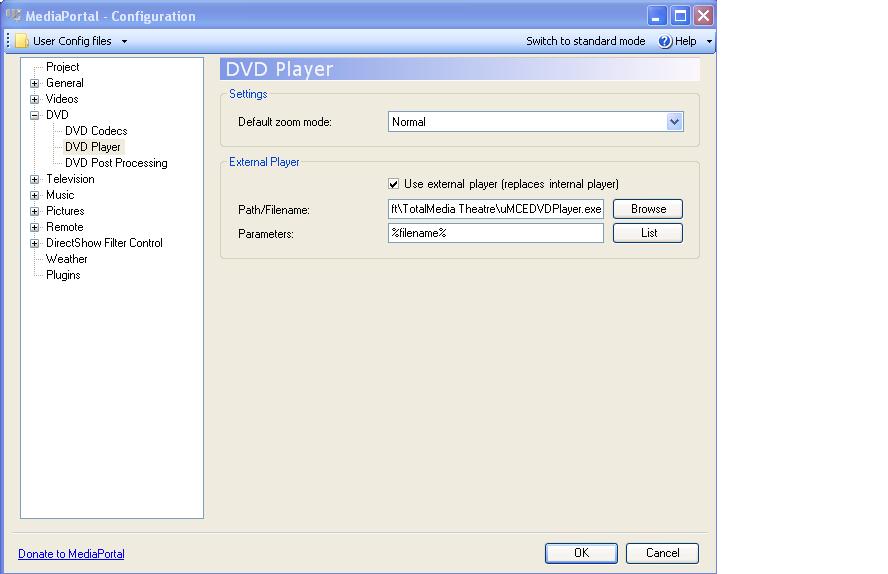
I have set the configuration to use the appropriate programs codec's and even tried checking the box to load the player externally and can't seem to get it to even do that. Can anyone tell me if I am missing a setting here? If anyone needs more info, please let me know. I tried to include the relevant info below.
TV-Server Version:
MediaPortal Version: 1.0.0.0
MediaPortal Skin: default
Windows Version: xp pro sp3
CPU Type: amd quad core 9600 series?
HDD: 4x500gb sata
Memory: 3gb
Motherboard: gigabyte ga-ma78g
Video Card: onboard ati
Video Card Driver:
Sound Card:
Sound Card AC3:
Sound Card Driver:
1. TV Card:
1. TV Card Type:
1. TV Card Driver:
2. TV Card:
2. TV Card Type:
2. TV Card Driver:
3. TV Card:
3. TV Card Type:
3. TV Card Driver:
4. TV Card:
4. TV Card Type:
4. TV Card Driver:
MPEG2 Video Codec:
MPEG2 Audio Codec:
h.264 Video Codec:
Satelite/CableTV Provider:
HTPC Case:
Cooling:
Power Supply:
Remote:
TV:
TV - HTPC Connection:
Have a problem here and can't seem to find a good answer after searching. Running the original 1.0 release of MP and trying to get my Blu Ray DVD to play (in the drive) with any dvd player program within MP. Is this possible or am I missing something? I have tried PowerDVD ver. 8 and currently now have TMT 2.1.6.125 (latest version as of today) installed. The programs play the DVD just fine outside of media portal, but when I attempt to click on the play DVD button (once under the my video's main menu) from within Media portal, I hear/see it attempting to access the drive, but then eventually comes back with a message "Please insert Disc" even though the disc is in the drive.
I have set the configuration to use the appropriate programs codec's and even tried checking the box to load the player externally and can't seem to get it to even do that. Can anyone tell me if I am missing a setting here? If anyone needs more info, please let me know. I tried to include the relevant info below.
TV-Server Version:
MediaPortal Version: 1.0.0.0
MediaPortal Skin: default
Windows Version: xp pro sp3
CPU Type: amd quad core 9600 series?
HDD: 4x500gb sata
Memory: 3gb
Motherboard: gigabyte ga-ma78g
Video Card: onboard ati
Video Card Driver:
Sound Card:
Sound Card AC3:
Sound Card Driver:
1. TV Card:
1. TV Card Type:
1. TV Card Driver:
2. TV Card:
2. TV Card Type:
2. TV Card Driver:
3. TV Card:
3. TV Card Type:
3. TV Card Driver:
4. TV Card:
4. TV Card Type:
4. TV Card Driver:
MPEG2 Video Codec:
MPEG2 Audio Codec:
h.264 Video Codec:
Satelite/CableTV Provider:
HTPC Case:
Cooling:
Power Supply:
Remote:
TV:
TV - HTPC Connection:

 Netherlands