India
India
Hello,
I installed Media Portal RC2 and everything is working fine so far. The way I have set it up is that when I press the power button on my htpc, the system goes to sleep (in vista), and comes back on when I press sleep again. This saves me the time spent on rebooting the system.
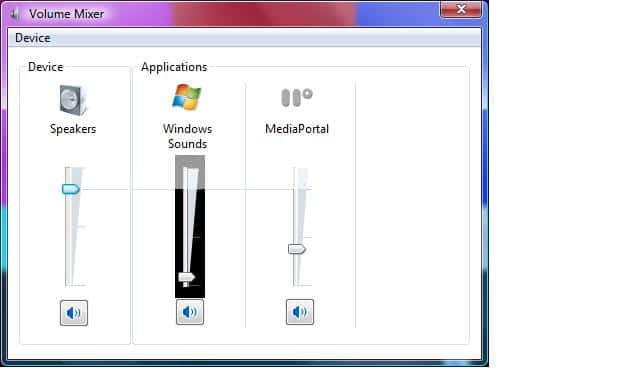
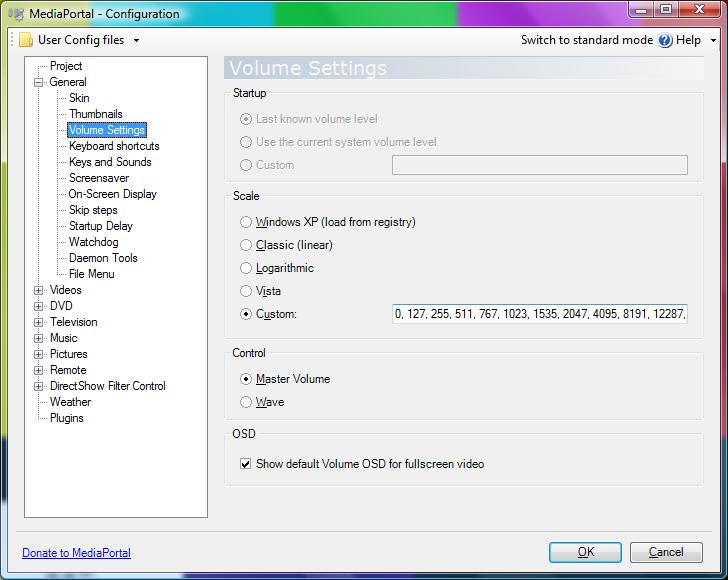
The major gripe I have is that frequently the volume in media portal will simply not work after waking up from sleep, and will only be restored when I reboot the system. Anybody have any ideas why that is the case, and how can i Fix it ?
Another minor gripe I have is that the loading of ISO's via daemon tools has the visual effect of showing the windows desktop for a brief moment. The same is true when stopping any dvd, or a file. This kind of exposes the fact that there is a PC going on in the background. It would be nice if this process was streamlined so that the entire user experience stays within the media portal environment.
Other than these two things, everything's running fine with my setup. Great software guys !!!
Thanks,
Jalpesh.
I installed Media Portal RC2 and everything is working fine so far. The way I have set it up is that when I press the power button on my htpc, the system goes to sleep (in vista), and comes back on when I press sleep again. This saves me the time spent on rebooting the system.
The major gripe I have is that frequently the volume in media portal will simply not work after waking up from sleep, and will only be restored when I reboot the system. Anybody have any ideas why that is the case, and how can i Fix it ?
Another minor gripe I have is that the loading of ISO's via daemon tools has the visual effect of showing the windows desktop for a brief moment. The same is true when stopping any dvd, or a file. This kind of exposes the fact that there is a PC going on in the background. It would be nice if this process was streamlined so that the entire user experience stays within the media portal environment.
Other than these two things, everything's running fine with my setup. Great software guys !!!
Thanks,
Jalpesh.