- October 30, 2006
- 20
- 3
- Home Country
-
 United Kingdom
TV-Server Version: 1.0 RC3
MediaPortal Version: 1.0 RC3
MediaPortal Skin: Blue Two Wide
Windows Version: XP:MCE
CPU Type: AMD XP2500+
HDD: 200GB
Memory: 1GB
Motherboard: Abit NFS-7
Video Card: ATI AIW R9800
Video Card Driver: (Omega 3.8.291)
Sound Card: onboard
Sound Card AC3: SPDIF Optical
Sound Card Driver:
1. TV Card: Blackgold PCI DVB-T card
1. TV Card Type: DVB-T
1. TV Card Driver: 5.17.107.43
2. TV Card: Blackgold PCI DVB-T card
2. TV Card Type: DVB-T
2. TV Card Driver: 5.17.107.43
Remote: MS-MCE
TV - HTPC Connection: S-Video-Scart
Hi all,
I've just upgraded to RC3 (Singleseat) after using 0.2.3 for quite some time. It seems a good improvement so thanks - great work team
Unfortunately one thing isn't working under RC3 which was working fine under 0.2.3 - Hibernation, which ultimately stops me using it to record scheduled TV as I can't leave it on 24/7.
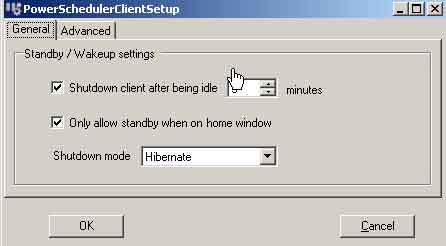
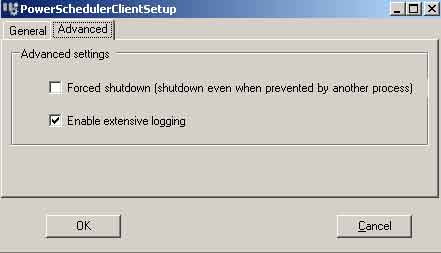
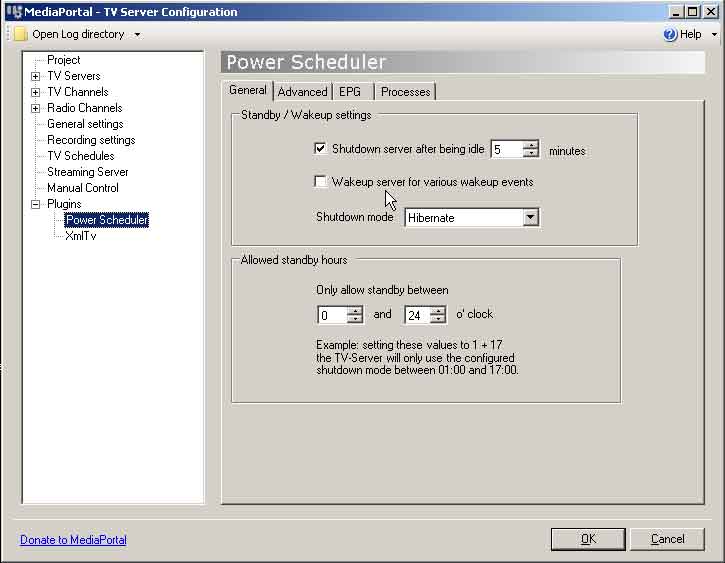
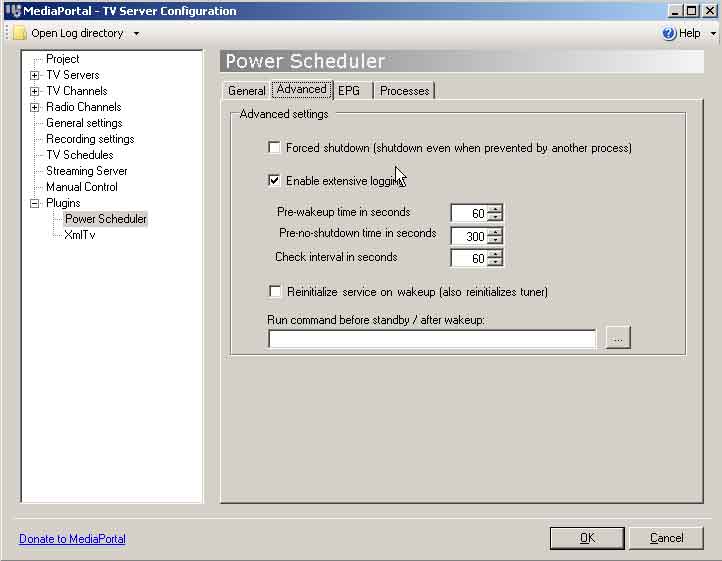
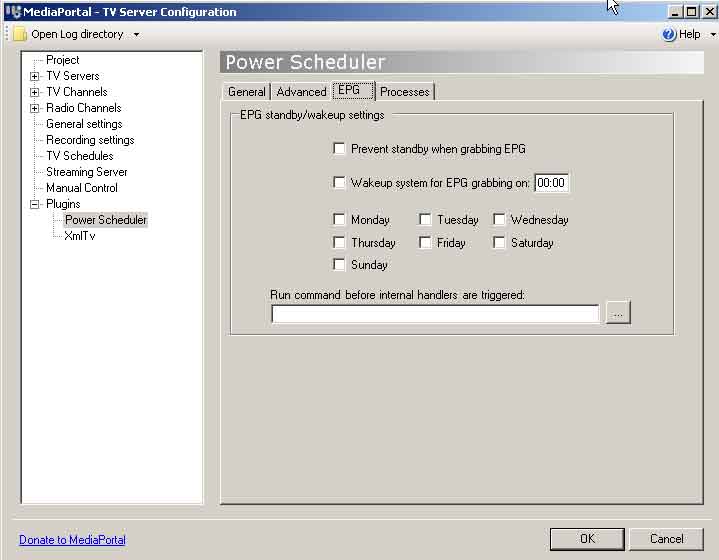
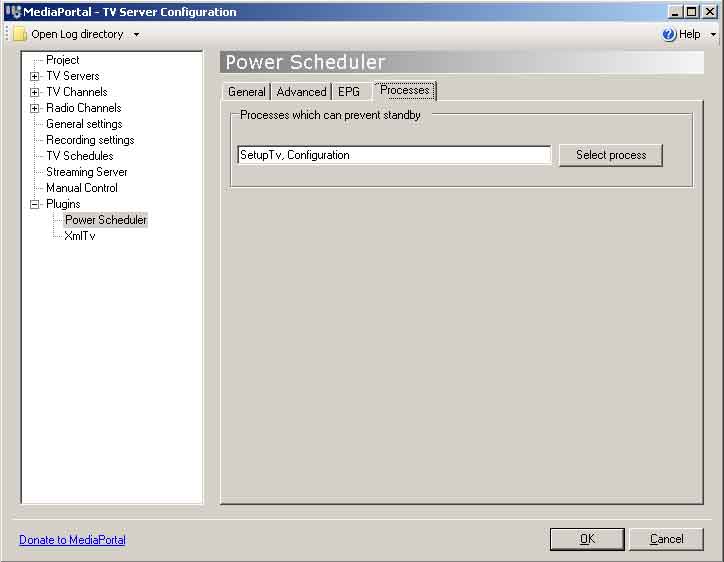
I've set Power Scheduler in both the TV-Server and MP config to hibernate after 5 mins of idle however when left on the Home screen it never hibernates. It also steadfastly refuses to hibernate from the Home screen shutdown menu. The shutdown and restart options work fine. Standby and hibernation do nothing.
Additionally, with MediaPortal closed, the hibernate option of the Windows shutdown menu no longer works.
If I stop the TVService via the Windows Services screen, the Windows Hibernation option then works again so it appears it is the TV-Server which is preventing the hibernation.
Attached (hopefully!) are screenshots of both the TV-Server and MP Power Scheduler options as well as the logs. For the logs, the TVService was already running and I started MediaPortal, waited a little bit then attempted to hibernate the machine from the MP GUI. Nothing happened. I then closed MP and the logs were created.
Hope someone can help!
MediaPortal Version: 1.0 RC3
MediaPortal Skin: Blue Two Wide
Windows Version: XP:MCE
CPU Type: AMD XP2500+
HDD: 200GB
Memory: 1GB
Motherboard: Abit NFS-7
Video Card: ATI AIW R9800
Video Card Driver: (Omega 3.8.291)
Sound Card: onboard
Sound Card AC3: SPDIF Optical
Sound Card Driver:
1. TV Card: Blackgold PCI DVB-T card
1. TV Card Type: DVB-T
1. TV Card Driver: 5.17.107.43
2. TV Card: Blackgold PCI DVB-T card
2. TV Card Type: DVB-T
2. TV Card Driver: 5.17.107.43
Remote: MS-MCE
TV - HTPC Connection: S-Video-Scart
Hi all,
I've just upgraded to RC3 (Singleseat) after using 0.2.3 for quite some time. It seems a good improvement so thanks - great work team
Unfortunately one thing isn't working under RC3 which was working fine under 0.2.3 - Hibernation, which ultimately stops me using it to record scheduled TV as I can't leave it on 24/7.
I've set Power Scheduler in both the TV-Server and MP config to hibernate after 5 mins of idle however when left on the Home screen it never hibernates. It also steadfastly refuses to hibernate from the Home screen shutdown menu. The shutdown and restart options work fine. Standby and hibernation do nothing.
Additionally, with MediaPortal closed, the hibernate option of the Windows shutdown menu no longer works.
If I stop the TVService via the Windows Services screen, the Windows Hibernation option then works again so it appears it is the TV-Server which is preventing the hibernation.
Attached (hopefully!) are screenshots of both the TV-Server and MP Power Scheduler options as well as the logs. For the logs, the TVService was already running and I started MediaPortal, waited a little bit then attempted to hibernate the machine from the MP GUI. Nothing happened. I then closed MP and the logs were created.
Hope someone can help!