About the X-Factor Skin (R479) (8 Viewers)

Status
Not open for further replies.

mknoppert

Portal Member
May 4, 2009
25
2
Home Country
Netherlands Netherlands
Cul8er,

I'm using you're skin from the start. It's very useful and nice.
I've got only two questions

1. I remember that i used to select in the menu sleep. This was very useful to get my pc in sleep.

Right now i can only choose exit, restart and shut down.

How can i get the option sleep?

2. When i choose the weather the first time i've seen a great photo as background at the weather menu.
Right now it's only black and at the bootom of my screen the weather info. Why can't i see the photo anymore?


Maurits knoppert
 

cul8er

Retired Team Member
  • Premium Supporter
  • August 31, 2006
    2,159
    2,679
    Home Country
    Sweden Sweden
    Hi mknoppert,

    Thank you for your feedback.

    1. I don't know the sleep feature. What is this. I don't find a controll for it in MP.

    2. If you look in your /Media/Animations/weatherbg folder. Do you have subfolders 0 to 47? If you do not, how did you install the skin?

    best regards
    cul8er
     

    FreeFrag

    Portal Pro
    May 7, 2008
    79
    4
    Home Country
    Sweden Sweden
    Hi cul8er

    First of all I do prefer the clean look of X-Factor and you can always, like you say, look at the logos and determine the type of resolution / aspect ratio to expect of the file.

    But what I mean is that in Blue3Wide in the episode list of TVSeries there is a "Video Info" that shows for example:
    960*480 @ 29.97fps

    For another file it might say
    624*320 @ 23.976fps

    In both these cases the "16:9 Widescreen" logo shows but the resolution is not showing. Ofcourse not necessary or crucial in any way, but I was just curious about it.

    Thanks again for the great work with this skin.

    Cheers
    FreeFrag
     

    cul8er

    Retired Team Member
  • Premium Supporter
  • August 31, 2006
    2,159
    2,679
    Home Country
    Sweden Sweden
    Hi FreeFrag,

    Now I understand, thank you for explaining. I was so long since I used the blue skin. I will see if I can find a good spot for this.

    best regards
    cul8er
     

    cul8er

    Retired Team Member
  • Premium Supporter
  • August 31, 2006
    2,159
    2,679
    Home Country
    Sweden Sweden
    Patch for r247

    Hi,

    Here is a patch for the xfactor skin R247. It is only for users that has installed the R247 version prior to 2009-08-14 13:30 CET. If you have installed the R247 after this time you allready have the patch installed as I have updated the installation file for R247.

    About the patch (xfactor_r247_patch1)
    To install this patch do this;
    1. Delete the xfactor folder in the cache folder. If you run Windows XP "C:\Documents and Settings\All Users\Application Data\Team MediaPortal\MediaPortal\cache\xfactor". If you run Windows Vista "C:\ProgramData\Team MediaPortal\MediaPortal\cache\xfactor".
    2. Extract the file (http://x-factor.googlecode.com/files/xfactor_r247_patch1.rar) to your MediaPortal base directory (for example: C:\Program Files\Team MediaPortal\MediaPortal).
    3. Done!

    Change History (Patch)
    * Now playing text in Radio was placed incorrect.
    * New version of myLyrics (thanks to mackey).
    * Music Now Playing & Music Playlist path to fanart is now corrected (see FAQ thread if you need more info).
    * OSD bug corrected (missing graphics in the MPI installer) and small adjustments.
    * Weather info text bug (sunset and sunrise).
    * TVGuide overlap (time & genre)

    Best Regards
    cul8er
     

    Hedstro

    Portal Member
    August 8, 2009
    17
    0
    Stockholm
    Home Country
    Sweden Sweden
    Here is a patch for the xfactor skin R247. It is only for users that has installed the R247 version prior to 2009-08-14 13:30 CET. If you have installed the R247 after this time you allready have the patch installed as I have updated the installation file for R247.

    Thanks. Will try this first thing when I get hom tonight! :D

    /E
     

    dlarge500

    Extension Designer
  • Premium Supporter
  • May 21, 2009
    1,491
    400
    45
    NRW
    Home Country
    Germany Germany
    hello cul8er

    i used your patch for r247 and all errors are fixed from your changelog!

    Big thanks for this great Skin and i`m very happy on my Mediaportal 1.1.0.:D
     

    raf

    Portal Pro
    January 23, 2005
    90
    3
    Sydney, AUSTRALIA
    Hi Cul8er,

    Now Playing radio track still not displaying correctly in Home screen, after playing a number of different streams some stations display Artist - Station Name - Song and others Station Name - Artist - Song and there isn't enough room in the now playing area on the Home screen to display all that text, is it possible to extract just the song & artist to display on the Home screen?

    But everything else is fantastic, great work.
     

    Jeditrav

    Portal Pro
    May 17, 2007
    319
    20
    Home Country
    New Zealand New Zealand
    Hi,

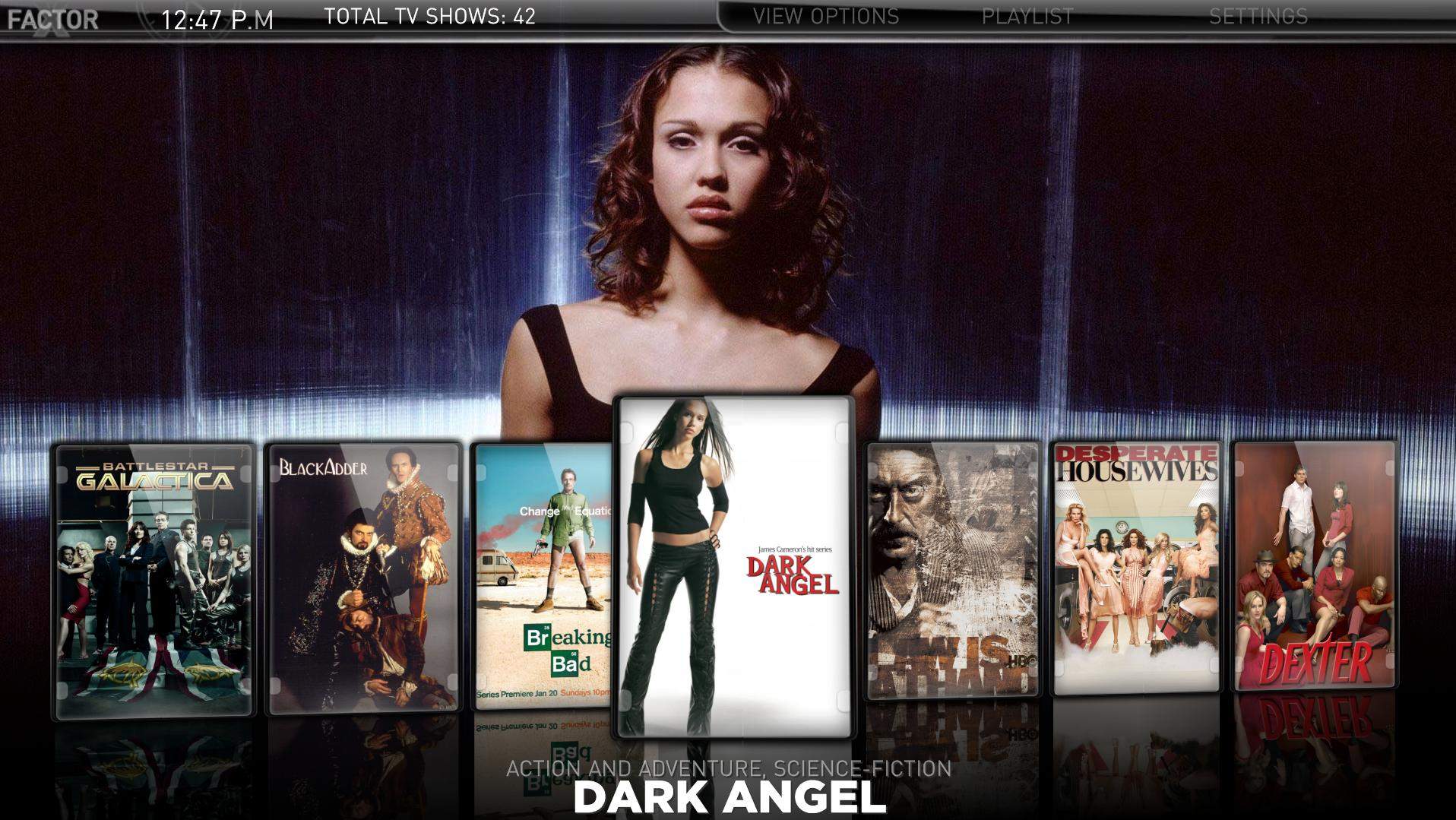
    I'm wondering how to remove the '(series first aired(status))' from the front page of TVSeries, filmstrip mode - I've looked into the tvseries.xml and removed a few lines that seemed to control it, but didn't seem to work. This information is available on the next page in (Season select), so I see no need for it on the front page - 'HEROES (2006-09-25 (CONTINUING))' or '24 (6/11/2001 (CONTINUING))' does not look good; should just be the title in my opinion.

    I'm more than happy to edit the .xml files myself if you don't want to make it a permanent change, I just need to know what exactly needs to be removed.:D


    Figured it out - here's a copy of my edited TVSeries.xml with the series title tidier and more prominent in filmstrip mode for anyone who wants it.
     

    Attachments

    • TVSeries.JPG
      TVSeries.JPG
      279 KB
    • TVSeries.xml
      30.6 KB
    Status
    Not open for further replies.

    Users who are viewing this thread

    Top Bottom