About the X-Factor Skin (R479) (8 Viewers)

Status
Not open for further replies.

etagure

Portal Pro
December 14, 2007
63
0
No second osd

Hi, first Thank you for great skin I use it from first release and xfactor was reason I migrate from Meedio from Mediaportal..
I have one question, when pres button Y (osd) I only get this
video_osd2.jpg


how can I get this (when press osd button I get it one second and is gone)

video_osd1.jpg


and this

video_osd3.jpg


Thank you...
 

Hedstro

Portal Member
August 8, 2009
17
0
Stockholm
Home Country
Sweden Sweden
Hi, first Thank you for great skin I use it from first release and xfactor was reason I migrate from Meedio from Mediaportal..
I have one question, when pres button Y (osd) I only get this

Thank you...
Hi,

I get the the bigger info if I press up/down/sideways twice.

The last one you will get through one of the menu choices from the second image.

/E
 

rekenaar

Retired Team Member
  • Premium Supporter
  • December 17, 2006
    4,421
    805
    Home Country
    South Africa South Africa
    Hi etagure

    Is this what you are looking for?
    About the new TV and Video OSD;
    The new thing is that the OSD will open collapsed and if you press up/down/left or right it will expand and show more info. Looks quite nice and saves space if you only want to see current time and the progressbar.
     

    cul8er

    Retired Team Member
  • Premium Supporter
  • August 31, 2006
    2,159
    2,679
    Home Country
    Sweden Sweden
    Hi,

    Just to let you all know of the xfactor roadmap for next version of the skin. I plan to make a new release quite soon. This new release will not contain any new features.

    It will contain two things;
    * bug fixes based on your feedback from now and until the release
    * I will look at all graphics used in the skin and try to improve as much as possible

    In the last versions I have introduced new features and new designs but now I think is the time to stop and try to get every part to look more like "one skin" and improve on the graphics used (backgrounds and stuff, basically the images you see in the Media directory of the xfactor skin). If you have ideas please let me know by posting mockups/screenshots. For example: you may not like the background I use for the Aeon menu. Please let me know;)

    cheers
    cul8er
     

    Puntoboy

    New Member
    August 15, 2009
    2
    0
    Home Country
    United Kingdom United Kingdom
    I'm having a problem with mine (I just installed it.)

    I can't go into any of the menus from the home page. I press up on the arrow pad to view the options under movies for example. The the yellow bar appears with youtube, DVD, movies etc on it. I select movies and press enter and nothing happens.
     

    cul8er

    Retired Team Member
  • Premium Supporter
  • August 31, 2006
    2,159
    2,679
    Home Country
    Sweden Sweden
    Hi Puntoboy,

    The xfactor skin come with a default layout but all the menu options in this layout depends on that you have installed the propper plugins.

    For example;
    * DVD menu runs a DVD inserted in your DVD player. If no DVD is inserted it will not work.
    * Movies linke depends on the Moving Pictures plugin. The skin does not install this plugin. You have to do that yourself. If you use myVideo plugin for watching movies (the standard MP plugin for videos) you have to run the xfactor menu editor (see FAQ thread) and replace the movie submenu link with a link to myVideo.

    best regards
    cul8er
     

    etagure

    Portal Pro
    December 14, 2007
    63
    0
    Hi etagure

    Is this what you are looking for?
    About the new TV and Video OSD;
    The new thing is that the OSD will open collapsed and if you press up/down/left or right it will expand and show more info. Looks quite nice and saves space if you only want to see current time and the progressbar.

    Yes, it is it, Thanx, and thanx to cul8er to great job....
     

    Puntoboy

    New Member
    August 15, 2009
    2
    0
    Home Country
    United Kingdom United Kingdom
    Hi Puntoboy,

    The xfactor skin come with a default layout but all the menu options in this layout depends on that you have installed the propper plugins.

    For example;
    * DVD menu runs a DVD inserted in your DVD player. If no DVD is inserted it will not work.
    * Movies linke depends on the Moving Pictures plugin. The skin does not install this plugin. You have to do that yourself. If you use myVideo plugin for watching movies (the standard MP plugin for videos) you have to run the xfactor menu editor (see FAQ thread) and replace the movie submenu link with a link to myVideo.

    best regards
    cul8er

    I see.

    I'll take a look. Cheers.
     

    Jeditrav

    Portal Pro
    May 17, 2007
    319
    20
    Home Country
    New Zealand New Zealand
    * I will look at all graphics used in the skin and try to improve as much as possible

    In the last versions I have introduced new features and new designs but now I think is the time to stop and try to get every part to look more like "one skin" and improve on the graphics used (backgrounds and stuff, basically the images you see in the Media directory of the xfactor skin). If you have ideas please let me know by posting mockups/screenshots. For example: you may not like the background I use for the Aeon menu. Please let me know;)

    cheers
    cul8er

    Hi,

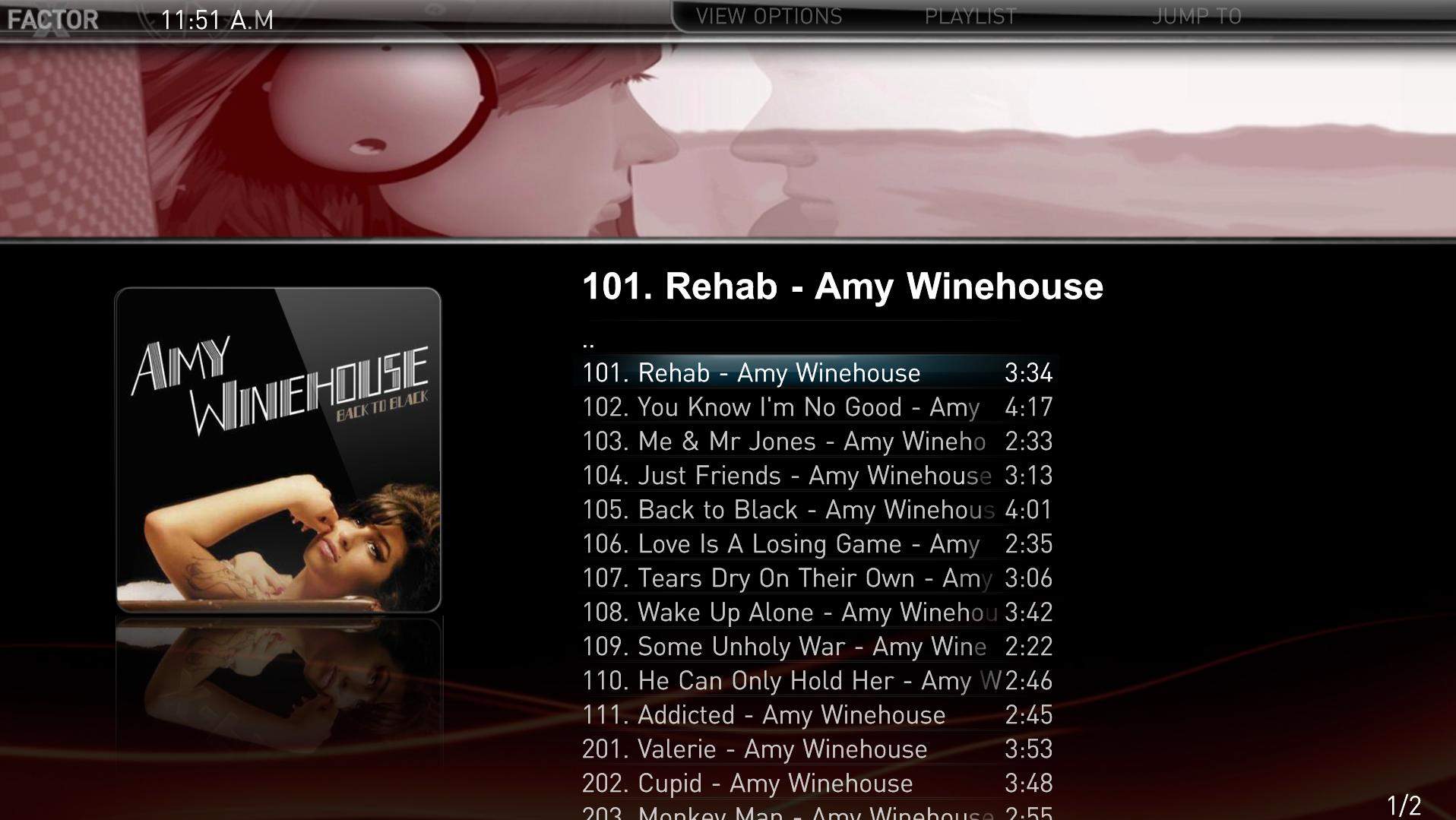
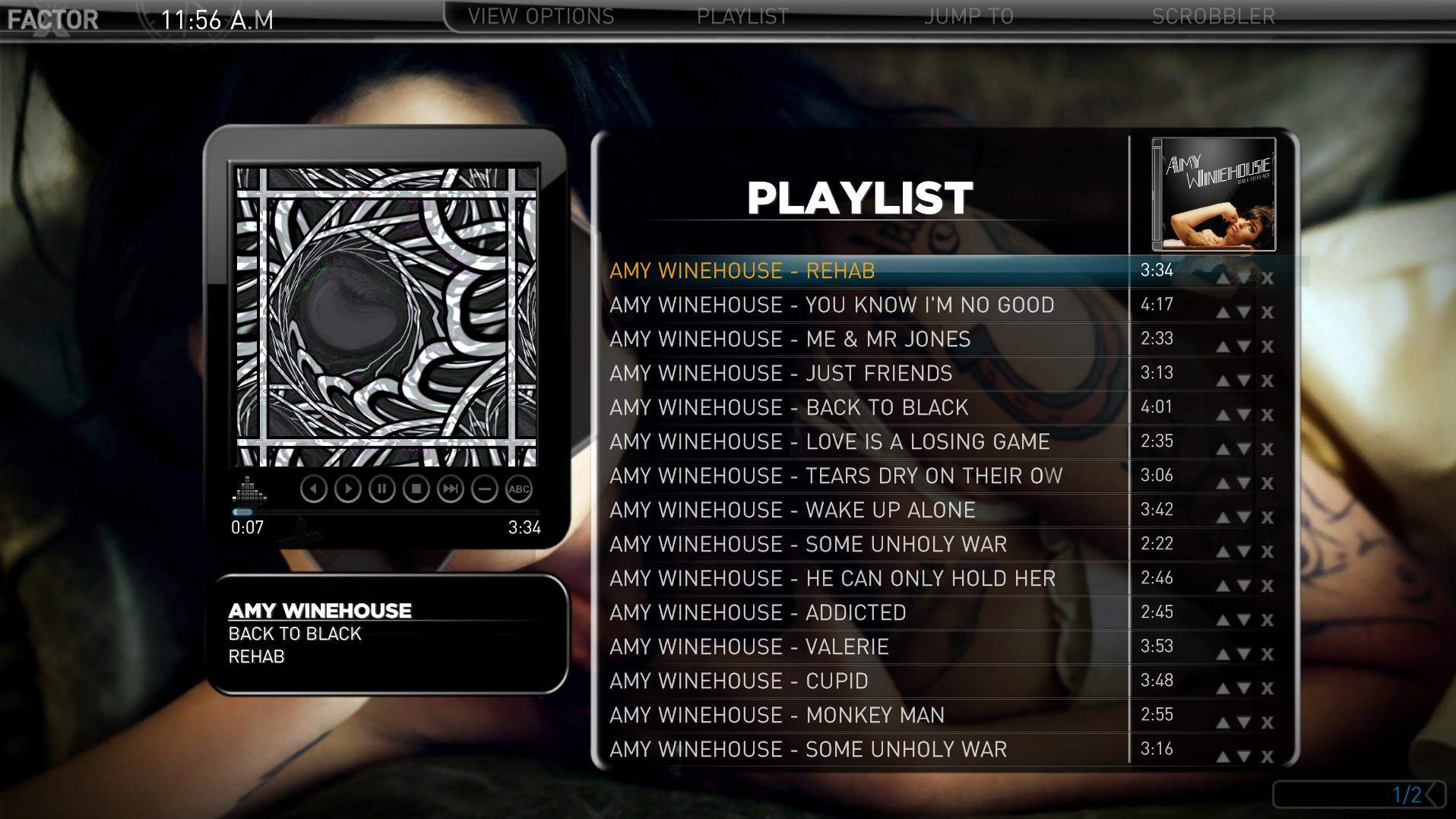
    here's a suggestion - perhaps make the Album/Track listing screen look more like the Playlist screen (perhaps with the album cover where the Visualization is) :D

    Also, perhaps the backdrops in the TVSeries 'Season' and 'Episode' screens could be a little more transparent to allow the fanart to show through a bit more (like what you did with the Playlist backdrop - much appreciated!).


    Thanks for all your hard work! :D
     

    Attachments

    • Album Tracks.JPG
      Album Tracks.JPG
      171.9 KB
    • Playlist.JPG
      Playlist.JPG
      227.5 KB

    robyf

    Retired Team Member
  • Premium Supporter
  • June 20, 2005
    1,076
    278
    54
    Bolzano
    Home Country
    Italy Italy
    Hi

    I do not get the icons CC, mpeg3 audio, ecc. that is the media type icons when I activate the OSD

    video_osd1.jpg


    Thanks
     
    Status
    Not open for further replies.

    Users who are viewing this thread

    Top Bottom