Aeon Wide (1366x768) (3 Viewers)

jiggsaw

Portal Member
July 21, 2008
48
1
Dear skinners/modders,

I am enjoying this skin very much. There is one thing bothering me though. The main menus for movies, music, etc... (basic plugins) are all vertically centered in the middle of the screen, as you can see in Sambal's & trevor's screenshots. Why is this annoying? Because the backdrops are usually high quality photos/posters which have their most important information (the head/torso of a movie's hero) either in the middle or at the top, never at the bottom. Having the menu in the middle makes it hard to see the most interesting part of the backdrop.

Is there any way for these menus to be at the bottom, like some TV-series xml files have it? If the bottom space is reserved for some overlay (like 'now playing music'), can this overlay be moved to the top? I ask you this because I am not too handy with xml myself.

Kind regards,

Dave

This is something that was inspired by this post from Davio and the work I had done on music thumbnail screens, not going to look at moving stuff on all screens but some screens could be designed to show off the HQ backdrops.

So this is a concept version of the Plying Now screen, it was one of those ideas that was less easy to implement that 1st intended as it is more that just a screen mod, seems you cant hide some controls and just removing them from skin upsets MP :)

What I have done is create a MusicOSD plugin, this is just a port of the GUIMusicPlayingNow code from MP turning into a plugin with the controls I dont want removed - seems to work....

The archive contains the plugin, new MusicOSD.xml file and a modified MyMusicPlayingNow.xml with an extra menu option to goto the new screen.

I have Radio, LastFM screens doing the same thing but not 100% finished yet.....

This is going away from the std look of the skin for some screens and would only really be used for Music related screens.

Comments/suggestions etc will be welcome.


Trevor

That is some good work. Thanks!
 

joz

Portal Pro
March 17, 2008
1,353
306
Home Country
Netherlands Netherlands
trevor just got it installed, looks freakin' awesome. thx for helping me with the weather and thanks for this great extension
 

jiggsaw

Portal Member
July 21, 2008
48
1
Ok these are what i think are discrepancies\bugs in skin, whether all fixable\possible will have to wait and see :)

View attachment 23856View attachment 23857

Home Screen : Still seeing bunching of left part of menu on launch and is there a fix for mouse movement losing background.

View attachment 23858View attachment 23865

TV : EPG, move bottom timeline arrow (green) outside of channel list, also would it be possible to have summary in its own box, as this becomes unreadable on a light background, no summary recorded TV list view. (Fixed Trevor)

View attachment 23866View attachment 23867

TV : TV main on\off and record\Alert me both use grey for there focus buttons, black as rest of menu would be nice :), Scheduled, menu rather than scheduled recordings has focus.

View attachment 23864View attachment 23859

PICTURES : Same display as Music in Icon view, this is a request :D, just like it.

View attachment 23860View attachment 23863

PLUGINS : My Emulators not showing in plugin menu, News text overlapping icon. (news fixed Sambal)

View attachment 23861View attachment 23862

PLUGINS : MyFilms, text overlapping cover, no background should look same as MyVideos, MyShowtimes to have background.

View attachment 23868

TV : TV Search, if you do a search, text is overlapping

View attachment 23869

DVD - MOVIES : No play DVD option in menu.

After a couple of hours this is all i could find, this is of course limited to what i have installed in the way of plugins.

Had to double up, or this post would be a mile long.

Psycho Reptile, feel free to edit :)

Is there a fix for mouse movement losing background yet?

Also, when in the home screen TV + TV series show the same fanart. Movies + DVD show the same fanart as well. What's the best/easiest way to go about changing this. I want them to show different images.
 

trevor

Portal Pro
October 17, 2006
1,601
952
Chelmsford
Home Country
United Kingdom United Kingdom
Is there a fix for mouse movement losing background yet?

Also, when in the home screen TV + TV series show the same fanart. Movies + DVD show the same fanart as well. What's the best/easiest way to go about changing this. I want them to show different images.

Cant help with the mouse movement stuff but the directories where fanart/backgrounds are taken from is in this control in the skin file.

<control>
<type>multiimage</type>
<id>98792</id>
<posx>0</posx>
<posy>0</posy>
<width>1366</width>
<height>768</height>
<imagepath>movies</imagepath>
<timeperimage>60000</timeperimage>
<fadetime>800</fadetime>
<loop>yes</loop>
<randomize>true</randomize>
</control>

The highlighed line is the directory under 'Aeon wide\Media\Animations' where the fanart is stored, just change this location, can create a new dir if required but will need to change the code again when you update the skin.

Trevor
 

jiggsaw

Portal Member
July 21, 2008
48
1
Is there a fix for mouse movement losing background yet?

Also, when in the home screen TV + TV series show the same fanart. Movies + DVD show the same fanart as well. What's the best/easiest way to go about changing this. I want them to show different images.

Cant help with the mouse movement stuff but the directories where fanart/backgrounds are taken from is in this control in the skin file.

<control>
<type>multiimage</type>
<id>98792</id>
<posx>0</posx>
<posy>0</posy>
<width>1366</width>
<height>768</height>
<imagepath>movies</imagepath>
<timeperimage>60000</timeperimage>
<fadetime>800</fadetime>
<loop>yes</loop>
<randomize>true</randomize>
</control>

The highlighed line is the directory under 'Aeon wide\Media\Animations' where the fanart is stored, just change this location, can create a new dir if required but will need to change the code again when you update the skin.

Trevor

Thanks. Is that in the basichome.xml?
 

joz

Portal Pro
March 17, 2008
1,353
306
Home Country
Netherlands Netherlands
Hey guys.

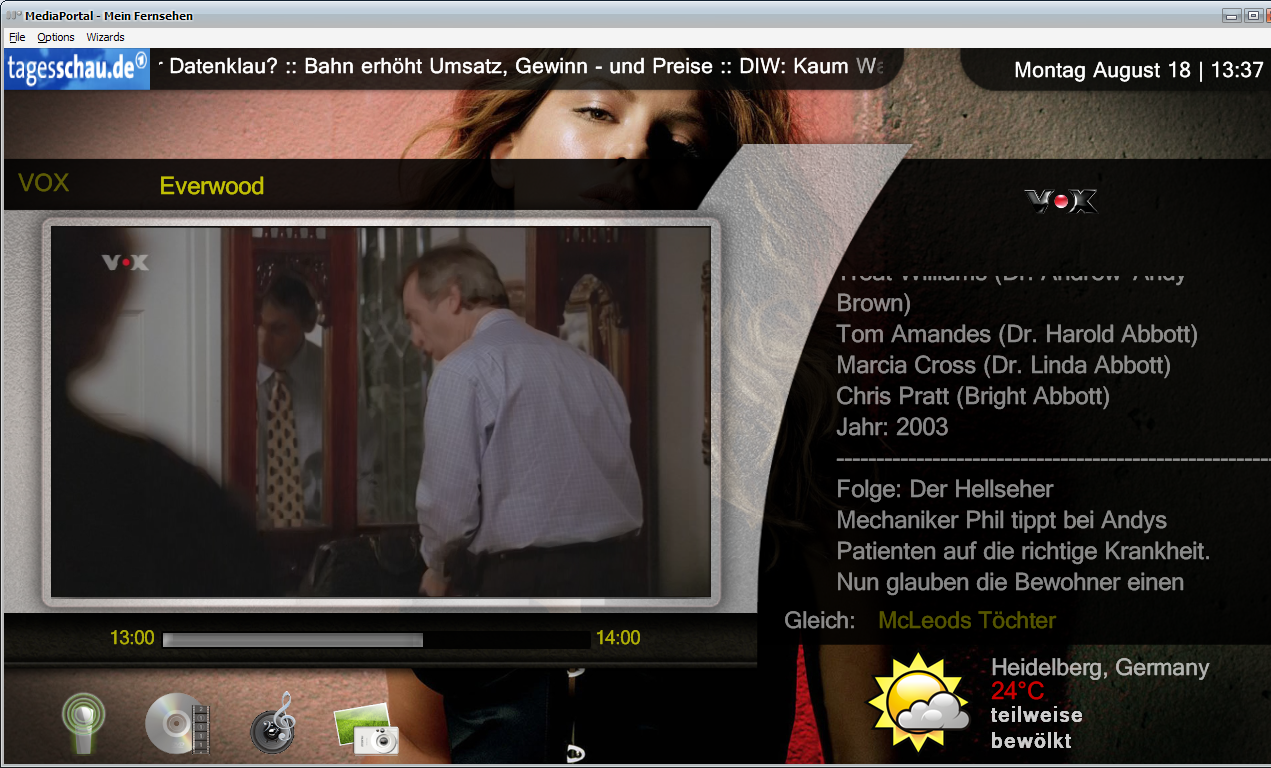
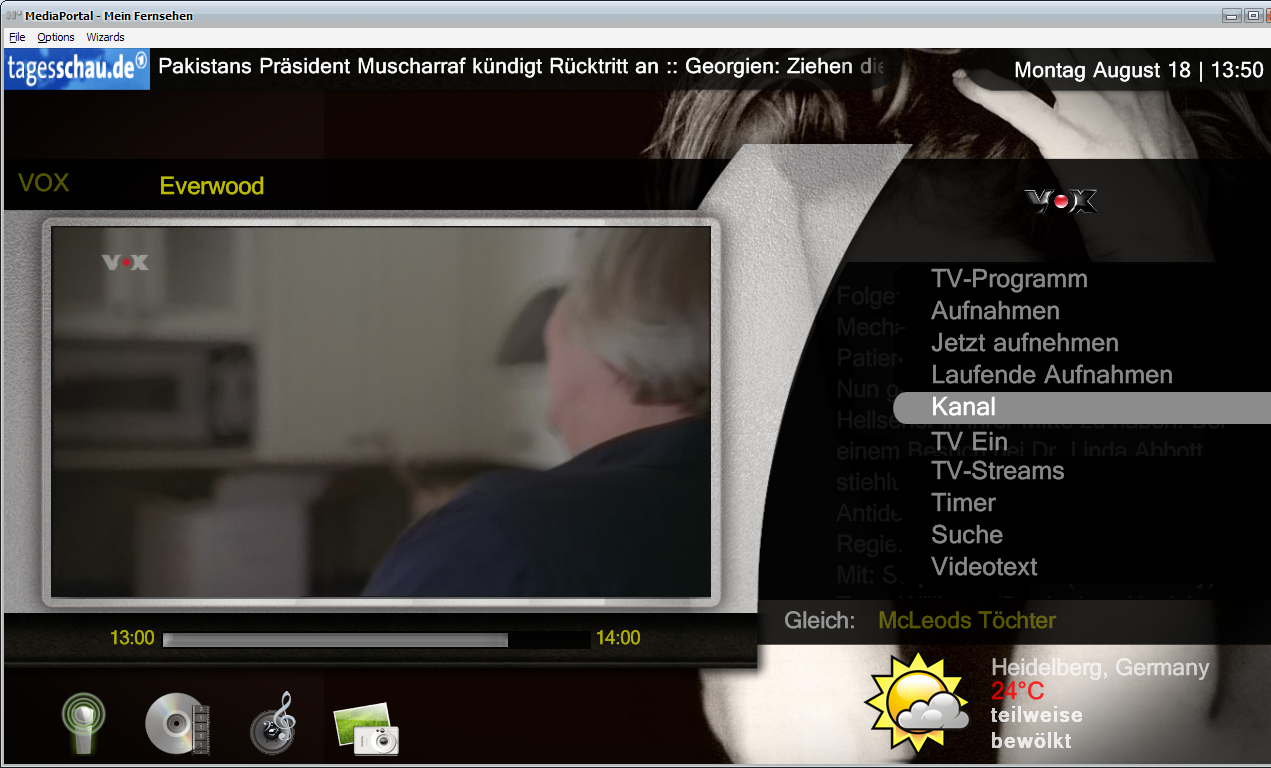
I'm doing some skinning atm just to get rid of these dull default background skins. So far I did MyTV, this is my result:
TVHome.jpg
I wanted to go on with TVGemist, the main screen was easy, but now comes the tricky bit I can't seem to figure out. This is what it looks like now (sorry replaced on accident with new file)

As you can see there's a list control sitting behind the menu. That ofcourse is not what I want, right next to the menu would look better.
The thing is these lists are probably controlled by some common.xml file (common.window.xml?). How do I get the listcontrol more to the right?

I'm familiar with XML and find it quite easy to make some adjustments here and there but this is to advanced for me, not really familiar with all things skinny in MediaPortal yet. Could you guys help me out?

Oh and if any of you know the answer to this question please post!

Thanks to all of you!

p.s.
I use a 1680x1050 screenres. for my MP PC. Might not look good on normal TV's and some posY's need to be changed.

Edit:
Nvm I figured it out. This is the way how it's supposed to be, duh. Just did some skinning and this is what I got so far.
TVGemist.jpg

Still having some issues with the selectbuttons being greyed out.
It does that only when I change
<import>common.facade.xml</import> to
<import>common.facade.video.xml</import>

I also like to change the #header:label (wich is now set to "My Videos") to the title of the selected program.

any suggestions?
 

Psycho Reptile

Retired Team Member
  • Premium Supporter
  • April 19, 2006
    1,316
    787
    Cambridge, England
    Home Country
    United Kingdom United Kingdom
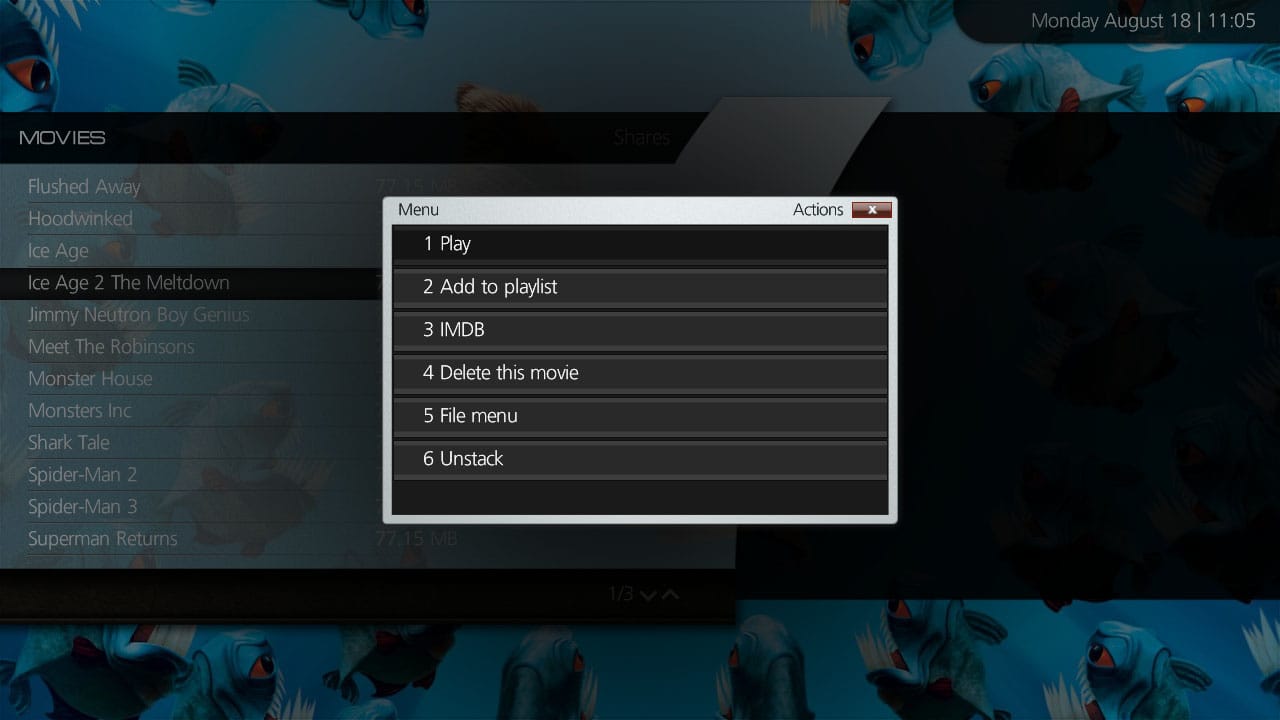
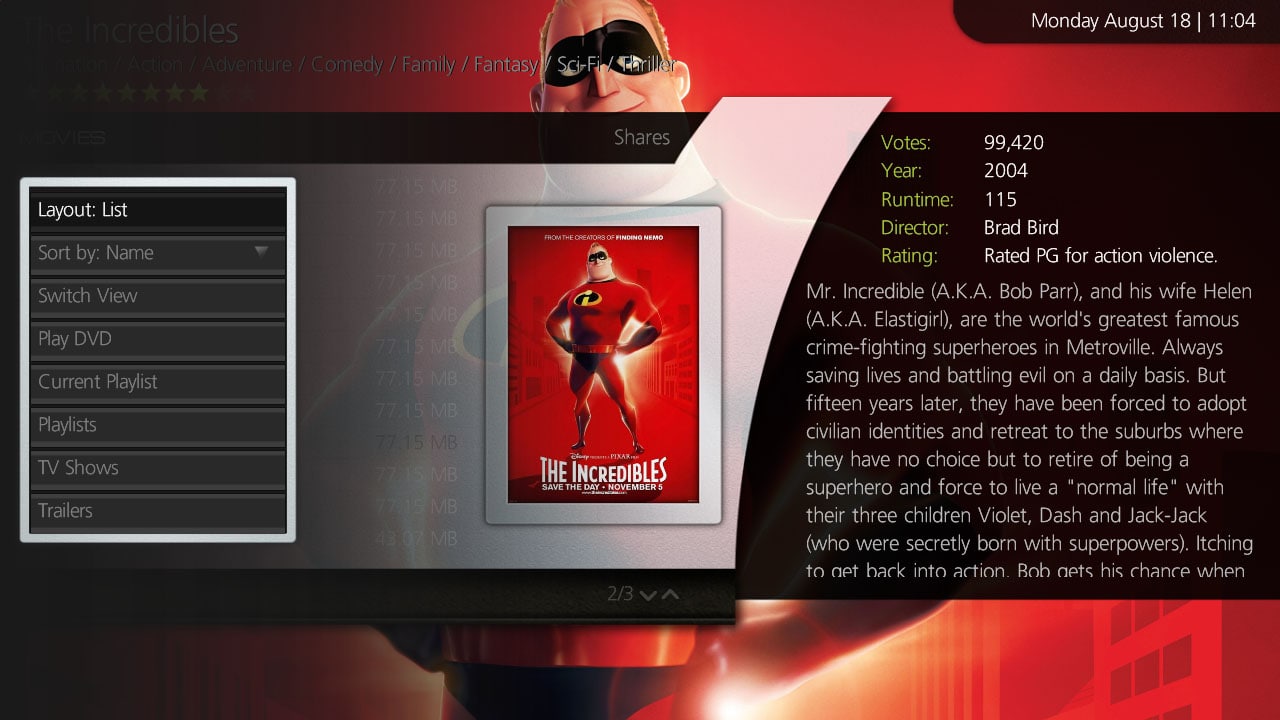
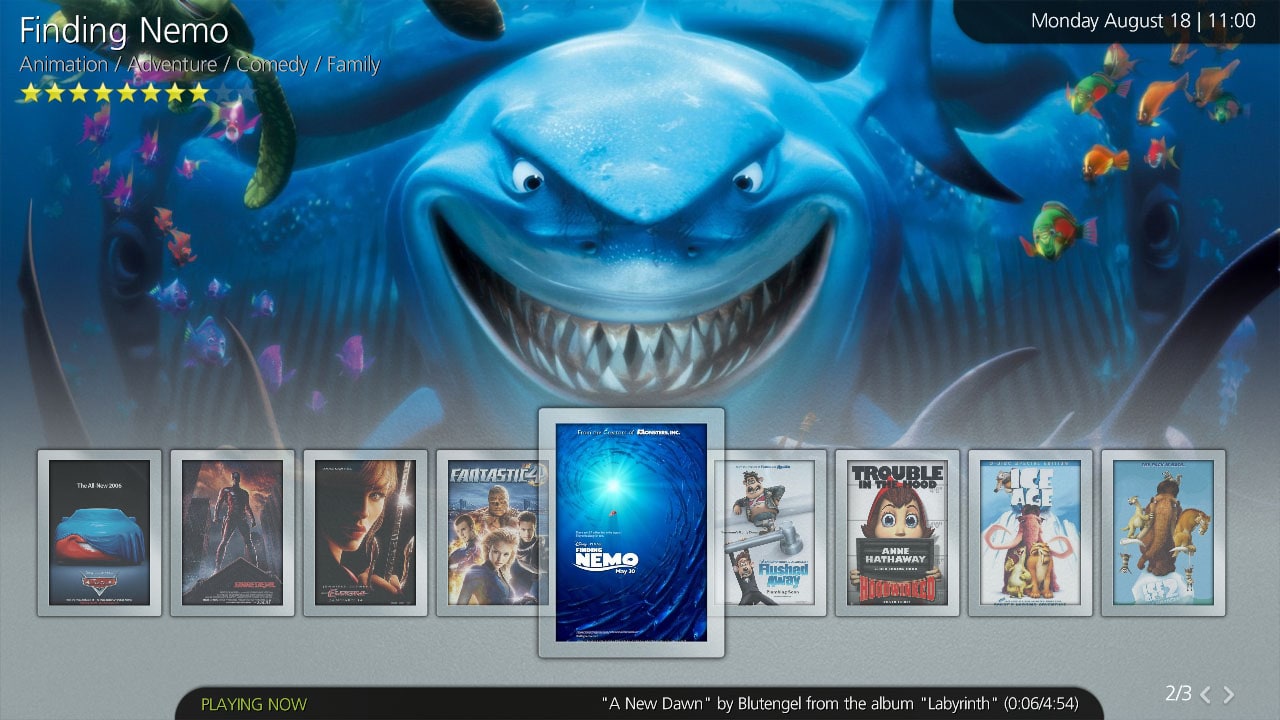
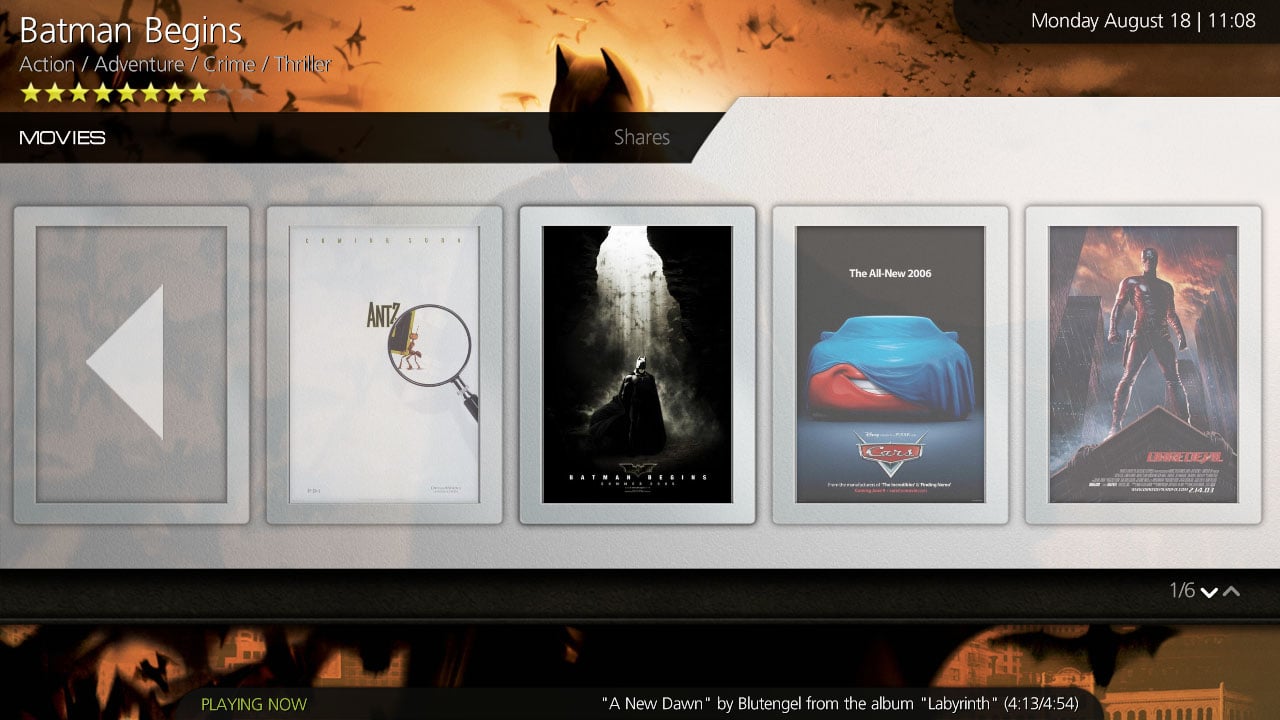
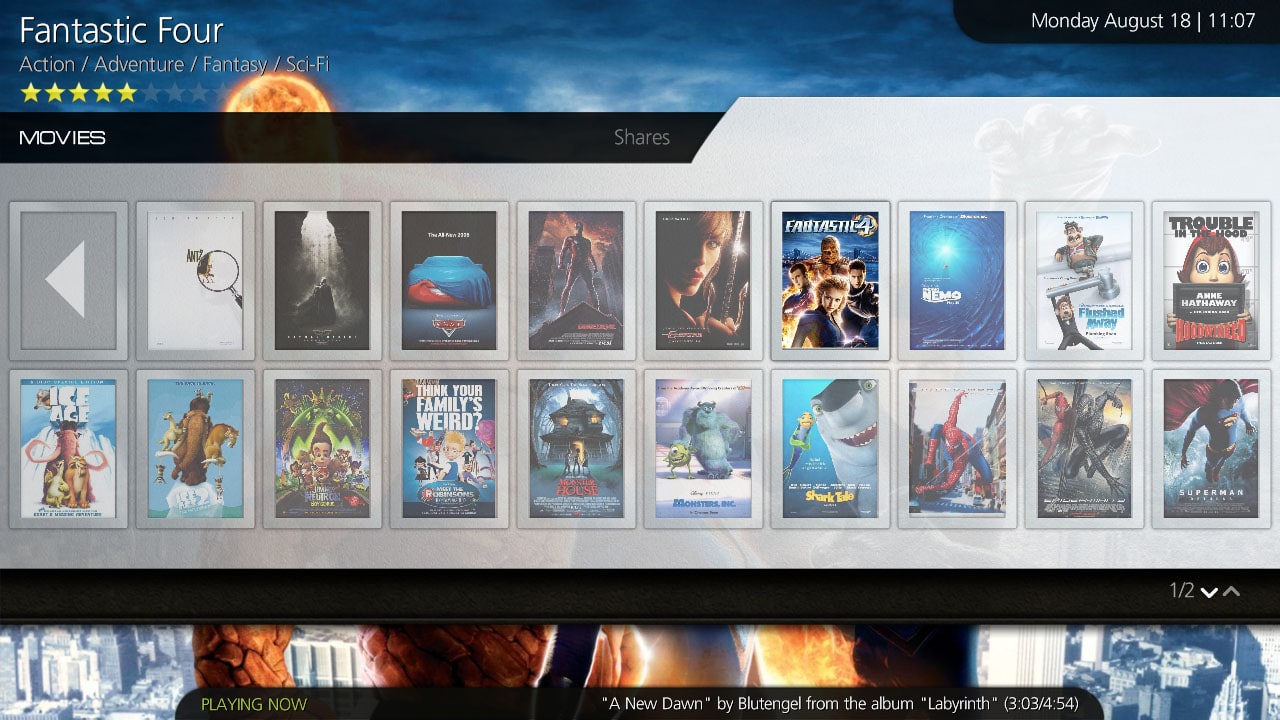
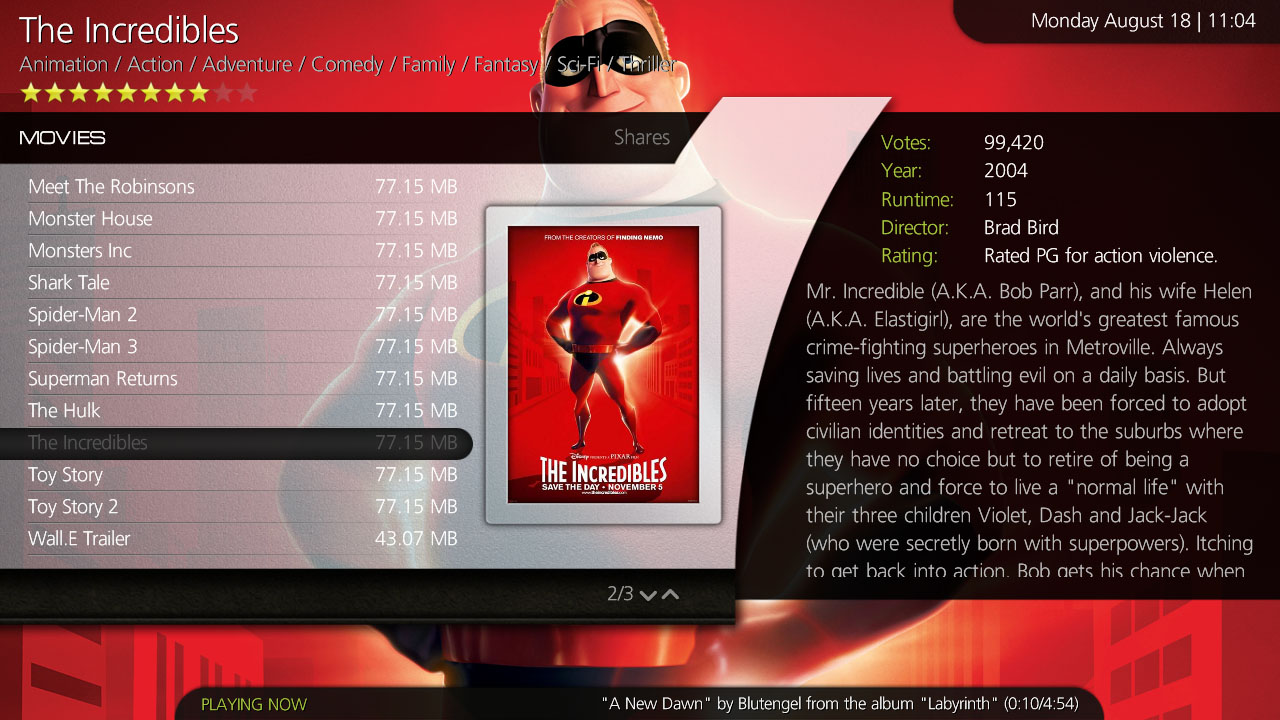
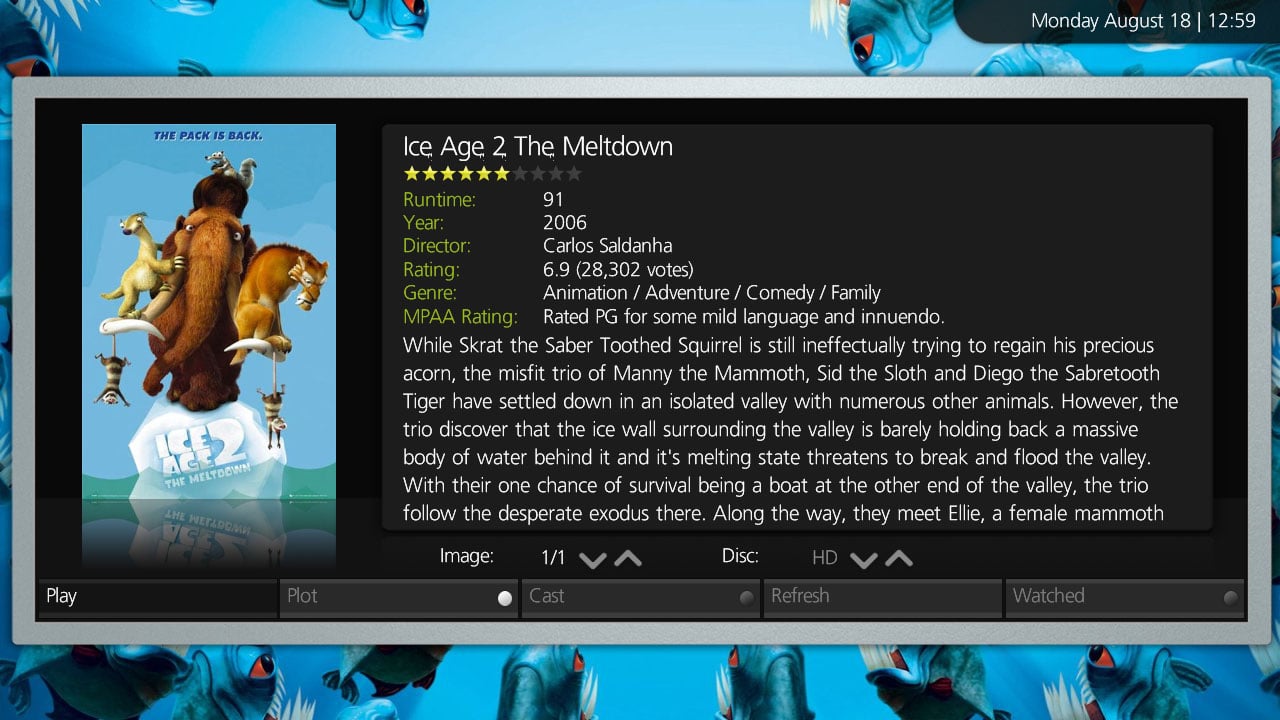
    I've been tinkering (refining) too...

    What I'm trying to do is get MP-Aeon as close as possible to XBMC-Aeon.

    I've been running XBMC for Windows to try and have a look at most of the screens :D. I'm also trying to standardise the screens so that the same "kind" of info is in the same place as well as having a common font/colour alignment throughout.

    What I've done so far only revolves around the MyVideos section atm, as this is the part my kids are using the most :).
    I hope you guys like it, oh and I have no idea when I'll be able to make a release as I'm just plodding thru xmls and gfx as I come to them ;).

    PS: Darre, how do you like the overlay?
     

    Attachments

    • New Menu Dialog.jpg
      New Menu Dialog.jpg
      118.4 KB
    • New Sliding Menu.jpg
      New Sliding Menu.jpg
      181.9 KB
    • New Filmstrip View.jpg
      New Filmstrip View.jpg
      222.6 KB
    • New Large Icon View.jpg
      New Large Icon View.jpg
      174.6 KB
    • New Small Icon View.jpg
      New Small Icon View.jpg
      246.4 KB
    • New List View.jpg
      New List View.jpg
      232.1 KB
    • New IMDB View.jpg
      New IMDB View.jpg
      221.3 KB

    Users who are viewing this thread

    Top Bottom