Aeon Wide (1366x768) (5 Viewers)

mattsk88

Community Skin Designer
March 27, 2008
363
216
Hey guys, can't wait for the latest releaase... But seeing as I"m such an impatient bastard, how do I download the latest SVN.. I was able to find the page but I"m not meant to manually download every file am I... Is there some software I'm meant to use or something?

tortiseSVN is the program to use. (well its what i use anyway):D
 

trevor

Portal Pro
October 17, 2006
1,601
952
Chelmsford
Home Country
United Kingdom United Kingdom
Hey guys, can't wait for the latest releaase... But seeing as I"m such an impatient bastard, how do I download the latest SVN.. I was able to find the page but I"m not meant to manually download every file am I... Is there some software I'm meant to use or something?

tortiseSVN is the program to use. (well its what i use anyway):D

Further to that....

tortiseSVN can be found here

tortoisesvn.tigris.org

Install it,

Create a dir, say c:\dev\Aeon wide

Right click on that dir, select SVN Checkout and enter this line under URL...

"https://mp-plugins.svn.sourceforge.net/svnroot/mp-plugins/trunk/skins/Aeon Wide"

enjoy the latest....
 

donkarlos

Portal Pro
June 5, 2005
234
13
Wiesloch
Home Country
Germany Germany
hello,
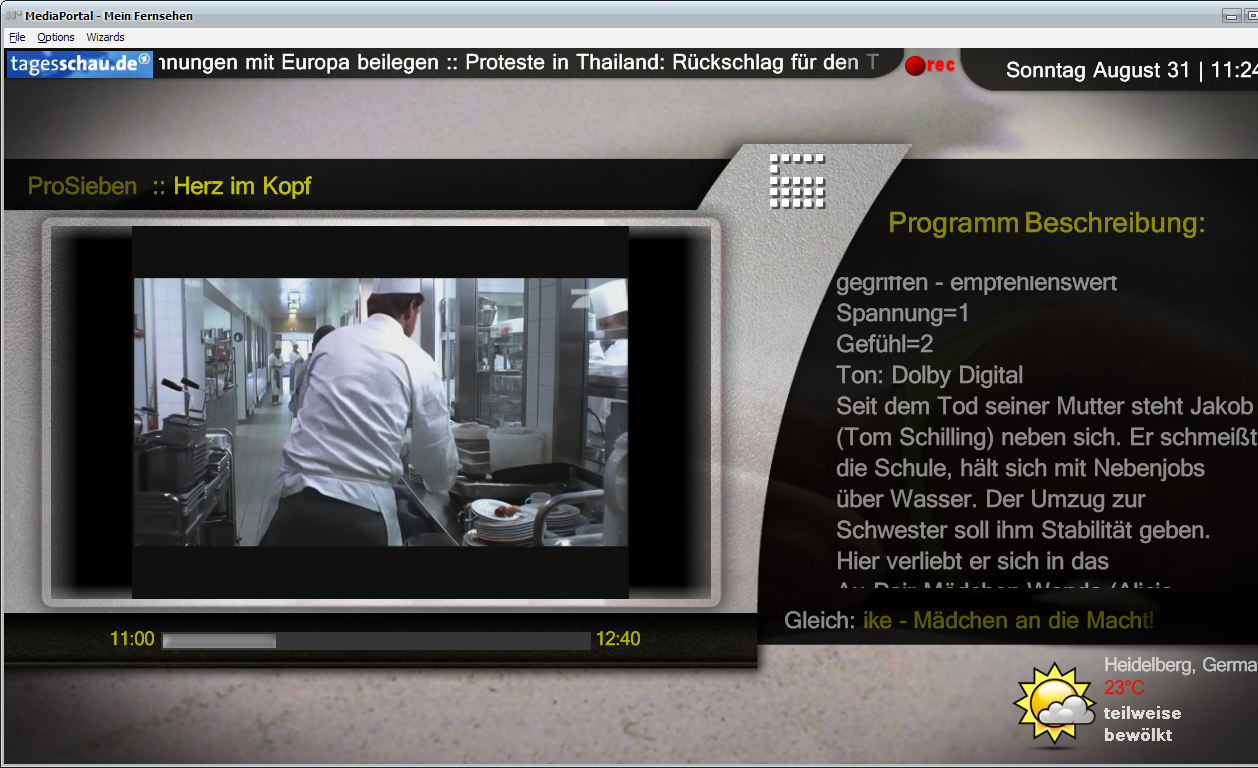
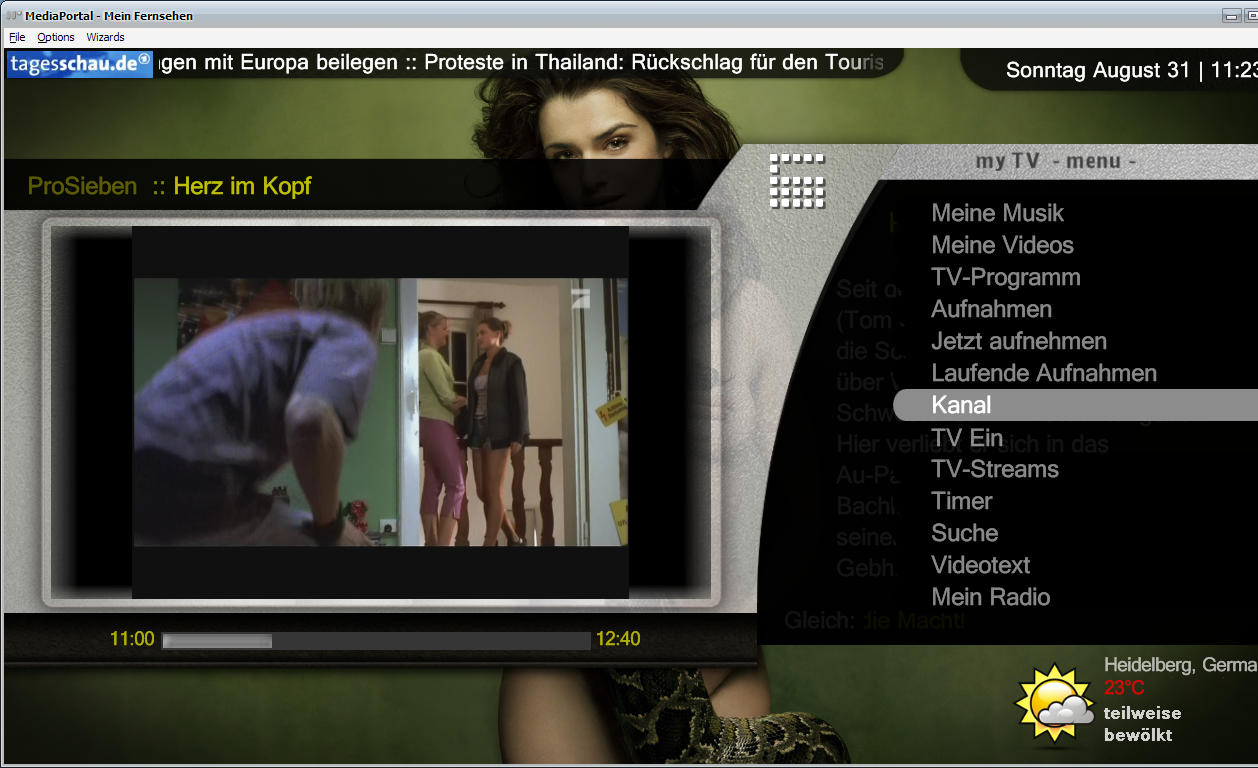
I have changed the myTV Screen once again. Who likes it.

Greeting
 

Attachments

  • mytvepgrec.png
    mytvepgrec.png
    780.1 KB
  • mytvmenu.png
    mytvmenu.png
    752.8 KB

mbu10

Portal Pro
March 20, 2007
65
3
access to setting menu

well been trouble shooting for a little bit
i only use remote control no keys
managed to get in and do get the setting by the use of vnc
looks like in a couple of the menus the selector i will call it gets lost and does not know where it is and cannot get it back with out vnc to move over something then works fine again
for instance if you are in tv seris
select right to change view(not from pressing the i button), change to all, and no more control of the selector

thanks sorry for going through the menus
great going looks really nice just some biits my other half would not accept as would be to complicated for her to use
 

jiggsaw

Portal Member
July 21, 2008
48
1
Tried to play a real-life, shiny in the hand DVD today for the first time today since installing Aeon Wide, and noticed that the DVD button in BasicHome.xml takes me to the My Videos screen rather than playing the DVD. That is, the functionality of the button is exactly the same as the 'Movies' button. I could, of course, navigate to the DVD from there, and also just switch to the normal Home screen to click on Play DVD, but it would be nice if the DVD link worked in the same way as the main home Play DVD button.

Is this by design, or a bug?

Cheers,

Rob.


Any solution to this?
 

trevor

Portal Pro
October 17, 2006
1,601
952
Chelmsford
Home Country
United Kingdom United Kingdom
Smart Playlists skinned....

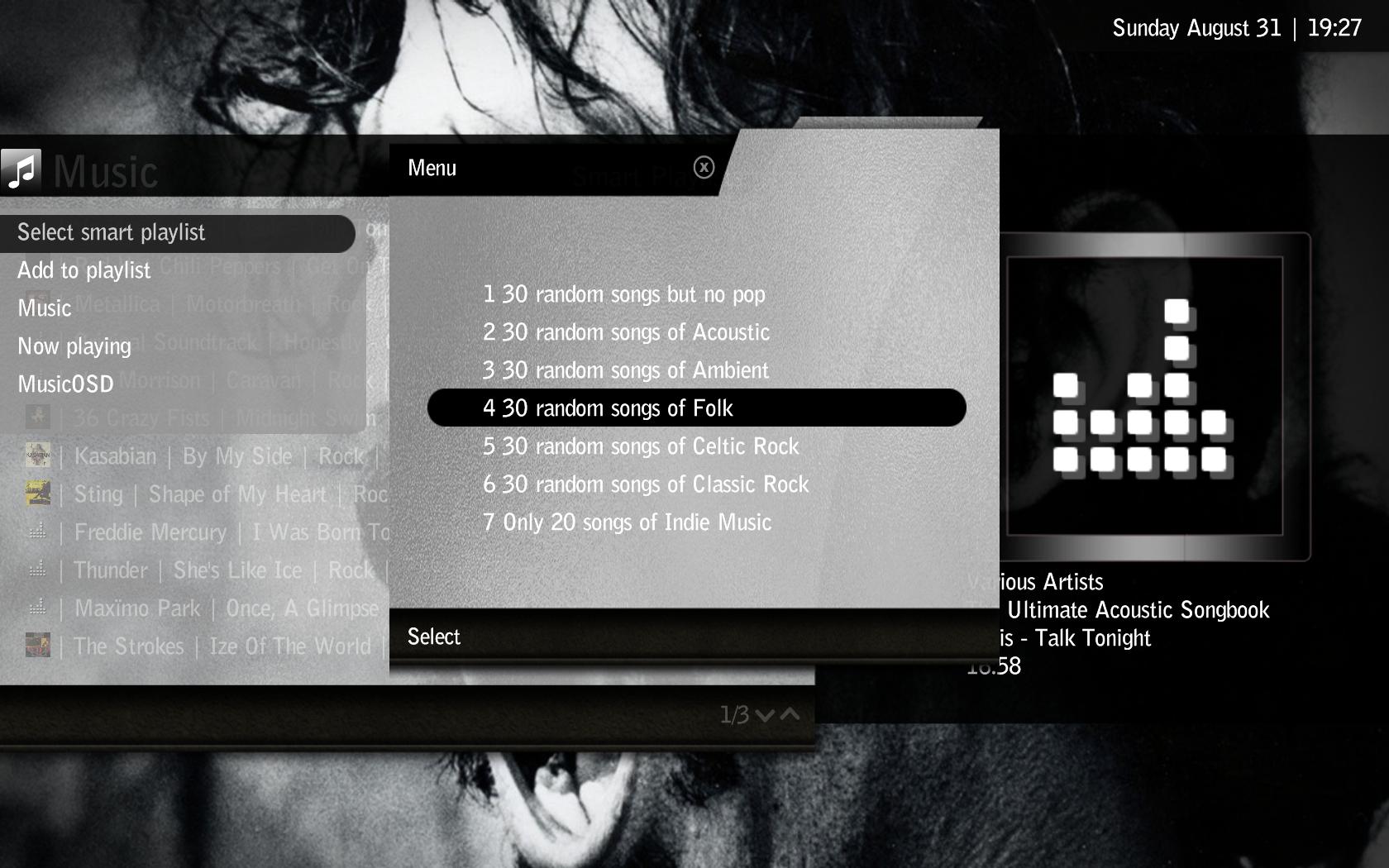
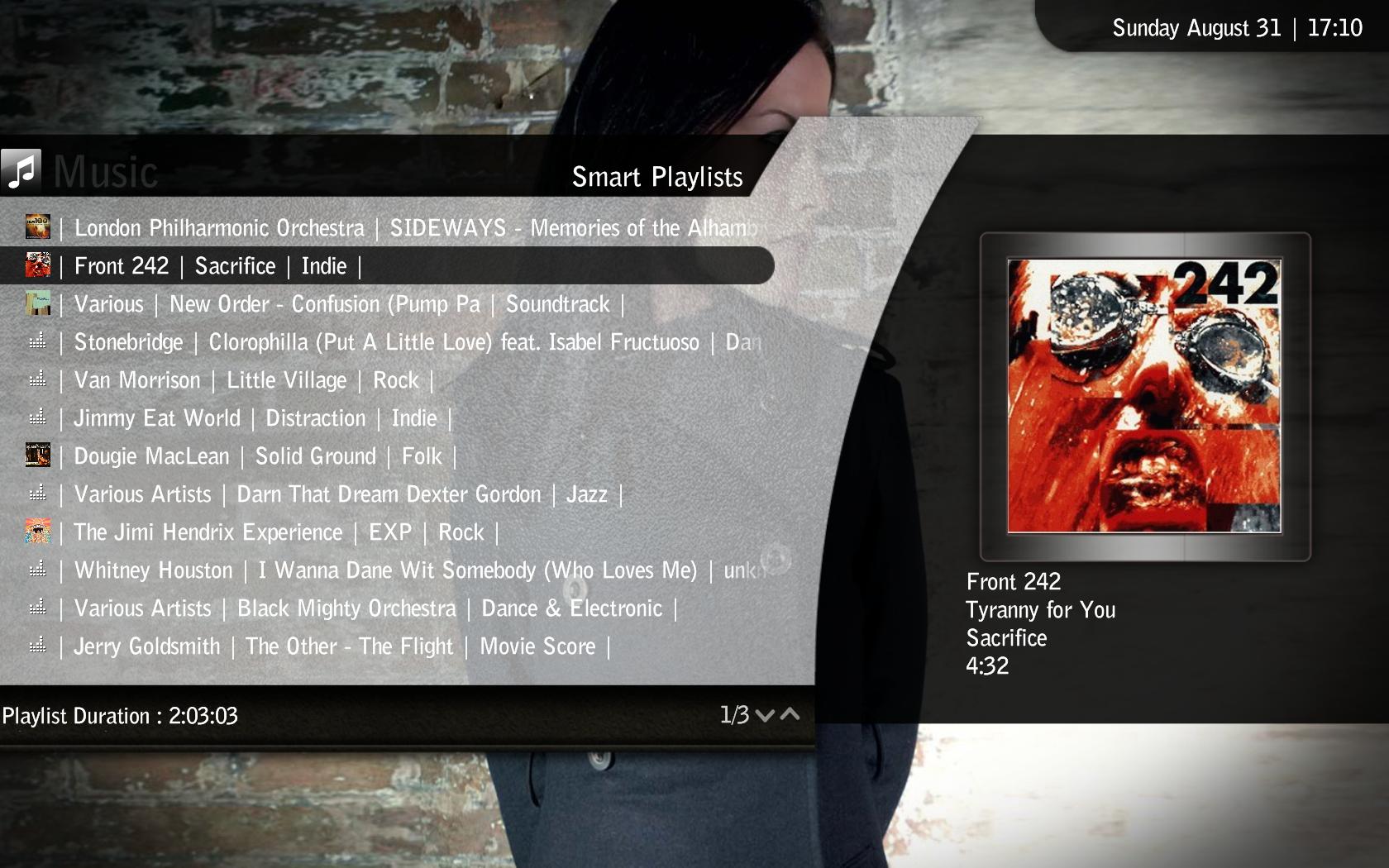
This is the skin filefor the plugin SmartPlaylists by fabien44, check it out here, really like this one - tad manual currently but hopfully will change.

Download and install the plugin as normal, the attached archive includes the skin and an update to the plugin, lot of GUI improvememts...still more to go but will be a couple of weeks before I get chance to do much more on it.

Copy over the skin file and new smartplaylists.dll and you are good to go...


The skin file allows jumping to MusicOSD if that plugin is installed.

Cheers Trevor
 

Attachments

  • 19-27-12.jpg
    19-27-12.jpg
    196.8 KB
  • 17-10-01.jpg
    17-10-01.jpg
    219.5 KB

Pretoriano

Retired Team Member
  • Premium Supporter
  • October 1, 2007
    525
    133
    Roma, Italia
    Home Country
    Romania Romania
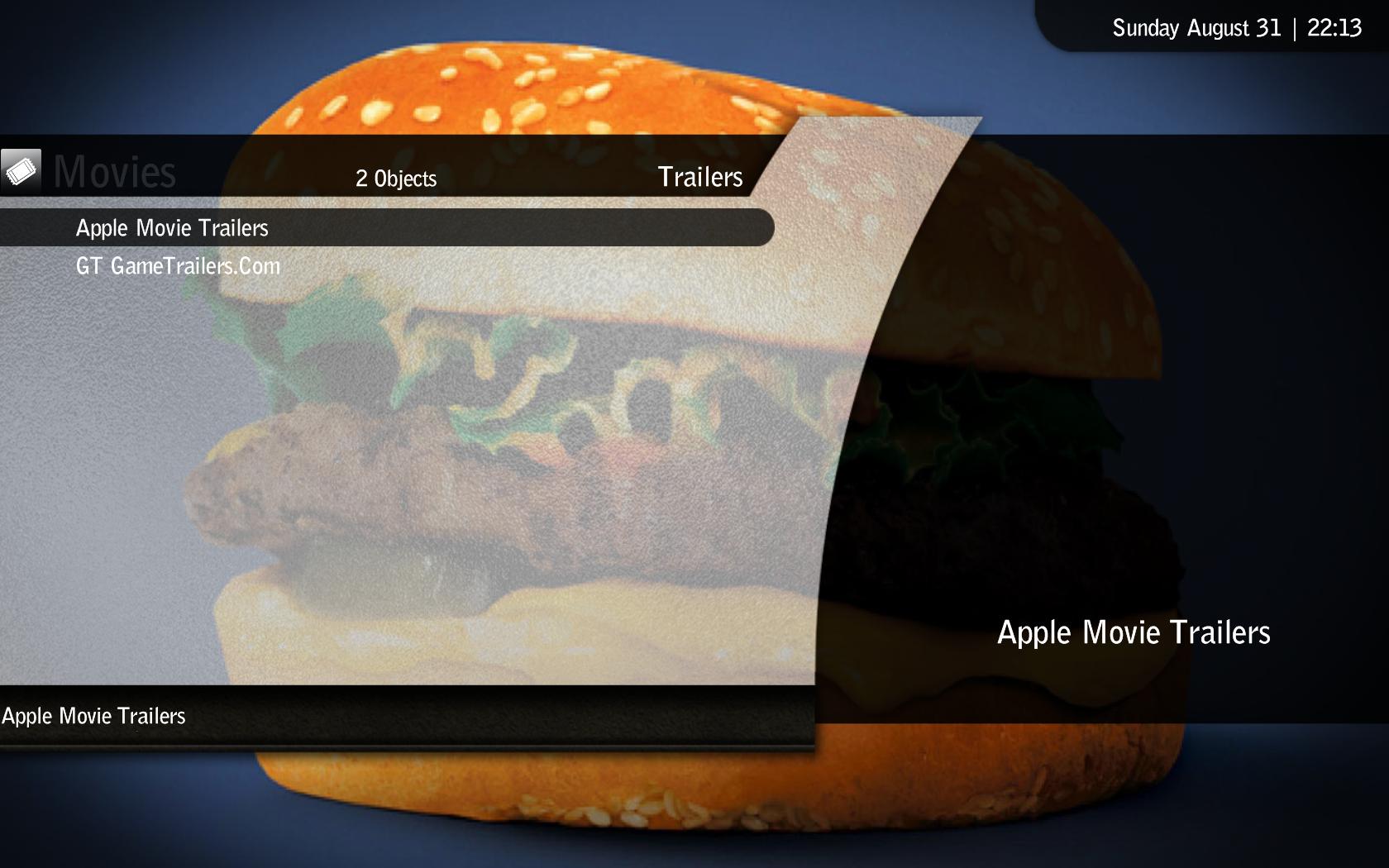
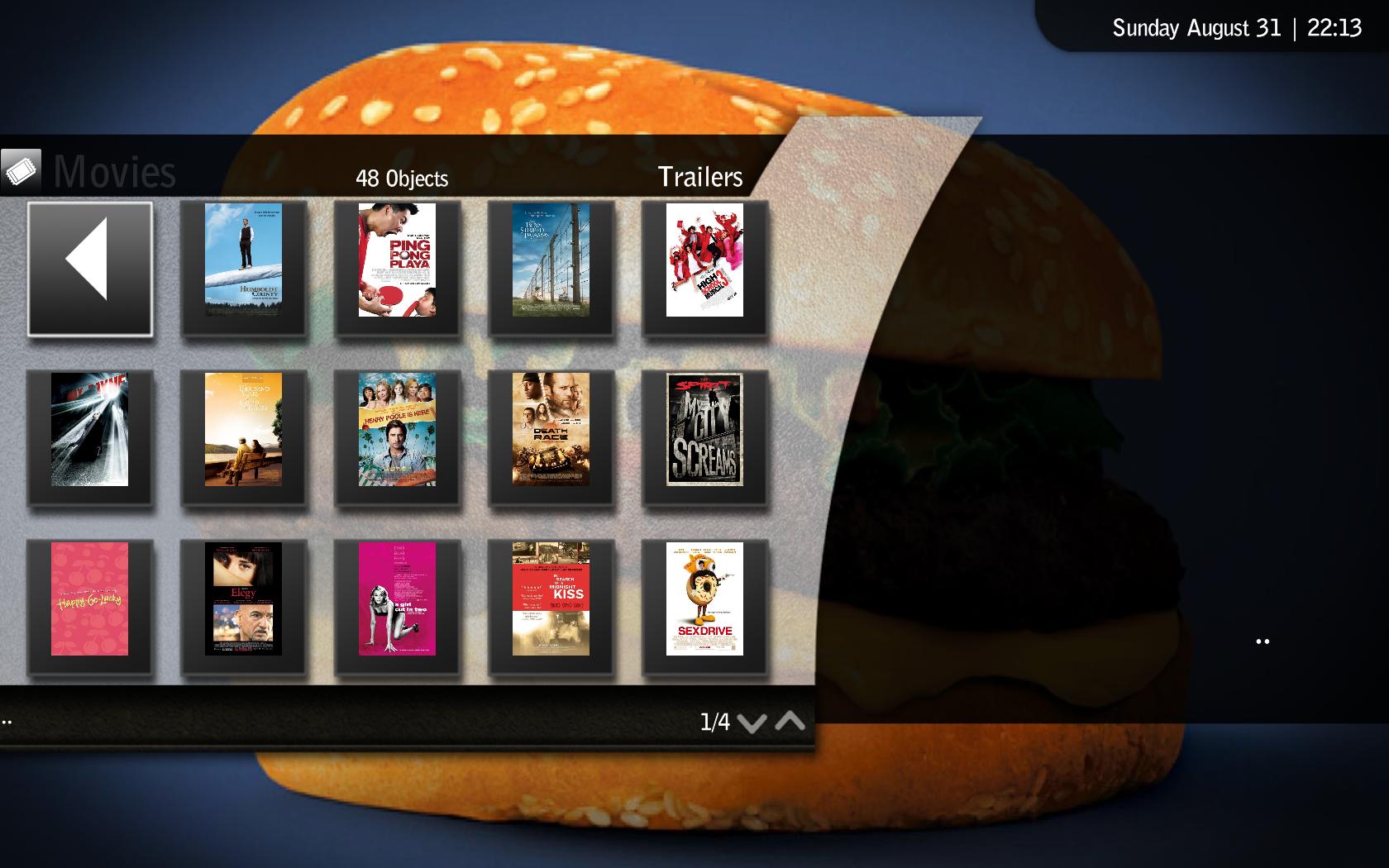
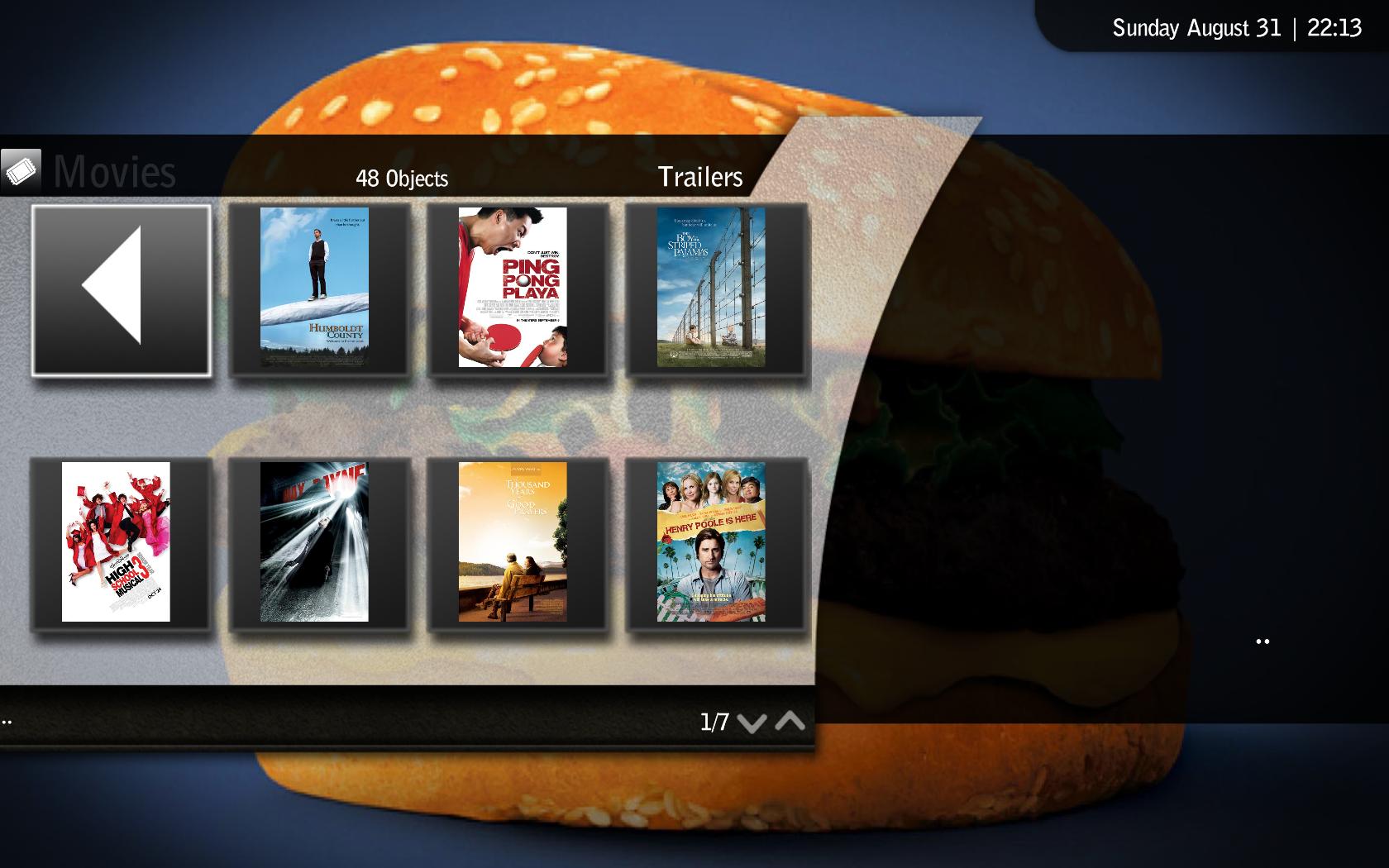
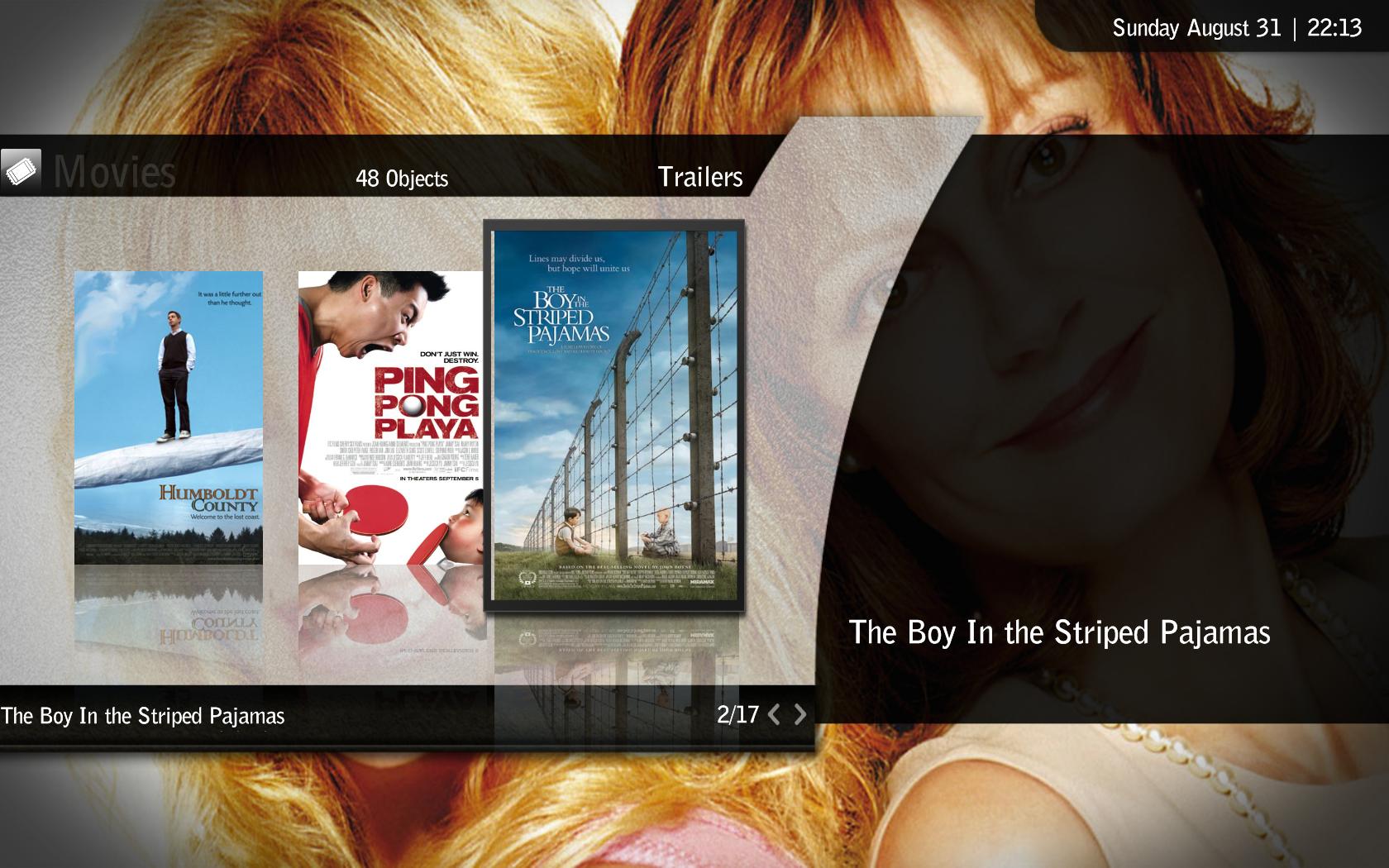
    My trailers skin

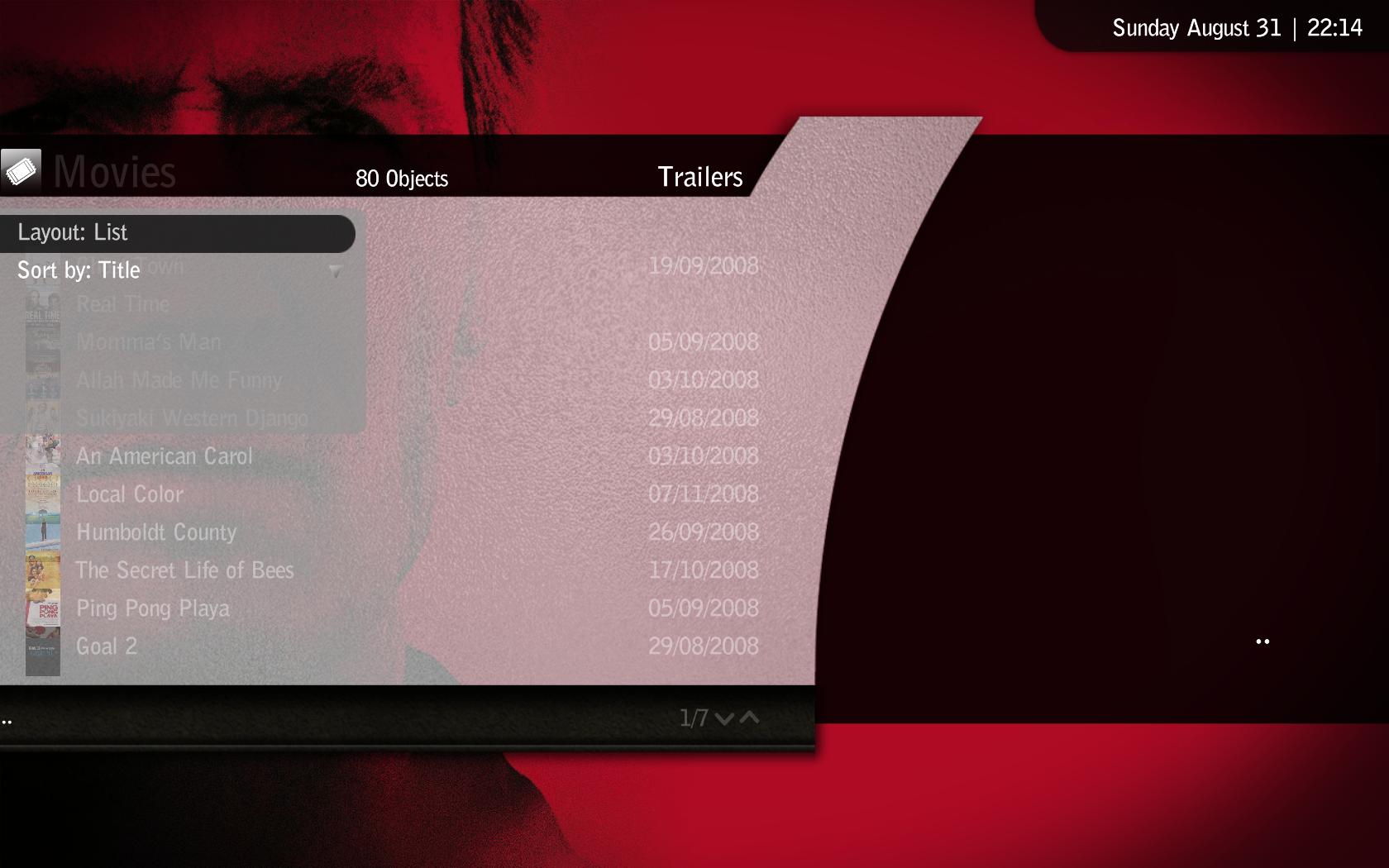
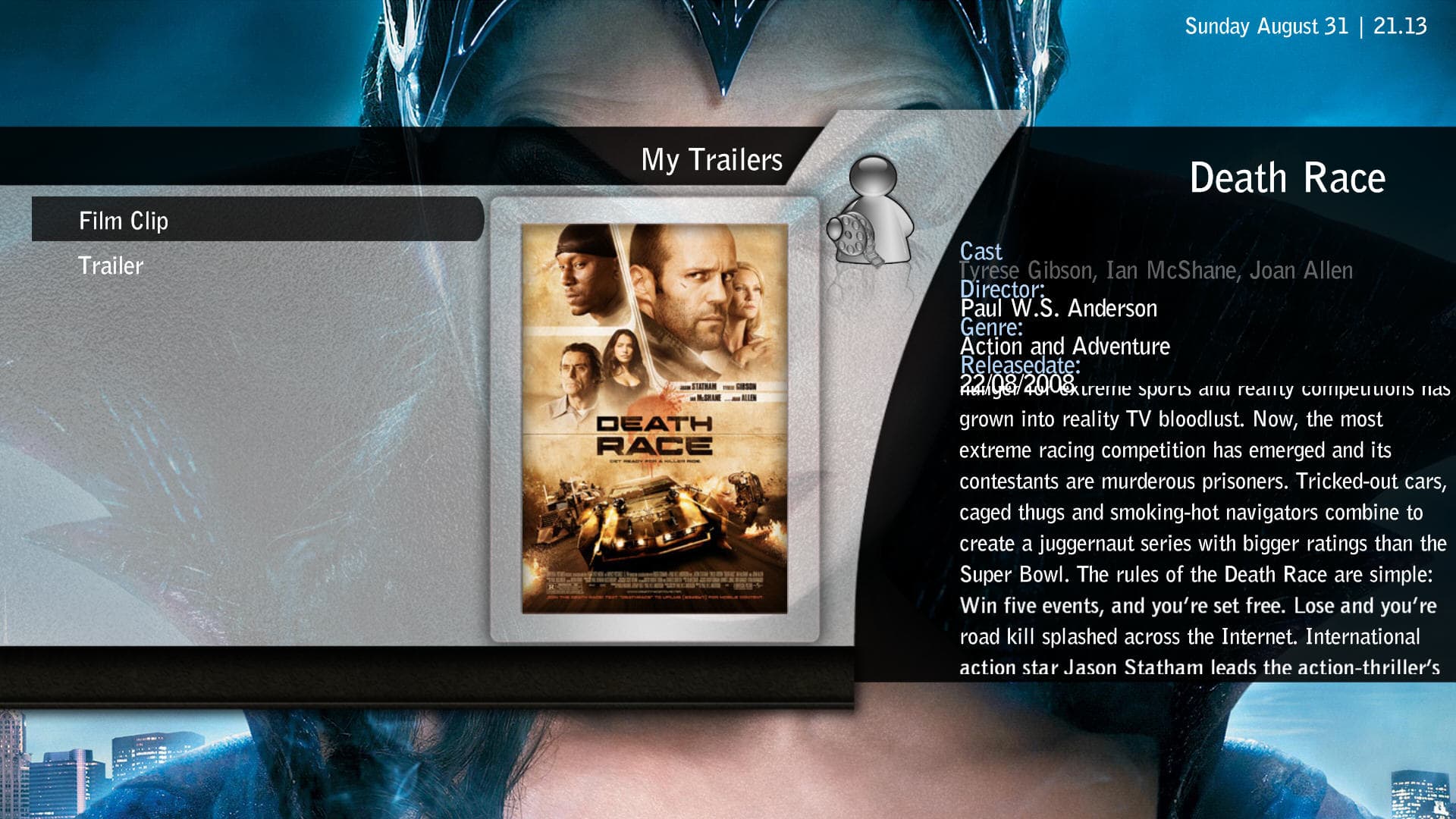
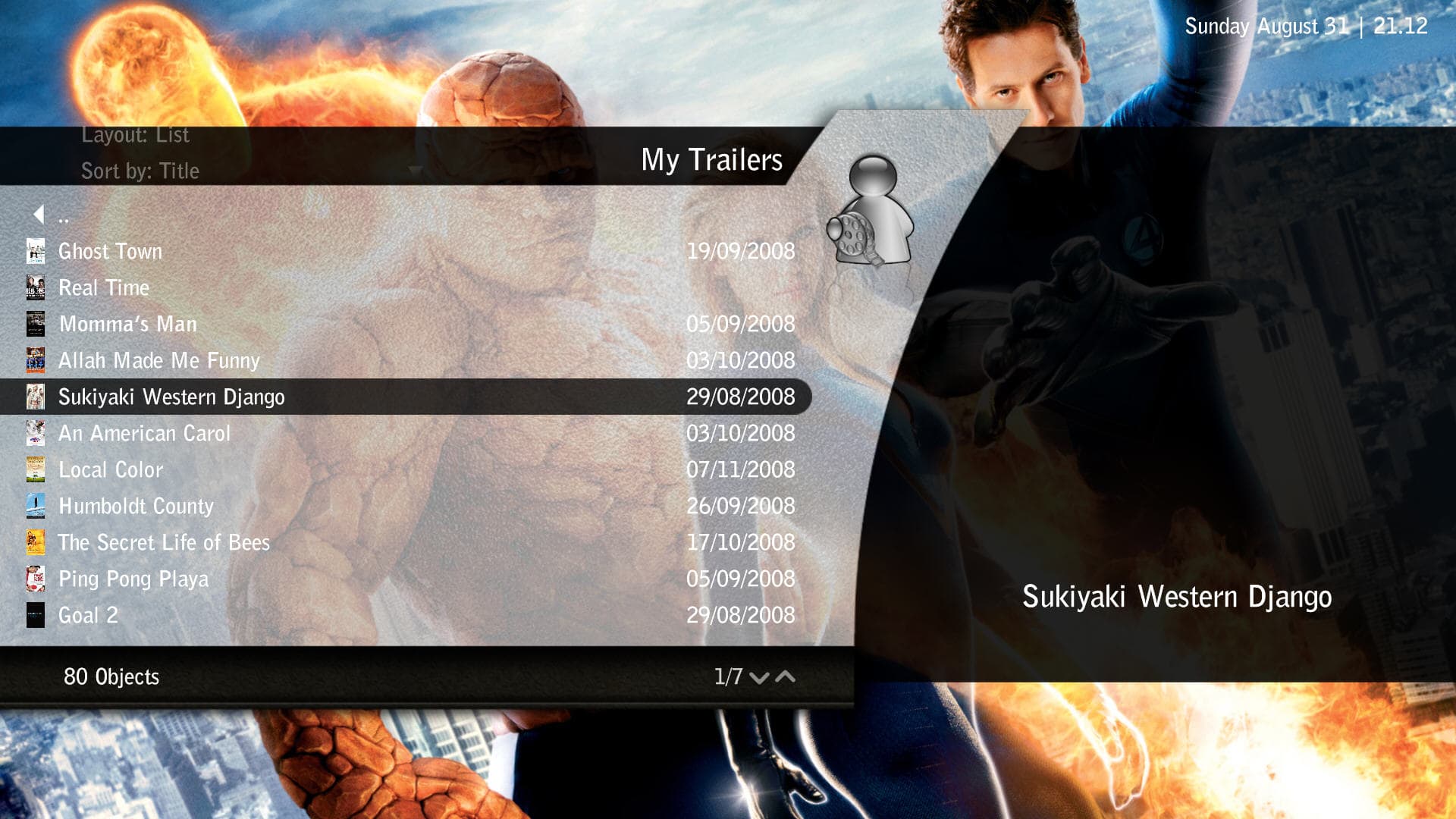
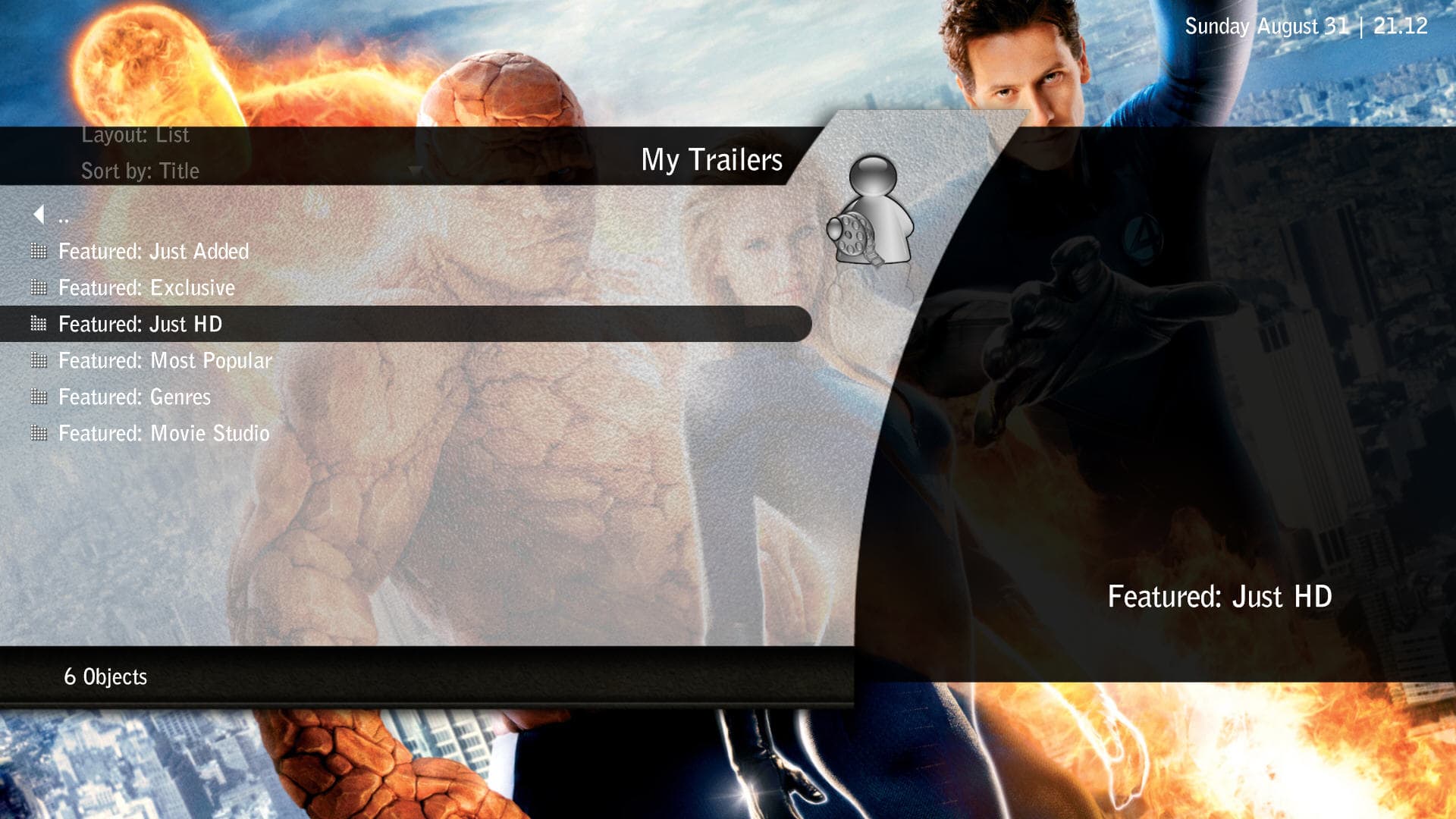
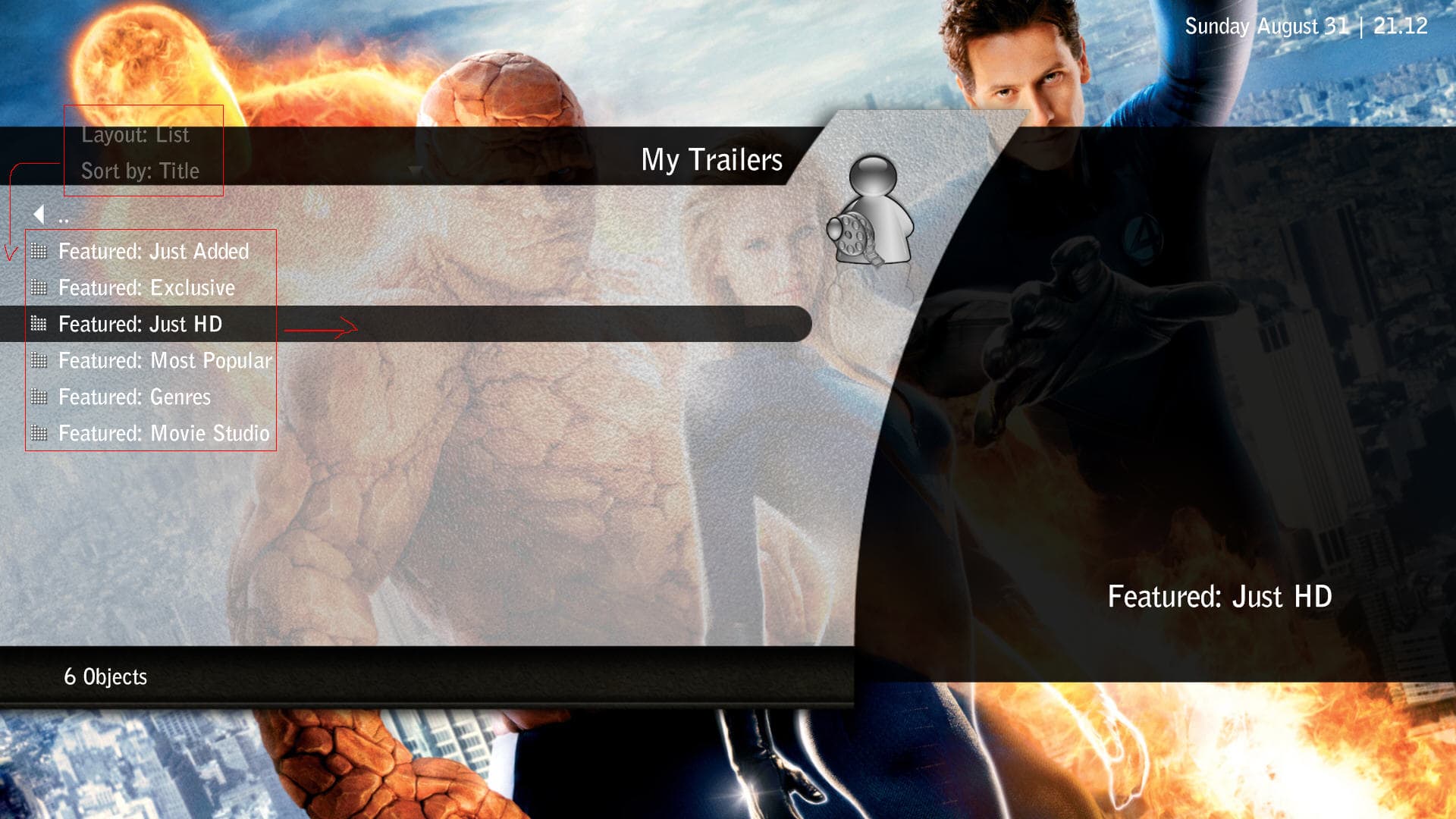
    Hi guys,i've modified the My trailer's BluTwo Wide skin for Aeon but i'm not to good with skinning so if you can give me a hand it will be much appreciated.So far the skin is working good for me but there are some things i wanna change:

    1)I wiil like to put the viewing controls on the left side of the selection menu (i managed to change the view selection button but i cant find the list control in the XML file:( ) -see screenshot

    2)Skin is working only with "list view" for now,so for the others viewing modes i still have some work to do:D

    I'm using a 1920x1080 resolution and the skin could have some problems with other resolutions.Screenshots and file attached below.:D
     

    Attachments

    • MyTrylers Aeon 4.jpg
      MyTrylers Aeon 4.jpg
      350.9 KB
    • MyTrylers Aeon 3.jpg
      MyTrylers Aeon 3.jpg
      304.5 KB
    • MyTrylers Aeon 2.jpg
      MyTrylers Aeon 2.jpg
      287.5 KB
    • MyTrylers Aeon.jpg
      MyTrylers Aeon.jpg
      294.4 KB

    trevor

    Portal Pro
    October 17, 2006
    1,601
    952
    Chelmsford
    Home Country
    United Kingdom United Kingdom
    Hi guys,i've modified the My trailer's BluTwo Wide skin for Aeon but i'm not to good with skinning so if you can give me a hand it will be much appreciated.So far the skin is working good for me but there are some things i wanna change:

    1)I wiil like to put the viewing controls on the left side of the selection menu (i managed to change the view selection button but i cant find the list control in the XML file:( ) -see screenshot

    2)Skin is working only with "list view" for now,so for the others viewing modes i still have some work to do:D

    I'm using a 1920x1080 resolution and the skin could have some problems with other resolutions.Screenshots and file attached below.:D

    What you need is easily sorted...will have a quick look now should be able to update this in the hr or so...

    Trevor


    Ok, had a quick run through this, slide menu, and all views mostly sorted...still a fair bit for you to do. Cant actually get this plugin to function yet so limited testing.

    May want to look at some layout chnages, details text on the left, spaced out more and the coverart on the right. Also look at getting the coverart flicking up on the right when going though movies lists...

    You picked a tricky one to skin here....

    Trevor
     

    Attachments

    • 22-13-08.jpg
      22-13-08.jpg
      151.4 KB
    • 22-13-30.jpg
      22-13-30.jpg
      168 KB
    • 22-13-36.jpg
      22-13-36.jpg
      158.2 KB
    • 22-13-46.jpg
      22-13-46.jpg
      217.4 KB
    • 22-14-24.jpg
      22-14-24.jpg
      133.7 KB
    • mytrailers.xml
      30.6 KB
    • mytrailers.details.xml
      30.7 KB

    Paranoid Delusion

    Moderation Manager
  • Premium Supporter
  • June 13, 2005
    13,052
    2,978
    Cheshire
    Home Country
    United Kingdom United Kingdom
    donkarlos

    Space use wise is very good, too many options in menu, but i take it thats your preference, and switching menu from left to right, definately could not get used to that :(

    If the menu was as original on left, would be a great addition :), and my preference over what exists atm.

    Also red recording dot does not need "rec" next to icon.

    You did ask for opinions :D
     

    Pretoriano

    Retired Team Member
  • Premium Supporter
  • October 1, 2007
    525
    133
    Roma, Italia
    Home Country
    Romania Romania
    Hi guys,i've modified the My trailer's BluTwo Wide skin for Aeon but i'm not to good with skinning so if you can give me a hand it will be much appreciated.So far the skin is working good for me but there are some things i wanna change:

    1)I wiil like to put the viewing controls on the left side of the selection menu (i managed to change the view selection button but i cant find the list control in the XML file:( ) -see screenshot

    2)Skin is working only with "list view" for now,so for the others viewing modes i still have some work to do:D

    I'm using a 1920x1080 resolution and the skin could have some problems with other resolutions.Screenshots and file attached below.:D

    What you need is easily sorted...will have a quick look now should be able to update this in the hr or so...

    Trevor


    Ok, had a quick run through this, slide menu, and all views mostly sorted...still a fair bit for you to do. Cant actually get this plugin to function yet so limited testing.

    May want to look at some layout chnages, details text on the left, spaced out more and the coverart on the right. Also look at getting the coverart flicking up on the right when going though movies lists...

    You picked a tricky one to skin here....

    Trevor

    Thank you Trevor i will have a look at the changes you have made cause this will make me understand better.I already noticed something different with this skin (comparing with other that are easyer to modify) but i really like this plugin so i decided to modify the skin myself ( still waiting for PR's latest Aeon Wide release :D,btw PR your skins drive me nuts because i don't know wich one to use;) ).

    @Trevor:i think you should open a thread so you can post a pack with all your modifications cause it's hard to keep track of them inside Aeon Wide main thread

    Best Regards!!!
     

    Users who are viewing this thread

    Top Bottom