Apollo One (3 Viewers)

ge2301

Lead Design MP2
  • Team MediaPortal
  • January 11, 2014
    8,725
    3,521
    Stuttgart
    Home Country
    Germany Germany
    Thanks, works great! I tried to do similar in parallel, but you were faster ;)

    In next step I want to optimise the series view:
    • Add red unwatched tab to episode grid view -> where in mediastyles.xaml is this view defined?
    • Add un-/watched symbol to episode list view
    • Add star rating to banner view -> where in mediastyles.xaml is this view defined? I could not find it. Is there a rating for a complete series? Episodes already have the star rating.
    • Add un-/watched symbol to banner view -> same question as above
     

    morpheus_xx

    Retired Team Member
  • Team MediaPortal
  • March 24, 2007
    12,070
    7,459
    Home Country
    Germany Germany
    Add red unwatched tab to episode grid view -> where in mediastyles.xaml is this view defined?
    Actual series episodes don't have an own MediaItem type, they are just "Video", so for now you need to change GridViewVideoItemTemplate. I need to think about a better solution, we could create an EpisodeItem, but then we need to change some models and all skins as well.


    Add star rating to banner view -> where in mediastyles.xaml is this view defined? I could not find it. Is there a rating for a complete series? Episodes already have the star rating.
    This is a problem of current MediaLibrary structure: we don't store "Series" or "Seasons" as own aspects yet (but working on this!). This means the "Series" (SeriesFilterItem) are only a "give me all distinct 'series' attribute from SeriesAspect". This also means we have no own "series rating".
     

    ge2301

    Lead Design MP2
  • Team MediaPortal
  • January 11, 2014
    8,725
    3,521
    Stuttgart
    Home Country
    Germany Germany
    Ok, I understand. So I changed just what I can do at the moment in the series view section.

    Optimised Series Banner view:

    • Margins of text adjusted
    • Shifted Episode # to a new row, so more space for the series name
    • Edit: I created a new brush "MediaItemsOpacityBrushWide" in Brushes.xaml, which is used also to enable rounded rorners with banners
    change1.jpg
    Optimized Episode view:
    • Added un-/watched symbol
    change2.jpg
     
    Last edited:

    ge2301

    Lead Design MP2
  • Team MediaPortal
  • January 11, 2014
    8,725
    3,521
    Stuttgart
    Home Country
    Germany Germany
    I fixed the bottom offset of the content description. Now the space is efficiently used and still enough space to the button. Most contents visible without scrolling.
     

    Attachments

    • pic.jpg
      pic.jpg
      460.9 KB
    Last edited:

    ge2301

    Lead Design MP2
  • Team MediaPortal
  • January 11, 2014
    8,725
    3,521
    Stuttgart
    Home Country
    Germany Germany

    ge2301

    Lead Design MP2
  • Team MediaPortal
  • January 11, 2014
    8,725
    3,521
    Stuttgart
    Home Country
    Germany Germany
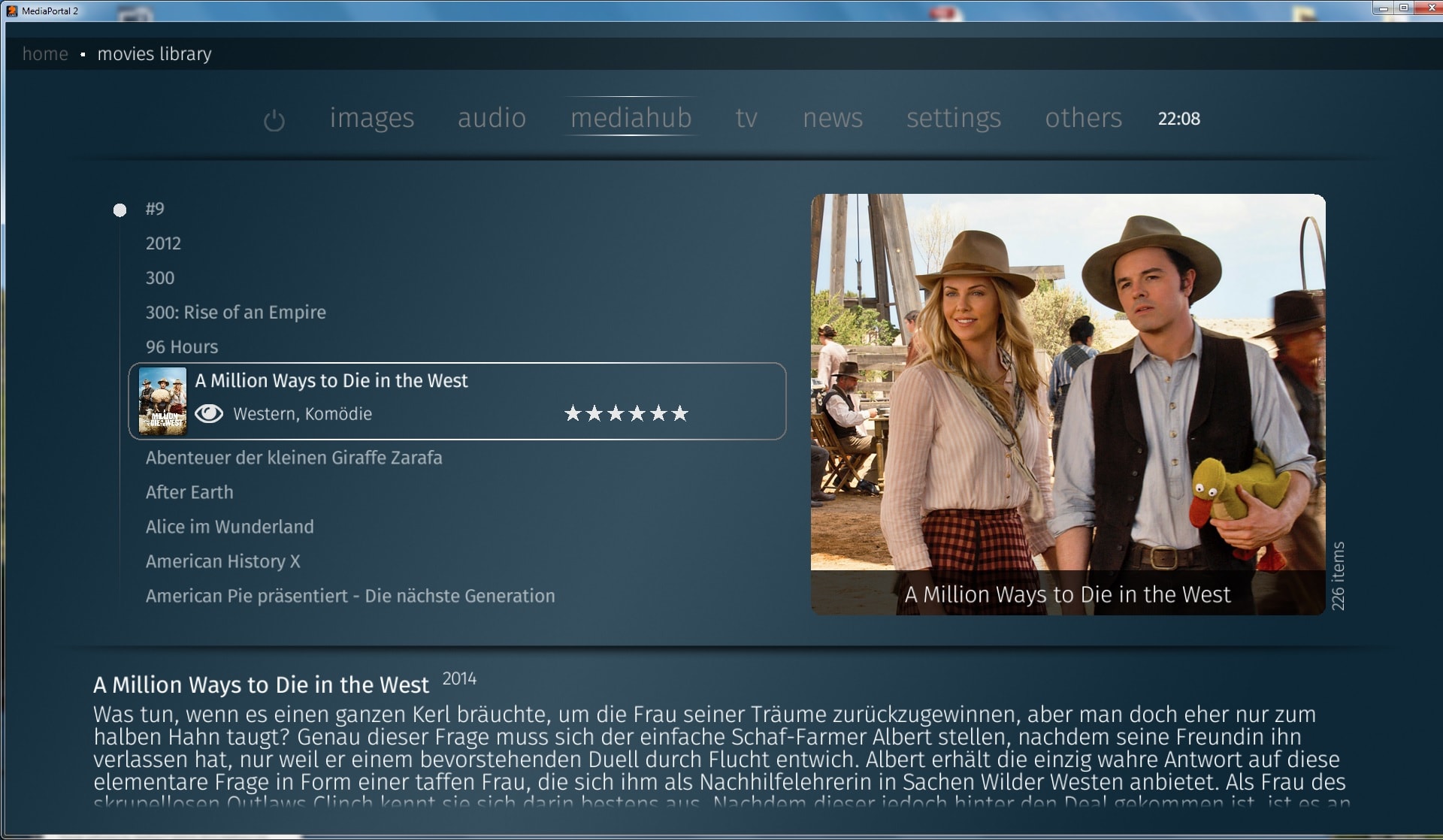
    I adjusted the star rating shape according to the mockups.
    Means the space between the stars is slightly narrower and more space for genre information existing.
    Narrow_sharp_star.jpg

    Additionally I created a new variant by a rounded star shape
    Narrow_rounded_star.jpg
    @wizard123 Which one do you like more?

    As reference the previous star rating style:
    https://forum.team-mediaportal.com/attachments/pic-jpg.160367/
     
    Last edited:

    wizard123

    Retired Team Member
  • Premium Supporter
  • January 24, 2012
    2,523
    2,715
    Home Country
    United Kingdom United Kingdom
    Attached is the actual star ;) if you need anything else just shout :)

    Is it also possible to align the list text to the description text like in mockups ? the scrollbar should be to theleft of alignment. One more thing too are we ready to drop the border around the selected item yet ? i cant stand it lol.
     

    Attachments

    • star.png
      star.png
      3.1 KB

    ge2301

    Lead Design MP2
  • Team MediaPortal
  • January 11, 2014
    8,725
    3,521
    Stuttgart
    Home Country
    Germany Germany
    Can you post the xaml code for this star? The stars are made of polygons or pathes by coordinates. With an bitmap the rating code of morpheus won't work.

    For the other question I will answer later. I'm currently at the airport only with cell phone.
     

    Users who are viewing this thread

    Top Bottom