Backdrop - Skin (RELEASED!!!) (4 Viewers)

emphatic

Design Group
  • Team MediaPortal
  • August 25, 2006
    3,758
    1,250
    Alingsås
    Home Country
    Sweden Sweden
    Moved from CLR thread where I happened to post this. This is where I meant to post it.

    I can't get the cool backdrop effect for the thumb/big thumb views in Moving Pictures to work. Perhaps my computer's too slow, but it seems like the animation doesn't work (at least not the way I thought it was intended). The thumbs start to fade, then I get black, then, BAM, I get a backdrop. The behavior is also influenced by if I get the context menu showing.

    Is it just me? Also, the skin feels much snappier and more awesome with the newest release, thanks a lot!
    Emph
     

    emphatic

    Design Group
  • Team MediaPortal
  • August 25, 2006
    3,758
    1,250
    Alingsås
    Home Country
    Sweden Sweden
    You explanation is a small bit different but it may very well be the same.
    How was it for you in 0.3 version?

    Same as 0.4 and 0.2 IIRC. My HTPC isn't very fast (see My System to the left) but handles most skins OK. The overall experience with Backdrop is very fast, but these animations just doesn't work very well. If at all.

    Emph
     

    chrisworkman

    Portal Pro
    February 9, 2009
    92
    7
    Ohio
    Home Country
    United States of America United States of America
    Hi caem96,

    You have found a bug, thanks for reporting it. I have included a fix that takes care of this problem. Extract the dll file from the attached rar file and replace the existing BackdropMenuEditor.dll file in your /plugins/process directory.

    cheers
    cul8er

    I was having the same problem. Thanks for the quick fix.:D
     

    Bleazle

    Portal Pro
    July 14, 2007
    1,122
    257
    Pukekohe
    Home Country
    New Zealand New Zealand
    Looking better all the time, the skin definitely feels smoother now (but maybe thats just my imagination? :)) I've got a few questions/comments though:

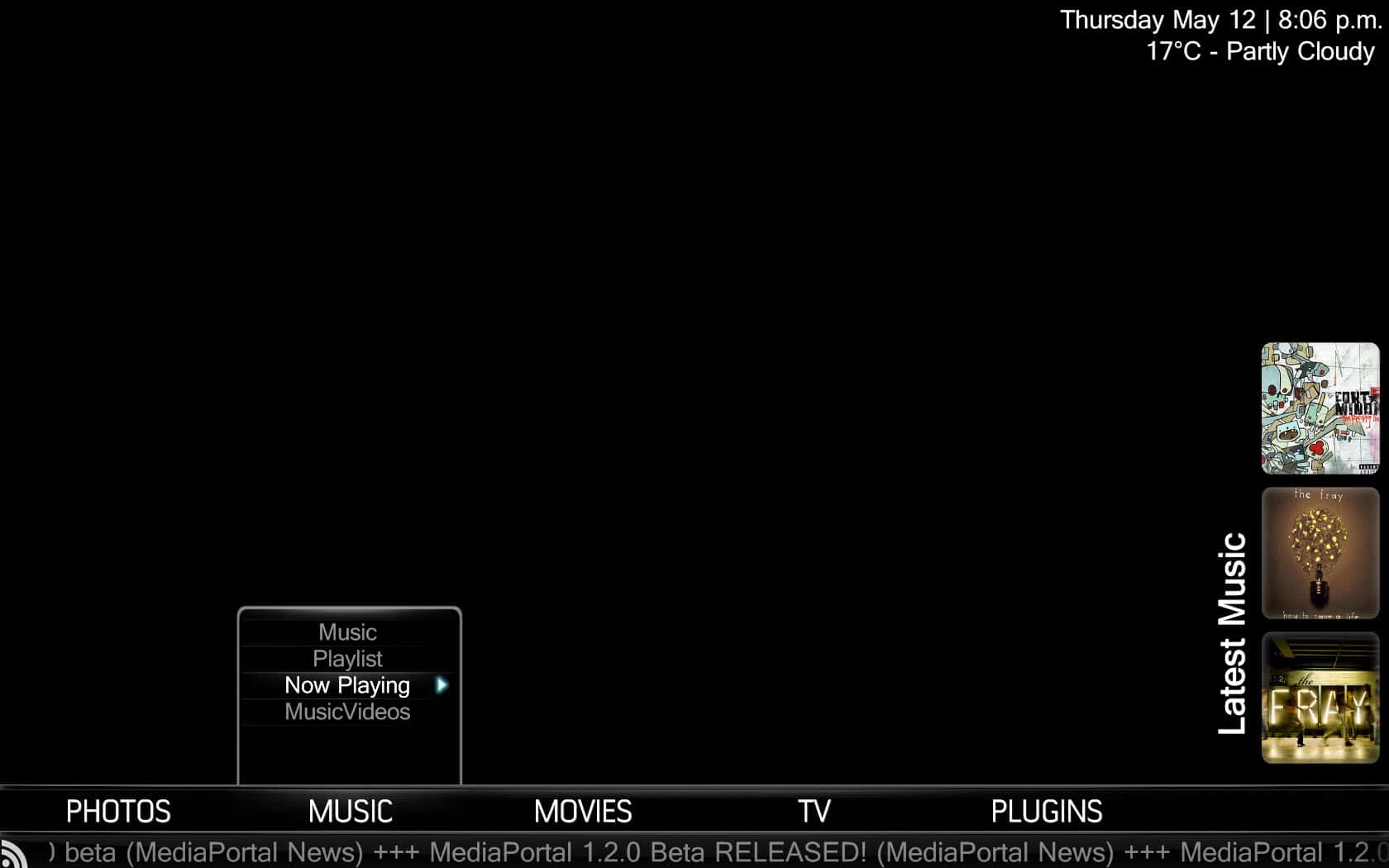
    1. When I arrow on to the "Music" submenu fanart always disappears (see pic)

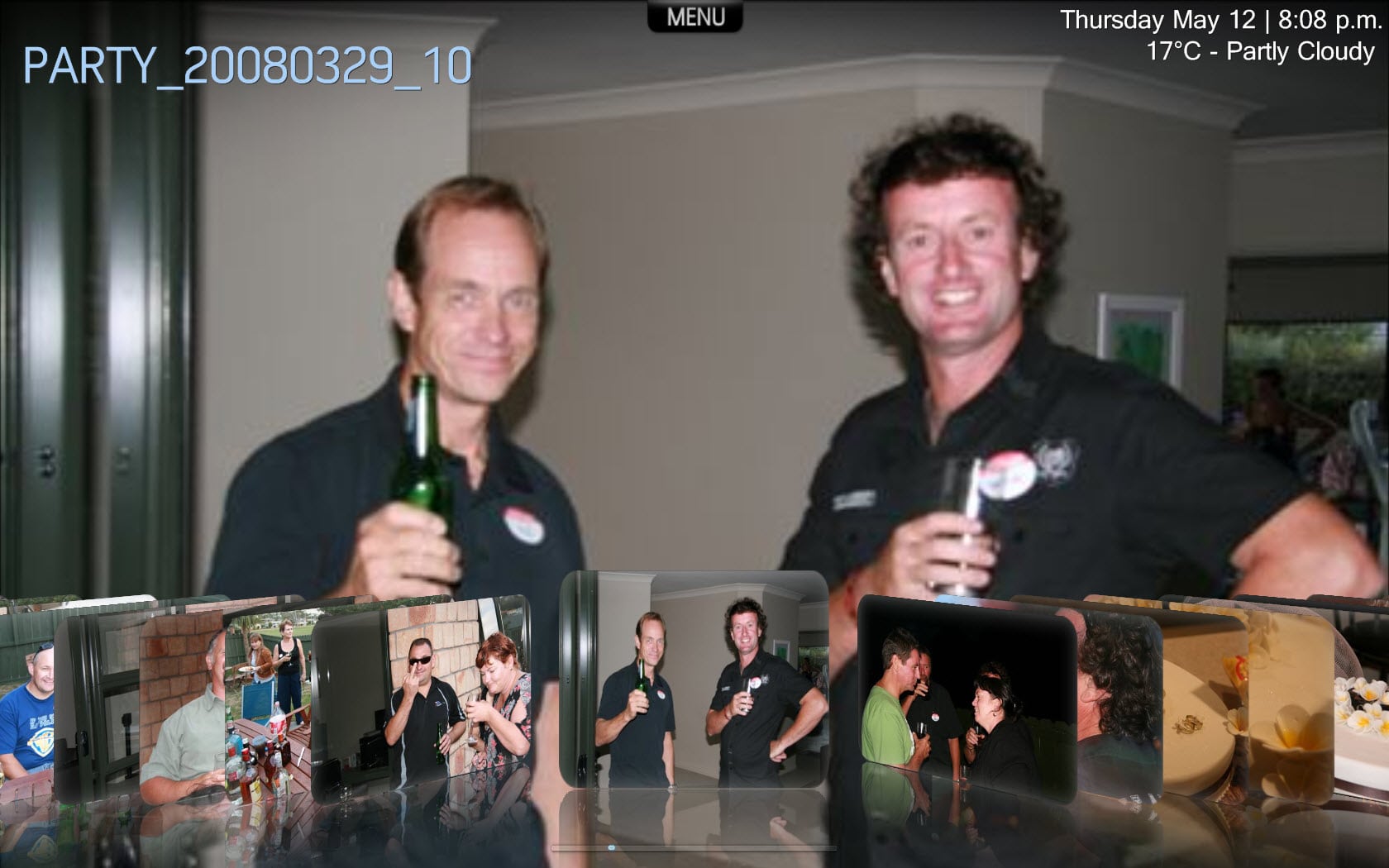
    2. MyPics: Why is the fanart image of a photo? See pic below - if this same image is shown on the BasicHome screen it is perfect but in MyPics the images always look like crap :(

    3. MyPics: Same question as I asked earlier about the "folder.jpg" being used as a background image - looks terrible, is there something I can do about it at my end? Is it as easy as deleting the "folder.jpg:?.... I'll go and give that a go....

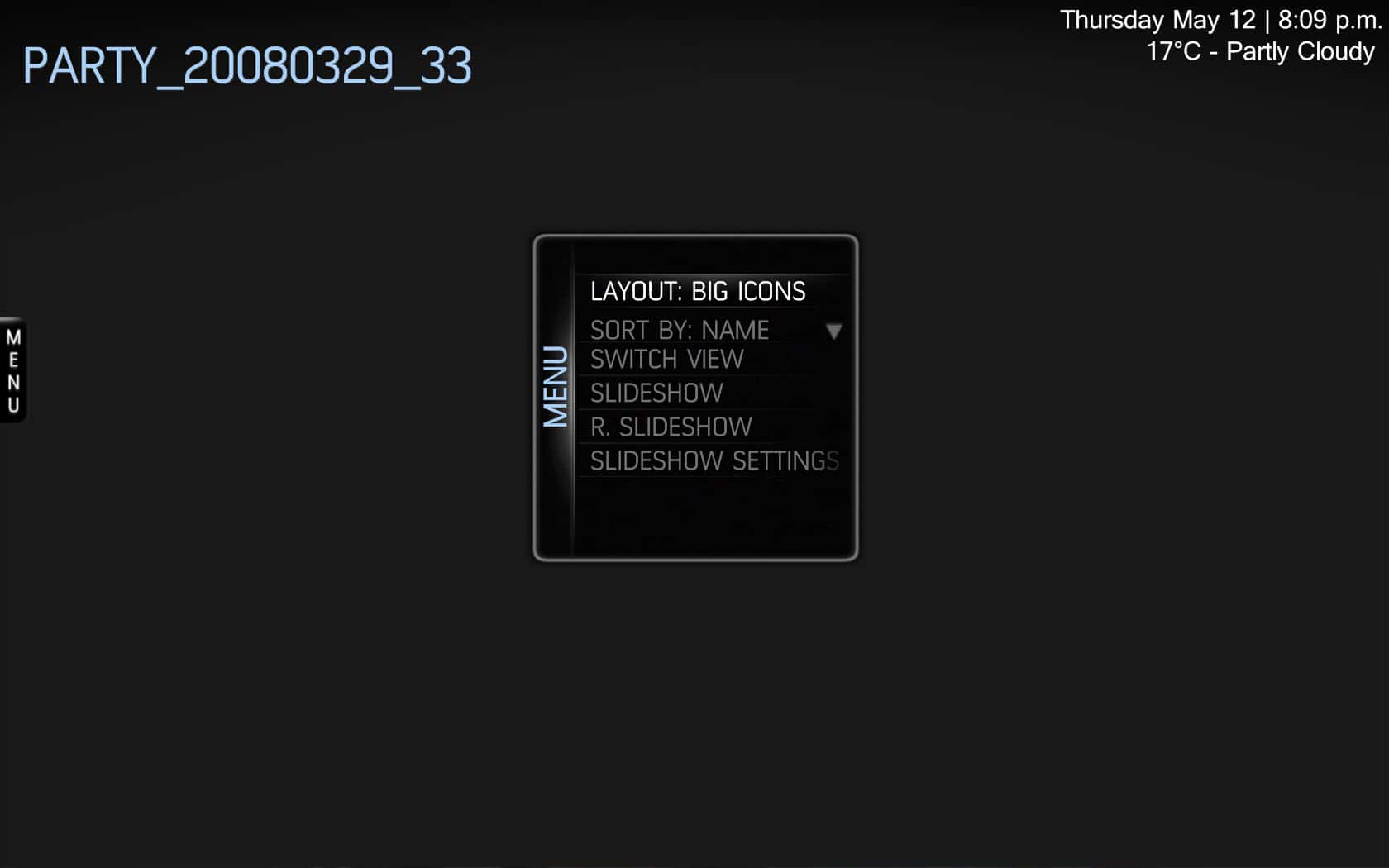
    4. MyPics: When selecting "icons or big icons" view the background disappears

    The Filmstrip & Coverflow animation is much better now when selecting either of these options :D I still prefer the way MovingPics handles it but there's not much difference now so looking good :)

    Note: as mentioned earlier I'm only getting 2 pics on BasicHome - latest pics. I tried turning "latest pics" off but they were still there - should I delete my fanart database or something?

    AND, am I really the only one who actually wants to read the contents of an RSS feed (what's the point of just seeing a headline?)? If anyone has worked out how to get the feed info to show in 1.2b I'd love to know the answer please, in 1.1.2 I use the Webbrowser plugin but it doesn't work in 1.2 :(

    Cheers

    Bleazle
     

    Attachments

    • 12-05-2011 8-06-29 p.m..jpg
      12-05-2011 8-06-29 p.m..jpg
      137 KB
    • 12-05-2011 8-09-59 p.m..jpg
      12-05-2011 8-09-59 p.m..jpg
      95.4 KB
    • 12-05-2011 8-08-15 p.m..jpg
      12-05-2011 8-08-15 p.m..jpg
      221.6 KB

    cul8er

    Retired Team Member
  • Premium Supporter
  • August 31, 2006
    2,159
    2,679
    Home Country
    Sweden Sweden
    Hi,

    Thanks for your comments;

    1. When I arrow on to the "Music" submenu fanart always disappears (see pic)
    Something is wrong here. Do you have the Now Playing selected? If so it looks like you don't have images in the folder that FH reads images from. If you have pressed the right key something is very wrong (and I cannot reproduce it) because latest music does not have focus... if it had focus you would have seen the selected album title and genre...

    MyPics: Why is the fanart image of a photo? See pic below - if this same image is shown on the BasicHome screen it is perfect but in MyPics the images always look like crap
    This is because I use the #selectedthumb MP property. Will see if I can use FH instead...

    MyPics: When selecting "icons or big icons" view the background disappears
    Do you mean all the time and it stays like that or when you move up/down/left or right the images appear?

    AND, am I really the only one who actually wants to read the contents of an RSS feed
    Press down when on a main menu in the basichome and the rss image will go from white to yellow. Press enter and infoservice will open and you can read the feed ;)

    Note: as mentioned earlier I'm only getting 2 pics on BasicHome - latest pics. I tried turning "latest pics" off but they were still there - should I delete my fanart database or something?
    Have you tried to rescan the pics db in MP configuration?

    best regards
    cul8er
     

    cruse

    MP Donator
  • Premium Supporter
  • November 7, 2007
    166
    41
    Home Country
    Germany Germany
    AW: Re: Backdrop - Skin (RELEASED!!!)

    A screenshot of the new overlay from v 0.4 (no more faded grey at the right)

    Please don't stop there, remove the faded grey from all sections and try to replace with smaller areas which suit shown elements. I modded my local skin files for MovingPictures and TVSeries to not show the faded grey on the right and removed the line separator left of the lists.

    other assorted suggestions (inspired by the current state of the "big 3" movingpictures, tvseries, music)

    - Keeping the "show as much as possible" (samap) philosophy in mind, all list text should be aligned to the right (case in movingp, not the case in tvseries). Just put the episode numbers behind the episode name, if they are extra elements.

    - Make list element background with and without focus a bit darker and you wont even need an underlay like for the header elements, if you decide to axe more faded greys.

    - Since you chose to put the music now playing element right (perfectly fine) you end up with words in the middle of the screen, whenever track, artist, or album descriptions are too long and start scrolling to the left. Just remove scrolling from those elements.

    - Once you enter the "Now Playing" music screen, essentially the usual headers, backdrop and now playing element are shown. Move the now playing element to the bottom right (samap) since the list is gone from this view. Perhaps applicable to the whole skin "Whenever bottom right is empty, move the now playing element there"

    - Almost every time the context menu (F9) is opened, there are elements which are too long for the box. Widen the box and perhaps shorten the vertical list length, if you still want to show a lot of backdrop (backdrop not important at that moment imo, when the user wants to do something like choose an action, also applies to elements like miniEPG).

    Thanks for Backdrop, made my last days :)
     

    cul8er

    Retired Team Member
  • Premium Supporter
  • August 31, 2006
    2,159
    2,679
    Home Country
    Sweden Sweden
    Hi,

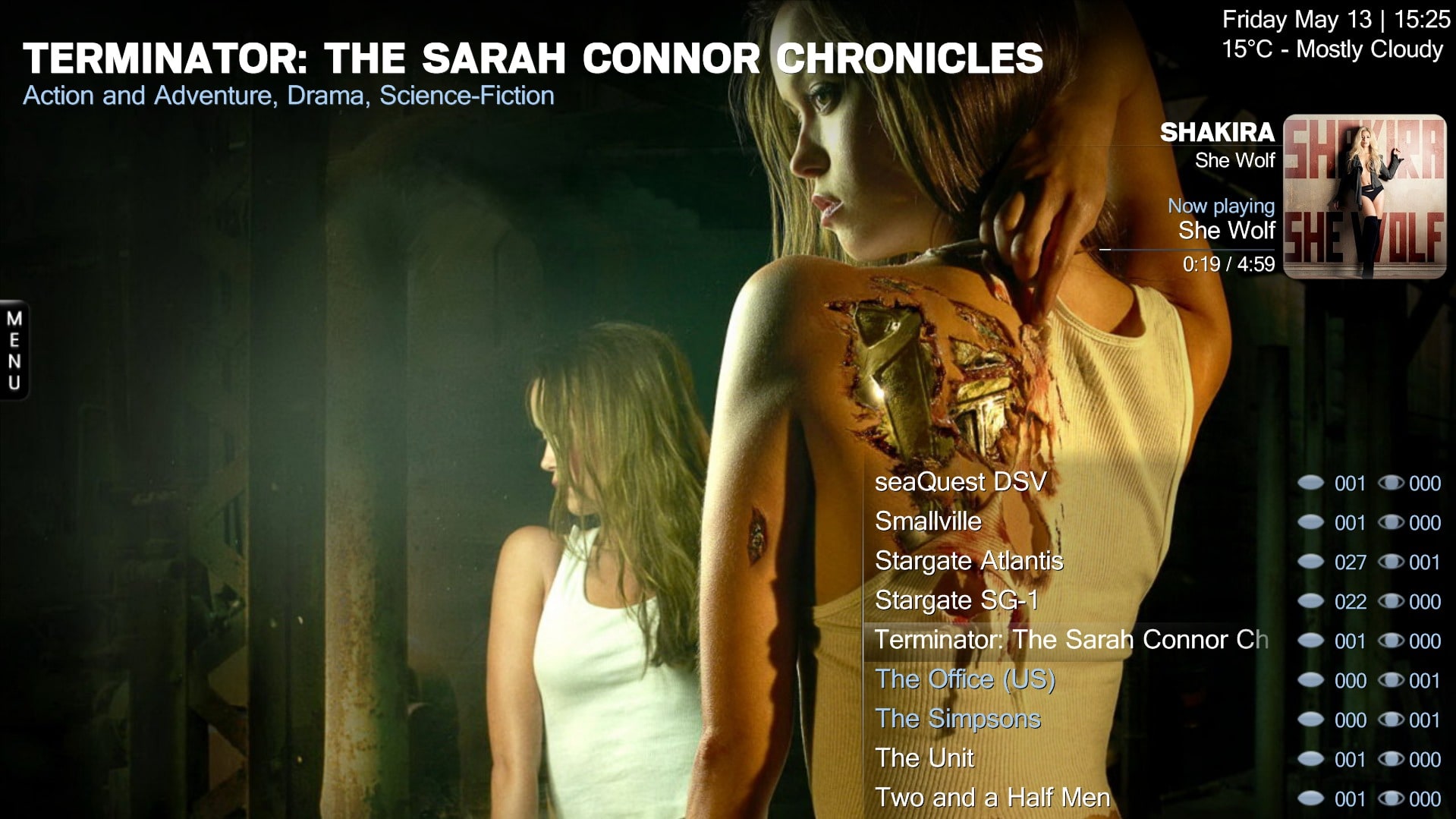
    Is it something like this you have in mind?

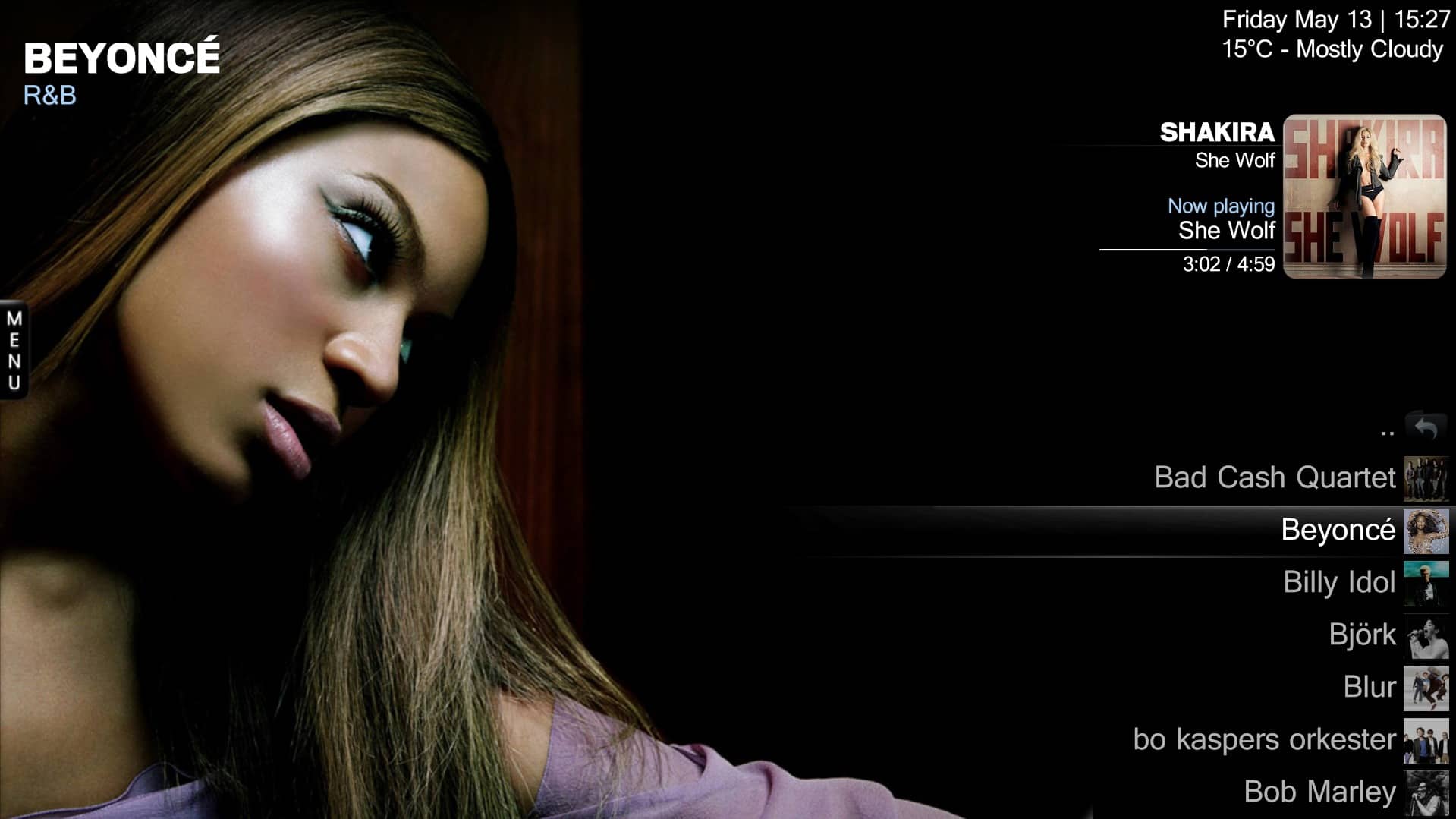
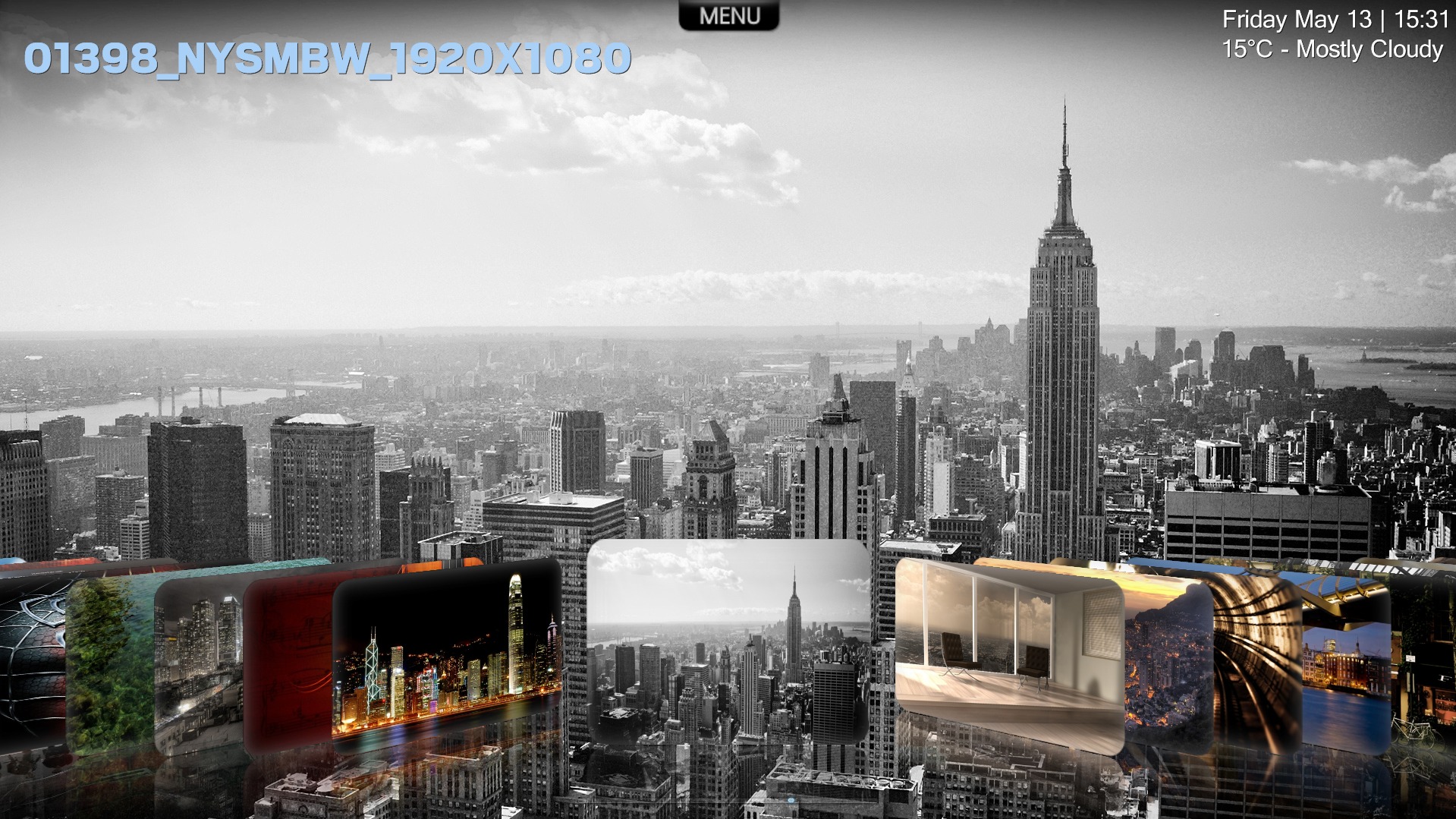
    Also included the picture coverflow now displaying the selected photo as a high quality image instaed of the previous bad quality thumb (new feature in FanartHandler ;) ).

    cheers
    cul8er
     

    Attachments

    • moving_pictures_listview.jpg
      moving_pictures_listview.jpg
      536.8 KB
    • music_listview.jpg
      music_listview.jpg
      258 KB
    • tvseries_listview.jpg
      tvseries_listview.jpg
      401.3 KB
    • picture_coverflow.jpg
      picture_coverflow.jpg
      631.6 KB

    cruse

    MP Donator
  • Premium Supporter
  • November 7, 2007
    166
    41
    Home Country
    Germany Germany
    AW: Re: Backdrop - Skin (RELEASED!!!)

    Is it something like this you have in mind?

    Superb! :) My mind says thanks.

    All thats left is some testing in front of bright/white backdrops, whether lists still pop. In terms of consistency you could try right-alignment and lose the separator in TVSeries as well.

    THANKS!
     

    Bleazle

    Portal Pro
    July 14, 2007
    1,122
    257
    Pukekohe
    Home Country
    New Zealand New Zealand
    1. When I arrow on to the "Music" submenu fanart always disappears (see pic)
    Something is wrong here. Do you have the Now Playing selected? If so it looks like you don't have images in the folder that FH reads images from. If you have pressed the right key something is very wrong (and I cannot reproduce it) because latest music does not have focus... if it had focus you would have seen the selected album title and genre...

    I have just gone and changed the Backdrop ID in the BasicHome menu generator from the default setting ("Randon Music") to "Random Music Scraper" - fanart is now working :) But what is the "Random Music" setting supposed to do? :confused:

    MyPics: Why is the fanart image of a photo so low (missed a word in my question:oops:)?...
    This is because I use the #selectedthumb MP property. Will see if I can use FH instead...

    I see from your comment above that you have added a new option to the FH plugin :D looks great in your screenshots! :)

    Do you mean all the time and it stays like that or when you move up/down/left or right the images appear?

    When I move off the menu (i.e. got to view the pics) the icon views appear like they should. This doesn't always happen (sometimes there is fanart in the background and sometimes the icon views appear when selected in the menu) and so far I haven't found a pattern that I can give you to test. It could be something to do with my test setup so maybe not worth worrying about at your end.

    AND, am I really the only one who actually wants to read the contents of an RSS feed
    Press down when on a main menu in the basichome and the rss image will go from white to yellow. Press enter and infoservice will open and you can read the feed ;)

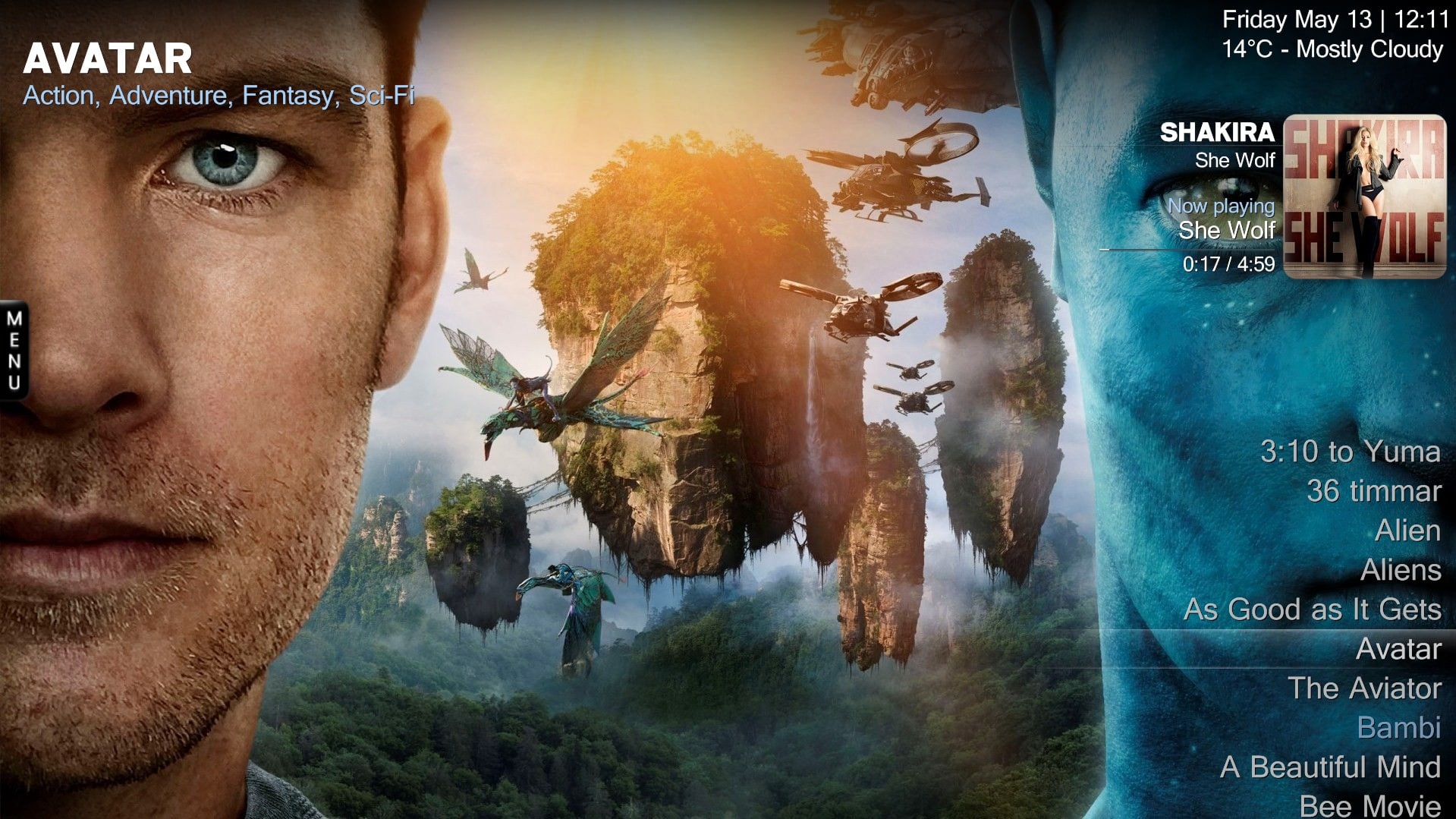
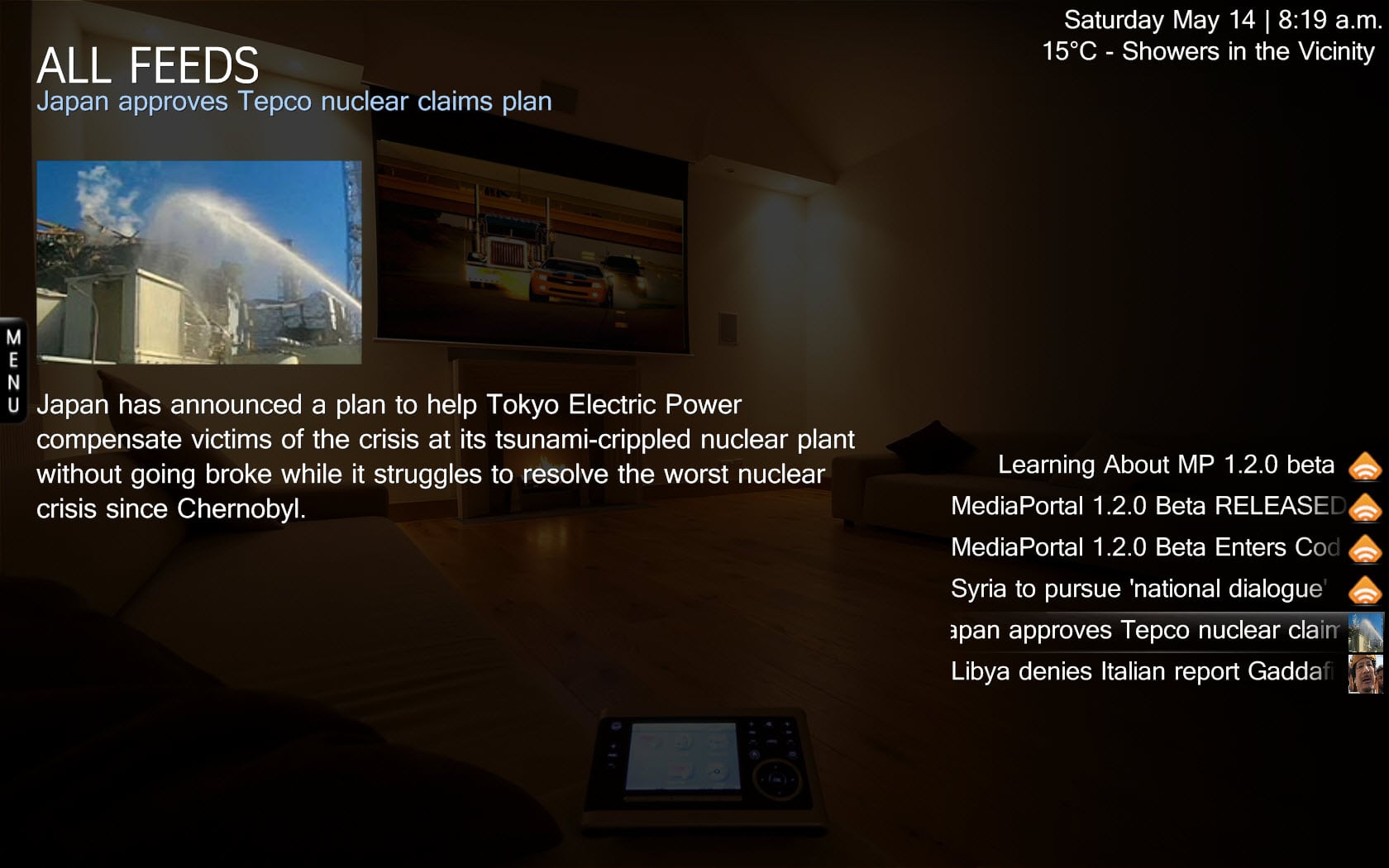
    Yeah but that's still not the whole article - in MP 1.1.2 if I click on the feed title (for example the one focused in the image below) it opens in the webrowser plugin so that I can read the whole article/see the pics for the article etc :) But if I click on the title now all that happens is I go back to the BasicHome screen :(

    Note: as mentioned earlier I'm only getting 2 pics on BasicHome - latest pics. I tried turning "latest pics" off but they were still there - should I delete my fanart database or something?
    Have you tried to rescan the pics db in MP configuration?
    Just did that and it's fixed :D

    Note: I've just noticed that the shortcut "NowPlaying arrow" at the top of the menus takes longer to disappear than the rest of the menu and if there is nothing playing it "pops up" before disappearing again - it's only a small point but doesn't look right.

    I like the above screenshots, those views look very clean :) EDIT: Except for the blue text :eek: :D Looks like I'll have to keep removing it from my local copy :mad: :D Unless other people also want a version without Blue text and maybe it could be added as an option?
     

    Attachments

    • 14-05-2011 8-19-06 a.m..jpg
      14-05-2011 8-19-06 a.m..jpg
      210.6 KB

    Users who are viewing this thread

    Top Bottom