Backdrop - Skin (RELEASED!!!) (3 Viewers)

cruse

MP Donator
  • Premium Supporter
  • November 7, 2007
    166
    41
    Home Country
    Germany Germany
    AW: Re: Backdrop - Skin (RELEASED!!!)

    EDIT: Except for the blue text :eek: :D Looks like I'll have to keep removing it from my local copy :mad: :D Unless other people also want a version without Blue text and maybe it could be added as an option?

    Since the light blue text separates metadata/generic information from actual content information it serves a purpose. It's also used to mark content as watched... What color would you use instead, or are you talking about another blue text? I agree on the dark blue text like in miniEPG.

    MP has a long history with blue, which you should know best from your skinning days ;)
     
    C

    CypherMK

    Guest
    Hi Cul8er, really a great skin now. Progress is going good!

    Some things I found (don't know if they are already mentioned):

    - When I go to moving pictures, I cannot see which movies I already watched. Doesn't mather which view I'm in (list, coverflow etc...)
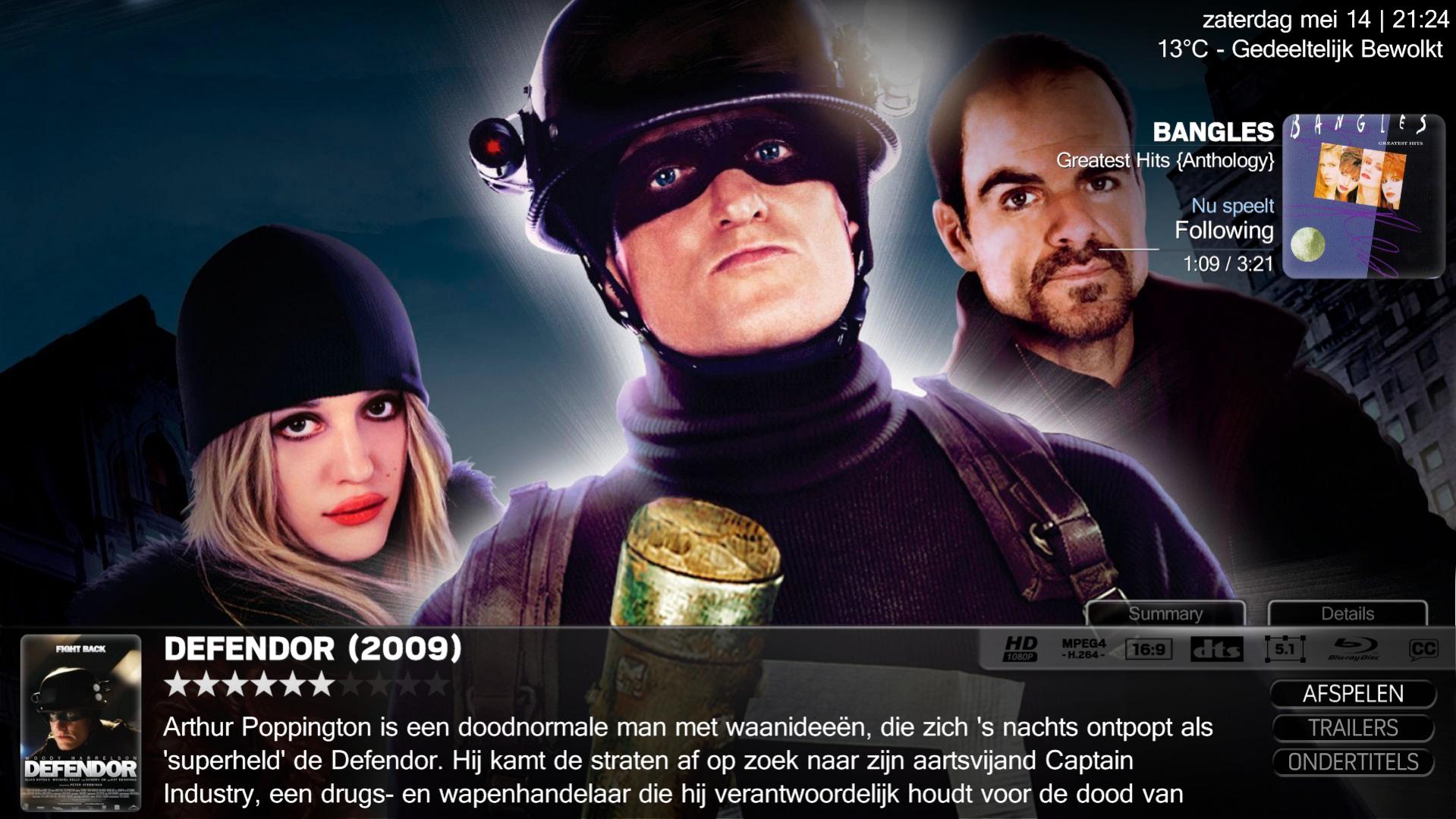
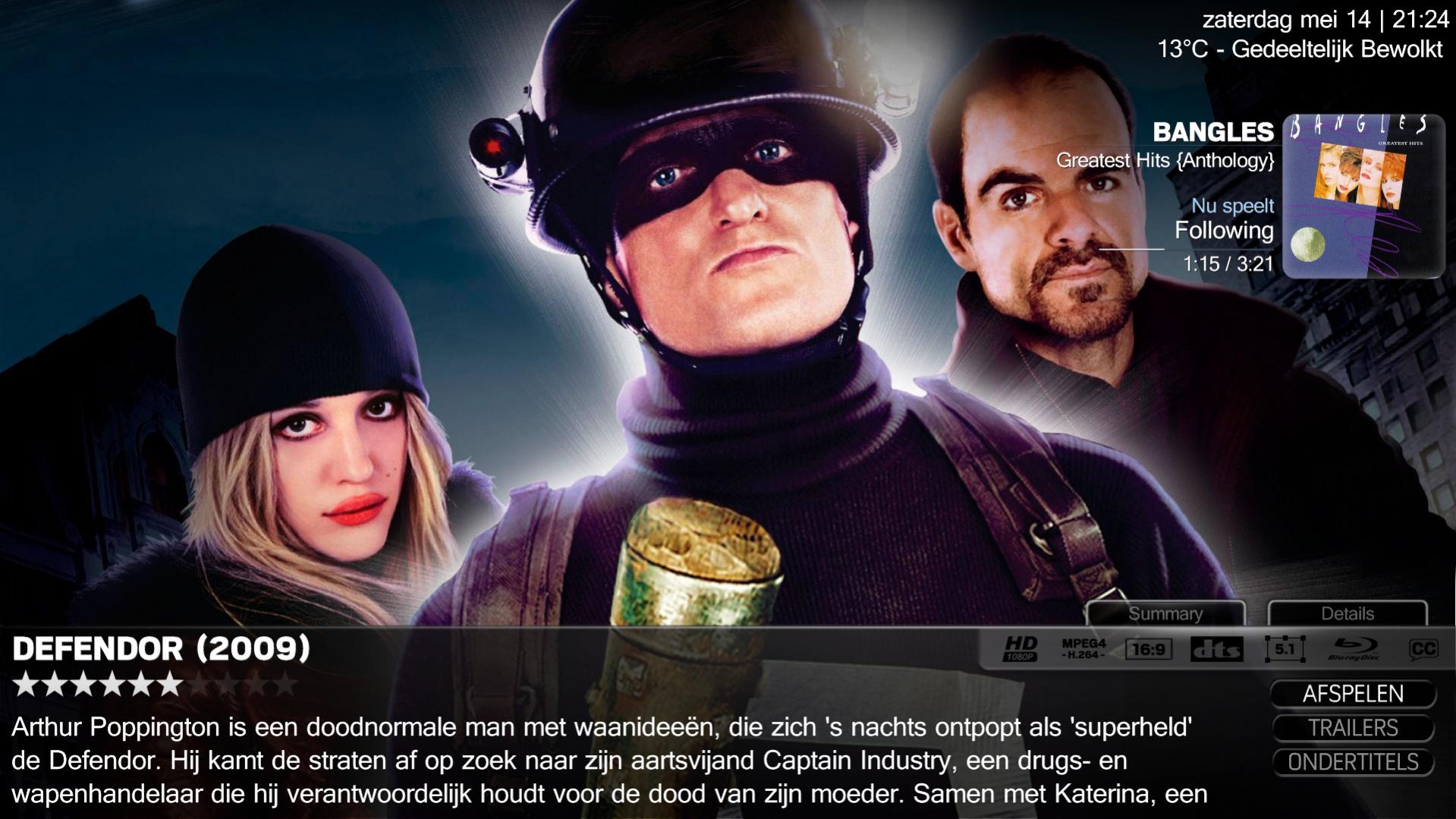
    - When I select a movie and go to the preview window (see screenshots), the thumb goes away after a few seconds, which is a bit annoying, because the text jumps a bit, and it goes back to the beginning.

    Also a feature request:

    I like the sort of screensaver function of the home screen. Is it possible to make everything disappear, even if I'm playing a music file? So that I don't see any info of the music track, just the wallpapers?
    Or,
    that the screensaver function kicks in in the "now playing"screen?

    :D for all the hard work you put into this skin!
     

    Attachments

    • 21-24-17.jpg
      21-24-17.jpg
      235.6 KB
    • 21-24-23.jpg
      21-24-23.jpg
      235.4 KB

    cul8er

    Retired Team Member
  • Premium Supporter
  • August 31, 2006
    2,159
    2,679
    Home Country
    Sweden Sweden
    Hi Bleazle,

    Random Music
    This is for displaying images you yourselves have put in the "Thumbs\Skin FanArt\UserDef\music" directory, The "Random Music Scraper" displays random images that fanart handler has downloaded for your music.

    best regards
    cul8er
     

    Bleazle

    Portal Pro
    July 14, 2007
    1,122
    257
    Pukekohe
    Home Country
    New Zealand New Zealand
    EDIT: Except for the blue text :eek: :D Looks like I'll have to keep removing it from my local copy :mad: :D Unless other people also want a version without Blue text and maybe it could be added as an option?

    Since the light blue text separates metadata/generic information from actual content information it serves a purpose. It's also used to mark content as watched... What color would you use instead, or are you talking about another blue text? I agree on the dark blue text like in miniEPG.

    MP has a long history with blue, which you should know best from your skinning days ;)
    Haha - yeah I know about MP's long history of blue, that's why I ended up deciding to have a go at skinning, to get rid of it! :D I agree that the blue text in Backdrop has a pourpose I just happen to prefer light grey. The meaning of grey text (eg. title of the song now playing etc) isn't as clear cut as what blue text is, but I've never looked at it and thought "what does that grey text mean?" - maybe I'll come accross something like that once I use the skin on a day to day basis though... I haven't seen the mini-guide because I can't check tv (4TR in my case) on my test setup at the moment. It takes me less than a minute to get change any instances of blue text to grey skinwide so it's not a big deal for me either way, just a suggestion for others to comment on/give their opinion and give Cul8er something else to think about :D

    ...I like the sort of screensaver function of the home screen. Is it possible to make everything disappear, even if I'm playing a music file? So that I don't see any info of the music track, just the wallpapers?
    Or,
    that the screensaver function kicks in in the "now playing"screen?

    I asked about this earlier in the thread. I agree that having the option to have the "now playing info" info on the BasicHome screen disappear (like the time and wheather now do) is a good idea. But I think 20seconds per image is too slow for a screensaver. At the moment I use Nostalgic Screensaver (Download link: Nostalgic Screensaver - Download) which is a very small install. See the ReadMe after you've installed it for setup instructions, it's very easy.

    Nostalgic uses Ken Burns type effects which I like. I've added a button to my current skin (still using BleazleWide on my "live" HTPC and client) to the "Now Playing" screen which uses the MultiShortcut plugin to launch Nostalgic :) I've had this setup for about 4 years now, used it on my old XP system and now on both of my W7 systems and it works great. Nostalgic starts after a certain amount of time automatically (I can't remember what I've set it to, it's something like 3hrs) and sometimes when I turn the TV on the next day there is a message saying "Nostalgic has stopped working" - I just close the message and carry on, it has never crashed while I have had it on the screen.

    An "in skin" screensaver using FanartHandler would be great but if it's not possible Nostalgic is a very good alternative - it's the bext I could find anyway - if anyone else has any other suggestions I'd love to hear them.

    I'm off to scour some other threads to see if anyone else actually reads the news via RSS on their HTPCS! :D

    EDIT:
    Hi Bleazle,

    Random Music
    This is for displaying images you yourselves have put in the "Thumbs\Skin FanArt\UserDef\music" directory, The "Random Music Scraper" displays random images that fanart handler has downloaded for your music.

    best regards
    cul8er

    Ahhh... OK, thanks for the pointer :)
     

    SpudR

    Retired Team Member
  • Premium Supporter
  • July 27, 2007
    2,657
    718
    Yorkshire, UK
    Home Country
    England England
    I'm off to scour some other threads to see if anyone else actually reads the news via RSS on their HTPCS
    I'd love to - I used to use this ALL the time - now I cannot get it working again :(
     

    Bleazle

    Portal Pro
    July 14, 2007
    1,122
    257
    Pukekohe
    Home Country
    New Zealand New Zealand
    @ SpudR: To be able to read RSS feeds:

    1. Download the WebBrowser plugin from here: MPWebBrowser-v062.rar

    2. Extract Interop.SHDocVw.dll & WebBrowser.dll to the MediaPortal/Plugins/Windows directory.

    3. Extract microsoft.mshtml.dll to the Programmes/MediaPortal directory.

    That's it :) Works for me on my test setup - you can go into the plugins setup and set a default zoom if you want to. The "webpage" doesn't fill up the whole screen for some reason but I can zoom in and scroll down etc. I haven't had a chance to look at why it doesn't fill the entire screen so I'll let post a reply if I can get that sorted (but right now I'm off to bed).

    Sorry if this looks like a thread hijack but I think it's pointless being able to see RSS headlines and not read them plus there might be others who want to use Backdrop and read RSS articles too so I figured this was the best place to post what worked for me...

    Bleazle
     

    SpudR

    Retired Team Member
  • Premium Supporter
  • July 27, 2007
    2,657
    718
    Yorkshire, UK
    Home Country
    England England
    I'll give this a go - are you 1.2 beta?
    Is that webBrowser compatible??
     

    Users who are viewing this thread

    Top Bottom