Blu-Ray / HD DVD plugin for Arcsoft player (3 Viewers)

CPergler

Portal Member
June 16, 2009
17
0
Home Country
Austria Austria
Thank you, Double! After going through the Acrsoft Forum i downgraded my Catalys driver to 8.12 - and the error message is gone! :D

One issue is still remaining. The Keyboard shortcuts for the TMT MCE plugin seem to differ from those for the standalone-application, and that makes setting up my remote control pretty difficult. However. I managed to figure them out but with one exeption: "Popup Menu" usually is Ctrl+U, bit i couln not find a shortcut for that command in the TMT MCE plugin...
 

Wolvy

New Member
March 29, 2007
1
0
49
Home Country
Italy Italy
Sure I'm posting a silly question, but.. sorry guys, how can I select the image for the home menu at the arcsoft plugin?
Is it normal that I have no button_, no buttonNF_ and no hover_ images?
I'm using the 1.02 version w/o any snv with xface skin.

Thanks a lot
 

tourettes

Retired Team Member
  • Premium Supporter
  • January 7, 2005
    17,301
    4,800
    Sure I'm posting a silly question, but.. sorry guys, how can I select the image for the home menu at the arcsoft plugin?
    Is it normal that I have no button_, no buttonNF_ and no hover_ images?
    I'm using the 1.02 version w/o any snv with xface skin.

    Thanks a lot

    Unfortunately it is hard coded to point into My Movies picture. I have been just too lazy to allow it to be customized.
     

    infinite.loop

    Retired Team Member
  • Premium Supporter
  • December 26, 2004
    16,154
    4,133
    127.0.0.1
    Home Country
    Austria Austria
    Hi tourettes!

    Just installed Beta 7 and did want to try that one out.
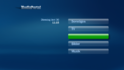
    But now MP Homescreen looks like this :confused:
    MediaPortal 2009-06-30 11-15-38-09.png

    MP throws this error.log
    Code:
    2009-06-30 11:15:31.453125 [ERROR][MPMain]: GUIWindow: AllocResources exception - System.NullReferenceException: Der Objektverweis wurde nicht auf eine Objektinstanz festgelegt.
       bei MediaPortal.GUI.Library.GUIMenuControl.AllocResources()
       bei MediaPortal.GUI.Library.GUIWindow.AllocResources()

    If i press that button without a lable, then the Acrsoft player starts correctly and plays my BluRay

    If i dissable the arcsoft player plugin then homescreen is working again.

    Then i have tried to set "autoplay" for BR in the setup and to not display the plugin.
    By doing that the homescreen works again, but autoplay does not work. :(

    so for now i have set to only display the Arcsoftplugin under "Plugins", where i do not need the 3 top buttons.

    Using WinXP + Arcsoft TotalMedia Theatre Platinum v3.0.0.38
     

    tourettes

    Retired Team Member
  • Premium Supporter
  • January 7, 2005
    17,301
    4,800
    iloop, maybe it is a missing skin texture that causes the bug? or something else that causes MP's menu code to panic. Could you post a screen shot of the plugin settings?

    About the autoplay, does it work when plugin is visible in home screen? If not please post MP log :)
     

    infinite.loop

    Retired Team Member
  • Premium Supporter
  • December 26, 2004
    16,154
    4,133
    127.0.0.1
    Home Country
    Austria Austria
    found something. :)

    per default the "Override Plugin Name in Menu" field is empty.
    As soon as i enter "Play BR" the homemenu is working corretly again and displays all 3 top buttons.
    So it seems that there is something not working with the default name.

    Regarding autoplay. If the plugin is listed on homescreen, then playback is also not starting.
    View attachment 42808
     

    tourettes

    Retired Team Member
  • Premium Supporter
  • January 7, 2005
    17,301
    4,800
    per default the "Override Plugin Name in Menu" field is empty.
    As soon as i enter "Play BR" the homemenu is working corretly again and displays all 3 top buttons.
    So it seems that there is something not working with the default name.

    I'll try to remember to fix that at some point.

    Regarding autoplay. If the plugin is listed on homescreen, then playback is also not starting.
    View attachment 42808

    MP itself doesn't seem to detect the inserted media. No autoplay events are listed in the log. Not sure why such happens.
     

    infinite.loop

    Retired Team Member
  • Premium Supporter
  • December 26, 2004
    16,154
    4,133
    127.0.0.1
    Home Country
    Austria Austria
    per default the "Override Plugin Name in Menu" field is empty.
    As soon as i enter "Play BR" the homemenu is working corretly again and displays all 3 top buttons.
    So it seems that there is something not working with the default name.

    I'll try to remember to fix that at some point.
    thanks :)

    Regarding autoplay. If the plugin is listed on homescreen, then playback is also not starting.
    View attachment 42808

    MP itself doesn't seem to detect the inserted media. No autoplay events are listed in the log. Not sure why such happens.
    After thinking about it, i guess that this is because i am using WindowsXP which also detects the drive to be "empty" because of the filesystem it uses.
    So no bug in the plugin. :)
     

    tourettes

    Retired Team Member
  • Premium Supporter
  • January 7, 2005
    17,301
    4,800
    After thinking about it, i guess that this is because i am using WindowsXP which also detects the drive to be "empty" because of the filesystem it uses.
    So no bug in the plugin. :)

    Ah, true indeed. You need to use some 3rd party tool to allow Windows itself to recognize the Blu-ray disk content. i.e. when Explorer can be used to browse the disk content then MP has ways to detect the disk type and thus sending the needed messages to the plguins.
     

    Users who are viewing this thread

    Top Bottom