Can't start live tv after restart (6 Viewers)

radical

Portal Pro
December 16, 2010
1,465
193
Home Country
Germany Germany
Hello everyone,

for a long time I have a problem which prevents me from using the automatic restart function of the PowerScheduler.

After restarting my tv-Server, I'm unable to start live tv or playback an recording on any clientmachine. I'm allways getting an error message "stream coudn't been started".

Details of my system are listed and up to date. I'm using an 8GB Ramdisk for timeshifting.

Attached are logs from tv-server and clientmachine.


...at this time my only Workaround is manually restarting of tv-Service within tv-Server configuration.

Logs attached (Nr 2)
 

Attachments

  • LOG CLIENT.zip
    71.3 KB
  • LOG TV-Server.zip
    15.5 KB
  • LOG CLIENT 2.zip
    70.6 KB
  • LOG TV-Server 2.zip
    14.1 KB

mm1352000

Retired Team Member
  • Premium Supporter
  • September 1, 2008
    21,544
    8,236
    Home Country
    New Zealand New Zealand
    Here is the problem:
    [2014-01-31 14:36:11,330] [Log ] [TVService] [INFO ] - Controller: started at TV-Server
    [2014-01-31 14:36:11,346] [Log ] [TVService] [INFO ] - Controller: local ip address:127.0.0.1
    [2014-01-31 14:36:11,408] [Log ] [TVService] [INFO ] - Controller: server running on TV-Server
    [2014-01-31 14:36:11,424] [Log ] [TVService] [DEBUG] - Initialise BDA device detection graph
    [2014-01-31 14:36:11,486] [Log ] [TVService] [INFO ] - Starting async device detection...
    [2014-01-31 14:36:11,502] [Log ] [TVService] [INFO ] - Controller: add device RadioWebStream Card (builtin) (builtin)
    [2014-01-31 14:36:11,704] [Log ] [TVService] [DEBUG] - Controller: creating standard handler
    [2014-01-31 14:36:11,704] [Log ] [TVService] [INFO ] - Controller: creating timeshifting folder "Z:\Timeshift"
    [2014-01-31 14:36:13,670] [Log ] [TVService] [ERROR] - Failed to create timeshifting folder or clean up old timeshift files!
    System.IO.DirectoryNotFoundException: Ein Teil des Pfades "Z:\Timeshift" konnte nicht gefunden werden.
    bei System.IO.__Error.WinIOError(Int32 errorCode, String maybeFullPath)
    bei System.IO.Directory.InternalCreateDirectory(String fullPath, String path, Object dirSecurityObj, Boolean checkHost)
    bei System.IO.Directory.InternalCreateDirectoryHelper(String path, Boolean checkHost)
    bei System.IO.Directory.CreateDirectory(String path)
    bei TvService.TVController.OnDeviceAdded(ITVCard device)

    IP address is 127.0.0.1. The proper IP address (192.***...) has not yet been assigned. Hence TV Server binds to the wrong IP address. When the client tries to connect:
    [2014-01-31 14:39:16,486] [21ddef80] [103c] - Failed to get a SDP description from URL rtsp://TV-Server:554/stream2.0 connect() failed: Unknown error

    ...FAIL! because TV Server is not listening on that hostname/address.

    Potential solution: use a static IP address NOT assigned by the router.
    Solution: delay the start of the TV service until your network adaptor has received the IP address.

    mm
     

    radical

    Portal Pro
    December 16, 2010
    1,465
    193
    Home Country
    Germany Germany
    Thank you for your fast reply.

    Maybe my english is limited but I don't understand fully...
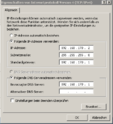
    Potential solution: use a static IP address NOT assigned by the router.
    I'm using allready a static IP outside of DHCP range of the router. Did you mean this?

    IP.PNG

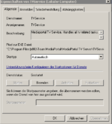
    Solution: delay the start of the TV service until your network adaptor has received the IP address.

    Do you mean under Windows Service configuration?

    Services.PNG
     

    mm1352000

    Retired Team Member
  • Premium Supporter
  • September 1, 2008
    21,544
    8,236
    Home Country
    New Zealand New Zealand
    I'm using allready a static IP outside of DHCP range of the router. Did you mean this?
    Yes, I meant that. Looks good. (y)

    Do you mean under Windows Service configuration?
    Maybe, if your version of windows supports delayed start for services.
    Anything that can get you a delay would be fine. For example, you could try to make the TV service dependent on other services that take longer to start.
     

    Vasilich

    Portal Pro
    August 30, 2009
    3,392
    1,173
    Germany, Mayence
    Home Country
    Russian Federation Russian Federation
    radical, do you use MySQL or MSSQL?

    [2014-01-31 14:36:13,670] [Log ] [TVService] [ERROR] - Failed to create timeshifting folder or clean up old timeshift files!
    System.IO.DirectoryNotFoundException: Ein Teil des Pfades "Z:\Timeshift" konnte nicht gefunden werden.
    and it seems that you have problems with RAM-Disk? at the time when TV server starts there is no Z drive in tour system, or the Timeshift folder isn't created yet
     

    mm1352000

    Retired Team Member
  • Premium Supporter
  • September 1, 2008
    21,544
    8,236
    Home Country
    New Zealand New Zealand
    I was thinking the Z: drive could be a NAS or something. Another sign that the network is not up...
     

    radical

    Portal Pro
    December 16, 2010
    1,465
    193
    Home Country
    Germany Germany
    Vasilich is right. Z: drive is my RAM Disk for timeshifting created with ImDisk. I'm using Mysql 5.6.
     

    radical

    Portal Pro
    December 16, 2010
    1,465
    193
    Home Country
    Germany Germany
    Yes, I meant that. Looks good. (y)


    Maybe, if your version of windows supports delayed start for services.
    Anything that can get you a delay would be fine. For example, you could try to make the TV service dependent on other services that take longer to start.

    OS is Win 7 64bit professional. I'll try to Make an dependency on ImDisk
     

    radical

    Portal Pro
    December 16, 2010
    1,465
    193
    Home Country
    Germany Germany
    I hope I did it right. After my scheduled Recording will end, I'm going to restart.

    Edit:
    So, my Problem with the RAM Disk seems to be solved.
    But unfortunately it dosen't solve my main Problem.
    Code:
    [2014-01-31 19:10:31,737] [Log    ] [TVService] [INFO ] - Controller: started at TV-Server
    [2014-01-31 19:10:31,737] [Log    ] [TVService] [INFO ] - Controller: local ip address:127.0.0.1
    [2014-01-31 19:10:31,800] [Log    ] [TVService] [INFO ] - Controller: server running on TV-Server

    Any suggestions?
     

    Attachments

    • LOG TV-Server.zip
      13.8 KB
    Last edited:

    Users who are viewing this thread

    Top Bottom