Database Connection Problems (on client machine) (1 Viewer)

porky996t

MP Donator
  • Premium Supporter
  • May 21, 2008
    1,016
    81
    Bolton, Lancashire, England
    Home Country
    England England
    Thanks for that HomeY..... I'm just thinking out loud here... maybe I have posted the incorrect 'server' file. The sever is actually a single seat machine in the living room that has the tuner cards in, and it also streams to the bedroom and kitchen. I posted the gentle.config from the MediaPortal folder and not the TV Server folder....

    let me check and repost if necessary.

    Here is the gentle.config file from the TV Server...


    <?xml version="1.0" encoding="utf-8"?> <Gentle.Framework> <!-- See the API documentation for the Gentle.Framework.GentleSettings class for detailed information on the keys available in the Options section --> <Options> <!-- the default timeout value in seconds for IDbCommand instances created by Gentle --> <CommandTimeout>30</CommandTimeout> <!-- whether to enable support for Gentle-managed concurrency control columns --> <ConcurrencyControl>false</ConcurrencyControl> <!-- options: Attributes or XML (XML currently unused) --> <MasterDefinition>Attributes</MasterDefinition> <Analyzer> <!-- options: None, OnDemand (the default), Full --> <Level>OnDemand</Level> <!-- whether to warn about unmapped columns and other non-fatal errors --> <Silent>false</Silent> </Analyzer> <Cache> <!-- default cache strategy (use only Never or Temporary) --> <DefaultStrategy>Temporary</DefaultStrategy> <CacheStatements>true</CacheStatements> <CacheObjects>true</CacheObjects> <!-- when true Gentle will try to bypass query execution and compose the result from cached data alone --> <SkipQueryExecution>true</SkipQueryExecution> <!-- the scope within which to ensure uniqing options: Thread (default), Application or WebSession --> <UniqingScope>Application</UniqingScope> </Cache> <Logging> <!-- This setting controls the lowest log level emitted. See the Verbosity enum for details on the available values. --> <Verbosity>Warning</Verbosity> <!-- Do not edit this unless you know what you're doing. This setting controls at what level error conditions are considered fatal. --> <Frailty>Warning</Frailty> <!-- Use values defined in the LogCategories enum to turn logging on/off for selected categories. The available values include: All (all categories) StatementExecutionRead (select statements) StatementExecutionWrite (insert/update/delete statements) StatementExecutionOther (any other kind of statement) StatementExecution (any kind of statement; same as all three groups above) Cache (cache accesses) Metadata (metadata updates) General (everything else) --> <!-- The following sample first disables all categories, then selectively turns on various subcategories --> <Category name="All" enabled="false" /> <Category name="StatementExecution" enabled="false" /> <Category name="Cache" enabled="false" /> <Category name="Metadata" enabled="false" /> </Logging> </Options> <!-- <NamespaceProviders> <Namespace namespace="Gentle.First" provider="SQLServer" connectionstring="..." /> <Namespace namespace="Gentle.Second" provider="SQLServer" connectionString="..." /> </NamespaceProviders> --> <DefaultProvider name="MySQL" connectionString="Server=TVPC;Database=MpTvDb;User ID=root;Password=MediaPortal;charset=utf8;Connection Timeout=30;" /> <!-- <DefaultProvider name="Firebird" connectionString="User=SYSDBA;Password=masterkey;Data Source=TvLibrary.fdb;ServerType=1;Charset=UNICODE_FSS;" /> <DefaultProvider name="Jet" connectionString="Provider=Microsoft.Jet.OLEDB.4.0;Data Source=C:\Code\Gentle.NET\Source\Gentle.Framework.Tests\Database Files\Gentle_MSAccess.mdb;OLE DB Services=-1;" /> <DefaultProvider name="MySQL" connectionString="Server=10.0.0.2;Database=test;User ID=xxx;Password=xxx" /> <DefaultProvider name="PostgreSQL" connectionString="Server=10.0.0.2;Database=Test;User ID=xxx;Password=xxx" /> <DefaultProvider name="Oracle" connectionString="Data Source=kermit.symbiote.sporadicism.com,1521;User ID=gentle;password=xxx" /> <DefaultProvider name="OracleODP" connectionString="Data Source=kermit.symbiote.sporadicism.com,1521;User ID=gentle;password=xxx" /> <DefaultProvider name="SQLite" connectionString="URI=file:c:/Code/Gentle.NET/Source/Gentle.Framework.Tests/Database Files/Gentle_SQLite.db" /> <DefaultProvider name="SQLServer" connectionString="data source=127.0.0.1;initial catalog=Test;user id=xxx;password=xxx;packet size=4096" /> --> <!-- IMPORTANT: You must uncomment ONLY the providers that you will be using. If a provider is defined below, but Gentle cannot find or load the associated library, an exception will most likely be raised! --> <Providers> <!-- list known provider assemblies; the assembly .dll suffix is optional --> <!-- Provider name="CE" assembly="Gentle.Provider.CE" /--> <!-- Provider name="Firebird" assembly="Gentle.Provider.Firebird" /--> <!-- Provider name="Jet" assembly="Gentle.Provider.Jet" /--> <Provider name="MySQL" assembly="Gentle.Provider.MySQL.dll" /> <!-- Provider name="Oracle" assembly="Gentle.Provider.Oracle" /--> <!-- Provider name="OracleODP" assembly="Gentle.Provider.OracleODP" /--> <!-- Provider name="PostgreSQL" assembly="Gentle.Provider.PostgreSQL" /--> <!-- Provider name="SQLite" assembly="Gentle.Provider.SQLite" / --> <Provider name="SQLServer" assembly="Gentle.Provider.SQLServer" /> <!-- Provider name="Sybase" assembly="Gentle.Provider.Sybase" / --> <!-- Provider name="SybaseASA" assembly="Gentle.Provider.SybaseASA" / --> </Providers> </Gentle.Framework>
     
    Last edited:

    HomeY

    Test Group
  • Team MediaPortal
  • February 23, 2008
    6,418
    4,717
    51
    ::1
    Home Country
    Netherlands Netherlands
    <DefaultProvider name="MySQL" connectionString="Server=TVPC;Database=MpTvDb;User ID=root;Password=MediaPortal;charset=utf8;Connection Timeout=30;" />

    Has the same Computer Name in it -> TVPC. If that's the computer name of the TV Server, then it looks good, since the clients also (try to) connect to this.

    I'm using the IP address of 192.168.1.130, which is that in the streaming server, with a port of 554... should i be using port 554 or the MySQL default one of 3306??
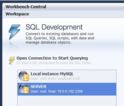
    If the 'TV Server' has the computername TVPC, then you should see this database directly when you open MySQL Workbench:

    Workbench.JPG

    In my case the computer name is 'SERVER'. You should see 'TVPC' there (assuming that's the PC with the TV Server installed). double click on it should open de database.
     
    Last edited:

    HomeY

    Test Group
  • Team MediaPortal
  • February 23, 2008
    6,418
    4,717
    51
    ::1
    Home Country
    Netherlands Netherlands
    Hi Jeroen,

    I have tried connecting from Workbench on the client, using both the IP address and the computername of TVPC, neither have been successful. :(
    So accordign to your reply i assume 2 things:
    1. The Computer name of the PC running the TV Server part is 'TVPC'?
    2. You don't see the database in MySQL Workbench as on my screenshot in the previous post? (I started MySQL Workbench on my DESKTOP, and it sees the SERVER, which has the TV Card/dB on it).

    If you have a MySQL database (which you have on the Server) it should show up on every network PC where you install Workbench on, unless it doesn't see it or can't connect (which is your problem according to the logs). So the big question still is: where does it go wrong? :cautious:
     

    mm1352000

    Retired Team Member
  • Premium Supporter
  • September 1, 2008
    21,544
    8,236
    Home Country
    New Zealand New Zealand
    Hi guys

    Strange stuff. Can I just make sure I have the facts straight as well.
    1. You have one server, "TVPC" - 192.168.1.130.
    2. You have X clients, 2 of which don't seem to be able to connect to the MP TV Server. The others (including at least one client-only install) are perfectly fine.
    3. The problem appears to be an issue with connecting to the TV Server database.
    4. The clients that can't connect can see file shares and ping the server successfully using IP address or host name.

    Does your server or either of the problem-clients have multiple network adapters?
    Are you sure that the DB server is bound to the IP that you specified?
    What are the problem client IP addresses, and can you give an example of an IP address for a client that is able to connect to the server?
    Do you have IPv6 enabled in any way on the network?
    Have you installed Workbench on the server to check that it finds the server - as I recall, I had to configure the servers that Workbench sees - and also, can you use Workbench to check the DB server logs?

    As previously mentioned, I recommend disabling all firewalls while testing.
    I also recommend disabling all except one of the network adapters on each PC, and using static IP addresses.
    Further, I recommend you avoid the use of host names both in the gentle.config and the MediaPortal client TV plugin configuration.
    Finally, I recommend that you check the MySQL server configuration.
    1. Ensure the port is 3306.
    2. Ensure "skip networking" is *not* ticked.
    3. Ensure that "root" can connect from any host.
    4. Ensure that "root" has all privileges on MpTvDb.
    As I said before, when MP installs MySQL all of that stuff should be configured correctly. However it doesn't hurt to double check.

    mm
     
    Last edited:

    porky996t

    MP Donator
  • Premium Supporter
  • May 21, 2008
    1,016
    81
    Bolton, Lancashire, England
    Home Country
    England England
    Just by way of response, and for clarity:-

    1. You have one server, "TVPC" - 192.168.1.130. - Yes. Static IP address and 'singleseat' setup.

    2. You have X clients, 2 of which don't seem to be able to connect to the MP TV Server. The others (including at least one client-only install) are perfectly fine. - Yes. 2 fixed, client only, identical Zotac machines in bedroom & kitchen, and 2 identical HP, client only, laptops. Bedroom client doesn't connect and GF's laptop doesn't connect.

    3. The problem appears to be an issue with connecting to the TV Server database. - Yes. 1 laptop (GF's) and 1 client (bedroom) will not connect.

    4. The clients that can't connect can see file shares and ping the server successfully using IP address or host name. - Yes. Ping using IP address, not tried using hostname.

    Does your server or either of the problem-clients have multiple network adapters? - Server using onboard LAN, the only network adapter on this machine. Problem client in bedroom using onboard LAN, with built in wireless adapter disabled in Win7. Problem client laptop using built in wireless, but on board LAN still active if cable plugged in.

    Are you sure that the DB server is bound to the IP that you specified? - I think so; the 2 clients that do connect have the server IP address as the TV host in MP config>TV settings, and both work and connect fine.

    What are the problem client IP addresses, and can you give an example of an IP address for a client that is able to connect to the server? - Now, here's a thought. Last month I was trying to get a Gigabit, fixed network set up ( and couldn't ), as part of this I gave a fixed IP address to the kitchen client (which works) and my laptop (which works) and left the bedroom client and GF's laptop to a DHCP assigned IP address from the router. The DHCP assigns IP addresses in the format 192.168.1.xxx.
    The TV Server is 192.168.1.130 - static IP
    My laptop is 192.168.1.135 - static IP, will connect, works fine.
    Bedroom client is 192.168.1.102 - DHCP - Does not connect. Will try with static IP


    Do you have IPv6 enabled in any way on the network? - I didn't until I tried to get the Gigabit network working last month. I will check all machines, as it appears that I have left it enabled on my laptop (connects OK), so may have on the other machines. I'll check them all.

    Have you installed Workbench on the server to check that it finds the server - as I recall, I had to configure the servers that Workbench sees - and also, can you use Workbench to check the DB server logs? - No, not yet. GF currently watching TV in living room :rolleyes:


    Just to recap, I will now give all clients a static IP address, and will ensure that IPv6 is disabled on all machines at the same time.

    I'll report back in 20 minutes, or so.

    Thank you.
     

    porky996t

    MP Donator
  • Premium Supporter
  • May 21, 2008
    1,016
    81
    Bolton, Lancashire, England
    Home Country
    England England
    SUCCESS!!

    Thank you mm!! I really owe you some cold beer! The GF is now off my back, and I would expect he WAF to go back to an all time high.

    I set up a static IP on the bedroom client and it worked straight away. IPv6 was still disabled, as I did this when I originally set the Zotac unit up. The static IP address is 192.168.1.150 Perhaps it is a problem with the router, and its DHCP assignations? I dunno, just pleased it is back working again.

    Thanks to all who made suggestions, it is your input, patience and knowledge that makes this forum, and MP, as good as it is.
     

    Jay_UK

    Test Group
  • Team MediaPortal
  • October 6, 2009
    1,780
    283
    Derby
    Home Country
    United Kingdom United Kingdom
    Great news!

    Even better the WAF factor should be back to an all time high ;)

    J.
     

    Users who are viewing this thread

    Top Bottom