Dropping Frames (1 Viewer)

porky996t

MP Donator
  • Premium Supporter
  • May 21, 2008
    1,016
    81
    Bolton, Lancashire, England
    Home Country
    England England
    Hi Guys,

    I have a small problem when watching live TV or recorded TV/video

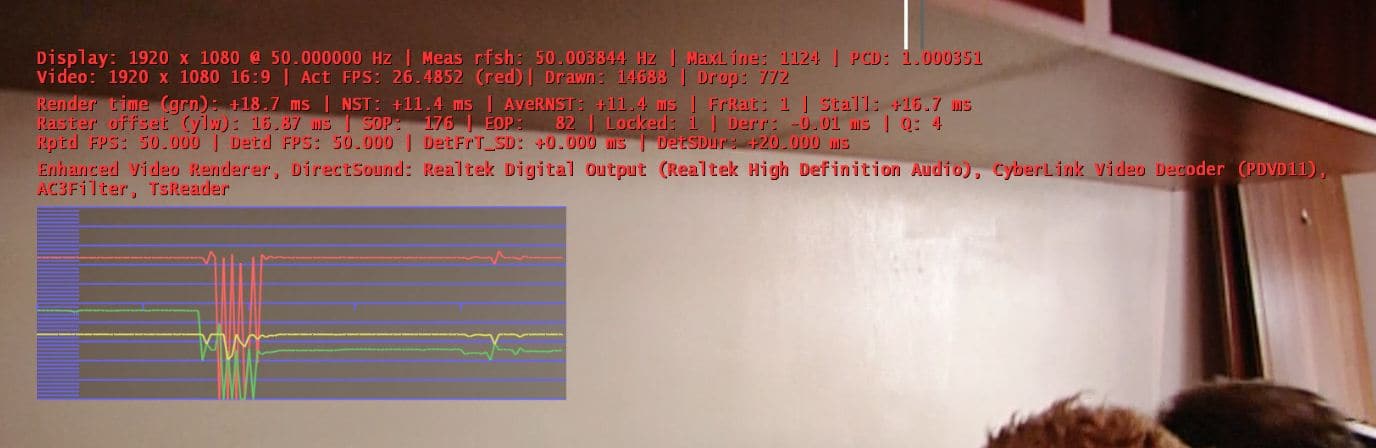
    Every 26-27 secs I get a small amount of dropped frames; on SD video this is about 5 or so and on HD it is about 15-20. This happens on both SD & HD and does not change when I try different codecs. It is more noticeable in HD. When I monitor this with the "shift 1" display the three lines are pretty flat until the point where the dropped frames occur and they look like the Alps! This happens for less than a second and then they are all flat again.

    This is on the main HTPC/server. All there is on this HTPC is the Win7 install, MP, DaemonTools and files related to MP. It is only used as a HTPC. No Games or any other software.

    Could it be there is something running in the background causing this?


    Many thanks


    M.
     

    porky996t

    MP Donator
  • Premium Supporter
  • May 21, 2008
    1,016
    81
    Bolton, Lancashire, England
    Home Country
    England England
    Hi Tony,

    I did try them on my client a couple of months back, but will have a read and try the most suitable for the main server. I'll report back with any results.
     

    Owlsroost

    Retired Team Member
  • Premium Supporter
  • October 28, 2008
    5,539
    5,038
    Cambridge
    Home Country
    United Kingdom United Kingdom
    Probably the best thing is to post logs and a screen capture with the render stats enabled, using a v0055e or later dshowhelper version.

    Tony
     

    porky996t

    MP Donator
  • Premium Supporter
  • May 21, 2008
    1,016
    81
    Bolton, Lancashire, England
    Home Country
    England England
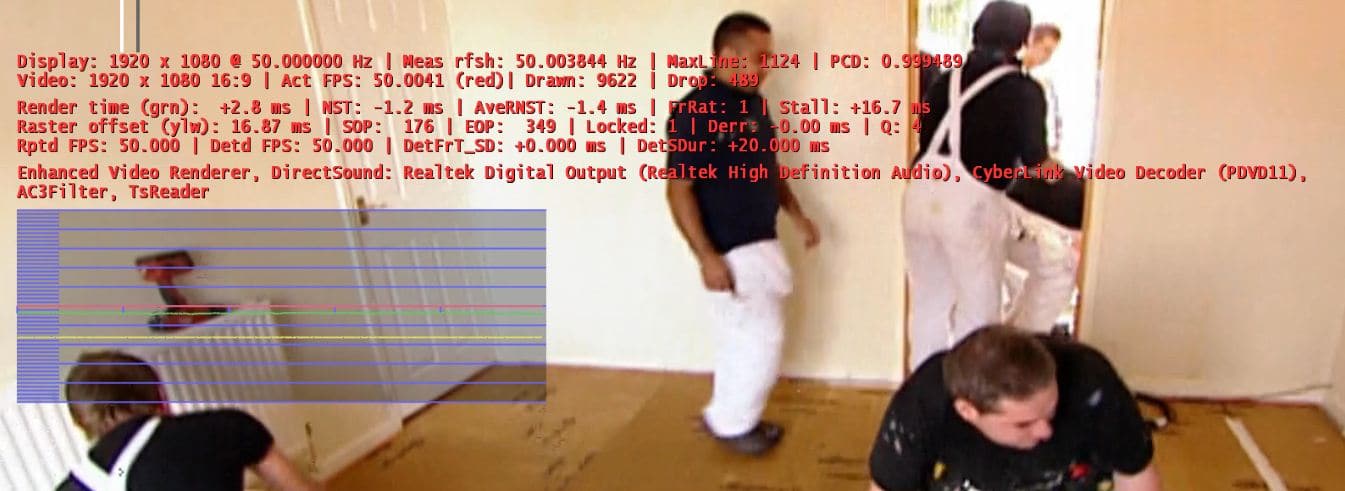
    This a couple of screen grabs using v55e dshowhelper.

    The first is the 'normal' picture and the second is when the stutter has occurred.

    Thanks,


    M.
     

    Attachments

    • Normal.JPG
      Normal.JPG
      110.7 KB
    • Stutter.JPG
      Stutter.JPG
      84.9 KB

    tourettes

    Retired Team Member
  • Premium Supporter
  • January 7, 2005
    17,301
    4,800
    Refresh rate mismatch wont explain the frequency when how often you are seeing the stuttering. It should happen only on every 260 seconds when one frame is dropped / duplicated (1/(50,003844 - 50) = 260,14).

    So, it might be something on the system itself that interrups / hogs CPU on 26 to 27 second interval.
     

    Owlsroost

    Retired Team Member
  • Premium Supporter
  • October 28, 2008
    5,539
    5,038
    Cambridge
    Home Country
    United Kingdom United Kingdom
    Yes, I agree, it looks a bit like CPU hogging - the render time is increasing dramatically after the initial stutter (green line in the second picture).

    Try running with Task Manager on top and see if there are any spikes ?

    Tony
     

    tourettes

    Retired Team Member
  • Premium Supporter
  • January 7, 2005
    17,301
    4,800
    First, make sure Windows 7 / Vista automatic desktop background image changing is disabled. It is really GPU hungry when it does the fade transition between images.
     

    Vasilich

    Portal Pro
    August 30, 2009
    3,392
    1,173
    Germany, Mayence
    Home Country
    Russian Federation Russian Federation
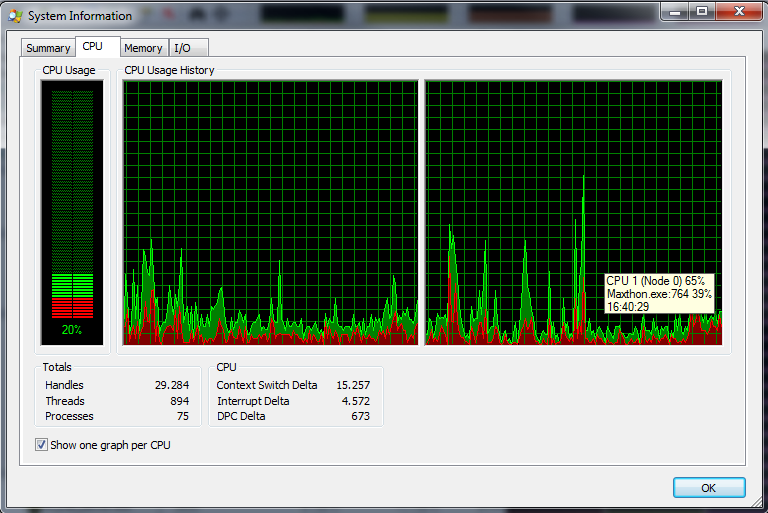
    or use ProcessExplorer - it shows in systemInfo the process name that took most of CPU in any logged moment.
     

    Attachments

    • PE_SysInfo_CPULogging.png
      PE_SysInfo_CPULogging.png
      47.4 KB

    Users who are viewing this thread

    Top Bottom