
You are using an out of date browser. It may not display this or other websites correctly.
You should upgrade or use an alternative browser.
You should upgrade or use an alternative browser.
File crashing media portal (1 Viewer)
- Thread starter JustusIV
- Start date
 United States of America


- Moderator
- #24
Yes, will start writing one now.
1. Fresh install of both MP and Mytvseries.
2. Take any file named "sample-abcd.s01e01.hdtv.xvid-fqm.avi" put in in c:\test
3. Setup mytvseries to scan dir c:\test
4. close mytvseries config and launch MP
5. Enter mytvseries plugin inside of MP, It will scan and say Local series "sample-abcd"
6. Click Skip / Never show again
7. Do Switch View to Recently Added inside of mytvseries. Just verify "sample-abcd - 1: xvid-fqm" is listed.
8. Close MP
9. Open MP and go to mytvseries plugin
10. You should be showing recently added and it will hang right off the bat.
Side note
If you have more then just this file, it only hangs when you have the file in question selected.
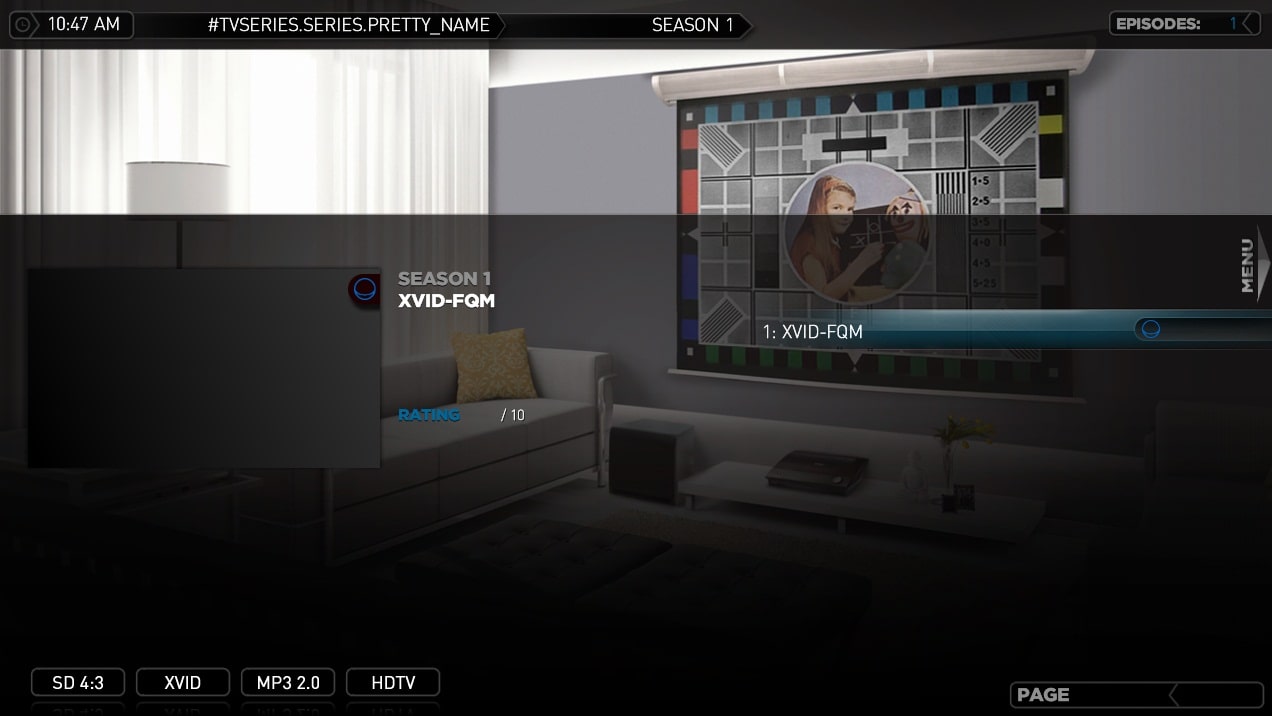
If you do not have it slected it will show the name of the file named differently then before the relaunch of MP "1: xvid-fqm" and that will crash once you hover over it
Justin, I followed your steps to the letter and could not reproduce.
After restarting, and subsequent restarts the plugin/mediaportal responds as per normal.
Were you using all default settings after starting fresh? ie. the only thing I did was set the import path and then shut down configuration.
Attachments
- Thread starter
- #25
I have just created a video and uploaded it to youtube. if you wouldn't mind checking it out.
YouTube - MPfeeze.wmv
it is still being processed.
running through the steps and having it crash.
*EDIT*
hope the quality gets better once it is finished processing :/
YouTube - MPfeeze.wmv
it is still being processed.
running through the steps and having it crash.
*EDIT*
hope the quality gets better once it is finished processing :/
- Thread starter
- #27
That actually doesn't matter. I just had them there to show that they do work as intended.
*EDIT*
I made another video that i am uploading now.
It shows that when MyTVseries imports it it works fine, but after a close and reopen it hangs.
*EDIT*
I made another video that i am uploading now.
It shows that when MyTVseries imports it it works fine, but after a close and reopen it hangs.
- Thread starter
- #29
YouTube - MPfreeze2.wmv
here is the new video
Will take a moment to process and for the higher quality to come through.
*EDIT*
to me the keys to reproduce are.
When told it cant find it chose "Click Skip / Never show again", go over to the recently added, will work until MP is restarted. If other items are in the Recently added list, MP wont hang until the file in question is highlighted.
*EDIT*
I take back the hypen comment, i just reproduced with the file name "fghfg.s01e01.avi"
here is the new video
Will take a moment to process and for the higher quality to come through.
*EDIT*
to me the keys to reproduce are.
When told it cant find it chose "Click Skip / Never show again", go over to the recently added, will work until MP is restarted. If other items are in the Recently added list, MP wont hang until the file in question is highlighted.
*EDIT*
I take back the hypen comment, i just reproduced with the file name "fghfg.s01e01.avi"

Users who are viewing this thread
Online now: 2 (members: 0, guests: 2)