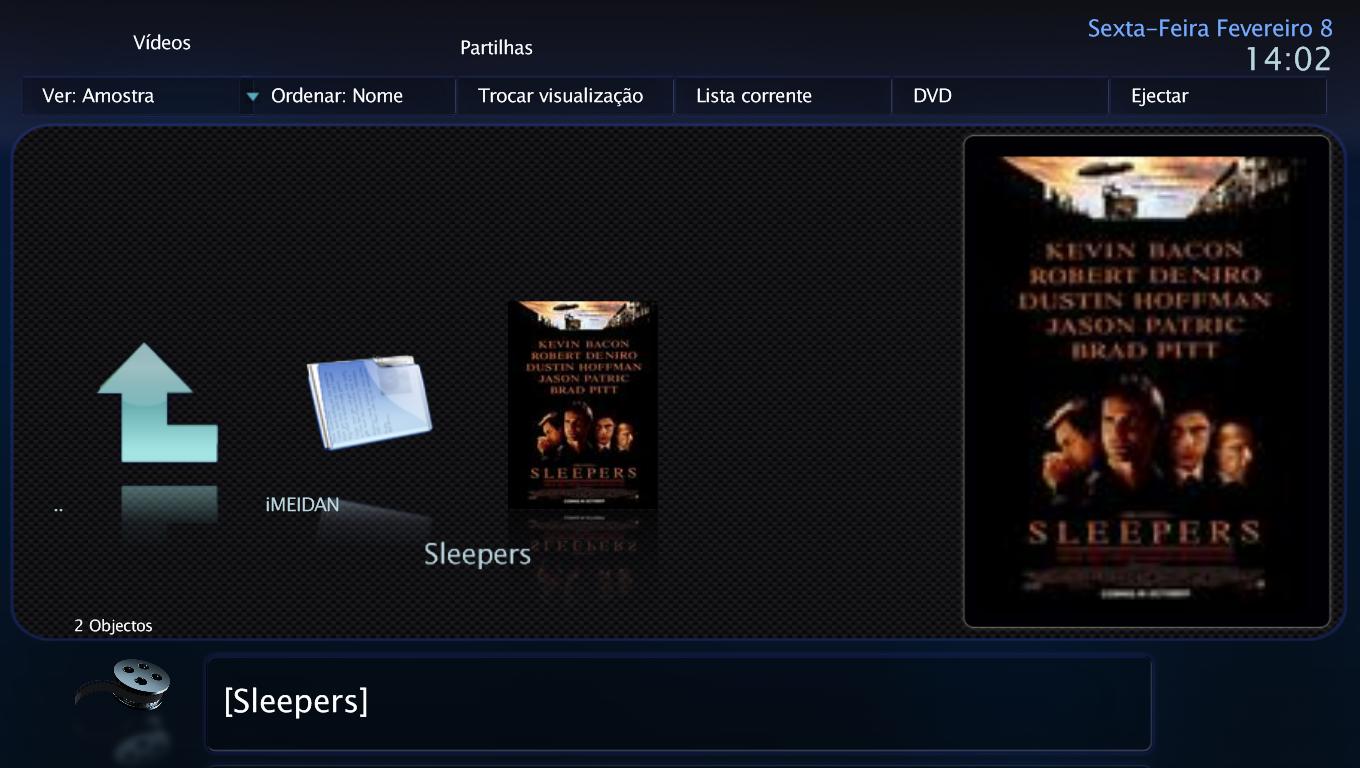
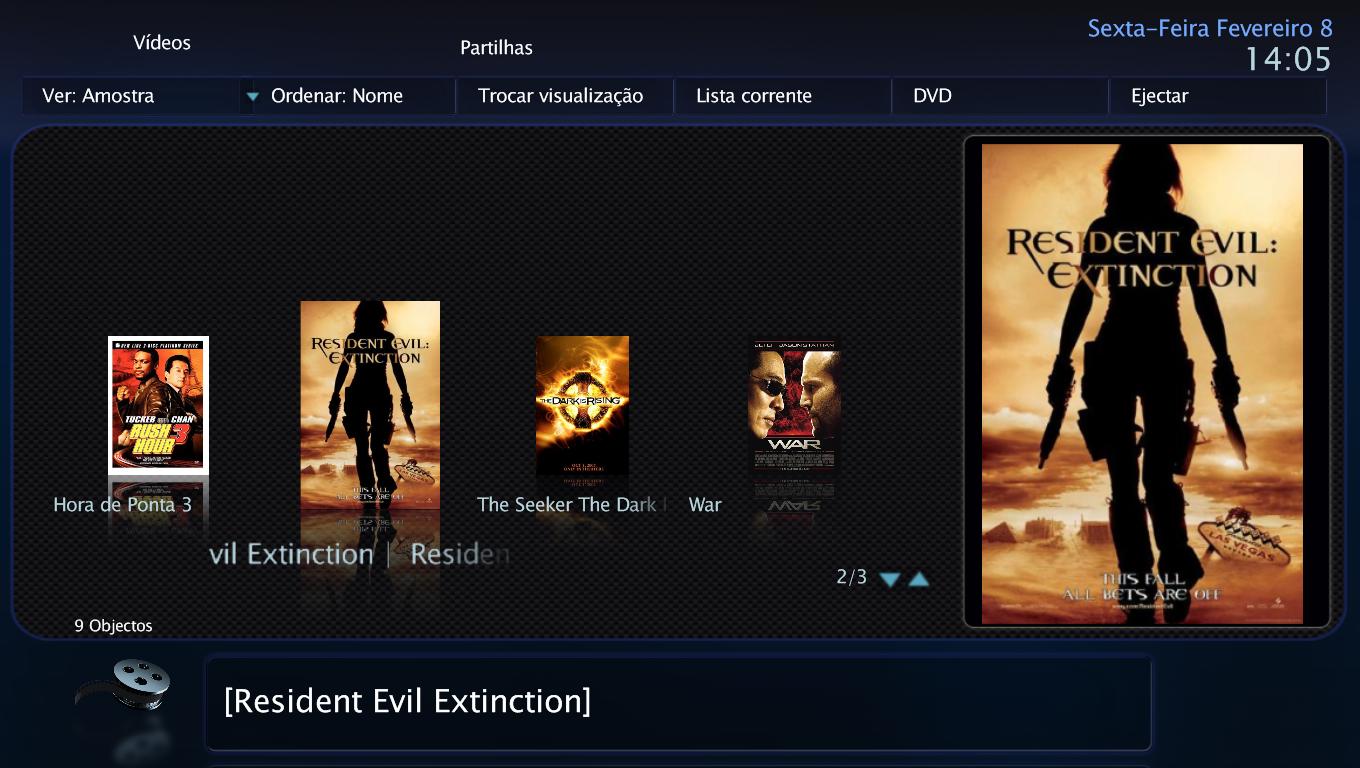
filmstrip low quality pictures (1 Viewer)

Vampiro

Portal Pro
January 29, 2008
156
2
52
Home Country
Portugal Portugal
Size 5**x768 for L. The problem is: in thumb directory I have movie.jpg and movieL.jpg. The L one is 5**x768 and the other is smaller (1**x192). In the movie folder I have one with the same size of the movieL.jpg with the name folder.jpg. When I press F3 to refresh the info about the movie (whyle in MP My videos) the folder picture reverts to the smaller jpg equal to the smaller one found in thumbs....
 

Vampiro

Portal Pro
January 29, 2008
156
2
52
Home Country
Portugal Portugal
I found that the problem only appens in a shared folder from another pc. Turn off all the permission and left only the permission to read, it seems ok now. I'll continue to make some more test then I'll post the results here...
 

Vampiro

Portal Pro
January 29, 2008
156
2
52
Home Country
Portugal Portugal
Update: I was wrong... It appened again in a non shared folder from another pc... So I set the movie folder with a read only attribute... So far so god but the first picture always comes with low resolution (I manually put a HQ picture and then when I press update F3 it stays there with no quality loss). BTW I also cleaned the cache folder...
 

Vampiro

Portal Pro
January 29, 2008
156
2
52
Home Country
Portugal Portugal
Update 2: Again Wrong... It work a few times then back to the same problem! Deleted the moviedatabase also, and it works for some movies info, then it started to do it again... New movies only get low res pictures in folder (the picture that is showned in filmstrip) The pictures in Thumbs directory are movie.jpg and movieL.jpg, but in the folder some are nice whyle others after pressing F3 become low res!... What should I do: delete the thumbs folder, delete the folder.jpg inside each movie folder (and why the picture inside the folder is always hidden?), delete all the media portal folder, or reinstall it again and loose all my settings and data?
Please advice...

P.S. - Could it be an Anti-Virus issue?!
 

Vampiro

Portal Pro
January 29, 2008
156
2
52
Home Country
Portugal Portugal
Update 3: Unistalled MP and deleted the Team MediaPortal folder. Installed latest version and latest MediaPortal SVN-Snapshot. Then I setup MP started new video database and now the problem only occurs with new folder. All the others are keeping (till now) the high res pics in filmstrip but the new movie folders only get low res pics... Don't know what else i can do... Please help!!! Someone...
 

Paranoid Delusion

Moderation Manager
  • Premium Supporter
  • June 13, 2005
    13,052
    2,978
    Cheshire
    Home Country
    United Kingdom United Kingdom
    Can you give us some systems specs\os etc, this may be a permissions thing.

    Also use MPTestTool to create logs, go to both a hi-res title and a low-res one, hopefully may be able to see where the limitation is happening.
     

    Vampiro

    Portal Pro
    January 29, 2008
    156
    2
    52
    Home Country
    Portugal Portugal
    Here it is:
    b]TV-Server Version[/b]:
    MediaPortal Version: Latest (non preview) with latest SVN
    MediaPortal Skin: SpinSafe Revolve 0.2.3.0 v0.8.8
    Windows Version: Win XP SP2 Pro
    CPU Type: DualCore Intel Pentium E2140
    HDD: WDC WD1200JD-00GBB0
    Memory: 2048 MB (DDR2-667 DDR2 SDRAM) Team Elite
    Motherboard: Asus P5LD2-X
    Motherboard Chipset: i945P
    Motherboard Bios: American Megatrends Inc. 0208
    Video Card: ATI Radeon HD 2400 PRO (256 MB)
    Video Card Driver: Latest from ATI
    Sound Card: Realtek ALC662 @ Intel 82801GB ICH7 - High Definition Audio Controller
    Sound Card AC3:
    Sound Card Driver:
    1. TV Card: Prolink PlayTv Pro Pci (Bt878)
    MPEG2 Video Codec:
    MPEG2 Audio Codec:
    Satelite/CableTV Provider:
    HTPC Case: Nox Media
    Cooling:
    Power Supply: 460W Eurotech Silent
    Remote: Soundgraph Imon MM
    TV: LG 32LX2R
    TV - HTPC Connection: DVI


    Please Help...:(
     

    Attachments

    • New folder low res pic filmstrip.JPG
      New folder low res pic filmstrip.JPG
      104.4 KB
    • Old folders Hi Res Pic filmstrip.JPG
      Old folders Hi Res Pic filmstrip.JPG
      129.9 KB

    Vampiro

    Portal Pro
    January 29, 2008
    156
    2
    52
    Home Country
    Portugal Portugal
    Update 4: What I found out was that the filmstrip pic are getting hi-res with only MP installed... When I install a SVN the new folder pic are low-res... Confirmed this same issue in another pc running vista, so probally is a SVN issue...
     

    Darre

    Portal Pro
    April 21, 2007
    925
    80
    Home Country
    Norway Norway
    Yap it is broken in one of the SVN's. Hopefully we get a unofficial patch with this and some more cool stuff soon ;)
     

    Vampiro

    Portal Pro
    January 29, 2008
    156
    2
    52
    Home Country
    Portugal Portugal
    If I instal the SVN I get low res pics, but if I don't I get the Radio hang Bug, so don't know what to do... :(
     

    Users who are viewing this thread

    Similar threads

    i think info but I'm really not sure
    i think info but I'm really not sure
    When I import new films using Moving Pictures, it takes an incredibly long time for the information to be found and downloaded...
    Replies
    3
    Views
    737
    I was just tinkering with a few settings in the MediaPortal configuration and am happy to have found the cause of the problem. Disabling the option "Single seat setup: force RTSP usage" under "TV/Radio", "Advanced Options" resolved the issue. After I disabled this option, I was able to delete the recordings the first time...
    I was just tinkering with a few settings in the MediaPortal configuration and am happy to have found the cause of the problem...
    Deleting recordings sometimes doesn't work. Neither the 0 button nor the Info/Delete button works. Nothing happens at all with...
    Replies
    6
    Views
    505
    If everything works, I'll add it to 1.38 Pre
    If everything works, I'll add it to 1.38 Pre
    Would it be possible to add a star rating (1-5) for pictures in the database, preferably even within browsing files? This way, you...
    Replies
    11
    Views
    3K
    You could use a different player that handles HDR content but thats more hassle then installing MadVR
    You could use a different player that handles HDR content but thats more hassle then installing MadVR
    I searched several days now but could only find non-working ideas and mostly based on MadVR. Is there a way to play HDR content...
    Replies
    1
    Views
    1K
    maybe setting loglevel to debug might pinpoint the difference between normal and stuck? Preferable with as much disabled as possible also try to see if anything is happening during stuck for the mediaportal process(resource monitor, disk activity, cpu usage, anything) maybe other programs competing for resouces?
    maybe setting loglevel to debug might pinpoint the difference between normal and stuck? Preferable with as much disabled as...
    Since over a year my MP sometimes stucks while showing the welcome screen. It started once a week now it happens every second time...
    Replies
    4
    Views
    1K
    Top Bottom