First line of TV subtitles not displaying at top (6 Viewers)

RiverFilth

Portal Member
July 18, 2010
11
6
Home Country
Yes, I meant 20 years. Can we all call it a typo instead of a "senior moment"!

You folks have sent me spiraling down a rabbit hole - video editor cut section out beautifully but no subtitles. Now trying to install FFmpeg so editor can decode teletext subtitles. Might be quicker to try and record an appropriate portion of live TV. I'll keep plugging on.
 

framug

Super Moderator
  • Team MediaPortal
  • January 31, 2005
    6,285
    2,464
    South of France
    Home Country
    France France
    No need ffmpeg
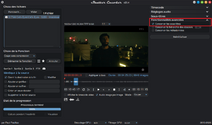
    Did you try this ?

    zz1.png

    I suppose you talk about at the time when MP was only one piece of software, when TV (SD) was integrated in the "client" code and TV Server didn't exist. ;)
     

    RiverFilth

    Portal Member
    July 18, 2010
    11
    6
    Home Country
    Yes that is what I tried and got error:
    "Decoding requested, but no decoder found for: dvb_teletext"

    I thought the full build of FFmpeg might help but it didn't - Shutter Encoder might only use its bundled version of FFmpeg?
     

    framug

    Super Moderator
  • Team MediaPortal
  • January 31, 2005
    6,285
    2,464
    South of France
    Home Country
    France France
    Yes that is what I tried and got error:
    "Decoding requested, but no decoder found for: dvb_teletext"
    hmmm weird, it is working for me, without adding something.
    And I can see subtitles with VLC in the cutted video file
    I thought the full build of FFmpeg might help but it didn't - Shutter Encoder might only use its bundled version of FFmpeg?
    FFmpeg not installed for me, MP is installed and LAV filters.
     

    catavolt

    Design Group Manager
  • Team MediaPortal
  • August 13, 2007
    15,124
    12,058
    Königstein (Taunus)
    Home Country
    Germany Germany
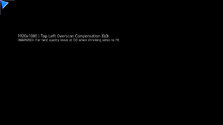
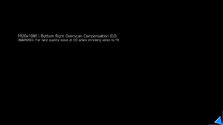
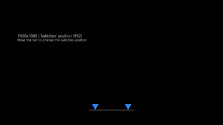
    Well, did you already check the most obvious option, namely Settings -> GUI -> Screen -> Screen Calibration?
    After setting the upper left and lower right corner, you get the screen for the subtitle position:

    10-51-39.jpg 10-51-43.jpg 10-51-51.jpg
     

    RiverFilth

    Portal Member
    July 18, 2010
    11
    6
    Home Country
    My screen calibration looks like your images. I tried moving the subtitles all the way to the bottom but it didn't change the top subtitles.

    I've finally managed to live record 2m of opening credits with subtitle at top - see attached (2nd try as zip as TS rejected).
     

    Attachments

    • NCIS - 10 BOLD - 2026-10-27.zip
      69 MB

    framug

    Super Moderator
  • Team MediaPortal
  • January 31, 2005
    6,285
    2,464
    South of France
    Home Country
    France France

    CyberSimian

    Test Group
  • Team MediaPortal
  • June 10, 2013
    3,838
    3,037
    Southampton
    Home Country
    United Kingdom United Kingdom
    I've finally managed to live record 2m of opening credits with subtitle at top
    I downloaded your sample TV file and tried to get the subtitles to appear, but without success. :(
    • I enabled all forms of subtitles in "MP Config".
    • Subtitles appear for recorded TV residing in the "Recorded TV" folder.
    • Subtitles appear for recorded TV residing in the "Videos" folder.
    • Subtitles do not appear for your test file residing in the "Videos" folder.
    • For some reason I was not able to import your test file into the "Recorded TV" database (in "TV Server Config").
    • I notice that the "status" icons indicate that your file has Dolby Digital audio (first time that I have ever seen that!). Probably not relevant to the subtitle behaviour.
    -- from CyberSimian in the UK
     

    RiverFilth

    Portal Member
    July 18, 2010
    11
    6
    Home Country
    There is something odd about our network 10 TV channels. Sometimes MP just crashes & restarts when I try to play a recording, and I have to change from the LAV video decoder to the Microsoft one to play it. This started happening when they upgraded audio tracks to Dolby Digital. I have also occasionally experienced the problem of not being able to import them into my Recorded TV database, but not on my main playback laptop.

    I have attached all 4 files for the recording - I think you need the xml descriptions for the TV import to work.
    Did you watch the recording all the way through? The subtitles are different for me in this example - I can't see the single line subtitles at all at the start and it is a while before the 2nd line titles appear. Can you also watch in VLC and confirm that the subtitles survived the zip/unzip processes.
     

    Attachments

    • NCIS - 10 BOLD - 2026-10-27.7z
      69 MB
    Last edited:

    RiverFilth

    Portal Member
    July 18, 2010
    11
    6
    Home Country
    Also try setting the subtitle default language to Eng - this and selecting all types has got it working for me in the past.
     

    Users who are viewing this thread

    • ysmp
    Top Bottom