Foofaraw Skin (1 Viewer)

What skin aspect ratio would you/do you use?


  • Total voters
    122
  • Poll closed .

jellybeard999

Portal Pro
October 14, 2005
81
3
Click here !

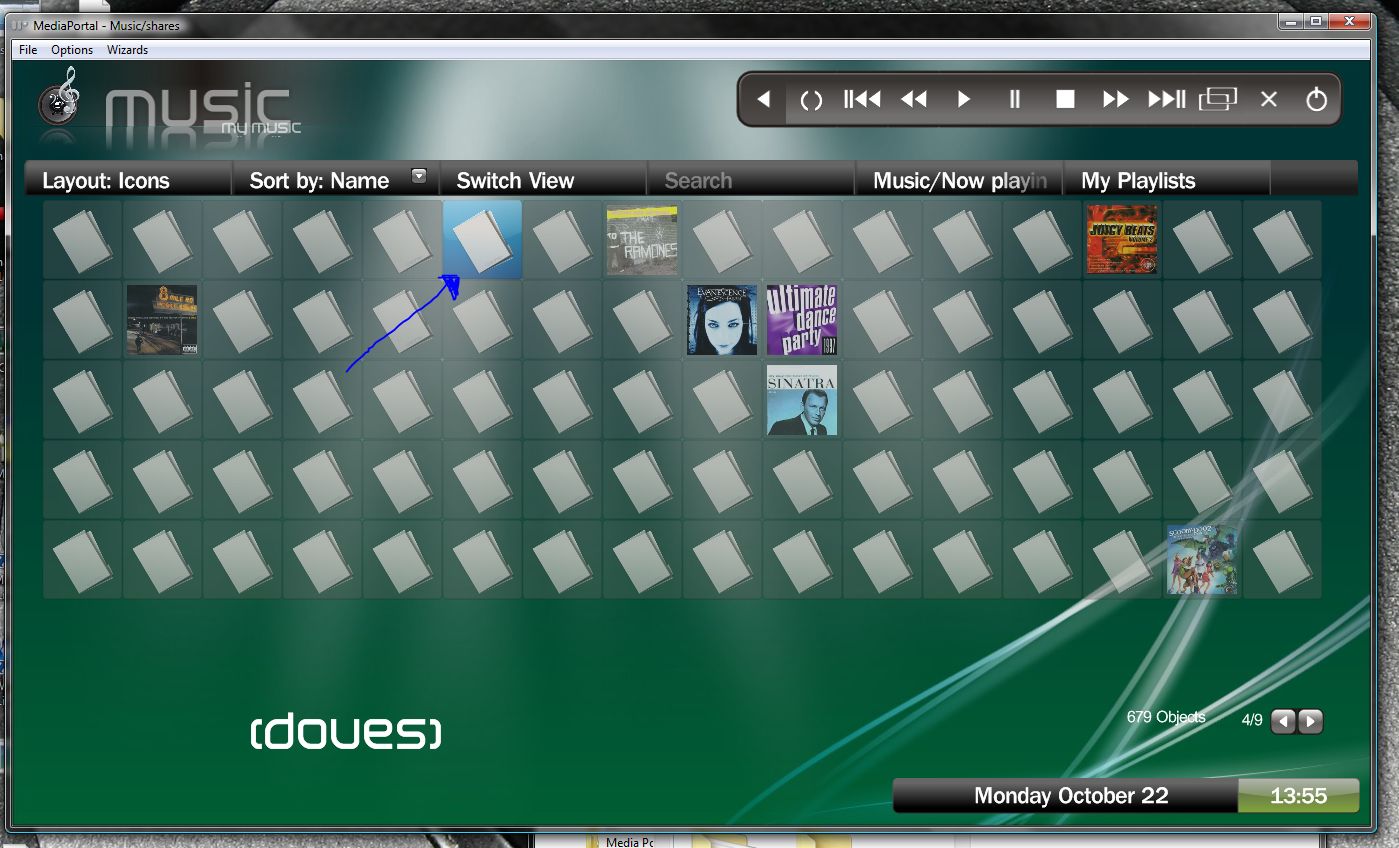
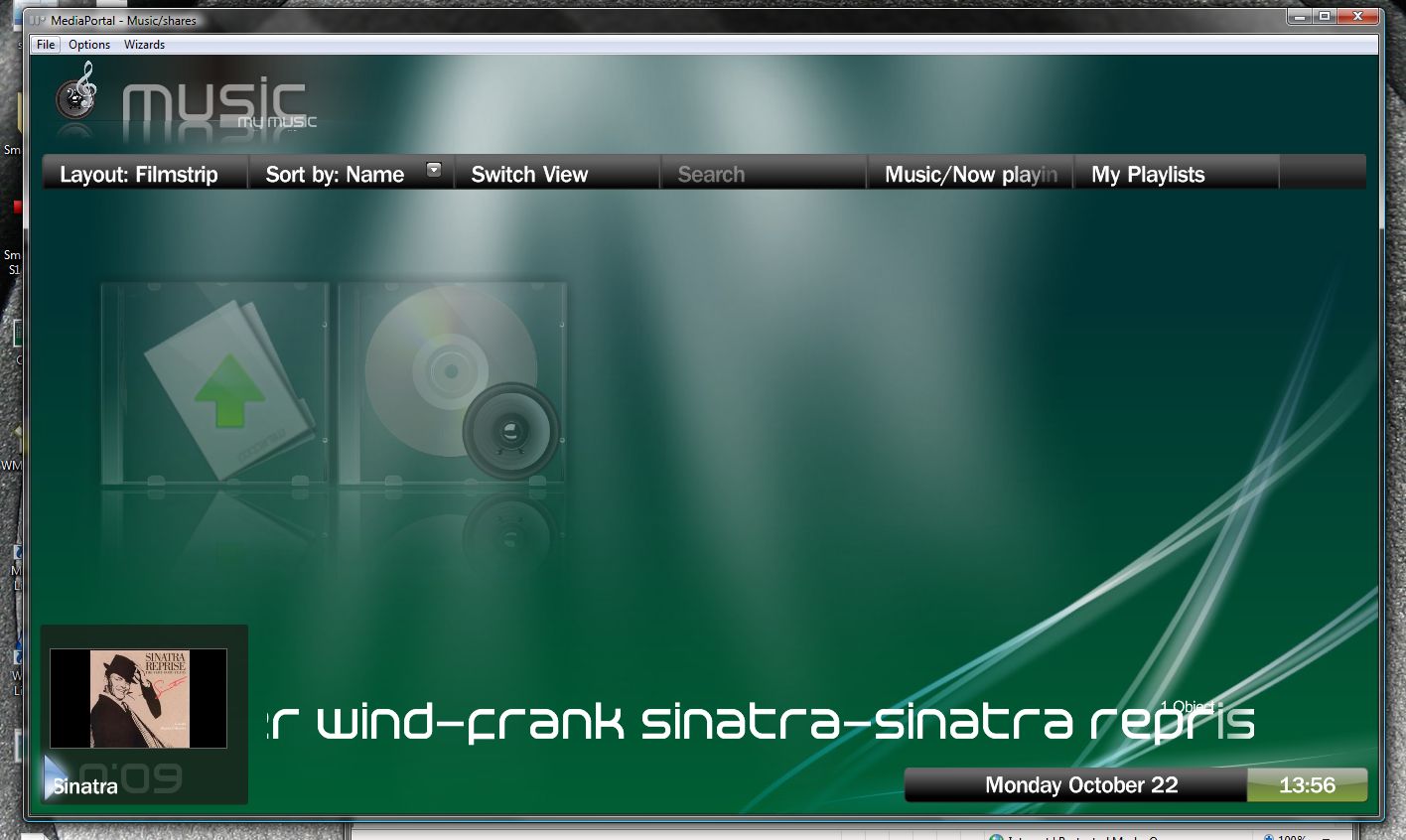
I just took this quick screenshot to illustrate :

The highlight of the album isnt very clear
The dodgy album art in the bottom left. Notice you can JUST see the top of the art at the bottom, and the bottom at the top. All my art is like this, regardless of resolution.
Not essential, but the album artist would be nice, listed under the album title in a smaller font perhaps ?

Don't get me wrong, great skin as i said earlier, just if things are brought to light, it can be improved further :)
 

Paranoid Delusion

Moderation Manager
  • Premium Supporter
  • June 13, 2005
    13,052
    2,978
    Cheshire
    Home Country
    United Kingdom United Kingdom
    Don't you find the brackets around a name annoying, as in your picture of "Brothers in arms".

    Is there anyway around this.

    thanks
     

    rsparey

    Portal Pro
    August 16, 2006
    136
    34
    Congleton
    Home Country
    United Kingdom United Kingdom
    To get the video editor to work you need to change <id>170601</id> to <id>2959</id> in VideoEditorStartScreen.xml

    I've added a border to the icon view

    My Album artwork displays correctly in the video window can anyone else confirm?


    does anyone know where I can find mp-tvshows plugin?


    regards

    Rich
     

    Attachments

    • Capture.JPG
      Capture.JPG
      176.6 KB
    • Capture2.JPG
      Capture2.JPG
      129.7 KB

    mojuk

    Portal Member
    January 6, 2006
    21
    0
    Home Country
    England England
    Hiya mate, love the skin, is awesome! One thing i was wondering if you could tell me how to change or someone could tell me. I looked at the new 'Monochrome' skin (https://forum.team-mediaportal.com/monochrome_those_like_dark_skins_updated_screenshots-t29566.html) and the only thing i preferred is the size of the text in the TV Guide, i have found Foofaraw a bit small on my tv at distance but the size used in Monochrome is much clearer. how can this be changed?

    Cheers and keep up the good work,

    Moj
     

    joel_skold

    Portal Member
    November 3, 2005
    17
    0
    41
    Home Country
    Sweden Sweden
    rsparey:
    My album artwork displays correctly as well, but it would be neat if we could get rid of those black strips at the sides.

    The borders around the icons makes it easier to see which icon is selected but I think it looked better before. What if the non-highlighted icons were a little darker than before and the highlighted one a bit lighter, maybe that's all we need? Or maybe they could blink slowly or something like that.

    anyone:
    There's also a small problem that I'd like to hear if anyone knows anything about. It's really nothing, but if I click my way through the icons all the way to the right side of the screen I eventually end up on the little arrows in the lower right corner. Once I've gotten there I can't get away from them in any other way than going to the home screen and re-enter into music or wherever I was. It's a small problem but can be quite annoying sometimes...

    cheers
     

    dwoodzz

    Portal Pro
    May 2, 2007
    102
    2
    61
    Home Country
    United States of America United States of America
    [
    anyone:
    There's also a small problem that I'd like to hear if anyone knows anything about. It's really nothing, but if I click my way through the icons all the way to the right side of the screen I eventually end up on the little arrows in the lower right corner. Once I've gotten there I can't get away from them in any other way than going to the home screen and re-enter into music or wherever I was. It's a small problem but can be quite annoying sometimes...

    cheers[/QUOTE]
    I also have experienced this problem as well. Very confusing to the Wife:(
    I also have problems with overlapping text where the date and time are on top of each other by about two or three spaces, does anyone else have this problem-it also occurs in my music where the artist name and title are:confused:
     

    joel_skold

    Portal Member
    November 3, 2005
    17
    0
    41
    Home Country
    Sweden Sweden
    Well, my text do some interesting things now and then as well, but I don't think I've ever seen that date overlap.
    The "Now Playing"-view is quite messed up in other places though, as you can see in my screen shot. I think I'm gonna play around with text sizes a bit to see if I can get rid of that artist-song-overlap. For some reason those huge text sizes roll very slowly and unsmoothly on my computer... :(

    I also had an idea about the icon view...
    Maybe the highlighted icon could be enlarged a bit, just like in filmstrip view. I made a little example of how I'm picturing it with Paint(.net actually, really neat program). What do you think? :)


    rsparey

    Portal Pro
    August 16, 2006
    136
    34
    Congleton
    Home Country
    United Kingdom United Kingdom
    Nice background Joel_skold,
    I've already fixed the text overlapping problem for the next release. the text rolls very unsmoothly becaue it is center justified. I fould by left justifying it it now rolls smoothly. (Another one of thoose strange mp bugs). I think for the moment I will leave the icon view as I has recently modified it so that I can push on and release the next version, after this release maybe I f people want I will have another play with the icon view.


    I Think that people running foofaraw at 1024x768 might be experience problems with the time and date overlapping, this is because foofaraw is designed for 1366x768, so MP stretches the skin to fit, of course graphics stretch but text doesn't so hence the overlap.


    Regards

    Rich
     

    Users who are viewing this thread

    Top Bottom