
HD TV blocky artifacting SD is fine! (1 Viewer)

m0t0k0

Portal Pro
November 25, 2010
108
9
Bicester
Home Country
United Kingdom United Kingdom
From m0t0k0's logs, it does look like a networking issue - system is using RTSP (which uses UDP underneath), so any dropped network packets don't get re-sent, which in turn creates continuity errors at the client end due to the missing MPEG transport stream packets.

Thought I had ruled this one out as I can stream high bitrate BluRay stuff smooth as butter and my network transfer speed ar 11MB/s which is all I can hope for on 100Mb/s LAN

So I went on a driver rampage I found a Broadcom driver update utility for my NIC and found I had neglected to install GFX drivers (I don't know how as I was sure I got all the drivers from the vendors page) but anyway so far its working (cross fingers)

I think the driver was introducing some latency into my system as using the latency checker (not sure of its name) but before i was very close and some times over the red 2000 microsecond mark but now I stay under.

Will do a bit more testing and see what is what

Thanks for all the help everyone

Next up I need to fix my epg problems (HD channels seems to be in some kind of broken Russian) but I tink there is a sub forum for the epg and it really need a new thread.
 

mm1352000

Retired Team Member
  • Premium Supporter
  • September 1, 2008
    21,544
    8,236
    Home Country
    New Zealand New Zealand
    Hi again

    Grab the TsWriter from -->here<-- and that should fix it. It goes in your TV Server install folder which is typically C:\Program Files (x86)\Team MediaPortal\MediaPortal TV Server. Make sure you stop the TV service (can do that in the "manual control" section of TV Server configuration) and take a backup of the existing file before replacing. After you've replaced the file, start the TV service again and click "refresh DVB EPG" (again, in the "manual control" section of TV Server configuration).

    mm
     

    m0t0k0

    Portal Pro
    November 25, 2010
    108
    9
    Bicester
    Home Country
    United Kingdom United Kingdom
    First Post has been updated to better reflect my setup (dedicated TV server and 2 clients)

    Well I had some success last night what I did was

    fresh MePo server/client install
    removed all non widows codecs cleaned system and reinstalled
    Setup a 1GB RAMdisk for timeshift (this will grow to 5GB eventually)
    made tvservice.exe a scanning exception
    made streaming/recording folders a scanning exception
    check .ts files are a scanning exception one server/client

    Connected to TV server using client 2 (gaming rig)
    HD channels seem smooth only did a couple minutes test on each but could not see any artifacts
    Had a quick look in the logs and I still have lots of continuity errors.

    Will do some proper testing and logging tonight.

    I have also been trying to use the Power DVD codec. I put a copy in my systemWOW64 folder and registered the codec. It is selectable in MePo but graph shows the Microsoft codec is being used instead

    Where can I get a copy of these codecs to register that will work?
     

    Owlsroost

    Retired Team Member
  • Premium Supporter
  • October 28, 2008
    5,539
    5,038
    Cambridge
    Home Country
    United Kingdom United Kingdom
    You need the whole 'VideoFilter' folder from the PDVD installation - the .ax file on it's own won't work.

    Tony
     

    Owlsroost

    Retired Team Member
  • Premium Supporter
  • October 28, 2008
    5,539
    5,038
    Cambridge
    Home Country
    United Kingdom United Kingdom
    Compare the TsWriter log (at the server) with the TsReader log (at the client) - if you get matching 'continuity errors' in both then it's probably a server reception/tuner card/tuner drivers/CPU spikes/DPC latency problem.

    If the errors are just in TsReader log then it's probably due to lost network packets (with RTSP) - using UNC paths should fix that, but using UNC will generate more network traffic overall.

    Tony
     

    m0t0k0

    Portal Pro
    November 25, 2010
    108
    9
    Bicester
    Home Country
    United Kingdom United Kingdom
    Thanks Tony I will look into UNC tonight.

    As for the "VideoFilter" folder where do I place it in my system after I have liberated it from Power DVD?
     

    m0t0k0

    Portal Pro
    November 25, 2010
    108
    9
    Bicester
    Home Country
    United Kingdom United Kingdom
    Thanks

    So do I register the codes from within the "VideoFilter" folder or from within "systemWOW64" folder?
     

    Owlsroost

    Retired Team Member
  • Premium Supporter
  • October 28, 2008
    5,539
    5,038
    Cambridge
    Home Country
    United Kingdom United Kingdom
    Thanks

    So do I register the codes from within the "VideoFilter" folder or from within "systemWOW64" folder?

    Unregister the PDVD codec(s) in "systemWOW64" and then register the ones in "VideoFilter" folder.

    BTW - the reason the video might look better with PDVD11 decoder is because it hides errors by dropping bad frames, whereas some other decoders will just let the corrupted data generate artifacts on screen.

    Tony
     

    m0t0k0

    Portal Pro
    November 25, 2010
    108
    9
    Bicester
    Home Country
    United Kingdom United Kingdom
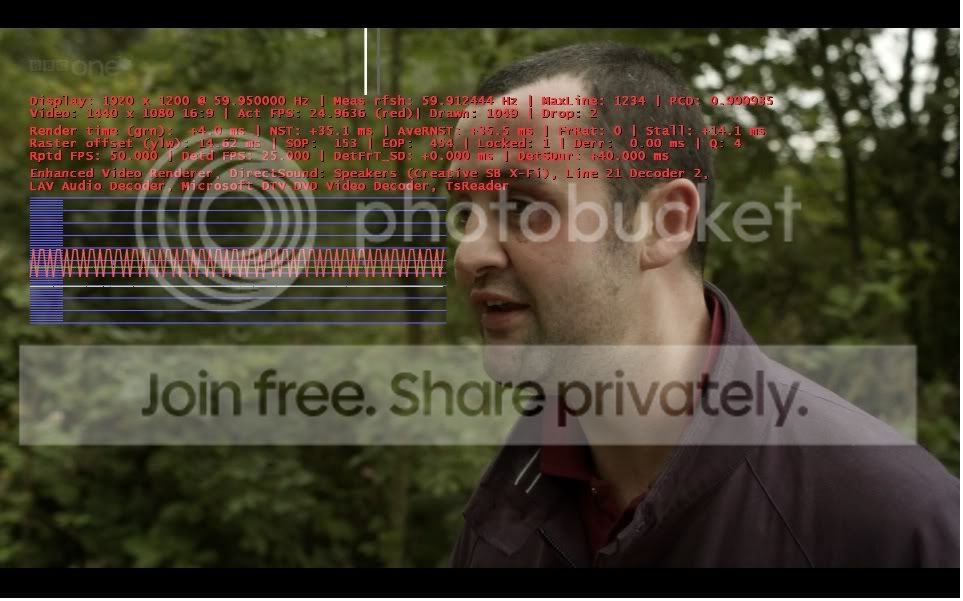
    TV is looking already
    BBCOneHD.jpg

    Would like to see it they improve channel switching

    Would anyone be able to post me a copy of the "VideoFilter" folder please as I have deleted Power DVD already?
     

    Users who are viewing this thread

    Top Bottom