How to disable mouse in MP? (1 Viewer)

doveman

Portal Pro
February 12, 2008
2,326
178
Home Country
United Kingdom United Kingdom
MP works great with my remote and I have no need to use my mouse in it, so it's very annoying when my mouse moves and MP's menus start scrolling like mad and I have to go and wiggle the mouse to cancel this out.

I can't find any option to disable mouse control of MP but surely there is a way isn't there?
 

Jay_UK

Test Group
  • Team MediaPortal
  • October 6, 2009
    1,780
    283
    Derby
    Home Country
    United Kingdom United Kingdom
    Unplugging sounds good! ;)

    If I was to think "out of the box" - then I would suggest using batch file to launch devcon (to disable the specific mouse), then launch MePo (with a wait option), then run devcon again to enable the mouse. Eg:

    start_mepo.bat

    devcon disable *Mouse
    start /wait "Mediaportal" c:\program files\team mediaportal\mediaportal\mediaportal.exe
    devcon enable *Mouse

    The above is purely off the top of my head. I would suggest changing the *Mouse to be the specific ID of your mouse.

    Hope this helps (and works!)

    J.
     

    robbo100

    Retired Team Member
  • Premium Supporter
  • May 5, 2009
    1,290
    309
    UK
    Home Country
    United Kingdom United Kingdom
    start_mepo.bat

    devcon disable *Mouse
    start /wait "Mediaportal" c:\program files\team mediaportal\mediaportal\mediaportal.exe
    devcon enable *Mouse

    The above is purely off the top of my head. I would suggest changing the *Mouse to be the specific ID of your mouse.

    That might actually work (although I have found enabling devices doesn't always make them work until you unplug them and plug them back in again (but definitely worth a try).

    Normally people post questions asking for advice how to make things work, not how to stop them working! :D
     

    doveman

    Portal Pro
    February 12, 2008
    2,326
    178
    Home Country
    United Kingdom United Kingdom
    Unplugging sounds good! ;)

    If I was to think "out of the box" - then I would suggest using batch file to launch devcon (to disable the specific mouse), then launch MePo (with a wait option), then run devcon again to enable the mouse. Eg:

    start_mepo.bat

    devcon disable *Mouse
    start /wait "Mediaportal" c:\program files\team mediaportal\mediaportal\mediaportal.exe
    devcon enable *Mouse

    The above is purely off the top of my head. I would suggest changing the *Mouse to be the specific ID of your mouse.

    Hope this helps (and works!)

    J.

    Thanks, but that's not really going to work for me I don't think, as it means the mouse won't work until MP closes, which means no launching programs that need the mouse from it, or leaving it minimised to the tray whilst using other mouse-controlled programs. It probably also means I wouldn't have any mouse when I RDP in as a second user when MP is running.

    Unplugging's not really suitable (particularly with PS/2 plugs as I don't think it's safe to hotplug those) and would be too much of a pain even with USB mice.

    I'm surprised no-one's thought to put an option in MP to make it not scroll in response to mouse movements, as I imagine most users just operate it with a remote from the couch these days, which works very well. I think even users without a remote could use it perfectly well with just a keyboard. Hopefully someone will consider making it more "couch-friendly".
     

    mm1352000

    Retired Team Member
  • Premium Supporter
  • September 1, 2008
    21,544
    8,236
    Home Country
    New Zealand New Zealand
    Hi doveman

    I'm surprised no-one's thought to put an option in MP to make it not scroll in response to mouse movements, as I imagine most users just operate it with a remote from the couch these days, which works very well. I think even users without a remote could use it perfectly well with just a keyboard. Hopefully someone will consider making it more "couch-friendly".
    Have you considered reducing the sensitivity of your mouse so it doesn't show up in response to small vibrations?

    mm
     

    Peter2

    MP Donator
  • Premium Supporter
  • September 18, 2006
    847
    53
    Home Country
    Belgium Belgium
    doveman: are you using MP on a 'desktop' (non-dedicated HTPC) system?
    On a HTPC, you don't have that problem and I guess that's why nobody ever bothered with this.
     

    Paranoid Delusion

    Moderation Manager
  • Premium Supporter
  • June 13, 2005
    13,052
    2,978
    Cheshire
    Home Country
    United Kingdom United Kingdom
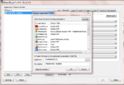
    OK found this http://www.highrez.co.uk/downloads/XMouseButtonControl.htm

    Create profile with mediaportal.exe, set layer 1 defaults to disabled and save, this does not stop mouse from showing up if moved, but it does disable scrolling\buttons.

    Capture.JPG

    Just tried latest xbmc, which has disable mouse as a option, so cannot see why it could not be done for MP :(
     

    doveman

    Portal Pro
    February 12, 2008
    2,326
    178
    Home Country
    United Kingdom United Kingdom
    Hi doveman

    Have you considered reducing the sensitivity of your mouse so it doesn't show up in response to small vibrations?

    mm

    Thanks for the suggestion, but that would be a pain when I want to use the mouse in other programs/games. It's not always small vibrations anyway, sometimes the mouse (sitting on a pad/book on the floor) gets accidentally knocked and I have to go and grab it and move it to the spot where it stops the scrolling.

    @doveman: are you using MP on a 'desktop' (non-dedicated HTPC) system?
    On a HTPC, you don't have that problem and I guess that's why nobody ever bothered with this.

    No, it's a HTPC system.

    I don't understand why you think this isn't a problem on an HTPC, unless you mean that it wouldn't have a mouse connected. I'm sure that people with HTPC's still like to play games and maybe use video editing software, browsers, etc which require a mouse though, so I can't say I'd agree with that.

    OK found this http://www.highrez.co.uk/downloads/XMouseButtonControl.htm

    Create profile with mediaportal.exe, set layer 1 defaults to disabled and save, this does not stop mouse from showing up if moved, but it does disable scrolling\buttons.

    View attachment 87435

    Just tried latest xbmc, which has disable mouse as a option, so cannot see why it could not be done for MP :(

    Aw, you got my hopes up but this software only disables the buttons and scroll wheel and doesn't stop MP's menus scrolling when the mouse is moved :(

    I guess it will prevent recordings being scheduled / deleted by a crazy kitten jumping on the mouse buttons though :)

    Having the mouse pointer pop-up isn't a problem as it hides itself soon enough anyway. I just wish that MP could be made not to react to any mouse movements. Of course, ideally if I'm not using the mouse the pointer wouldn't appear at all, but I'm just saying if that's hard to achieve I can live with that.
     

    Users who are viewing this thread

    Top Bottom