United Kingdom
Which bit are you finding hard.
Overwrite the old WebEPG config with the one above, now open it up, press import with TVServer selected as source, all TV and Radio channels will be imported (personally delete radio channels using remove button.
So you should have above, now select Automap with your country selected.
Now you should have something like this, see the errors, you will need to change these.
Now select BBC One and go to the Channel button on the right, click on the browse button, this will open a new screen showing Web Sites, now expand and select your Country ie. United Kingdom, i slect radiotimes as my source, but its whichever you prefer
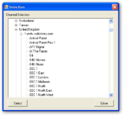
I now double click on BBC1 Northwest for my area, now this will show next to BBC ONE in the main config, do not close the small screen, click on next channel BBC TWO and repeat above action.
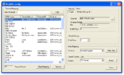
You need to do this for every channel and then select the save button when completed.
Ok you have the channels within WebEPG, now run the WebEPG.exe, depending on how many channels you have is how long it takes to complete the TVGuide.xml that is produced in the xmltv folder.
Now we have the file (which needs to be in the same folder as the xmltv.dtd file, there on xp, not vista by default)
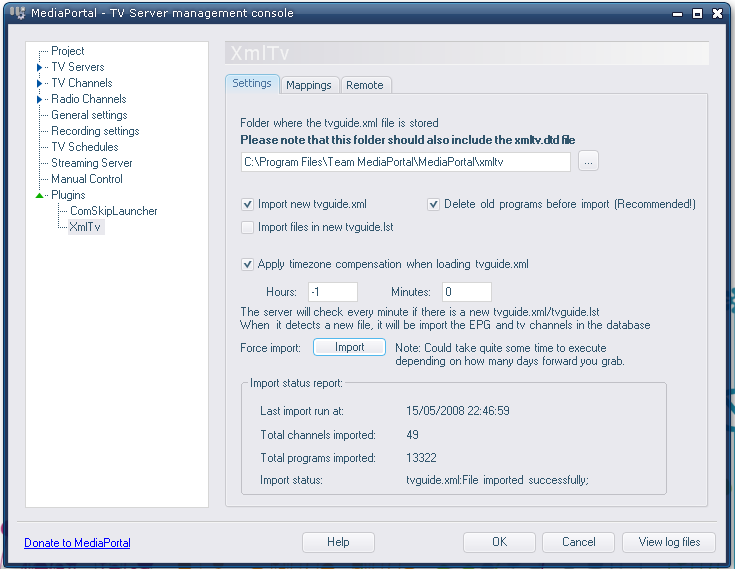
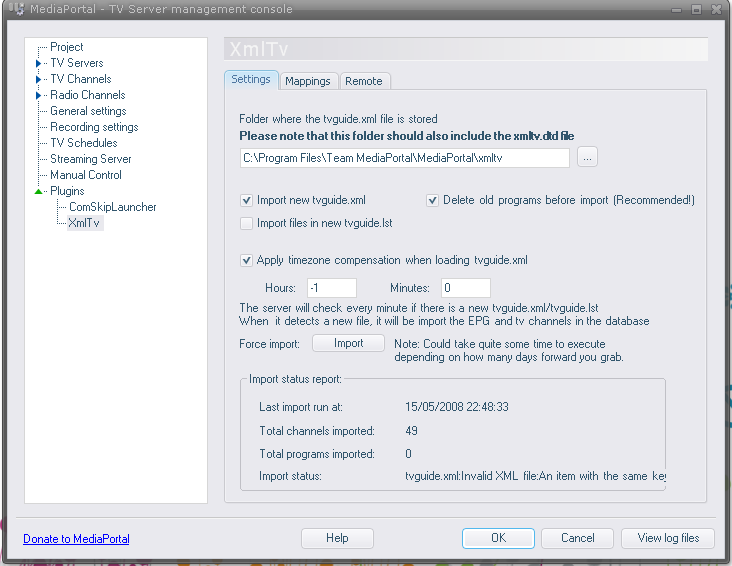
You need to enable the TVServer config\plugins\xmltv, select the path your TVGuide.xml is in (default is c:\Program Files\Team MediaPortal\MediaPortal\xmltv), i found had to use a -1 time correction for uk.
Now go to the second page of the xmltv plugin named mappings, click the refresh button, here it will show any errors to your mapping and allow corrections to be made, once done save.
You can now return to the first screen and press the import button.
If you need to set this all up to update automatically then you need the bit in powerscheduler and MP config WebEPG plugin to be co-ordinated.
Had enough now
TV-Server/Configuration/Plugins/XmlTv - MediaPortal Wiki Documentation
Pictures for the last bit, and maybe a better explaination.
When you have done all this BACKUP your WebEPG\Channels folder, so hopefully you will not lose these settings on a reinstall.
Overwrite the old WebEPG config with the one above, now open it up, press import with TVServer selected as source, all TV and Radio channels will be imported (personally delete radio channels using remove button.
So you should have above, now select Automap with your country selected.
Now you should have something like this, see the errors, you will need to change these.
Now select BBC One and go to the Channel button on the right, click on the browse button, this will open a new screen showing Web Sites, now expand and select your Country ie. United Kingdom, i slect radiotimes as my source, but its whichever you prefer
I now double click on BBC1 Northwest for my area, now this will show next to BBC ONE in the main config, do not close the small screen, click on next channel BBC TWO and repeat above action.
You need to do this for every channel and then select the save button when completed.
Ok you have the channels within WebEPG, now run the WebEPG.exe, depending on how many channels you have is how long it takes to complete the TVGuide.xml that is produced in the xmltv folder.
Now we have the file (which needs to be in the same folder as the xmltv.dtd file, there on xp, not vista by default)
You need to enable the TVServer config\plugins\xmltv, select the path your TVGuide.xml is in (default is c:\Program Files\Team MediaPortal\MediaPortal\xmltv), i found had to use a -1 time correction for uk.
Now go to the second page of the xmltv plugin named mappings, click the refresh button, here it will show any errors to your mapping and allow corrections to be made, once done save.
You can now return to the first screen and press the import button.
If you need to set this all up to update automatically then you need the bit in powerscheduler and MP config WebEPG plugin to be co-ordinated.
Had enough now
TV-Server/Configuration/Plugins/XmlTv - MediaPortal Wiki Documentation
Pictures for the last bit, and maybe a better explaination.
When you have done all this BACKUP your WebEPG\Channels folder, so hopefully you will not lose these settings on a reinstall.