
You are using an out of date browser. It may not display this or other websites correctly.
You should upgrade or use an alternative browser.
You should upgrade or use an alternative browser.
[WiP] madVR support in MP1 (17 Viewers)
- Thread starter Sebastiii
- Start date

 Greece

Next tests will follow on weekend...Real lifecan you try set upscaling to bilinear or dxva2 (proccesing properties in Madvr) and check again ?

Might be a little bit OT but i have updated to WIn10 creators update and the newest Nvidia drivers recently in order to check out HDR capabilities.
Problem is windows turns on HDR for every content and not only for HDR Demo clips for example and the driver seems to be buggy as well at the moment so i switched back to an older version of the Nvidia driver again as at least gaming in HDR is possible that way.
I think in order to get that right MadVR Metadata pass-through has to be implemented first. Unfortunately i guess this will take a while....
(I cant switch to real HDR mode on my LG E6 manually so its needs to be done automatically)
Problem is windows turns on HDR for every content and not only for HDR Demo clips for example and the driver seems to be buggy as well at the moment so i switched back to an older version of the Nvidia driver again as at least gaming in HDR is possible that way.
I think in order to get that right MadVR Metadata pass-through has to be implemented first. Unfortunately i guess this will take a while....
(I cant switch to real HDR mode on my LG E6 manually so its needs to be done automatically)

There is an excellent guide here : HOW TO - Set up madVR for Kodi DSPlayer & External Players.Anyone feel like making a guide how to setup profiles etc? I would like to try MadVR, but only for smaller quality than 720p, since my TV is 1080i/720p only.
Emph

Problem:
You can see in the 2nd video that MP is running 2x windows,

This is me pressing alt+enter to show it's not an alt+enter fullscreen issue.
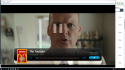
- MadVR displays fullscreen video in a window with a title bar and border.
- Need to alt+tab after starting video to watch the video.
You can see in the 2nd video that MP is running 2x windows,
This is me pressing alt+enter to show it's not an alt+enter fullscreen issue.
Last edited:
Hey guys,
just found an exciting update for MadVR in case someone is interested (copied the message from doom):
Greetings
just found an exciting update for MadVR in case someone is interested (copied the message from doom):
madVR v0.91.9 released
http://madshi.net/madVR.zip
Code:
* added support for sending HDR metadata via Nvidia's private API
* added support for sending HDR metadata via win10 (not tested yet)
* fixed: processing (not converting) HDR was not handling gamut correctly
This is just a quick release with HDR metadata support. Nothing else has changed. For Nvidia users I recommend using the private Nvidia API to send the metadata. This API has several advantages:
1) It works in all OSs starting with Windows 7 (I think).
2) It works with both D3D9 and D3D11.
3) It's true "passthrough", the GPU driver doesn't modify the HDR pixels.
BUT: It only works for Nvidia GPUs and requires a fairly recent GPU driver version.
AMD/Intel users will have to use the new Windows 10 HDR APIs. I've implemented support for these, too, but couldn't fully test them yet, so they may work, or maybe not. Let me know. These APIs will probably behave differently compared to the Nvidia API. I'm not sure if they're true "passthrough". If they are, then probably only in fullscreen mode. These Windows 10 HDR APIs require the Creator's Update to be installed, and you need to activate "use D3D11 for presentation".
Greetings

Can someone confirm ?
MadVR does not work Atmowin
MadVR does not work Atmowin

where, where can I geta special version of it (atmowin)
?Users who are viewing this thread
Online now: 16 (members: 0, guests: 16)