
[WiP] madVR support in MP1 (36 Viewers)

GeYe

MP Donator
  • Premium Supporter
  • January 17, 2009
    197
    132
    Home Country
    Germany Germany
    @GeYe it should be ok now :p
    Yep in latest installer, now f resolution is changed MP react on this for madVR (but the font OSD is not really resized so it can looks ugly but i can't do more :( and it seems to works also with Auto3D OSD based on my own test).

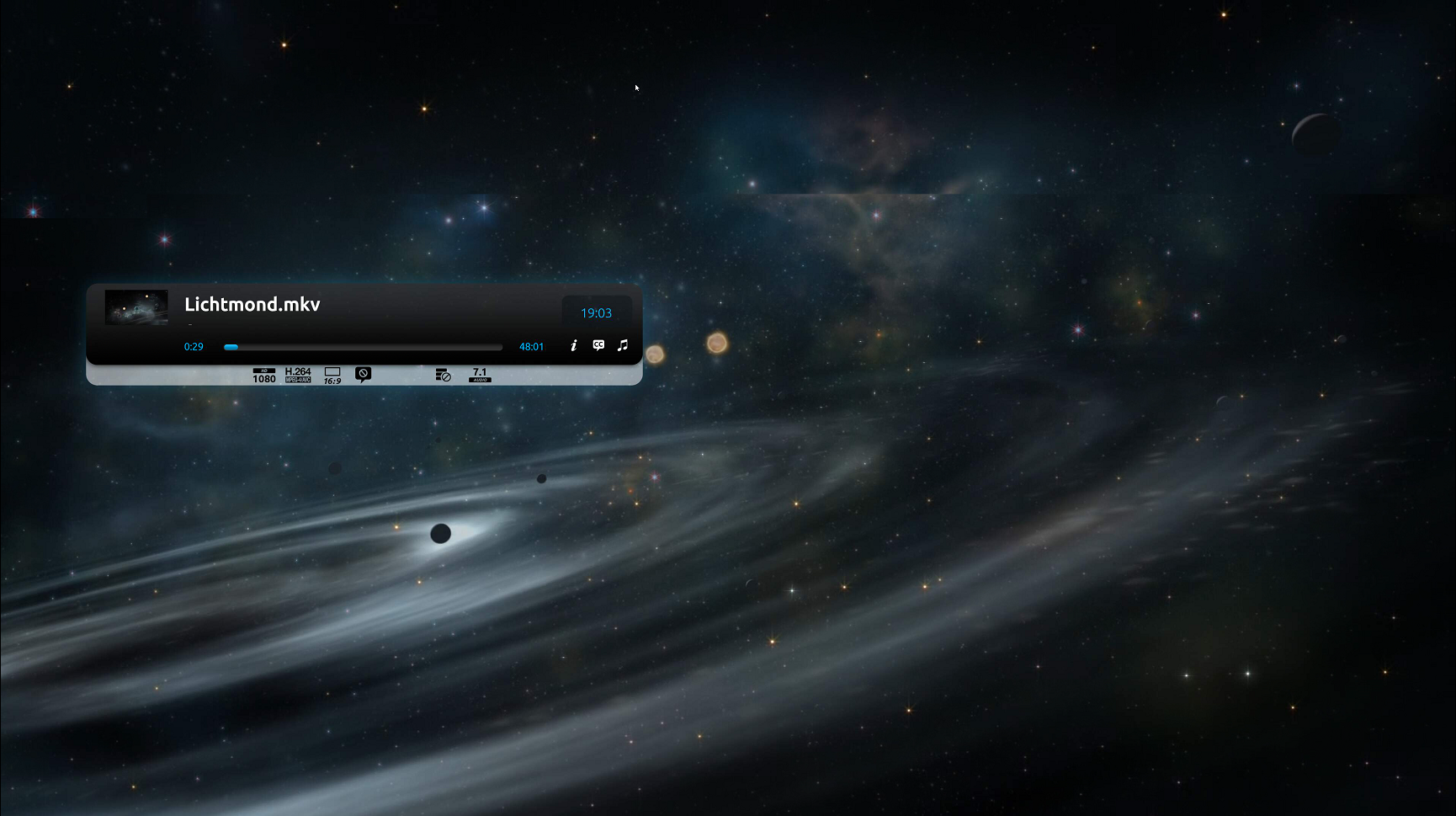
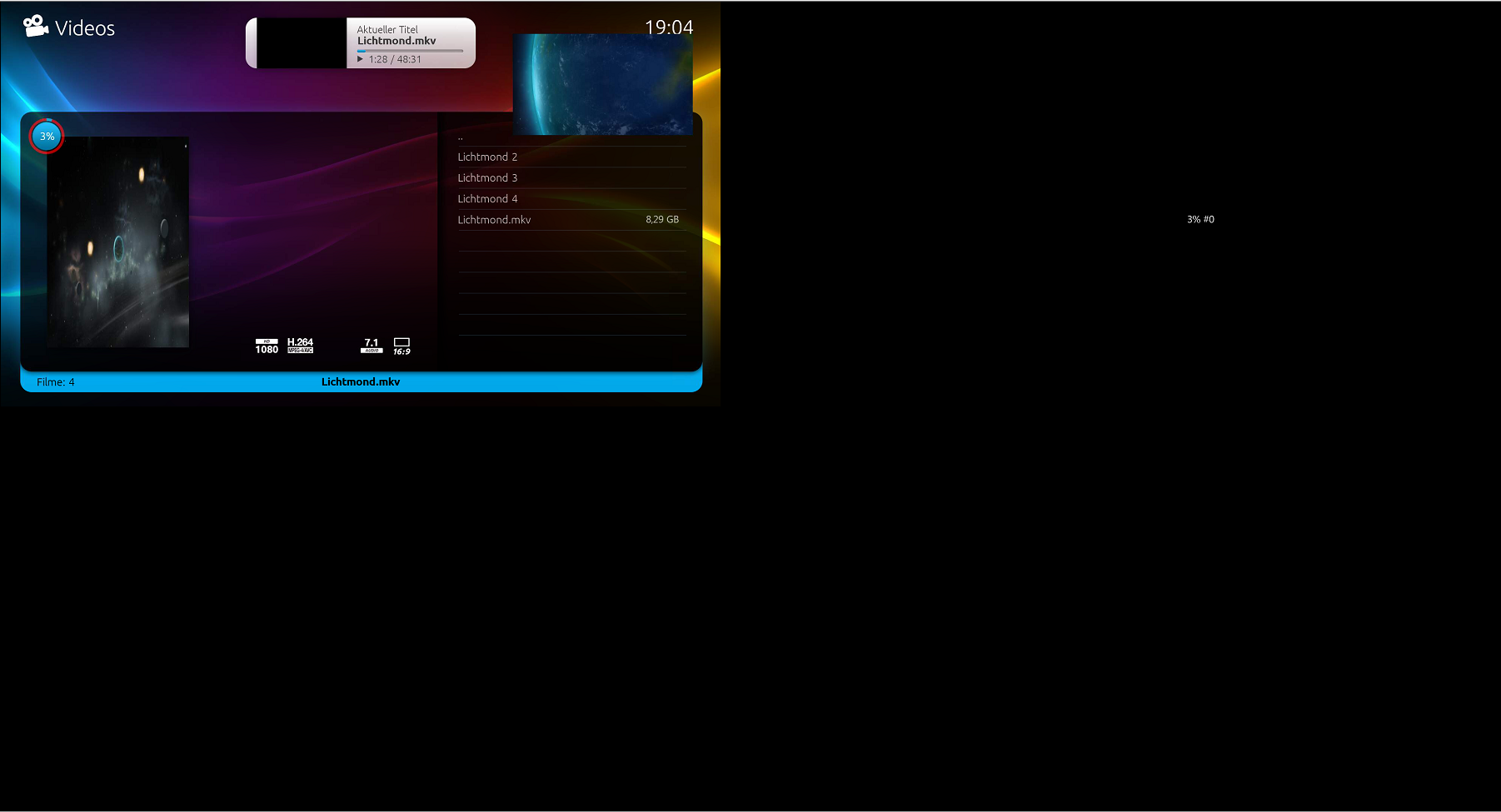
    Sry to say but osd still 1/4 with v276.
     

    Attachments

    • 1_4_picture_2.PNG
      1_4_picture_2.PNG
      1.8 MB
    • 1_4_picture_2_2.PNG
      1_4_picture_2_2.PNG
      448.9 KB

    Sebastiii

    Development Group
  • Team MediaPortal
  • November 12, 2007
    16,523
    10,466
    France
    Home Country
    France France
    Sry to say but osd still 1/4 with v276.
    Ok i need to try again and look the code, so the resize is not done because MP didn't detect the change, i need to know :)
    Can you try something in between ?

    0- Disable refresh rate (madVR / MP or what ever)
    1- start MP on screen 1280x720.
    2- start a video (not a 4k)
    3- change screen resolution to 1920x1080

    Does it works for you ? :p
     

    GeYe

    MP Donator
  • Premium Supporter
  • January 17, 2009
    197
    132
    Home Country
    Germany Germany
    Ok i need to try again and look the code, so the resize is not done because MP didn't detect the change, i need to know :)
    Can you try something in between ?

    0- Disable refresh rate (madVR / MP or what ever)
    1- start MP on screen 1280x720.
    2- start a video (not a 4k)
    3- change screen resolution to 1920x1080

    Does it works for you ? :p

    yes. After i need to change the options for test via vnc and your test szenario i saw, that under general -> startup settings -> ignore windows resolution/size changes was activated. I unticked the option and now also my szenario seems to work. Sorry don't know i had ticked it on.
     

    Sebastiii

    Development Group
  • Team MediaPortal
  • November 12, 2007
    16,523
    10,466
    France
    Home Country
    France France
    yes. After i need to change the options for test via vnc and your test szenario i saw, that under general -> startup settings -> ignore windows resolution/size changes was activated. I unticked the option and now also my szenario seems to work. Sorry don't know i had ticked it on.

    So you mean all is ok when this option ins unchecked ? :)
    It's just to be sure :p
     

    alexdepalma

    MP Donator
  • Premium Supporter
  • January 31, 2008
    541
    493
    Home Country
    Spain Spain
    Dear @Sebastiii

    Its been very busy months and I'm not as close as before to Madvr Port.

    Most of the problems we have, are related to madvr in a small size on MP. I mean, TV guide in view or other MP screens shown with Madvr video on the back or on a small windows on a side. I know you can control some MadVr parameters like refresh rate and others. I'm wondering if a solution for most of those problems, is just activate DXVA2 in image upscaling and downscaling when MP renders something on top of MADvr video. If that's possible, things will be mush easier.

    What do you think?


    Regards
    Alex

    Its just an idea, but it would be a trouble free solution... I think....
     

    Sebastiii

    Development Group
  • Team MediaPortal
  • November 12, 2007
    16,523
    10,466
    France
    Home Country
    France France
    Not sure it will work in fact it's more complicated than this, when madVR is started it's a VIDEO Window where inside it we display OSD but when we reduce a fullscreen video it's another video inside the whole video based on screen resolution. It's hard to explain lol :p
     

    Sebastiii

    Development Group
  • Team MediaPortal
  • November 12, 2007
    16,523
    10,466
    France
    Home Country
    France France
    Added V276 from today on first post, trying to make it works when 'ignore windows resolution changes in fullscreen' is checked @GeYe can you test ?
    Thanks :)
     

    GeYe

    MP Donator
  • Premium Supporter
  • January 17, 2009
    197
    132
    Home Country
    Germany Germany
    Added V276 from today on first post, trying to make it works when 'ignore windows resolution changes in fullscreen' is checked @GeYe can you test ?
    Thanks :)
    Option set: I have 1/4 menu as before. Option not set: i have a crash of graphic driver and mp or somethin similar. I'm back on the previous version, but this have now also the problem :(.
     

    Sebastiii

    Development Group
  • Team MediaPortal
  • November 12, 2007
    16,523
    10,466
    France
    Home Country
    France France
    I can why if crash :

    Code:
    [2017-01-10 21:42:42,694] [Log    ] [MPMain   ] [INFO ] - Main: GPU_HUNG - Fehler in der Anwendung.
    -2005530512 (Unknown)
       bei Microsoft.DirectX.Direct3D.Device.PresentInternal(tagRECT* sourceRectangle, tagRECT* destRectangle, IntPtr overrideWindow)
       bei Microsoft.DirectX.Direct3D.Device.Present()
       bei MediaPortalApp.Render(Single timePassed)
    [2017-01-10 21:42:42,702] [Log    ] [MPMain   ] [DEBUG] - Main: WM_DISPLAYCHANGE

    It's like the GPU was removed or something but no clue why :(
     

    Users who are viewing this thread

    Top Bottom