[WiP] madVR support in MP1 (34 Viewers)

framug

Super Moderator
  • Team MediaPortal
  • January 31, 2005
    6,241
    2,406
    South of France
    Home Country
    France France
    Hello,
    Because now, I have a good graphic card on my HTPC, I use madVR instead of EVR (even for LiveTV).
    Picture quality is wonderfull ! :cool:
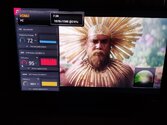
    IMG_20221015_073817.jpg

    Big THX to @Sebastiii to make it possible.

     

    framug

    Super Moderator
  • Team MediaPortal
  • January 31, 2005
    6,241
    2,406
    South of France
    Home Country
    France France
    hmmm, tried a bit.
    LiveTV need to be with eVR otherwise, we loose comskip benefit, for example.
    Something I found (don't know if it's something wrong on my side).
    With EVR :

    zz1.png

    With madVR :

    zz2.png

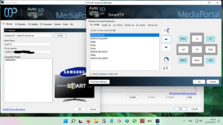
    Investigation with Auto3D plugin wich seems to give problems...
     

    framug

    Super Moderator
  • Team MediaPortal
  • January 31, 2005
    6,241
    2,406
    South of France
    Home Country
    France France
    After many tests, I reverted back to old config.
    Best way (for me) is EVR + DRR + ViewModeSwitcher.
    Less headache, no jerks, etc...
    The only disappointment is Auto3D plugin give too much errors in the logs, then, need to program 3D TV manually with remote :(

    zz1.png
     

    joecrow

    Test Group
  • Team MediaPortal
  • August 9, 2012
    2,714
    2,077
    Home Country
    Germany Germany
    The only disappointment is Auto3D plugin give too much errors in the logs, then, need to program 3D TV manually with remote :(
    Are you sure you need the Auto3D plugin? With MadVR and the LAV 3D download my TV is set up to switch to 3D mode automatically for BD frame packed 3D and I believe it wil also do so for SBS and top bottom although I no longer have any of that format to check it, I do use an AMD GPU. I believe the current drivers for Nvidia GPUs no longer support 3D and based on my experience even the older ones were really flaky.
     

    framug

    Super Moderator
  • Team MediaPortal
  • January 31, 2005
    6,241
    2,406
    South of France
    Home Country
    France France
    Auto3D would be for "CTRL+D" keyboard using.
    Both Auto3D and MadVR are not able to switch automatically my TV but "CTRL+D" did the trick.
    Using Auto3D for playing fullscreen video give black screen for me. (errors that mediainfo blabla... not found...)
    I just removed MadVR, don't know if there is a conflict with sonic studio (ASUS give a good audio enhancement with that) or, if conflict with AMD Adrenalin driver.
    Then know, sometimes, when I sleep PC, no sleep because MP is closed (MP crash, sonic crash, AMD crash ?) without errors log, don't know why for the moment.
     

    steven123

    Portal Member
    January 1, 2014
    29
    14
    50
    Home Country
    United Kingdom United Kingdom
    Can someone please help me with setting up XYsubfilter for subtitles in videos. I have madVR setup as the video renderer, but when I select XYsubfilter for subtitles I get a message saying that it can only be used in madVR
     

    Pablik

    Retired Team Member
  • Premium Supporter
  • August 19, 2010
    837
    1,332
    Home Country
    Czech Republic Czech Republic
    Can someone please help me with setting up XYsubfilter for subtitles in videos. I have madVR setup as the video renderer, but when I select XYsubfilter for subtitles I get a message saying that it can only be used in madVR
    Try to select madVR renderer first and then close the Configuration. Now you should be able to select XYsubfilter when you open the Configuration again.
     

    Pablik

    Retired Team Member
  • Premium Supporter
  • August 19, 2010
    837
    1,332
    Home Country
    Czech Republic Czech Republic
    The renderer already is madvr. It was before I tried to use XYsubfilter
    I see, there is a bug in Configuration. Although, if you select the XYsubfilter engine again and close the Configuration, the subtitle engine should be selected correctly. You can verify that be checking "<entry name="engine">XySubFilter</entry>" in subtitle section in your MediaPortal.xml file.
     

    Users who are viewing this thread

    Top Bottom