[WiP] madVR support in MP1 (62 Viewers)

edterbak

Portal Pro
March 4, 2008
2,114
1,176
Home Country
Netherlands Netherlands
Woot. I seem to have screenshot capability now thank you seb. (one tick removed, as you sugested, and this one came back)
See screenshots.

Using XYSubFilter
12-46-44.png

Using MPC-HC
13-35-16.png

it keeps dropping frames... for some reason
 

daWooky

MP Donator
  • Premium Supporter
  • April 3, 2012
    783
    871
    Home Country
    Germany Germany
    yep something isnt quite right from your mpc shot, try reset madVR to default settings
    and u may use a hidden option to see each step of the rendertimes with madvr, just drop the dummy file in your madvr install directory;)
     

    Attachments

    • ShowRenderSteps.zip
      164 bytes

    edterbak

    Portal Pro
    March 4, 2008
    2,114
    1,176
    Home Country
    Netherlands Netherlands
    Ok, Added showrendersteps to the mix. and here is the result.

    I set MadVR to default again. Setup TV for all accepted resolutions again.. > pressed OK and got out of MadVR settings. NOthing else changed.

    XYSubFilter subtitles:
    14-15-41.png

    MPC-HC subtitles:
    14-18-07.png

    upload_2017-6-5_14-21-16.png xysubfilter setting 1


    upload_2017-6-5_14-22-6.png xysubfilter setting 2
     

    daWooky

    MP Donator
  • Premium Supporter
  • April 3, 2012
    783
    871
    Home Country
    Germany Germany
    nice shots but nothing wrong to spot except ur 49 ms render time for the subs, damn weird s***
    just some thoughts that might worth a try:
    first disable the zoom

    zoom.PNG
    and play with the tradeoff options like "use 10bit image buffer instead of 16 bit" i remembered this was for similar stuff although it should not be necessary with new igpu I guess...
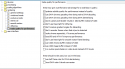
    tradeoffs.PNG
    and i hope ur lav isnt on native decoding mode.edit: looked at the screens again^^
    ..best to use lav copy-back with madVR;)
     
    Last edited:

    edterbak

    Portal Pro
    March 4, 2008
    2,114
    1,176
    Home Country
    Netherlands Netherlands
    Hi daWooky

    tested some other stuff you suggested. none worked.
    DDU didnt change a thing..
    I did a driver update on Intel 630, ;which seemed to be available now.

    set chroma scaler to bilinear
    set image scaler to bilinear
    Set dxva-copyback active again.
    no change.

    I have no idea why the rendering times should be +50 ms after the subtitles have been injected.

    I still have one theorie to test. Colorspacing. I set all to 0-255 (PC/FULL) from the start. Ill fiddle around with that and see if that brings something
    [edit]
    tried everything on TV color settings. 16-235. no luck. Maybe its a limitation of the new 7th gen Intel i5. I dont know.

    I will use MPC-HC subtitle renderer for the moment. Once I have time to wipe my HDD clean, i will do so. :)
    THank you for the support so far !!!! Much appreciated.
     
    Last edited:

    daWooky

    MP Donator
  • Premium Supporter
  • April 3, 2012
    783
    871
    Home Country
    Germany Germany
    very peculiar, what still strikes me on your xypicture is the size of the subtitles, they seem pretty huge^^
    btw. its the same with the other players like mphc, pot...?
     

    edterbak

    Portal Pro
    March 4, 2008
    2,114
    1,176
    Home Country
    Netherlands Netherlands
    sorry, no.
    MPC-HC plays fine. But the thing is that I have not found a way to get xysubfiter to play with it. Im not going to try that today. Maybe later. :)

    Thanks m8!!
     

    Sebastiii

    Development Group
  • Team MediaPortal
  • November 12, 2007
    16,583
    10,403
    France
    Home Country
    France France
    Woot. I seem to have screenshot capability now thank you seb. (one tick removed, as you sugested, and this one came back)
    See screenshots.

    Using XYSubFilter
    View attachment 190744

    Using MPC-HC
    View attachment 190745

    it keeps dropping frames... for some reason

    Are you willing to test something ?
    I have one sample that lead to a lot of logged line (about overlay and planescene) until first subtitle appear and i think this is the issue for you :)

    So i will made a core.dll to test against latest MP (1.17 pre) to ride off planescene part of code when XySubFilter are selected in subtitle engine.
    It's just to confirm that it's the root of cause.

    But strangely based on quick test, removing that part seems to not break MP when resize video / reduce to display OSD etc. not sure why lol.

    @daWooky it could be nice if you can test another core.dll to simpply disable that part too but not only for XySubFilter engine selected to see if you trigger some bugs lol

    Thanks.

    Bin will be there asap :p
     

    Sebastiii

    Development Group
  • Team MediaPortal
  • November 12, 2007
    16,583
    10,403
    France
    Home Country
    France France
    First file to test :)
     

    Attachments

    • Core_XySubFilter_PlaneScene_V1.zip
      1.1 MB

    Users who are viewing this thread

    Top Bottom