Maya iFX (fanart concept) (2 Viewers)

ncoH

Retired Team Member
  • Premium Supporter
  • January 27, 2007
    925
    1,569
    Hannover
    Home Country
    Germany Germany
    • Thread starter
    • Moderator
    • #81
    AW: Re: Maya iFX (fanart concept)

    Anyone know what to change where to make the fan art a little more visible? I tried editing a few values in some xml file but nothing seems to change.

    We use a .png as fanart overlay. So you must edit this file to get the fanart more visible.
     

    kgk

    Portal Member
    October 31, 2006
    27
    2
    Home Country
    Netherlands Netherlands
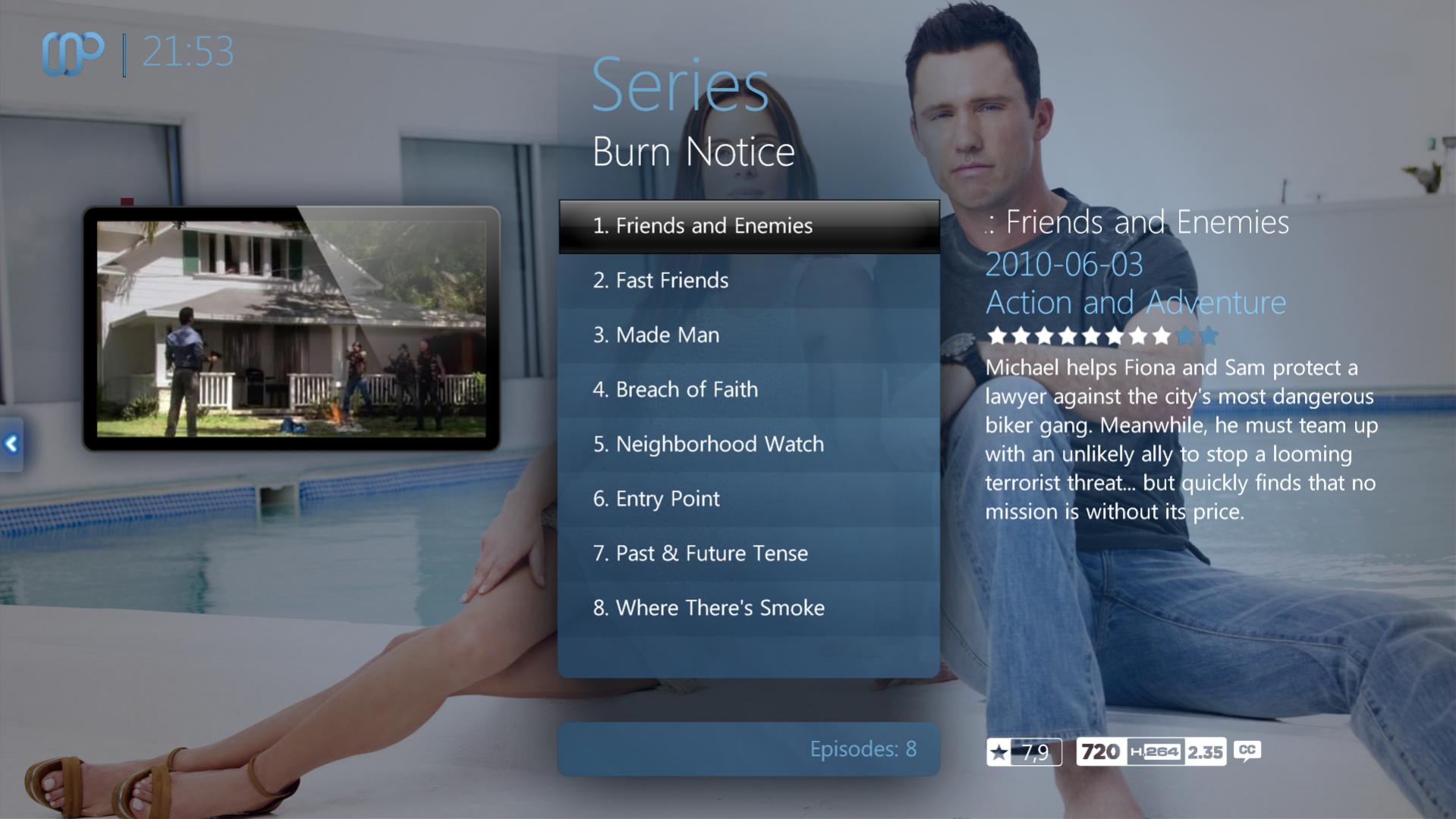
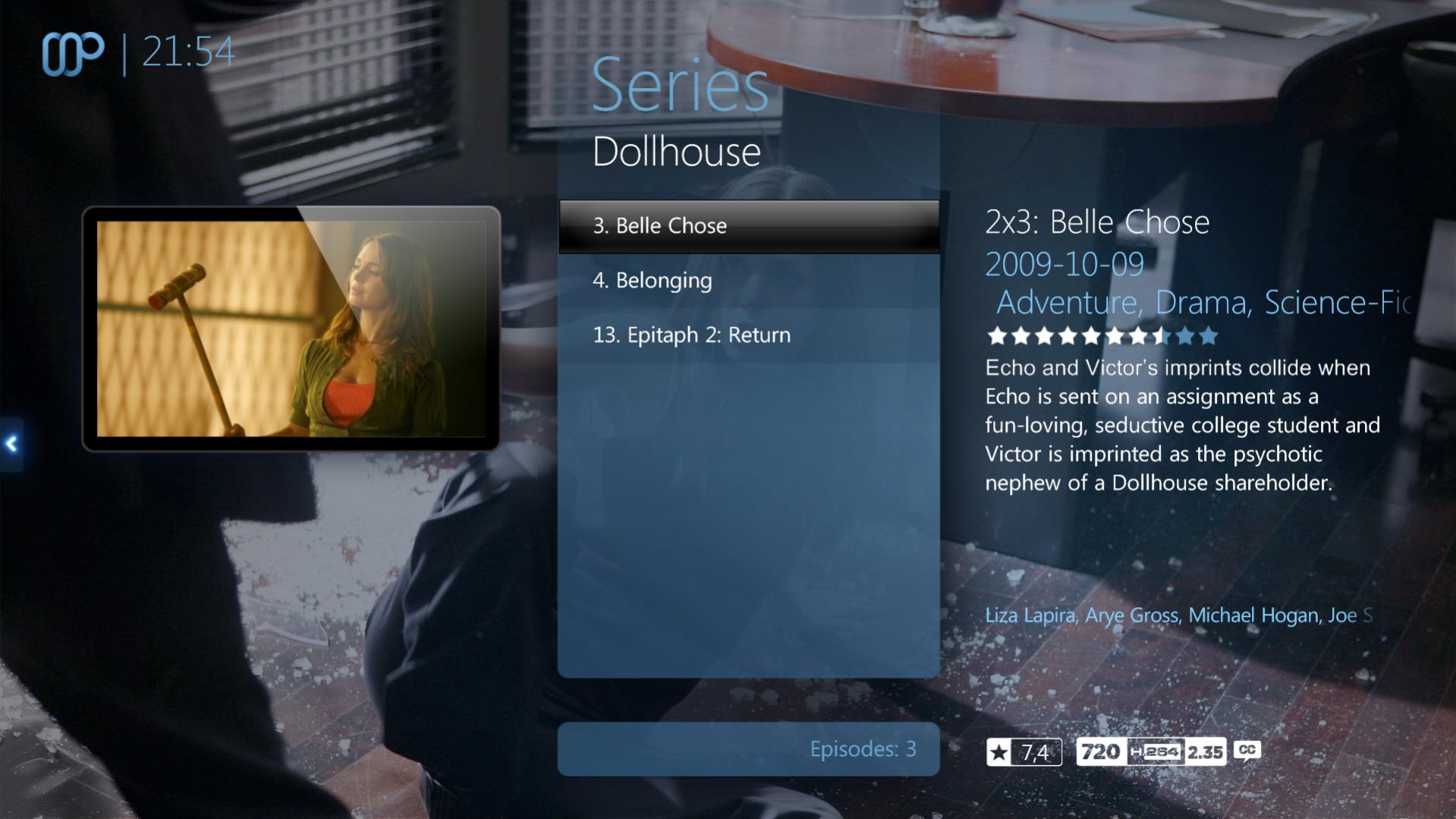
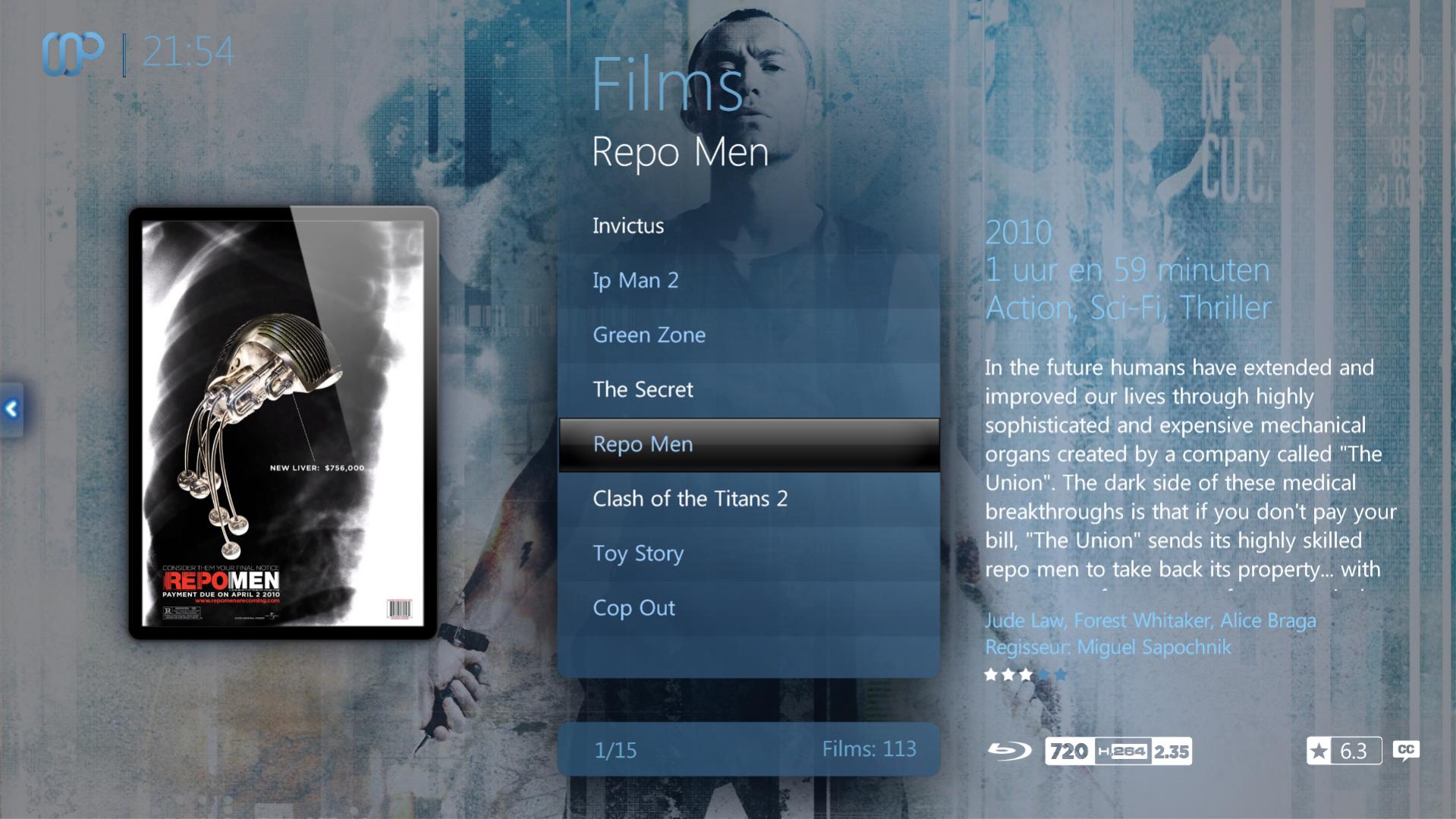
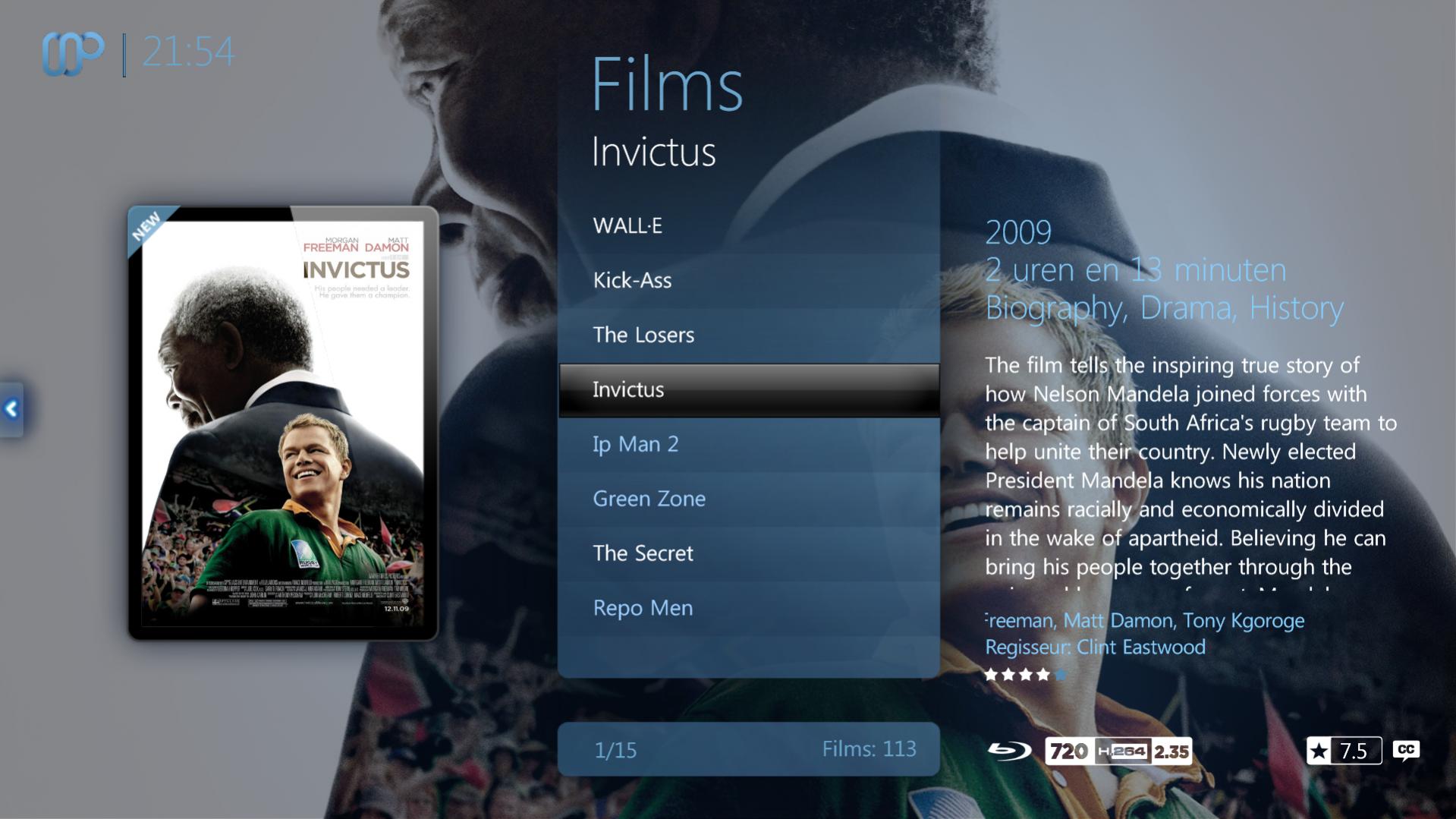
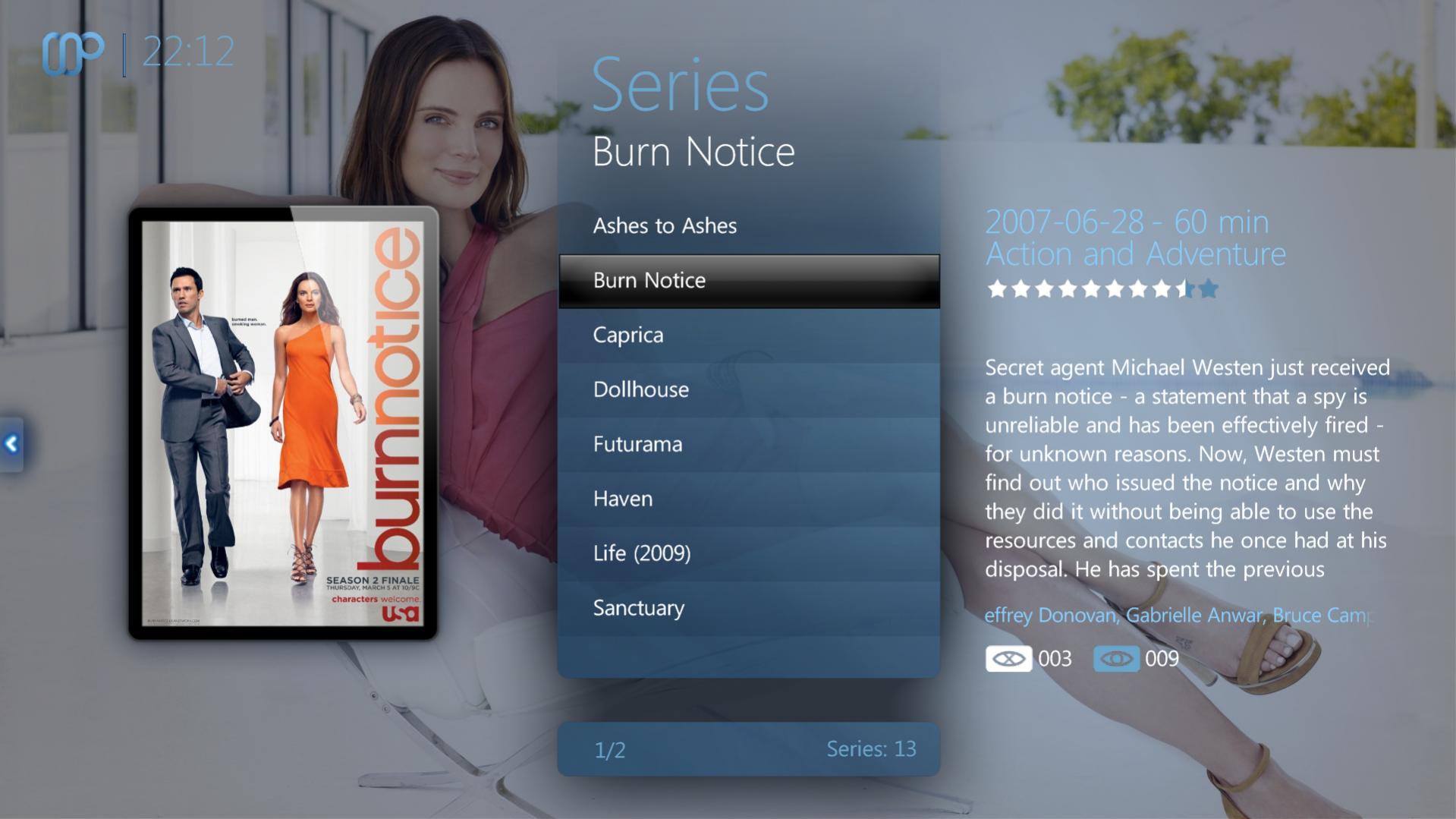
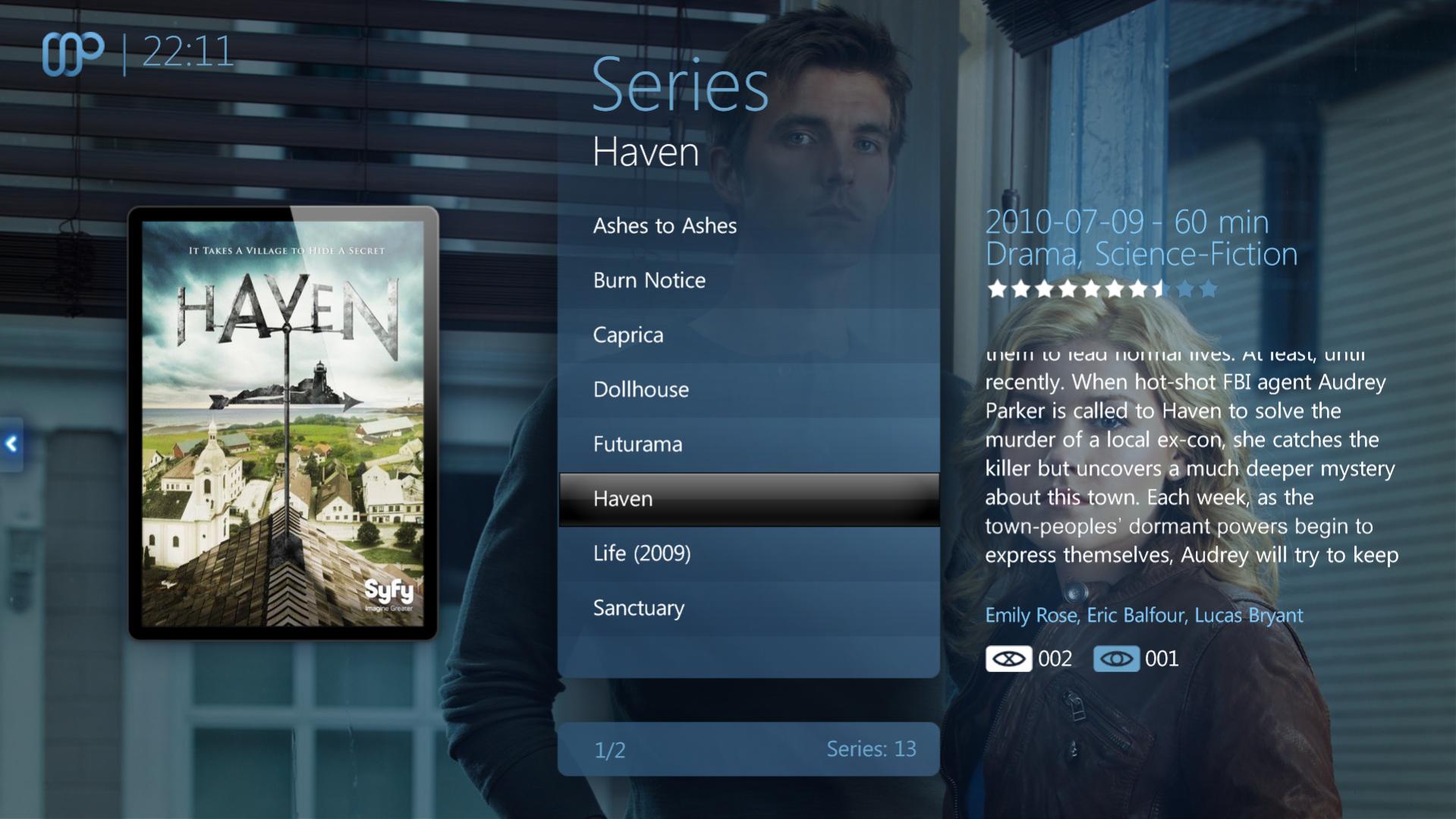
    Here are some screens with the opacity lowered to 60% I will post the modified file for anyone who likes the fan art this way.

    Maybe the devs could let users choose in the plugin how much fan art should be visible?

    Got the clearart working also. Thank you devs it looks awsome :)
     

    Attachments

    • 21-53-23.jpg
      21-53-23.jpg
      190.6 KB
    • 21-53-55.jpg
      21-53-55.jpg
      163.8 KB
    • 21-54-08.jpg
      21-54-08.jpg
      176.7 KB
    • 21-54-45.jpg
      21-54-45.jpg
      217.9 KB
    • 21-54-28.jpg
      21-54-28.jpg
      179 KB
    • 22-12-51.jpg
      22-12-51.jpg
      151.1 KB
    • 22-11-49.jpg
      22-11-49.jpg
      188.4 KB
    • 60fanart_overlay_filmstrip_pngfanart_overlay_.zip
      695.1 KB

    Wbunaarf

    Portal Pro
    December 9, 2005
    534
    103
    Sweden
    Home Country
    Sweden Sweden
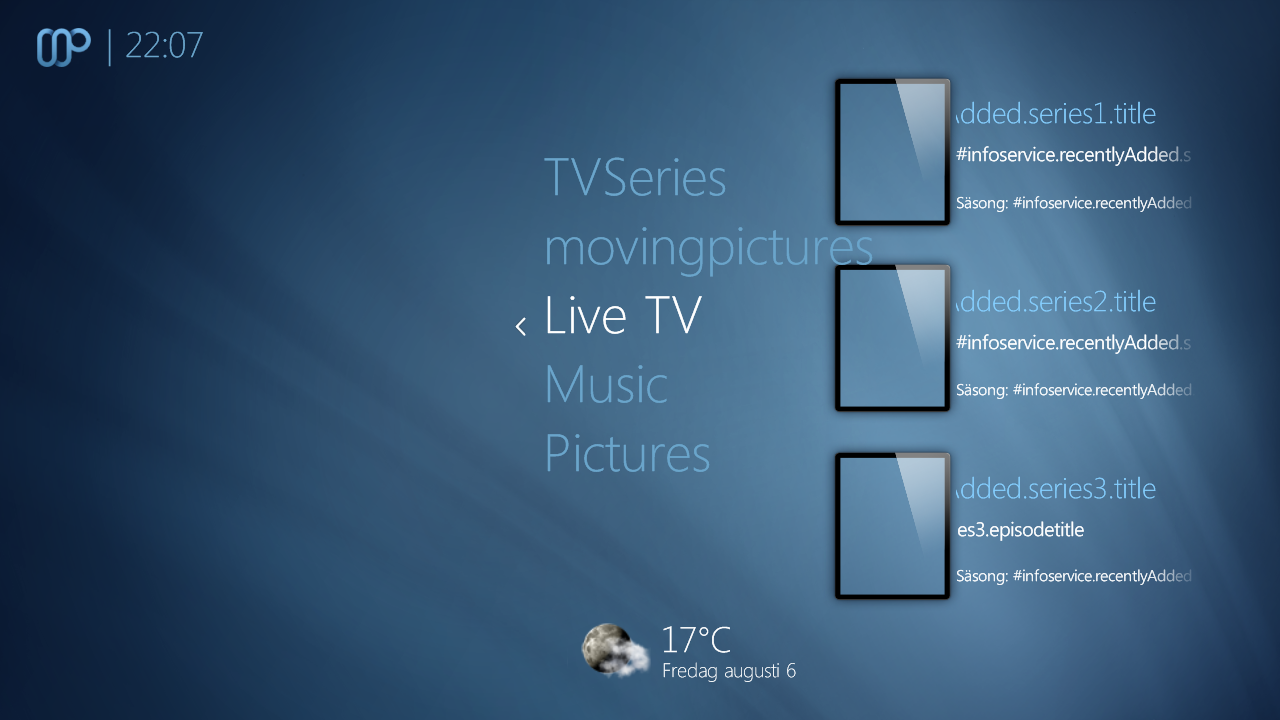
    I must be missing something... As far as I know I have the latest versions of everything (rev 392 of Maya ,2.6.0.1157 of the TV-series dll 1.6.0.136 of Infoservice), but I still don't get the recently added TV series to show up. Any suggestions?

    //Johannes
     

    Attachments

    • 22-07-57.png
      22-07-57.png
      464.4 KB

    ysmp

    Design Group
  • Team MediaPortal
  • May 17, 2008
    1,861
    837
    Seoul.
    Home Country
    South Korea South Korea
    I must be missing something... As far as I know I have the latest versions of everything (rev 392 of Maya ,2.6.0.1157 of the TV-series dll 1.6.0.136 of Infoservice), but I still don't get the recently added TV series to show up. Any suggestions?

    //Johannes

    hi wbunaarf !
    do the butten (music,live tv....) work for you ? if yes , then do you add any new episod to tv seires ? if not do so ,
    then open the plugin and go back to basichome ...sude work fine ...:)
     

    ysmp

    Design Group
  • Team MediaPortal
  • May 17, 2008
    1,861
    837
    Seoul.
    Home Country
    South Korea South Korea
    Re: AW: Re: Maya iFX (fanart concept)

    Anyone know what to change where to make the fan art a little more visible? I tried editing a few values in some xml file but nothing seems to change.

    We use a .png as fanart overlay. So you must edit this file to get the fanart more visible.


    hi ncoH !
    thir is anther way to ,without change the png ... you can add this code (red color):

    <control>
    <description>Fanart Overlay</description>
    <type>image</type>
    <id>0</id>
    <width>1366</width>
    <height>768</height>
    <texture>fanart_overlay.png</texture>
    <colordiffuse>aaffffff</colordiffuse>
    <visible>[facadeview.list+Control.IsVisible(50)+!Control.IsVisible(51)] + string.contains(#maya.fanart.MovingPictures,yes)</visible>
    </control>

    <control>
    <description>BG</description>
    <type>image</type>
    <id>1</id>
    <width>1366</width>
    <height>768</height>
    <texture>fanart_overlay_filmstrip.png</texture>
    <colordiffuse>aaffffff</colordiffuse>
    <visible>[[facadeview.smallicons|facadeview.largeicons|facadeview.filmstrip]+Control.IsVisible(50)] + string.contains(#maya.fanart.MovingPictures,yes)</visible>
    </control>


    and the result look like this :fanart - befor (defult) / fanart - after.
     

    jojo1411

    Portal Pro
    January 23, 2008
    182
    37
    Home Country
    Germany Germany
    AW: Re: Maya iFX (fanart concept)

    I must be missing something... As far as I know I have the latest versions of everything (rev 392 of Maya ,2.6.0.1157 of the TV-series dll 1.6.0.136 of Infoservice), but I still don't get the recently added TV series to show up. Any suggestions?

    //Johannes

    Unfortunately here is the same error. Also after adding some series to the database. No info on the homescreen :-(. Hope you can fix this ;-)
     

    ysmp

    Design Group
  • Team MediaPortal
  • May 17, 2008
    1,861
    837
    Seoul.
    Home Country
    South Korea South Korea
    Re: AW: Re: Maya iFX (fanart concept)

    ncoH: I think you can display info only if item with hyperlink to mptvseries window ID is choosen or code it to do that and make it optional in config :)

    you`re right.:) I´ll add it to our plugin later today..

    hi ncoH !
    did you have time to inplament this option ? this will be so mach better look for maya ....:D
     

    dlarge500

    Extension Designer
  • Premium Supporter
  • May 21, 2009
    1,491
    400
    46
    NRW
    Home Country
    Germany Germany
    AW: Re: AW: Re: Maya iFX (fanart concept)

    Anyone know what to change where to make the fan art a little more visible? I tried editing a few values in some xml file but nothing seems to change.

    We use a .png as fanart overlay. So you must edit this file to get the fanart more visible.


    hi ncoH !
    thir is anther way to ,without change the png ... you can add this code (red color):

    <control>
    <description>Fanart Overlay</description>
    <type>image</type>
    <id>0</id>
    <width>1366</width>
    <height>768</height>
    <texture>fanart_overlay.png</texture>
    <colordiffuse>aaffffff</colordiffuse>
    <visible>[facadeview.list+Control.IsVisible(50)+!Control.IsVisible(51)] + string.contains(#maya.fanart.MovingPictures,yes)</visible>
    </control>

    <control>
    <description>BG</description>
    <type>image</type>
    <id>1</id>
    <width>1366</width>
    <height>768</height>
    <texture>fanart_overlay_filmstrip.png</texture>
    <colordiffuse>aaffffff</colordiffuse>
    <visible>[[facadeview.smallicons|facadeview.largeicons|facadeview.filmstrip]+Control.IsVisible(50)] + string.contains(#maya.fanart.MovingPictures,yes)</visible>
    </control>


    and the result look like this :fanart - befor (defult) / fanart - after.

    You can change your visible with this settings you like it.

    <colordiffuse>aaffffff</colordiffuse>
    <colordiffuse>60ffffff</colordiffuse>
    <colordiffuse>70ffffff</colordiffuse>
    <colordiffuse>90ffffff</colordiffuse>

    i think 70ffffff is the best way.:)
     

    Users who are viewing this thread

    Top Bottom