
Isn't this only needed when he wants to use his Server 2012 install as a 'Client'?You may want to summarize what Features you have activated, e.g. Desktop Experience.
http://www.win2012workstation.com/desktop-experience/

Isn't this only needed when he wants to use his Server 2012 install as a 'Client'?You may want to summarize what Features you have activated, e.g. Desktop Experience.

 Germany

Yeah, just checked it on my Server 2012 install, and you are right, i have this feature also enabled.No, he absolutely requires this on a Server. Remember, I have been through all this only a couple of week ago.
Germany
Yeps@HomeY , aren't you also running a WS 2012?
But only as a dedicated File/TV Server, not using it as a client.Since it doesn't work 'out of the box', but installs are possible, we already removed the 'block' on installing. If we are going to support WSE 2012 (R2) officially, we have a whole bunch of work to do with the installers, etc, since we should then detect the OS, enable roles and/or features, etc. also.General question: given the fact that there are more and more users who have sucessfully installed TVServer on WSE 2012 (R2), shouldn't we consider this sytem to be added to the list of supported OS?
Germany
Understood. It would be good though to not have to see the "Unsopported OS" screen every time you open the configurationIf we are going to support WSE 2012 (R2) officially, we have a whole bunch of work to do with the installers, etc, since we should then detect the OS, enable roles and/or features, etc. also.
Hmm... i think that shouldn't happen. If i'm correct we only display the warning during install. It's a bit useless to display that over and over when opening Config, since the install is already done and configured.It would be good though to not have to see the "Unsopported OS" screen every time you open the configuration
Germany
When you say tweaked, do you mean that you compiled your own version? I definitely get this (nagging) screen every time that I am opening the TVServer config on the WSE 2012 machine.I can tell you i don't have this, but i might have tweaked my install for this a tiny bit...
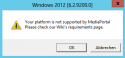
Correct. I just compared my file with master and indeed master shows the warning (since it's an unsupported OS).When you say tweaked, do you mean that you compiled your own version?
StrCpy $0 "OSok"Hi,
You cannot exchange the BDA Drivers this way - the system prevents this becasue they are after the respective server role has been activated on the Server. Anyway this is not required as those drivers will work out of the box.
You may want to summarize what Features you have activated, e.g. Desktop Experience. There is probably something missing.
Isn't this only needed when he wants to use his Server 2012 install as a 'Client'?
http://www.win2012workstation.com/desktop-experience/