MediaStream by pilehave - upd. 22/08/09 (1 Viewer)

ddlooping

MP Donator
  • Premium Supporter
  • November 23, 2008
    80
    5
    Home Country
    United Kingdom United Kingdom
    I think you're right, pilehave. :(

    I have even tried the following to no avail:

    If I change a movie certification manually to "disc.png" and use..
    <texture>#MovingPictures.SelectedMovie.certification</texture>
    ... the image "disc.png" does not appear.
    The text "disc.png" appears if I use the same variable as a label though. :confused:

    P.S: I have no idea why this forum wants to insert a space in the word "certification". :confused:
     

    edterbak

    Portal Pro
    March 4, 2008
    2,114
    1,176
    Home Country
    Netherlands Netherlands
    Hi Pilehave,

    Thanks for your great skin! Its sweet.

    I think I found a little bug:
    When I have created my custom home screen, I dont want to use any prefix. Having made the homescreen without prefixes in the menu generator, I opend MP. And now before every menu item I can see "#prefix".
    I manually edited myhome.xml and replaces every <label>#prefix</label> with <label></label>. After this the prefix was not visible anymore in MP.

    Regards,
    Ed ter Bak.

    [edit]

    Oh, by the way.
    Can you make the plugin "My Youtube" work with your skin? :D
     

    Raytestrak

    MP Donator
  • Premium Supporter
  • April 12, 2008
    497
    21
    50
    Honselersdijk
    Home Country
    Netherlands Netherlands
    Pilehave, I have a request. I have a small issue with the newest tv series svn. The fanart takes a few seconds to kick in, I'm using banners view and when I enter a series the bg_heroes.png is visible for aprox. 5 seconds before the fanart for that series loads. I've asked Damien if there was a change in the latest svn, but he said there wasn't. I have no idea what he means but he said this:

    hmmm, it was never really instant. Any how, there is now fanart fading added thanks to fforde over at moving pictures. If you ask Pilehave to add a second image control (see release notes) then the skin will also support fading fanart as you transistion to different series or enter a series.

    The Fanart fading may result in a perceived drop in performance, but the visual element makes up for it I think.

    Damien
     

    z3us

    Portal Pro
    December 4, 2007
    1,047
    123
    46
    Home Country
    Spain Spain
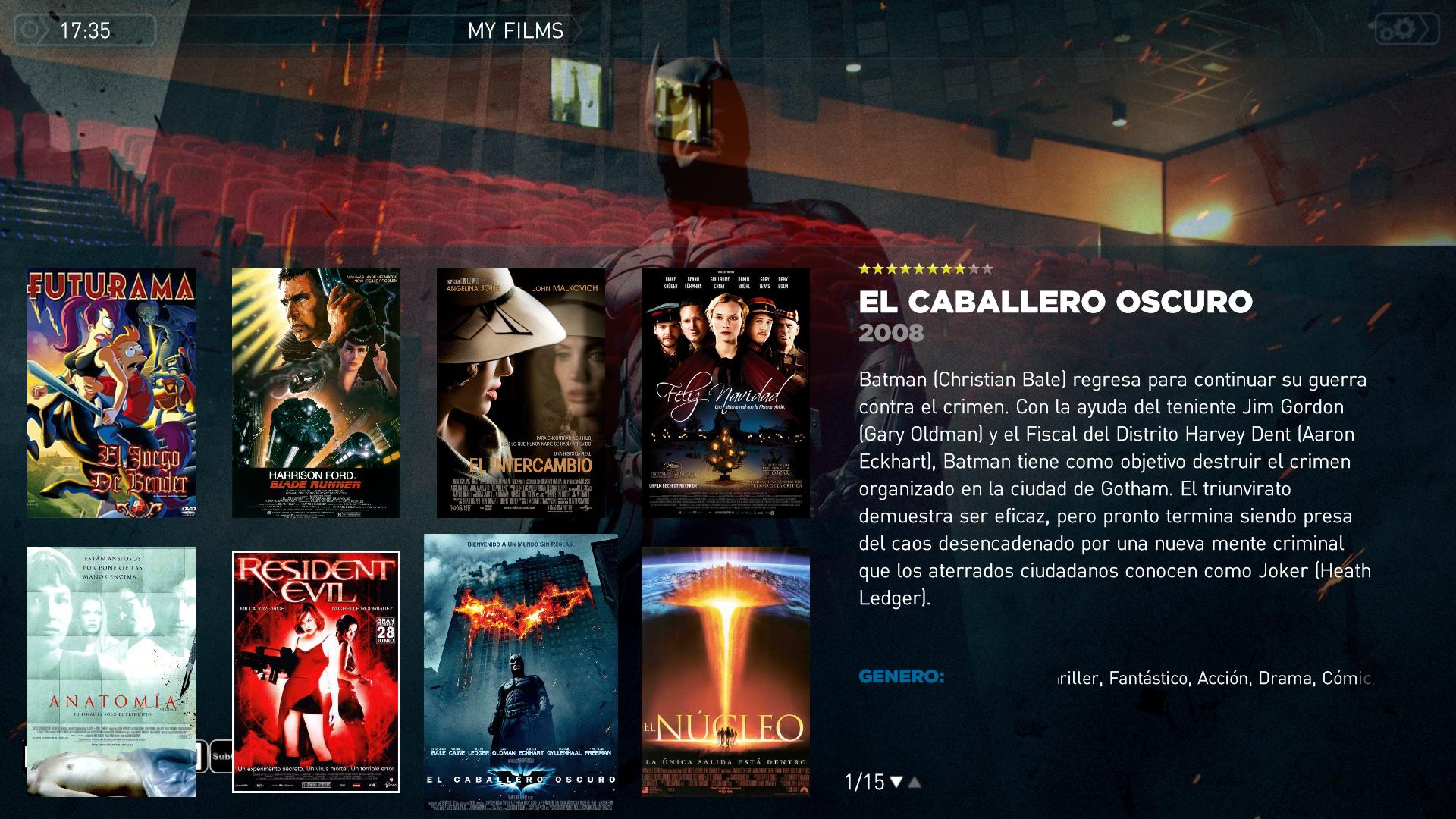
    Hi, great skin. Its the only one I have found that supports MyFilms with MP 1.0 without great bugs or missing labels.
    But three things about this plugin:

    1- In big icons view, the screen is not fully filled with films covers, as I would prefer. (I have a full HD TV, and I am using 1920x1080 res)
    2- When a film has fanart, the default background and the fanart picture are displayed both at same time.
    3- The logos dont show in the main screen
     

    Attachments

    • Mf.JPG
      Mf.JPG
      343.7 KB

    zebons

    Portal Pro
    January 2, 2006
    1,484
    114
    Hi, great skin. Its the only one I have found that supports MyFilms with MP 1.0 without great bugs or missing labels.
    But three things about this plugin:

    1- In big icons view, the screen is not fully filled with films covers, as I would prefer. (I have a full HD TV, and I am using 1920x1080 res)
    2- When a film has fanart, the default background and the fanart picture are displayed both at same time.
    3- The logos dont show in the main screen

    Can you attach your skin files ?
     

    z3us

    Portal Pro
    December 4, 2007
    1,047
    123
    46
    Home Country
    Spain Spain
    I downloaded the files yesterday, in the first post of this thread


    Here u have
     

    Attachments

    • MesFilms.common.facade.xml
      30.7 KB
    • MesFilms.xml
      30.6 KB
    • MesFilms_Visible.xml
      30.6 KB
    • MesFilmsDetail.xml
      30.6 KB

    z3us

    Portal Pro
    December 4, 2007
    1,047
    123
    46
    Home Country
    Spain Spain
    I downloaded the files yesterday, in the first post of this thread


    Here u have
    Try with those files...

    Perfect.
    Another request:
    Would it be possible to have the arrows for changing page also in the filmstrip view?
    Thanks

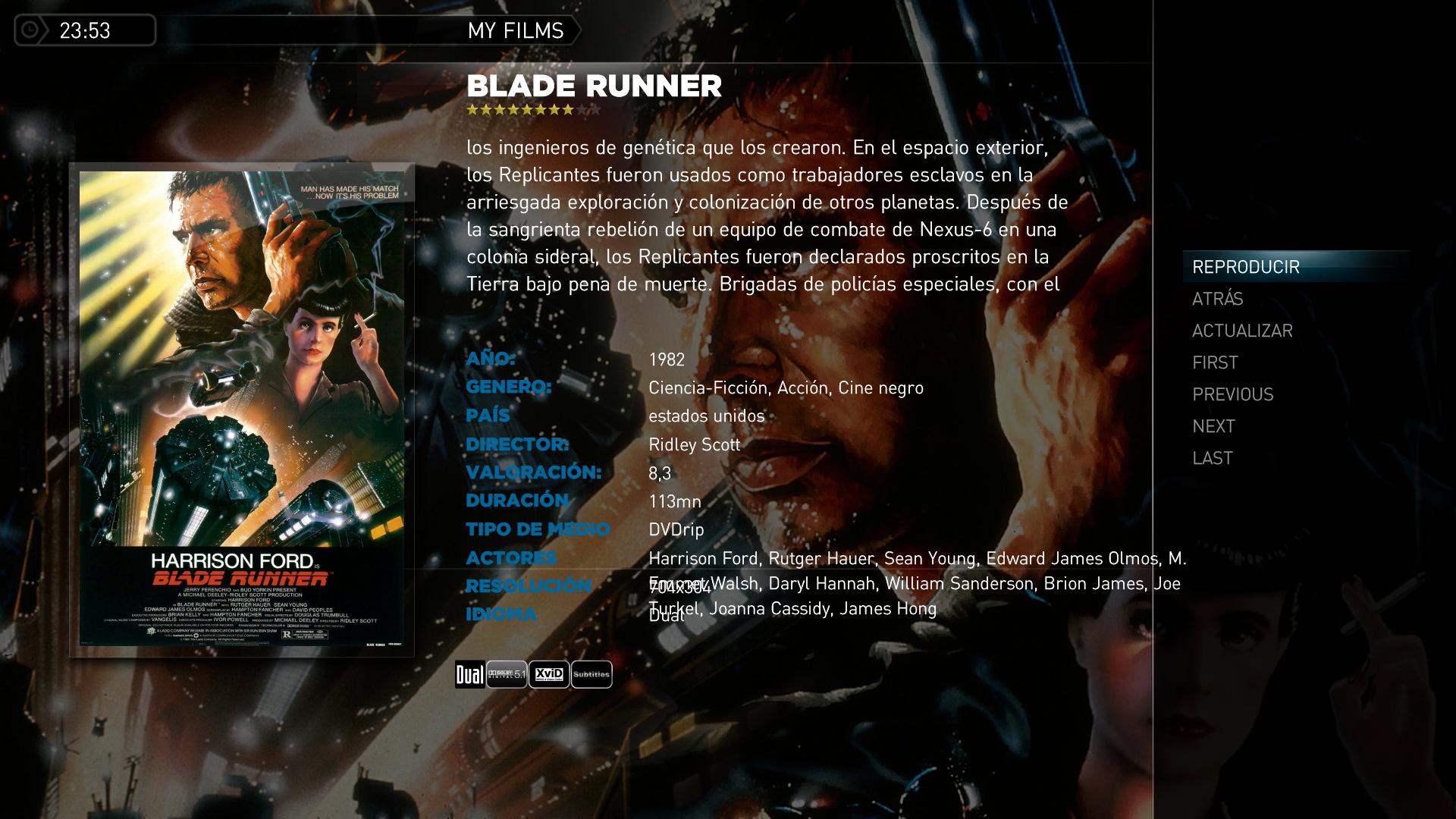
    Edit: i have found this bug with the detailed screen, look the actors field in the attached screen
     

    Attachments

    • Mf.JPG
      Mf.JPG
      248.8 KB

    zebons

    Portal Pro
    January 2, 2006
    1,484
    114
    I downloaded the files yesterday, in the first post of this thread


    Here u have
    Try with those files...

    Perfect.
    Another request:
    Would it be possible to have the arrows for changing page also in the filmstrip view?
    Thanks

    Edit: i have found this bug with the detailed screen, look the actors field in the attached screen

    :p
     

    Attachments

    • MesFilms.common.facade.xml
      30.7 KB
    • MesFilmsDetail.xml
      30.6 KB

    Yossarian_nz

    Portal Member
    October 13, 2008
    22
    0
    Home Country
    New Zealand New Zealand
    Sorry if this has already been answered in this thread, or elsewhere, but I've looked through for quite a while and haven't found the answer.

    In TV-series, is it possible somehow to have the banners extend to the top of the screen? i.e - I just have a 3x3 grid of banners with some wasted space at the top, while it would be nice to have a 5x3 or even 6x3 grid to fill the available space.
     

    Users who are viewing this thread

    Top Bottom