MP1 EVR Presenter/dshowhelper community development (4 Viewers)

angie05

MP Donator
  • Premium Supporter
  • March 29, 2010
    141
    118
    Home Country
    Germany Germany
    I thought it wasn't possible to change refresh rate of the secondary display (unless you're also changing the primary displays' refresh rate). See Mantis 0002951: dshowhelper.dll uses first monitor to calculate freqs instead of the active one - MediaPortal Bugtracker

    without the modified dshowhelper.dll my shift-1 graphs look always like a heart attack.
    (retested with the original)

    with the dshowhelper_owlsroost_v0037 i have 3 straight lines for 50 and 60 Hz refresh whilst the primary monitor frequency stays on 60 Hz. (and no frame drops)


    @SiLenTYL: i have tearing like hell on videos playing with WMP, but besides the pulldown hiccup there's even without reclock no tearing in MP.
     

    Owlsroost

    Retired Team Member
  • Premium Supporter
  • October 28, 2008
    5,539
    5,038
    Cambridge
    Home Country
    United Kingdom United Kingdom
    I thought it wasn't possible to change refresh rate of the secondary display (unless you're also changing the primary displays' refresh rate). See Mantis 0002951: dshowhelper.dll uses first monitor to calculate freqs instead of the active one - MediaPortal Bugtracker

    without the modified dshowhelper.dll my shift-1 graphs look always like a heart attack.
    (retested with the original)

    with the dshowhelper_owlsroost_v0037 i have 3 straight lines for 50 and 60 Hz refresh whilst the primary monitor frequency stays on 60 Hz. (and no frame drops)

    It works because v0037 measures/estimates the display refresh rate directly ("Meas rfsh:" in the render stats), rather than using the rate reported by Windows ("Display:"), and also performs vsync correction so that the frames are 'presented' at the correct time (the "SOP" value is the scanline number - counting from the top - when each frame is presented for rendering).

    Tony
     

    vuego

    Documentation Group
  • Team MediaPortal
  • August 5, 2006
    1,646
    776
    Göteborg
    Home Country
    Sweden Sweden
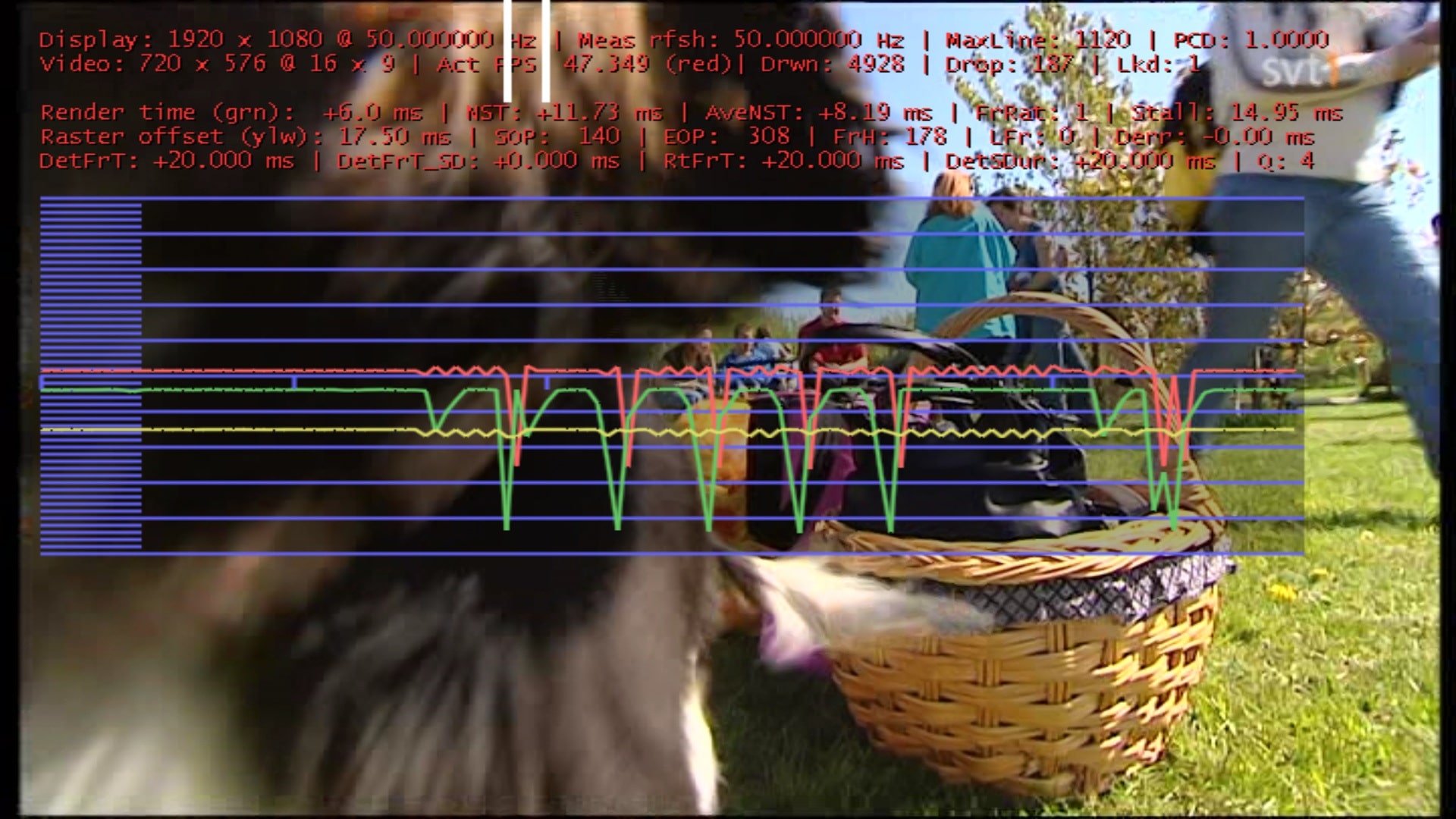
    I wish that would have worked for me. Here's what it looks like after a fresh install of MP 1.1.0 with dshowhelper_owlsroost_v0037. I don't use Automatic Refresh Rate Changer. I just manually set the secondary monitor to 50 Hz (primary is 60 Hz). I've tried Microsoft DTV-DVD decoder, ATI Video decoder and MPC Video decoder.

    If I disable Aero I get perfect playback but it has other disadvantages...
     

    Attachments

    • v37.jpg
      v37.jpg
      536.2 KB

    red5goahead

    MP Donator
  • Premium Supporter
  • November 24, 2007
    695
    144
    Italy, North West
    Home Country
    Italy Italy
    Vuego ., my opinion, at least with Ati card, is not recommended use the secondary monitor (in extended mode) to working with the renderer . Tourettes several month ago told me MP work fine most of cases only on the primary. For this I use my LM Remote to switch primary and secondary one before enter to MP and back to original setup when MP is closing. Would be great if primary and secondary if there were identical with the new dshowhelper . peraphs I'll try some test for that.
    Also keep Aero on always . believe me..
     

    vuego

    Documentation Group
  • Team MediaPortal
  • August 5, 2006
    1,646
    776
    Göteborg
    Home Country
    Sweden Sweden
    Well, MP works very well on the secondary monitor if I set both displays to 50 Hz. Unfortunately my main monitor doesn't support 50 Hz in it's native resolution which is why I'm hoping for mantis 2951 to solve this issue.
    I don't want to set the projector as primary since it would make other programs pop up there.
     

    Owlsroost

    Retired Team Member
  • Premium Supporter
  • October 28, 2008
    5,539
    5,038
    Cambridge
    Home Country
    United Kingdom United Kingdom
    When Aero used, the Windows DWM (Desktop Window Manager) imposes it's own vsync correction on rendering - after dshowhelper - so I suspect you need Aero disabled to allow this workaround to 'fix' the problem.

    Tony
     

    angie05

    MP Donator
  • Premium Supporter
  • March 29, 2010
    141
    118
    Home Country
    Germany Germany
    If I disable Aero I get perfect playback but it has other disadvantages...

    yes, if i disable reclock and switch aero on, i have the same jerky graphs as yours. And without reclock or similar helper you will never get rid of it.
     

    mironicus

    Portal Pro
    March 9, 2008
    688
    44
    AW: Re: MP1 EVR Presenter/dshowhelper community development

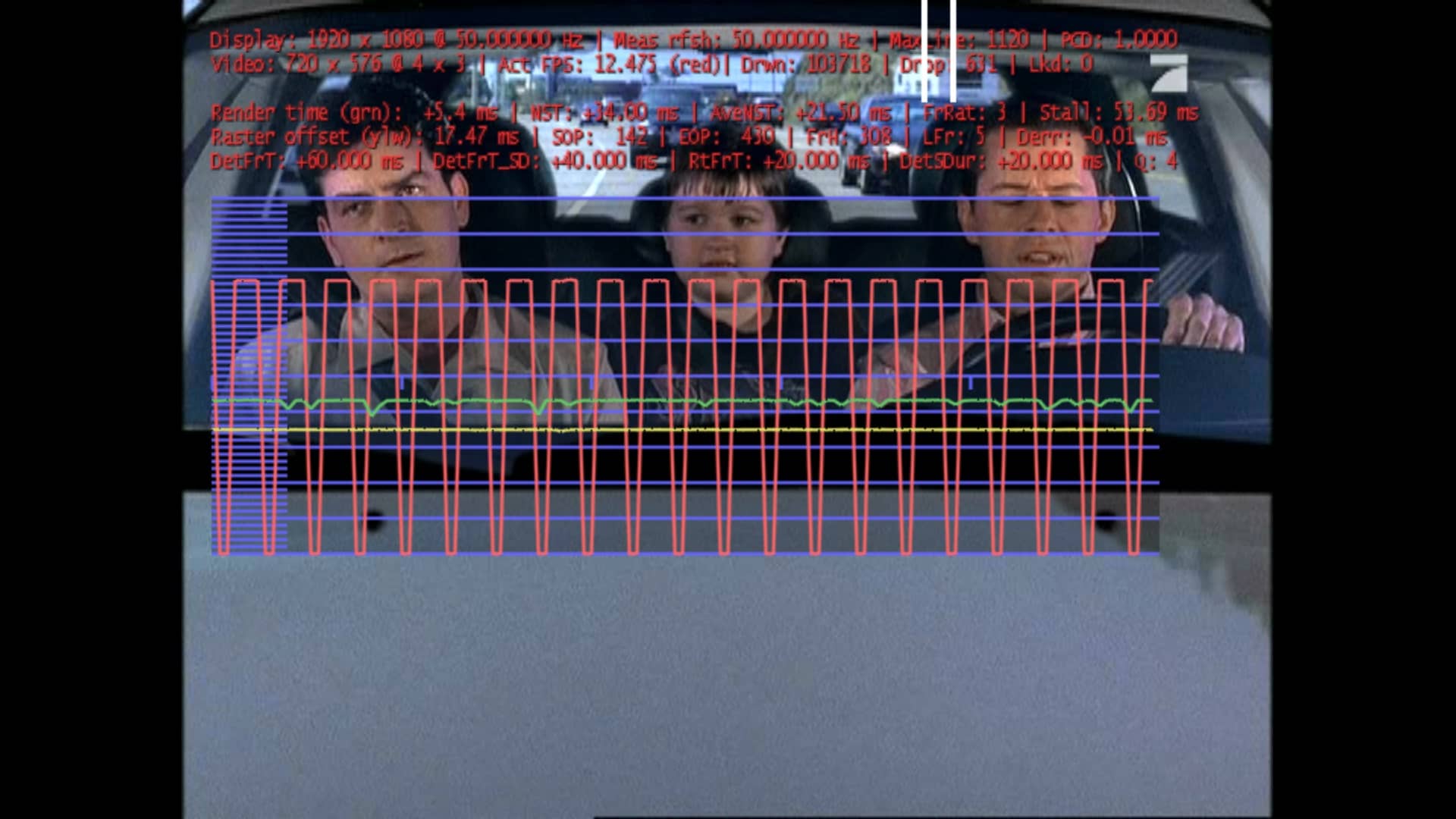
    I had some strange problem that appears extremely rarely on my system some minutes ago. Live-TV was constantly stuttering and the frame rate was running with only 12.5 fps/seconds. I remember that this rarely happens on channels like Pro 7, Sat 1, N24 (these channels are on the same transponder and from the same provider).

    Maybe this is not really dshowhelper.dll-related (TSReader?) but the picture I grabbed was made with the v37-dll. However Mediaportal was not running in debug-mode and I set it up only to report errors. However I can provide evr.log and the tsreader.log if someome like to see what was happening at this moment.
     

    Attachments

    • stutter_pro7.jpg
      stutter_pro7.jpg
      403.9 KB

    Owlsroost

    Retired Team Member
  • Premium Supporter
  • October 28, 2008
    5,539
    5,038
    Cambridge
    Home Country
    United Kingdom United Kingdom
    Re: AW: Re: MP1 EVR Presenter/dshowhelper community development

    I had some strange problem that appears extremely rarely on my system some minutes ago. Live-TV was constantly stuttering and the frame rate was running with only 12.5 fps/seconds. I remember that this rarely happens on channels like Pro 7, Sat 1, N24 (these channels are on the same transponder and from the same provider).

    Maybe this is not really dshowhelper.dll-related (TSReader?) but the picture I grabbed was made with the v37-dll. However Mediaportal was not running in debug-mode and I set it up only to report errors. However I can provide evr.log and the tsreader.log if someome like to see what was happening at this moment.

    From the render stats and evr.log, the dshowhelper is only getting a new 'sample' (decoded video frame) every 60ms - 'DetFrT: +60.000 ms' in the render stats - so there's a problem happening before dshowhelper gets the data.

    Tony
     

    infinite.loop

    Retired Team Member
  • Premium Supporter
  • December 26, 2004
    16,154
    4,133
    127.0.0.1
    Home Country
    Austria Austria
    While testing the MPAudioRenderer I noticed that when using the DSShowHelper.dll from here, a lot of new issues with the videoplayback started.
    Especially HD shows (*.mkv) with DTS audio had major stutter.

    Sadly pretty much my entire hardware at home got toasted recently by a lightning-strike, so I can not provide any logs or info until i replaced the hardware. :(
    But I thought I should let you guys know.
     

    Users who are viewing this thread

    Top Bottom