MP1 EVR Presenter/dshowhelper community development (8 Viewers)

Helios61

Retired Team Member
  • Premium Supporter
  • January 30, 2008
    4,586
    875
    64
    NRW
    Home Country
    Germany Germany
    AW: Re: MP1 EVR Presenter/dshowhelper community development

    Thanks for the feedback - can you try the attached version v0066 please ?

    This version sets up the DWM in a different mode to the earlier versions.

    There still seems to be a problem sometimes when playing the first file after a refresh rate change (it's more likely to have frame drops/stutters) - I'm not sure this can be fixed in the dshowhelper.....

    Tony

    Note: If you are using the MP AudioRenderer you must use the modified version from this post - https://forum.team-mediaportal.com/707555-post675.html - otherwise MP will crash...

    Hi Tony!

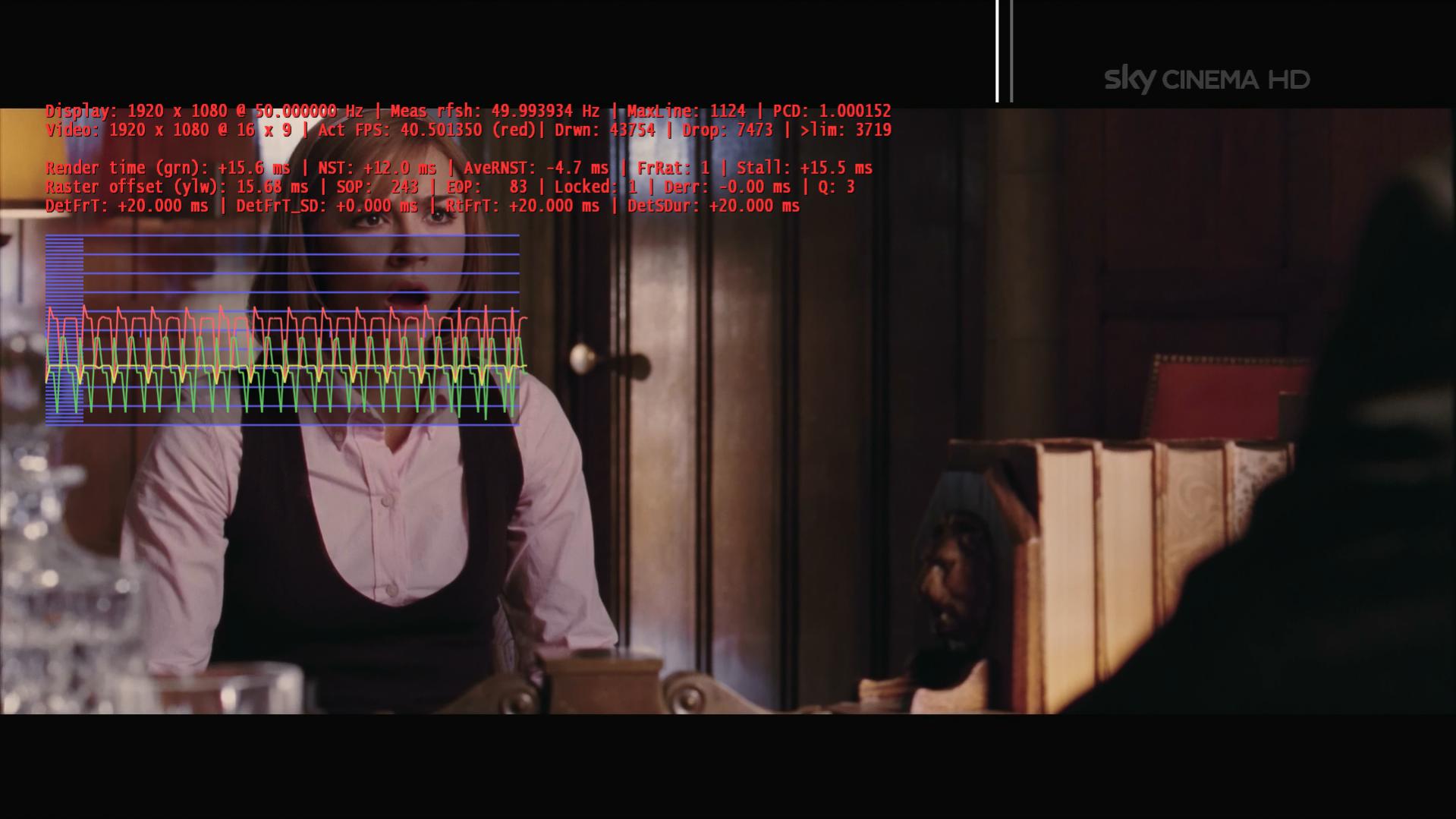
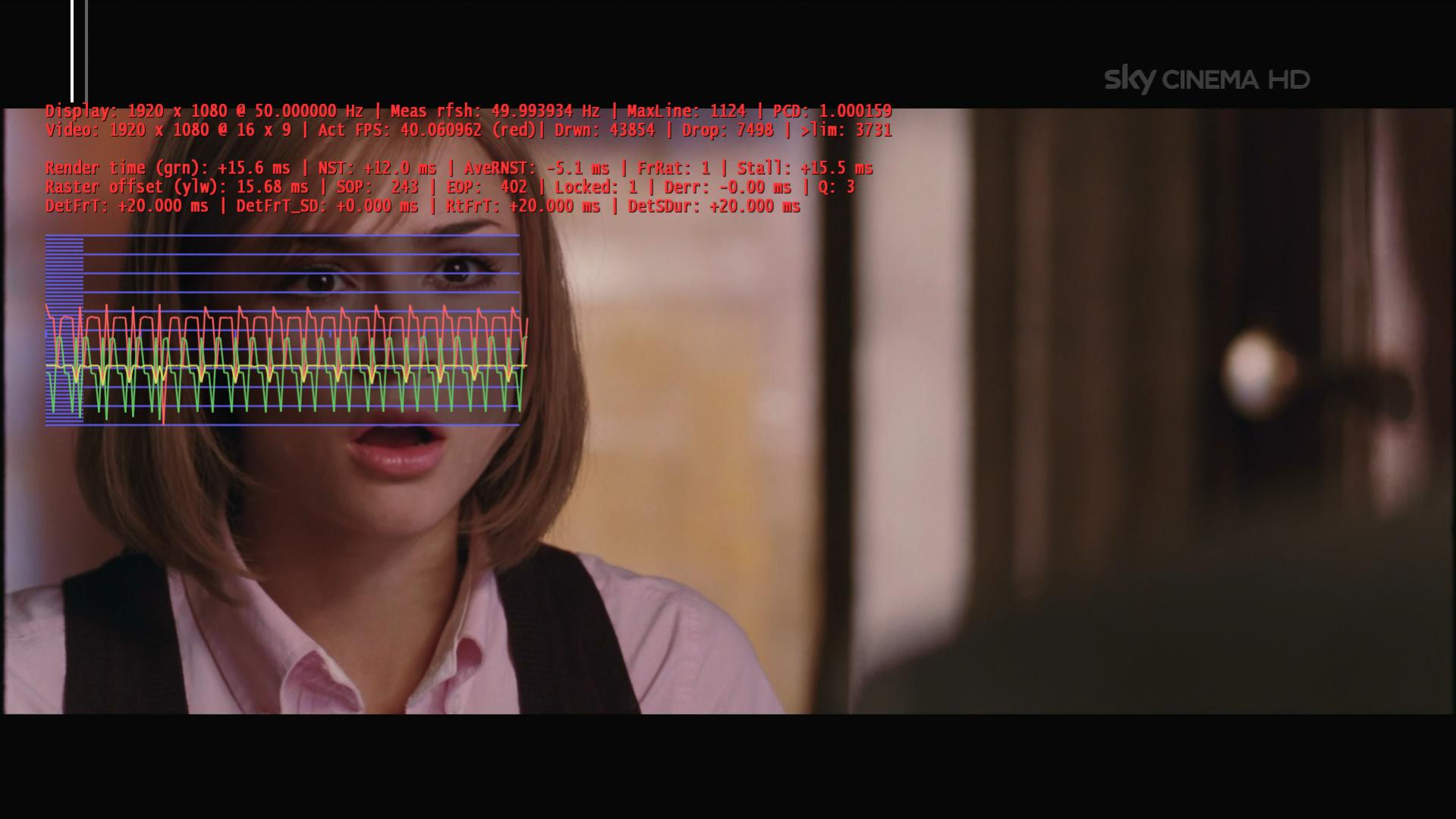
    I have made some, quick tests with v0066! HDTV (720p & 1080i) is working fine here, ~ 5 dropped frames/15000 drwn! But 1080/24p isn't working: stuttering and dropped frames! Logs and Screenshot are attached!

    Best regards

    Helios
     

    Attachments

    • 12-03-39.jpg
      12-03-39.jpg
      151.4 KB

    mrmojo666

    MP Donator
  • Premium Supporter
  • January 24, 2006
    603
    182
    Turin
    Home Country
    Italy Italy
    Thanks for the feedback - can you try the attached version v0066 please ?

    This version sets up the DWM in a different mode to the earlier versions.

    There still seems to be a problem sometimes when playing the first file after a refresh rate change (it's more likely to have frame drops/stutters) - I'm not sure this can be fixed in the dshowhelper.....

    Tony

    Note: If you are using the MP AudioRenderer you must use the modified version from this post - https://forum.team-mediaportal.com/707555-post675.html - otherwise MP will crash...

    Hi Tony :)

    the v66 works like a charm, non more issue after refresh change :)

    now i can go from hdtv 50i (50hz) to m2ts 24p (24hz) so again to sdtv 50i (50hz) rthen hdtv 50 hz , agin mkv 24p, then xvid 25p (50 hz) then again hdtv 50 hz and finally 2K mkv 24 hz :)

    coooooool

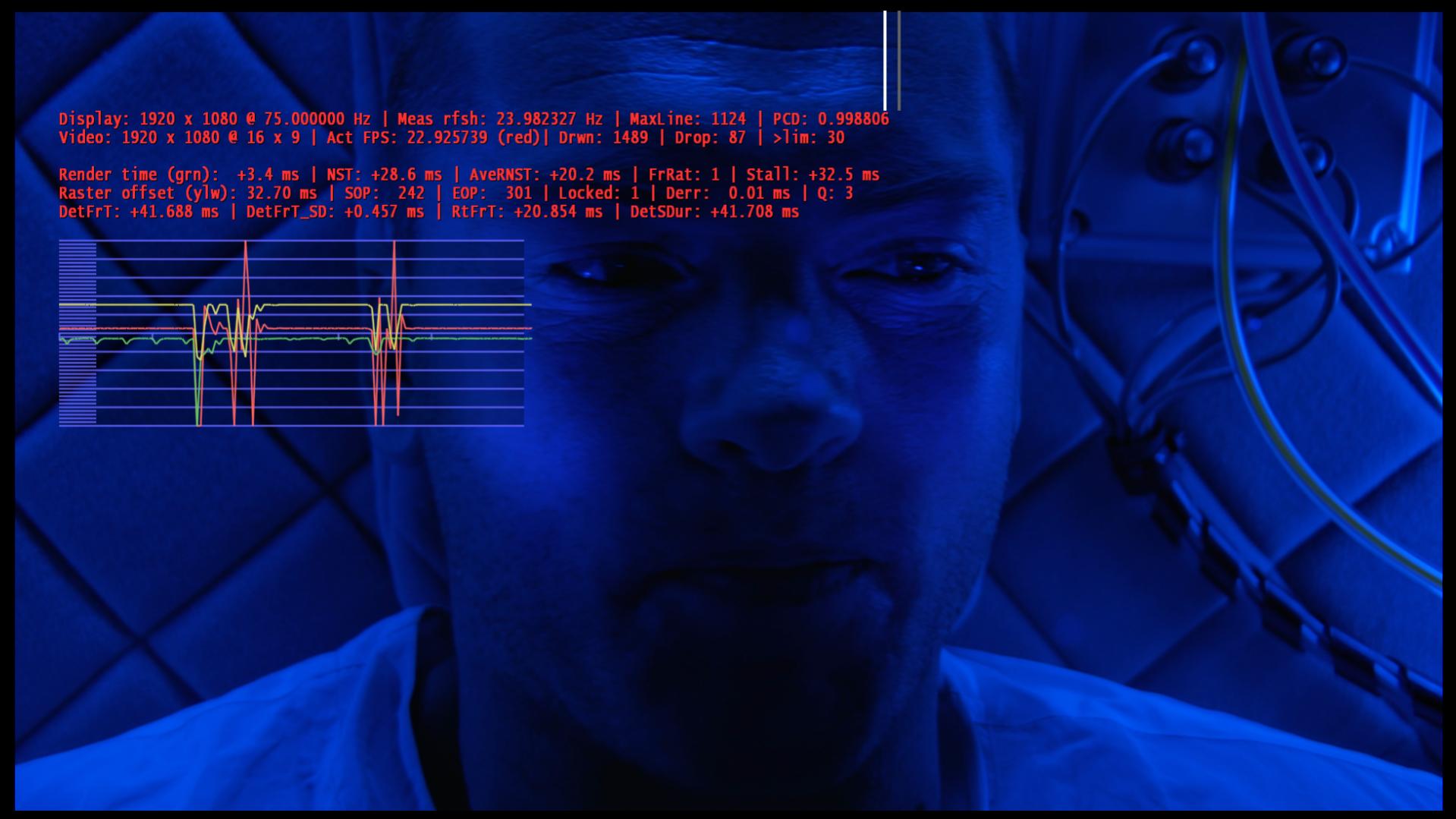
    all time the tree lines stay flat, just on 24p sometimes the red one get a spike to the bottom, but non drops and noting noticeable in smootness


    great job, i'm going to use v66 in everyday use, so i could send more detailed results in the next days.....


    go go go


    UPDATE: i found out why MP sometimes start to be stutter after a refresh change ...it was happening when i go to a m2ts 24hz with DTS audio , i've changend ffdshow internal codec for DTS decoding from libavcodec to libDTS and now i can't get any mess after refresh change......

    so what i told before about refresh change problems are gone with all your dll....... so to me is the same 65 and 66, maybe 66 is less flat but seems more smooth ....it is just a feeling
     

    peque

    Moderator - Spanish Forums
  • Premium Supporter
  • August 4, 2007
    861
    99
    Home Country
    Spain Spain
    Tourettes discovered that the MS-DTV decoder can change the frame rate if it thinks there is a performance problem - do you use this ?

    When you get the problem does it go away if you pause TV for a second or two (so that more data is buffered) ?

    Tony

    Nop. I use Cyberlink PowerDVD 10 (extracted from SAF 5.00). I'll try pausing to see what happens. Thanks for the tip. Is there any way to use this codec in WinVista?

    Ah! ok!. I saw this. Sadly, my problem doesn't dissapear with Tesla drivers. I'll keep on testing different configs.

    Sorry again for the offtopic. It's turning a bit difficult to me to find forums/posts/places to discuss about general hdtv (1080i) performance.

    bye!

    EDIT: Ah! Forgot to say that v65 is performing very well in all my tests. :) No heavy stuttering after some secons in SD channels, as with v58-v60, and quite flat lines in stats. :)
    I finally found who's reponsible for these spikes in an HD channel... Video codec... I've changed it from Cyberlink PowerDVD v10 to older v8 (last one available through dshow "out-of-the-box"), and spikes in red line have gone... Now I must see how it's working v8 with some channels that made me change to v10... :) But that's another "war".

    About dshow (v65)... yesterday, after 1:30h watching 1440x1080 interlaced livetv (entire football mach), I started to have long "stills" in image (no problem in sound)... Strange thing is that shutting down MP and restarting didn't help... ¿?

    I'll try v66. It seems you found something good, provided the last reports.

    Thanks all.

    PD: Please, anyone out there watching 1080i livetv & nVidia video card, could you report your video codec? PM me if you want, so we don't go off-topic again. Thanks in advance.
     

    mrmojo666

    MP Donator
  • Premium Supporter
  • January 24, 2006
    603
    182
    Turin
    Home Country
    Italy Italy
    PD: Please, anyone out there watching 1080i livetv & nVidia video card, could you report your video codec? PM me if you want, so we don't go off-topic again. Thanks in advance.

    usually ppl use microsoft dtv codec , that seems working well with all kind of HW under win7. If you are using SAF 5 unlocked the last versions is providing a working version of PDVD10 codec.

    May i suggest you to add your sistem specification to your profile, and maybe specify what frequency do you use when you watching tv ?

    bye :)
     

    peque

    Moderator - Spanish Forums
  • Premium Supporter
  • August 4, 2007
    861
    99
    Home Country
    Spain Spain
    PD: Please, anyone out there watching 1080i livetv & nVidia video card, could you report your video codec? PM me if you want, so we don't go off-topic again. Thanks in advance.

    usually ppl use microsoft dtv codec , that seems working well with all kind of HW under win7. If you are using SAF 5 unlocked the last versions is providing a working version of PDVD10 codec.

    May i suggest you to add your sistem specification to your profile, and maybe specify what frequency do you use when you watching tv ?

    bye :)
    I've got my specs added to my profile... ¿? I'm under WinVista, so I can't use Win7 ms codec... :( And I'm using Cyberlink PowerDVD 10 extracted from SAF 5.00... and that's the codec that causes the problem described some posts ago. ¿Frequency? It's PAL, so 50 hz.

    bye!
     

    mrmojo666

    MP Donator
  • Premium Supporter
  • January 24, 2006
    603
    182
    Turin
    Home Country
    Italy Italy
    Hi Tony :)

    the v66 works like a charm, non more issue after refresh change :)

    now i can go from hdtv 50i (50hz) to m2ts 24p (24hz) so again to sdtv 50i (50hz) rthen hdtv 50 hz , agin mkv 24p, then xvid 25p (50 hz) then again hdtv 50 hz and finally 2K mkv 24 hz :)

    coooooool

    all time the tree lines stay flat, just on 24p sometimes the red one get a spike to the bottom, but non drops and noting noticeable in smootness


    great job, i'm going to use v66 in everyday use, so i could send more detailed results in the next days.....


    go go go


    UPDATE: i found out why MP sometimes start to be stutter after a refresh change ...it was happening when i go to a m2ts 24hz with DTS audio , i've changend ffdshow internal codec for DTS decoding from libavcodec to libDTS and now i can't get any mess after refresh change......

    so what i told before about refresh change problems are gone with all your dll....... so to me is the same 65 and 66, maybe 66 is less flat but seems more smooth ....it is just a feeling

    UPDATE: after 1 hour of watching and zapping tv, v66 goes mad ...start bad stutter sometimes it goes normal then bad stutter again as you can see in the attachments

    i went back on v65, it seems isn't showing any issue on TV...... later i will try with files and mixed content.
     

    Attachments

    • 20-27-16.jpg
      20-27-16.jpg
      146 KB
    • 20-27-19.jpg
      20-27-19.jpg
      136.3 KB

    cecet23

    MP Donator
  • Premium Supporter
  • March 18, 2009
    137
    16
    Perugia
    Home Country
    Italy Italy
    as a Mrmojo666 after sometimes I have a bad stutter... I have attached a log and a snapshot..
     

    Attachments

    • Immagine.jpg
      Immagine.jpg
      475.9 KB

    xvffx

    Portal Pro
    August 15, 2007
    313
    53
    Home Country
    Canada Canada
    Hi,

    I might be of no help but in my case (studdering part) in watching HD

    any drivers newer than Nvidia's 186.18 is my problem so try version 186.18 (must be a clean install tho)

    hope this helps

    Vff
     

    Ponyriemen

    MP Donator
  • Premium Supporter
  • July 9, 2007
    2,570
    110
    /root/home
    Home Country
    Germany Germany
    AW: MP1 EVR Presenter/dshowhelper community development

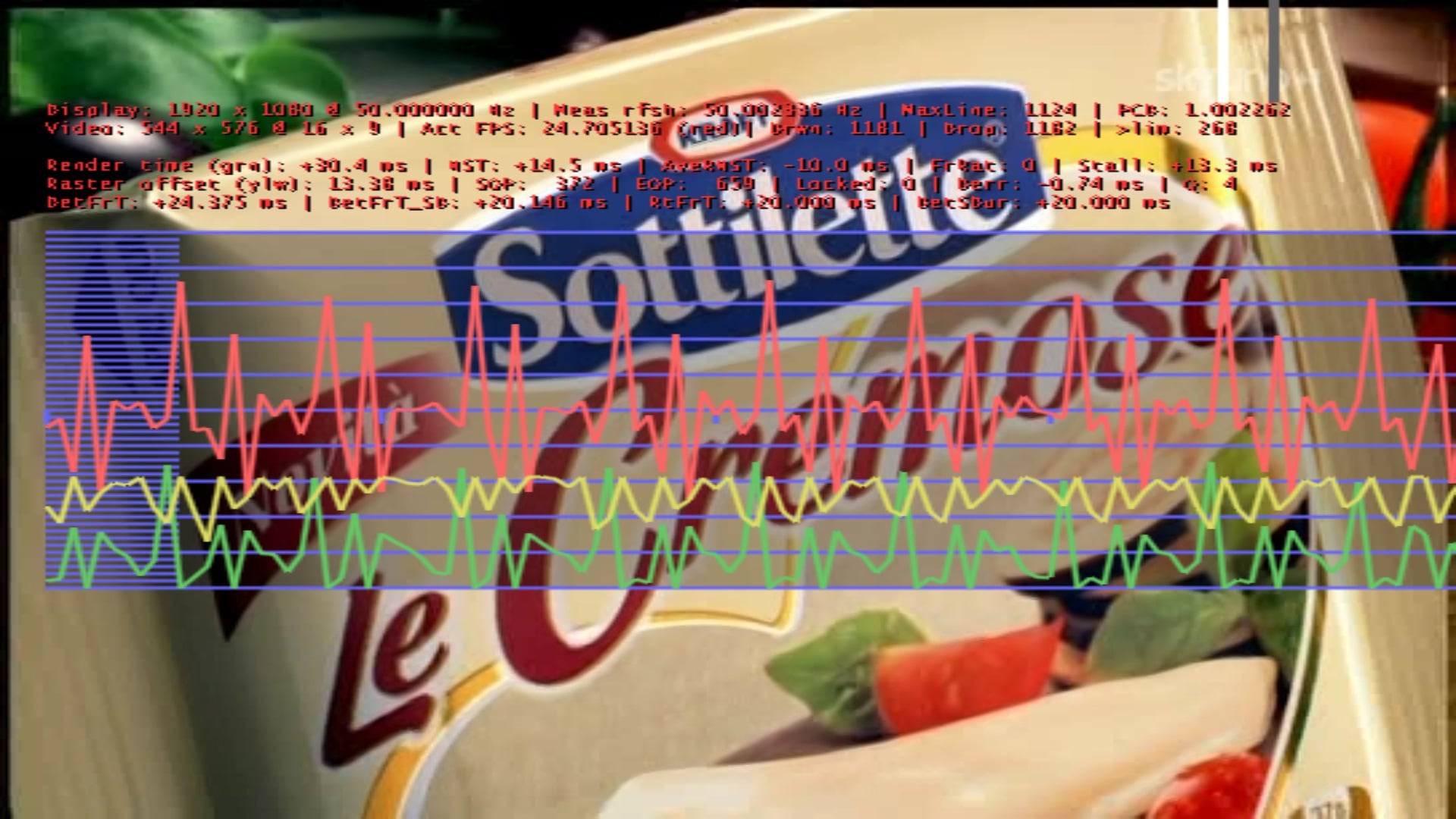
    mrmojo666: Framerate at 40 FPS and TV wants 50, that is the Reason for stuttering. Try another Codec, it seems like DXVA is not working...

    If i want to register the "new" Audiorenderer i get an Error Message, that the Binarys are not present, i should try to debug or something. Do i have to unregister first the old renderer or is it enough to copy the new Renderer.ax over the old one?
     

    sover

    Portal Pro
    April 11, 2008
    163
    24
    Home Country
    Russian Federation Russian Federation
    Hi, all.
    Yesterday i havee made some tests with v66.
    My config: Win7 x64, MP 1.1.2, SAF 5, inbuilt geForce 9400 with 258.96 x64 driver, Technotrend tt3200 DVB-S2 card. Codec for liveTV is MS, for SD - Cyberlink 10. I have 1080i tv and SD channels.
    Note that i have dynamic refresh rate enabled. refresh rates provided by MAD nvidia drivers: for 23.9 material -> 23Hz, for 25,50 material -> 50hz, for 30,60 material -> 29Hz. So an advice to nvidia users ->create this unstandart redresh rates for DynamicRefreshrate mode.
    Also i have Samsung 50A656 fullHD Plasma with 24p,50Hz,60Hz.
    So i watch TV for about 1 hour with channel switch from SD->HD->HD->SD and watching 1080i HD about half an hour. In all cases playback was good. A had framedrops only at the moment of switching channel or at discont of SAT signal (little sat dish for HDTV).
    After that i played some different material of my 4TB HD collection with different framerates.
    Issue. 24p material is perfect but green line is at the bottom of the screen. After changing soundtrack of the movie or any skipstep green line turns to normal position near the center of screen. No shutter at all. But i have test different files and playback them all about 3-5minutes.
    So i continue testing. Thank you Owlsroost
     

    Users who are viewing this thread

    Top Bottom