
You are using an out of date browser. It may not display this or other websites correctly.
You should upgrade or use an alternative browser.
You should upgrade or use an alternative browser.
MP1 EVR Presenter/dshowhelper community development (16 Viewers)
- Thread starter Owlsroost
- Start date

 Italy
Italy
AW: MP1 EVR Presenter/dshowhelper community development
I see the same problem when I just tried to playback a blu-ray.
With the RC4 dll it plays fine.
Unfortunately I found out a problem regarding the new dll. I have many videos that have 29,97 fps but actually are playing with 23,97 fps (the fps changes dynamically during video playback). These files are now stuttering with the new dll. With the default dshowhelper the playback is fine.
I see the same problem when I just tried to playback a blu-ray.
With the RC4 dll it plays fine.
- Thread starter
- #323
Re: AW: MP1 EVR Presenter/dshowhelper community development
A screen capture with render stats and logs would be useful.....
What display refresh rate were you using ? (I assume the Blu-ray itself was 24/23.976 Hz ?)
Tony
Unfortunately I found out a problem regarding the new dll. I have many videos that have 29,97 fps but actually are playing with 23,97 fps (the fps changes dynamically during video playback). These files are now stuttering with the new dll. With the default dshowhelper the playback is fine.
I see the same problem when I just tried to playback a blu-ray.
With the RC4 dll it plays fine.
A screen capture with render stats and logs would be useful.....
What display refresh rate were you using ? (I assume the Blu-ray itself was 24/23.976 Hz ?)
Tony
I am having the most success with the new versions of the dshowhelper posted in the last day.
Using Microsoft or FFDShow for h264 files, I am getting much smoother playback for the first time.
However, the Actual frame rate line (red line) seems to glitch every 40-45 seconds causing temprorary stutter. The picture recovers and then does te same thing again after another 40-45 seconds. This continues with this pattern and frequency.
Anyone got any ideas? The fact that this occurs with a regular pattern suggests that maybe something else external (a background windows function/event) might be causing it or could it be the dshowhelper dll?
I have attached a screen shot of one of the glitches. (ignore the deviation of the green and yellow lines - this was caused by my pressing CTRL Print Screen)
If anyone has any thoughts or suggestions?
Thank you.
Using Microsoft or FFDShow for h264 files, I am getting much smoother playback for the first time.
However, the Actual frame rate line (red line) seems to glitch every 40-45 seconds causing temprorary stutter. The picture recovers and then does te same thing again after another 40-45 seconds. This continues with this pattern and frequency.
Anyone got any ideas? The fact that this occurs with a regular pattern suggests that maybe something else external (a background windows function/event) might be causing it or could it be the dshowhelper dll?
I have attached a screen shot of one of the glitches. (ignore the deviation of the green and yellow lines - this was caused by my pressing CTRL Print Screen)
If anyone has any thoughts or suggestions?
Thank you.
Attachments
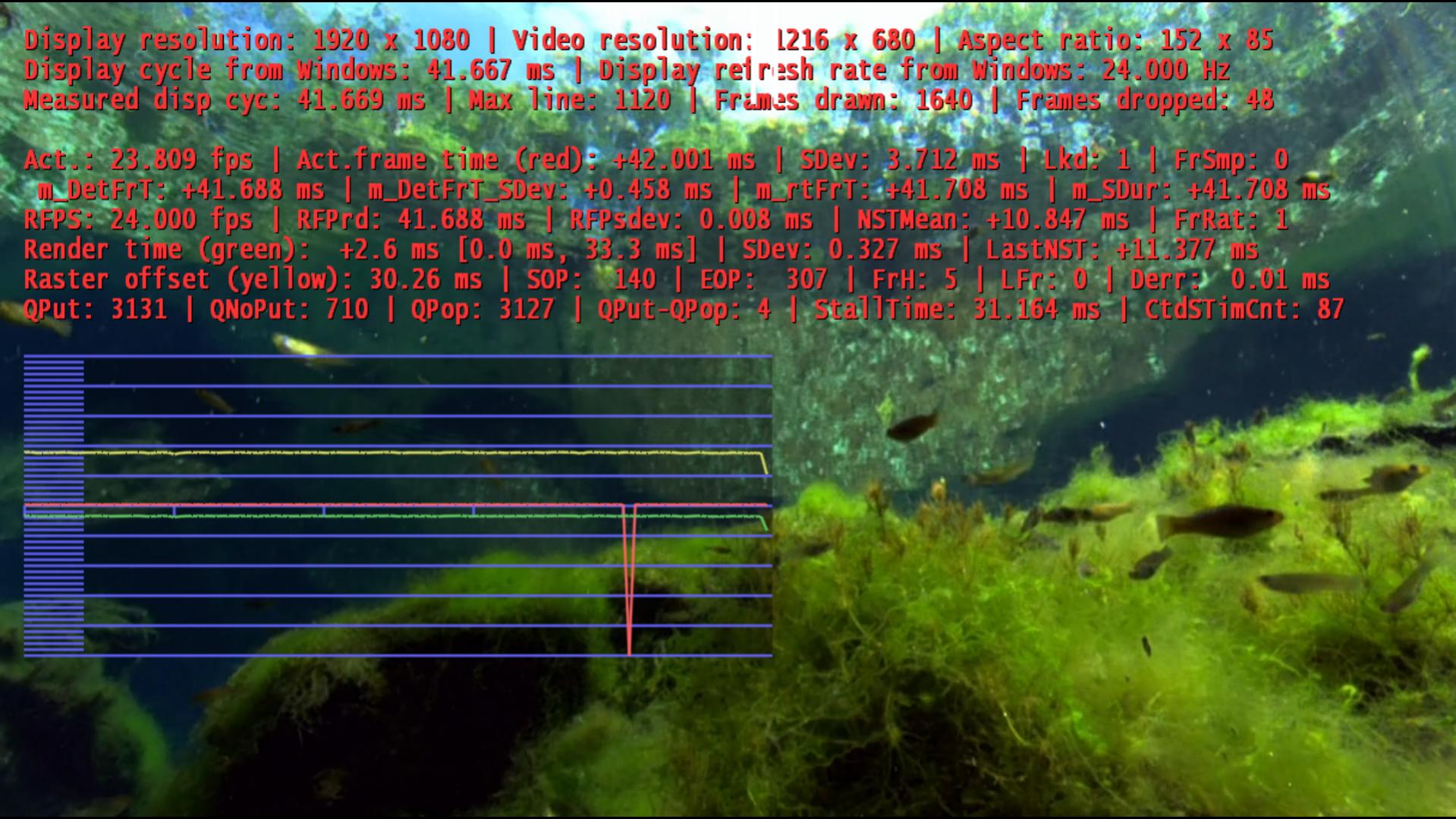
However, the Actual frame rate line (red line) seems to glitch every 40-45 seconds causing temprorary stutter. The picture recovers and then does te same thing again after another 40-45 seconds. This continues with this pattern and frequency.
Anyone got any ideas? The fact that this occurs with a regular pattern suggests that maybe something else external (a background windows function/event) might be causing it or could it be the dshowhelper dll?
Either:
1) audio HW's and GPU's hardware clocks aren't running in sync (small drift is happening with all HW...)
2) source fps doesn't match the display Hz - 40 second drops are quite close to the 23.976fps played on 24Hz display (in any case are you using Intel i5/i7 CPU's GPU that is known to not to support 23.976hz, at least with the available drivers)
Both are issues that cannot be fixed with EVR presenter alone.
- Thread starter
- #326
mironicus/grubi/cecet23 - can you try the attached dll please - I've modified the vsync correction behaviour when the display/video fps ratio is not an integer multiple e.g 60Hz/24Hz, and rolled back a recent change which might be causing the crashes.
cecet23 - were you getting any crashes with v0010/v0011 dll's ?
jet70 - I think Tourettes comment about 23.976 <-> 24Hz video/display issues is probably the problem - if you can't set the display to 23.976 then use ReClock to pull things into sync.
Tony
cecet23 - were you getting any crashes with v0010/v0011 dll's ?
jet70 - I think Tourettes comment about 23.976 <-> 24Hz video/display issues is probably the problem - if you can't set the display to 23.976 then use ReClock to pull things into sync.
Tony
AW: Re: MP1 EVR Presenter/dshowhelper community development
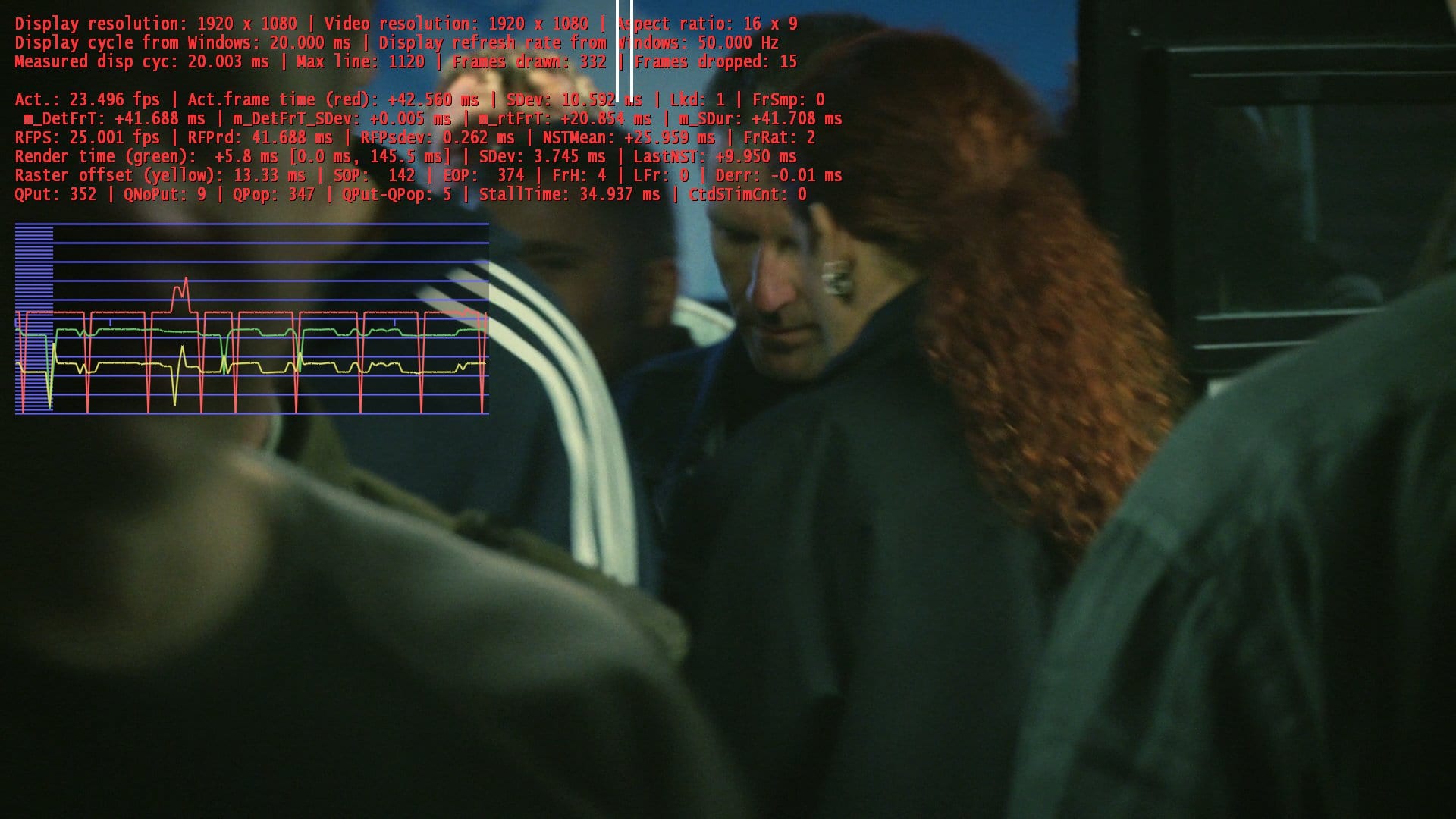
No still the same problem.
The source is 24fps and display refresh rate is 50Hz.
I know it is not optimal, however the original DLL handles this quite well.
Regards
mironicus/grubi/cecet23 - can you try the attached dll please - I've modified the vsync correction behaviour when the display/video fps ratio is not an integer multiple e.g 60Hz/24Hz, and rolled back a recent change which might be causing the crashes.
cecet23 - were you getting any crashes with v0010/v0011 dll's ?
jet70 - I think Tourettes comment about 23.976 <-> 24Hz video/display issues is probably the problem - if you can't set the display to 23.976 then use ReClock to pull things into sync.
Tony
No still the same problem.
The source is 24fps and display refresh rate is 50Hz.
I know it is not optimal, however the original DLL handles this quite well.
Regards
Attachments
AW: MP1 EVR Presenter/dshowhelper community development
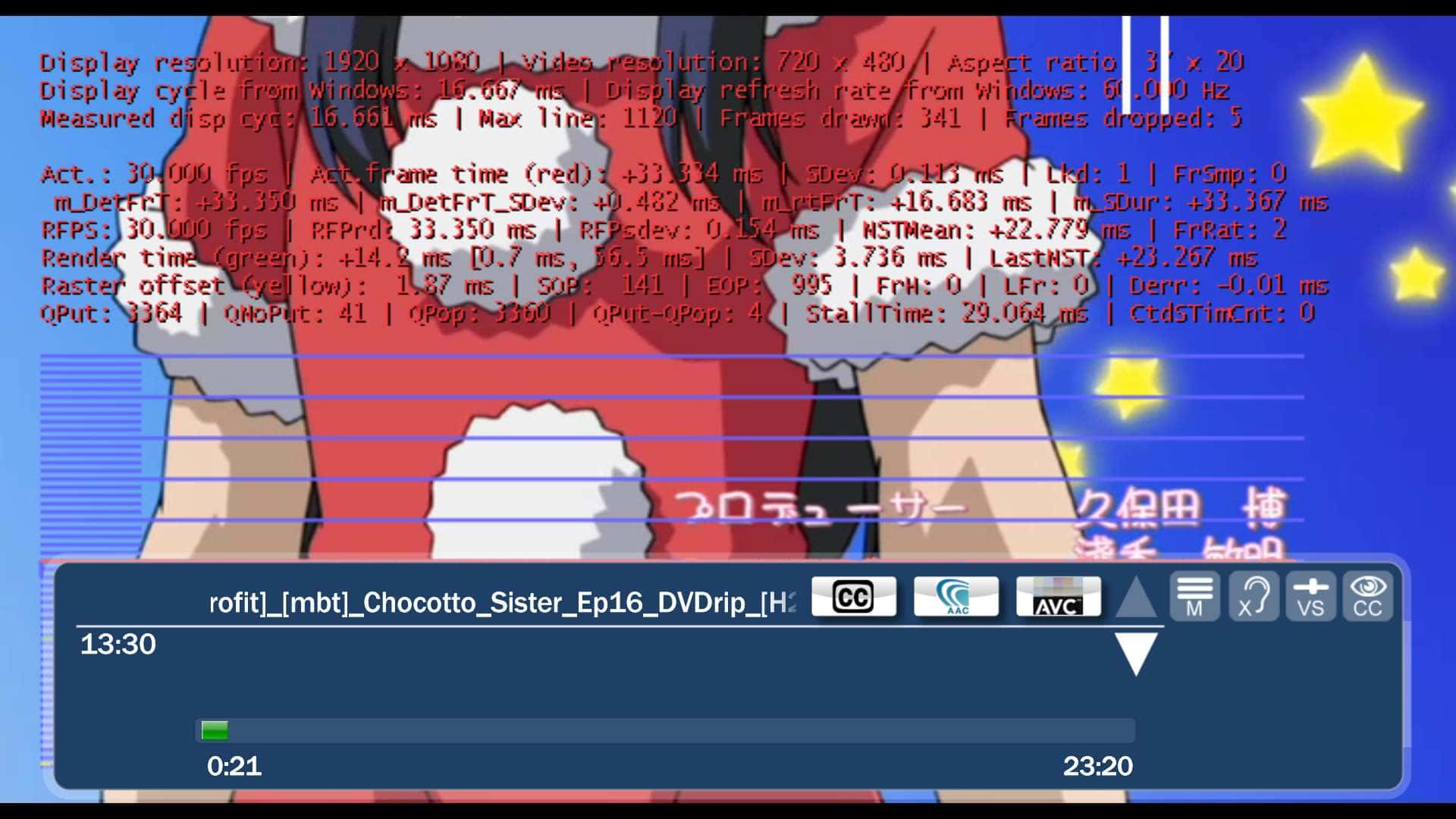
With V16 the problems with 29,97 fps videos with changing frame rates (23,97) displaying at 59,94 Hz are solved - the behaviour is now the same like as the original dll. Thank you!
I just want to point now to another problem that happens with the original and with your modified dll.
Situation:
- A Video with native 29,97 fps displaying at 60 Hz with subtitles enabled
- Everything runs smooth
- Press Y to show the status window
- Everytime a new subtitle is displayed with the status window enabled the video stutters a bit
I made a log and a picture.
UPDATE: I just happened to recognize that a display rate change (23,97 Hz -> 59,94 Hz) before starting a video can cause stuttering video playback. Stopping the video and restarting solves the problem in this case. Happens with both the original and the modified dll.
With V16 the problems with 29,97 fps videos with changing frame rates (23,97) displaying at 59,94 Hz are solved - the behaviour is now the same like as the original dll. Thank you!
I just want to point now to another problem that happens with the original and with your modified dll.
Situation:
- A Video with native 29,97 fps displaying at 60 Hz with subtitles enabled
- Everything runs smooth
- Press Y to show the status window
- Everytime a new subtitle is displayed with the status window enabled the video stutters a bit
I made a log and a picture.
UPDATE: I just happened to recognize that a display rate change (23,97 Hz -> 59,94 Hz) before starting a video can cause stuttering video playback. Stopping the video and restarting solves the problem in this case. Happens with both the original and the modified dll.
Attachments
mironicus/grubi/cecet23 - can you try the attached dll please - I've modified the vsync correction behaviour when the display/video fps ratio is not an integer multiple e.g 60Hz/24Hz, and rolled back a recent change which might be causing the crashes.
cecet23 - were you getting any crashes with v0010/v0011 dll's ?
jet70 - I think Tourettes comment about 23.976 <-> 24Hz video/display issues is probably the problem - if you can't set the display to 23.976 then use ReClock to pull things into sync.
Tony
i tried this version too but it doesn't solve the crash problem... if you want I can try to save a log..
I never tried v010 and v011 because with those version I receive a lot of stutter...
- Thread starter
- #330
Re: AW: Re: MP1 EVR Presenter/dshowhelper community development
OK, thanks - the problem I have is working out a way of determining the actual playing frame rate of the video accurately so I can control the vsync correction e.g. when ReClock is speeding up 24 fps to 25fps the 'sample' timing data is still for 24 fps but the video is actually playing at 25 fps....
Tony
No still the same problem.
The source is 24fps and display refresh rate is 50Hz.
I know it is not optimal, however the original DLL handles this quite well.
Regards
OK, thanks - the problem I have is working out a way of determining the actual playing frame rate of the video accurately so I can control the vsync correction e.g. when ReClock is speeding up 24 fps to 25fps the 'sample' timing data is still for 24 fps but the video is actually playing at 25 fps....
Tony
Users who are viewing this thread
Online now: 16 (members: 0, guests: 16)