New Layout of BasicHome Menu Buttons? (8 Viewers)

CyberSimian

Test Group
  • Team MediaPortal
  • June 10, 2013
    3,861
    3,085
    Southampton
    Home Country
    United Kingdom United Kingdom
    Is there a way to adjust the new-media indicator to the to posY position of a focused sub-menu media button (given it has new-media)?
    One of the limitations of the MP1 skin engine is that controls cannot use expressions in the XPOS and YPOS tags. Hence a control cannot move to a different position based on the value of a skin variable. :(

    To achieve a similar result, you can duplicate the control, with different positions, and with different visibility conditions, so that at any one time only one of these duplicates is visible. I am reasonably certain that the skin engine allows you to specify multiple controls with the same id, and if the id is one of the predefined ids, the skin engine will apply the same processing to each copy of that control. (Hmm, perhaps you should test that before making extensive changes, just to be sure that it will work in the way that you want.)

    -- from CyberSimian in the UK
     

    2BitSculptor

    Super Moderator
  • Team MediaPortal
  • January 23, 2008
    2,051
    1,095
    South Central Wisconsin
    Home Country
    United States of America United States of America
    • Thread starter
    • Moderator
    • #12
    To achieve a similar result, you can duplicate the control, with different positions, and with different visibility conditions, so that at any one time only one of these duplicates is visible.
    Also my thought... thanks! Experimentation commences :eek:!!!!
     

    2BitSculptor

    Super Moderator
  • Team MediaPortal
  • January 23, 2008
    2,051
    1,095
    South Central Wisconsin
    Home Country
    United States of America United States of America
    • Thread starter
    • Moderator
    • #13
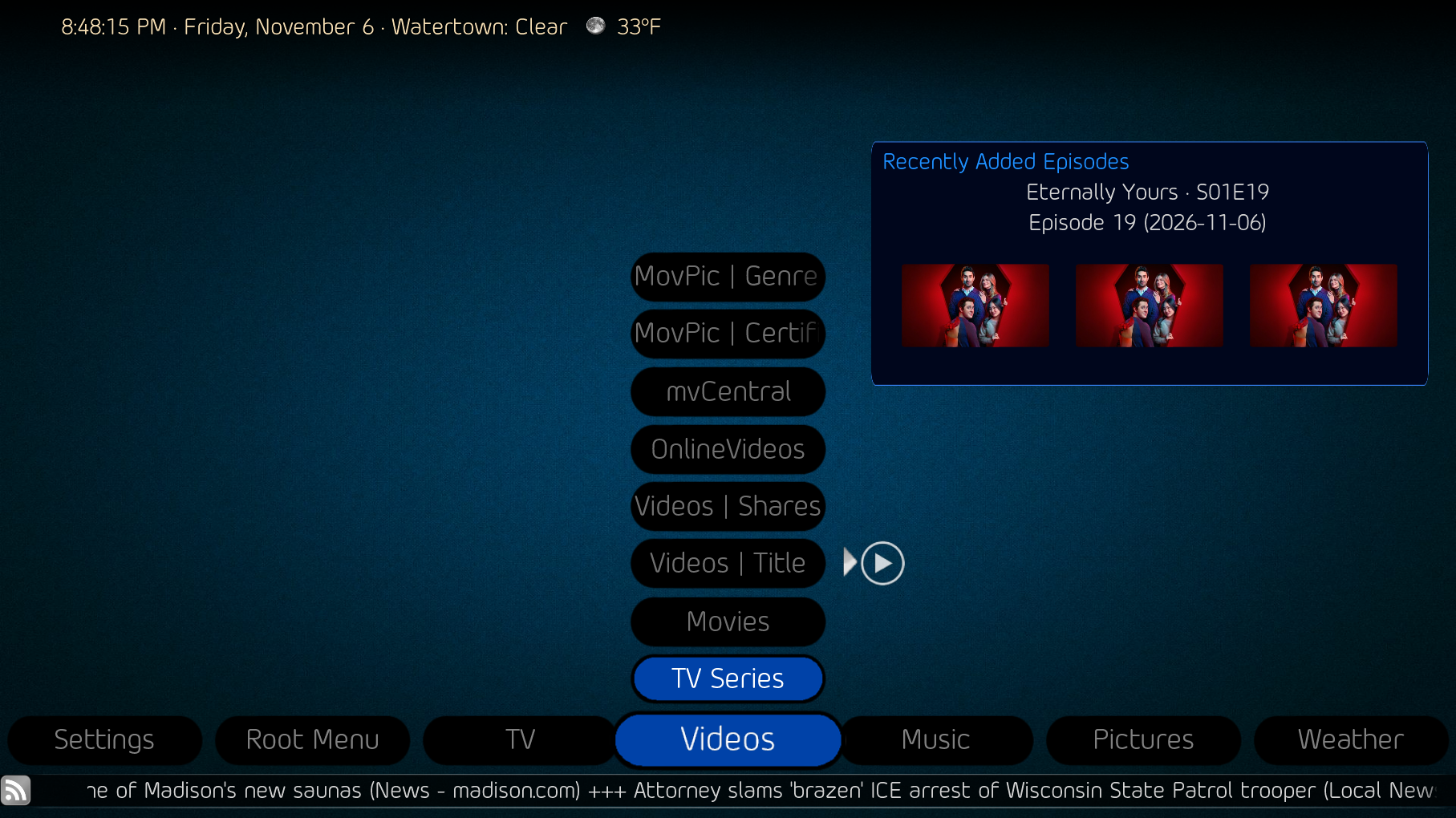
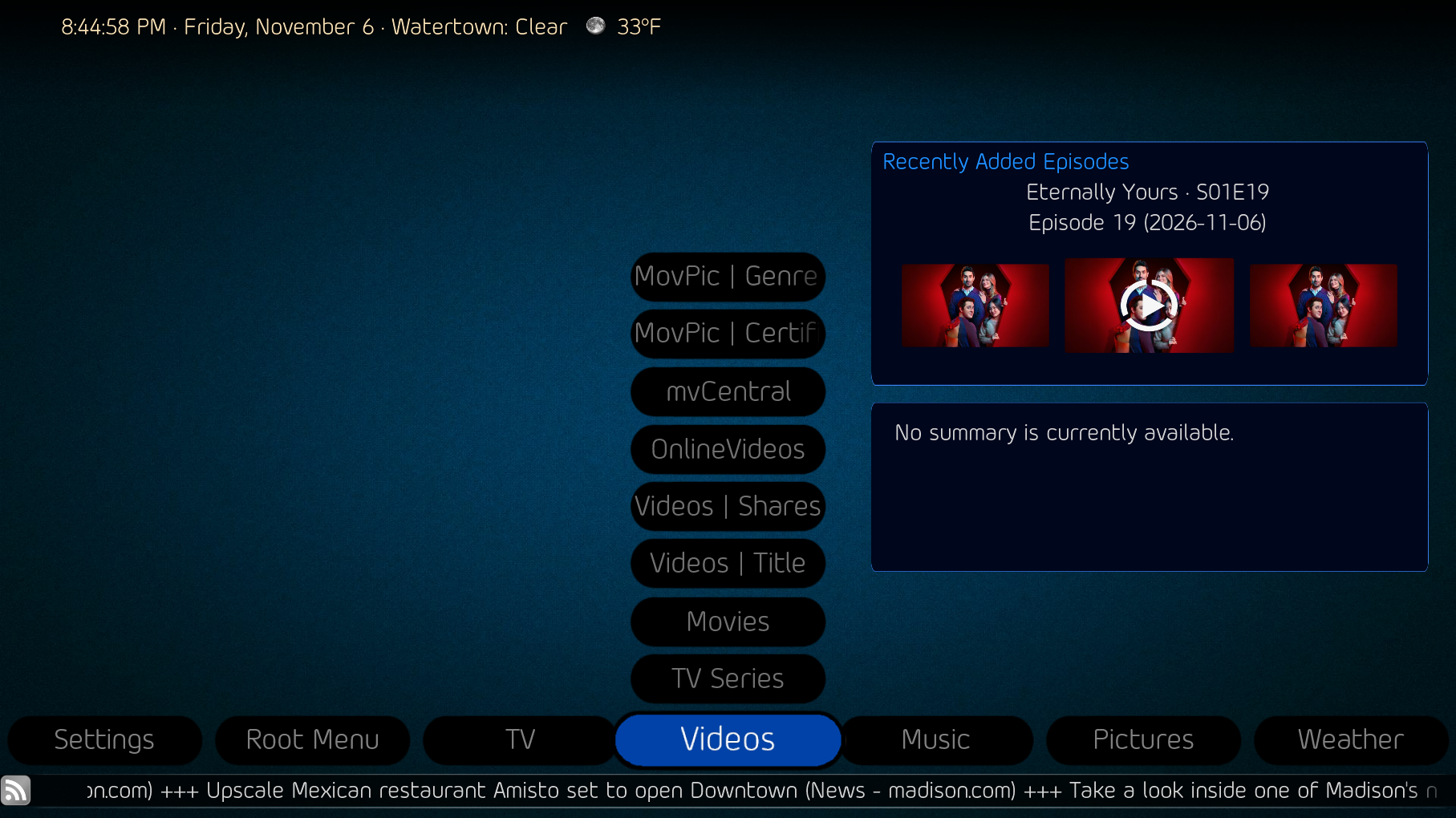
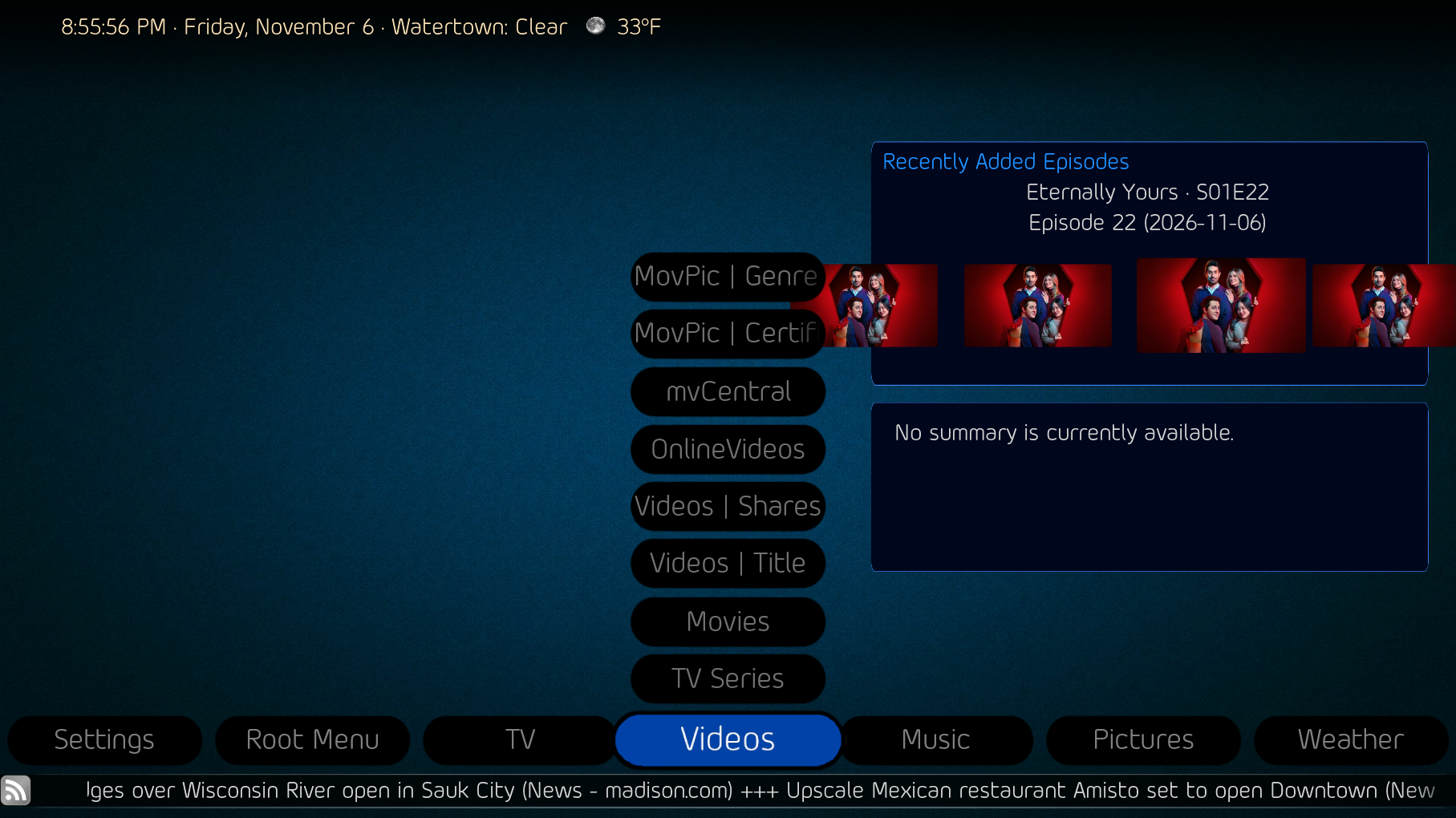
    Still trying to find room for stuff.

    What is the control to keep a filmstrip scroll within a background box, rather than scrolling a full image width outside the box on either side, before fading in or out?
     

    Attachments

    • 20-48-15.png
      20-48-15.png
      1.5 MB
    • 20-44-58.png
      20-44-58.png
      1.3 MB
    • 20-55-56.png
      20-55-56.png
      1.4 MB
    Last edited:

    CyberSimian

    Test Group
  • Team MediaPortal
  • June 10, 2013
    3,861
    3,085
    Southampton
    Home Country
    United Kingdom United Kingdom
    What is the control to keep a filmstrip scroll within a background box
    The filmstrip is formatted into the rectangle defined by the WIDTH and HEIGHT tags, and that rectangle is positioned by the POSX and POSY tags.

    If you want to see what tags are available for a filmstrip, look in the file "references.xml". There may be some explanation of all of these filmstrip tags in the Wiki, but the Wiki is somewhat spotty in its coverage :( . So you may have to try to deduce the action of a tag from its name, combined with setting the tag to different values to see what effect it has on the screen. This is why developing a skin takes ages. :cry:

    -- from CyberSimian in the UK
     

    2BitSculptor

    Super Moderator
  • Team MediaPortal
  • January 23, 2008
    2,051
    1,095
    South Central Wisconsin
    Home Country
    United States of America United States of America
    • Thread starter
    • Moderator
    • #15
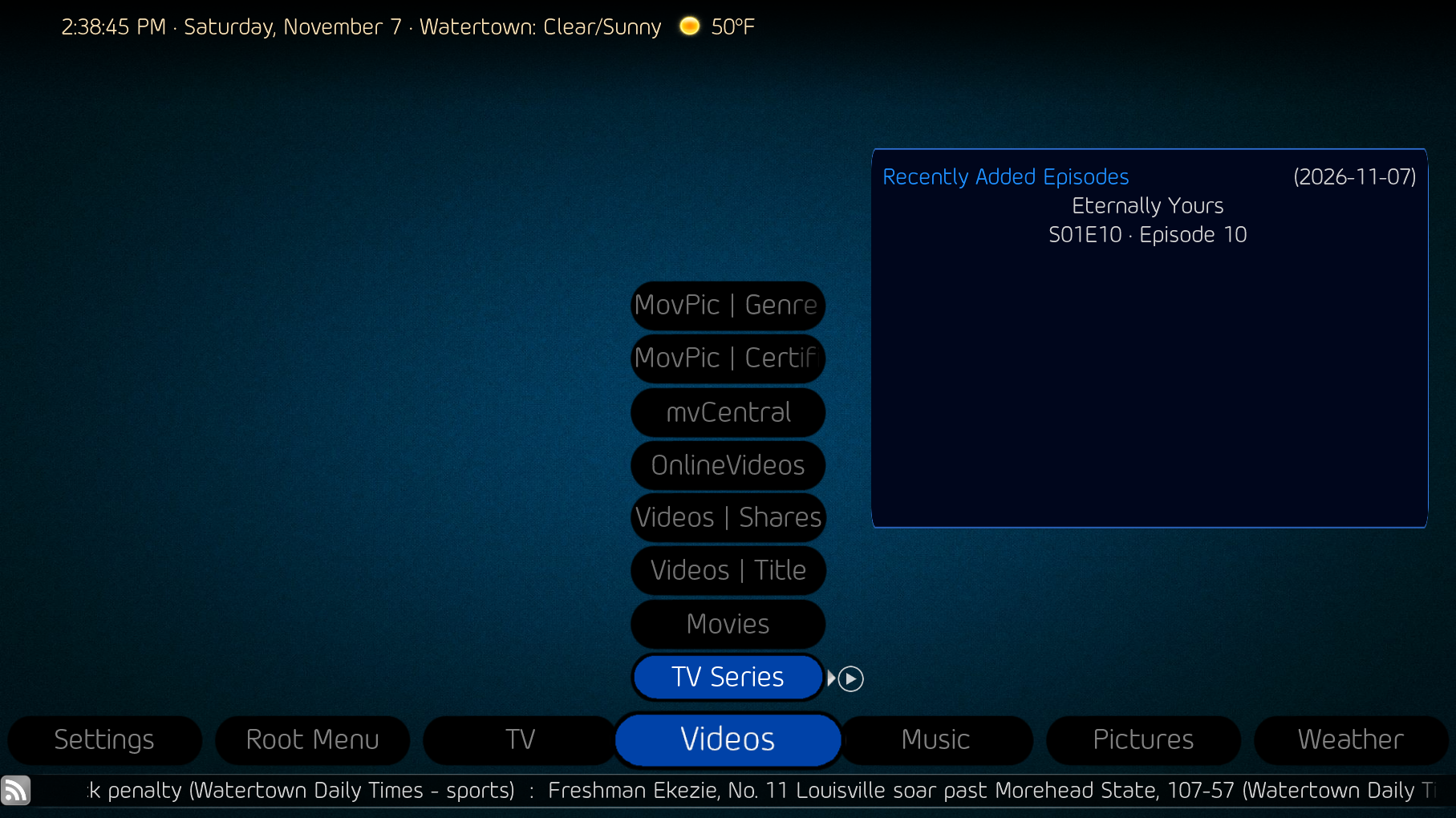
    Another direction ... As a result of reduced space above the button stack, I'm trying to convert the recently added media filmstrip view to thumbnailpanel view. I've tried copying the view from another skin and changing the ID and visibility controls to display so I can fix position and size of the panel to fit in my background box. I want 3 columns with 3 rows for videos, TV shows and TV recordings (screen caps), and 5 columns with 2 rows for movies (covers) and 5 columns with 2 rows for music (cds)... I've started with TV shows, and once I get that right, it'll be easy to convert the others.... alas, I need an alchemist to conjure some magic. I can't seem to get it working.
     

    Attachments

    • 14-38-46.png
      14-38-46.png
      1.3 MB
    Last edited:

    CyberSimian

    Test Group
  • Team MediaPortal
  • June 10, 2013
    3,861
    3,085
    Southampton
    Home Country
    United Kingdom United Kingdom
    As with the filmstrip, the size of the thumbnail region is defined by the WIDTH and HEIGHT tags, and its position is defined by the POSX and POSY tags.

    The size of each thumbnail is defined by several tags:
    • ITEMWIDTH and ITEMHEIGHT (for small thumbnails).
    • ITEMWIDTHBIG and ITEMHEIGHTBIG (for big thumbnails).
    • TEXTUREWIDTH and TEXTUREHEIGHT.
    • THUMBWIDTH and THUMBHEIGHT.
    I no longer remember the difference between these tags, but they all relate in some way to the size of a thumb. So I would suggest that you divide the size of the thumbnail region by (say) four, and use those dimensions for all of the above tags. Once you have got a 4x4 thumbnail grid working, you can start varying the values specified for some of the above tags to see what they do.

    -- from CyberSimian in the UK
     

    2BitSculptor

    Super Moderator
  • Team MediaPortal
  • January 23, 2008
    2,051
    1,095
    South Central Wisconsin
    Home Country
    United States of America United States of America
    • Thread starter
    • Moderator
    • #17
    Thanks, ... I do get that part ... I'm having difficulty getting any of it to display at all on Basic Home. In respect to that, I'm at a loss. I'm using the same visibility as the original filmstrip section, and have used the same ID number as well.

    I'd rather use the thumbnail view because it actually has an edge limit when it scrolls up or down. The filmstrip view seems to allow the end items to slide off without an edge limit, so they disappear ... after they completely cross the dimensions of the defined display area.
     
    Last edited:

    CyberSimian

    Test Group
  • Team MediaPortal
  • June 10, 2013
    3,861
    3,085
    Southampton
    Home Country
    United Kingdom United Kingdom
    The filmstrip view seems to allow the end items to slide off without an edge limit, so they disappear ... after they completely cross the dimensions of the defined display area.
    Hmm, the filmstrip in my "Clarity" skin does not behave that way. o_O

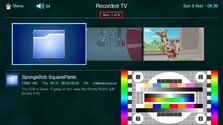
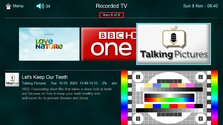
    I generally prefer larger rather than smaller, so my filmstrip has just three (large) thumbnails on the screen. When I scroll left or right to the maximum extent, I end up either with the three leftmost thumbnails on the screen, or the three rightmost thumbnails on the screen. The filmstrip does not "overscroll" to leave blanks where the thumbnails should be. You can see from the item counter (red box) that the focus is at the start of or end of the filmstrip. Attempting to scroll beyond the start or end of the filmstrip does nothing:

    filmstrip_left_end.jpg filmstrip_right_end.jpg

    So why is your filmstrip apparently overscrolling? I looked at the tags in my filmstrip definition, but I could not identify any tags that might control overscrolling. :(

    I'm having difficulty getting any of it to display at all on Basic Home.
    I don't use any plugins that provide lists on the "Basic Home" panel, so I cannot check what does and does not work. Presumably the thumbnail panel works in "Videos", "Recorded TV", and "Music". So look at the xml for one of those, and copy it to your "Basic Home" xml file, changing the minimum needed to get the "Recently Added Media" list to appear as thumbnails.

    -- from CyberSimian in the UK
     

    CyberSimian

    Test Group
  • Team MediaPortal
  • June 10, 2013
    3,861
    3,085
    Southampton
    Home Country
    United Kingdom United Kingdom
    Any chance you can share "Clarity"?
    I don't have any problems providing "Clarity" to anyone who wants it, but I would assess it as not being a skin for general use. It is oriented towards broadcast TV and broadcast radio, and does not make any special provision for internet sources (video, radio, or music). In addition, it does not support any plugins, not even the popular ones such as TV Series, Recently-Added Media, World Weather, and so on. So it is of limited appeal, I think. Also, it is still a "work in progress", so some bits are unfinished (not the bits that I use).

    To be able to run "Clarity" as intended, you would need to use my customised language file (the one for the UK), otherwise various text strings will appear blank. Also. you might need to use my customised HID configuration (for the keyboard and remote control -- I have a non-standard definition for the INFO key on the remote, and for the letter "i" on the keyboard).

    So, having said all that, do you still want it? If you were hoping that the xml source might indicate why your "Old Eyes" skin is not working, I think a better alternative would be to examine the behaviour of filmstrips and thumbnail layouts in "Videos", "Recorded TV", and "Music". For example, if the filmstrip in "Videos" does not overscroll, examine carefully the xml tagging to spot the difference between that and your definition in "Basic Home".

    -- from CyberSimian in the UK
     

    Users who are viewing this thread

    Top Bottom